

Overview
inZOI uses several overlapping notification systems to keep players informed about their Zois' needs, relationships, finances, and events. These range from on-screen popup alerts to smartphone messages, floating thought bubbles above Zois, Psycat tips, and the property notification board. Understanding how each system works helps players respond to urgent situations without being overwhelmed by information.
Psycat Alerts
Psycat, the Ragdoll cat who is the player's guide, delivers contextual tips and alerts through two channels:
Alert Type | Description |
|---|---|
AR Talk | During Live Mode, Psycat sends messages through the AR Talk chat window with observations about your Zois' lives, moods, and needs. These tips often hint at needs the player might be missing. |
Meow alerts | A Psycat popup appears whenever the household earns Meow currency, confirming the amount received. |
Removed Psycat Alerts
In earlier versions of the game, Psycat also displayed alerts when the city's karma level declined. The v0.1.6 update (April 2025) removed these karma decline alerts "to reduce the feeling of unnecessary judgment during negative situations and help players stay immersed." Players had reported that the karma alerts were triggering too frequently for minor actions. The v0.4.0 update (October 2025) further restructured karma by removing karma scores, icons, and dedicated menu items entirely, merging karma-based interactions into the general system.
Smartphone Notifications
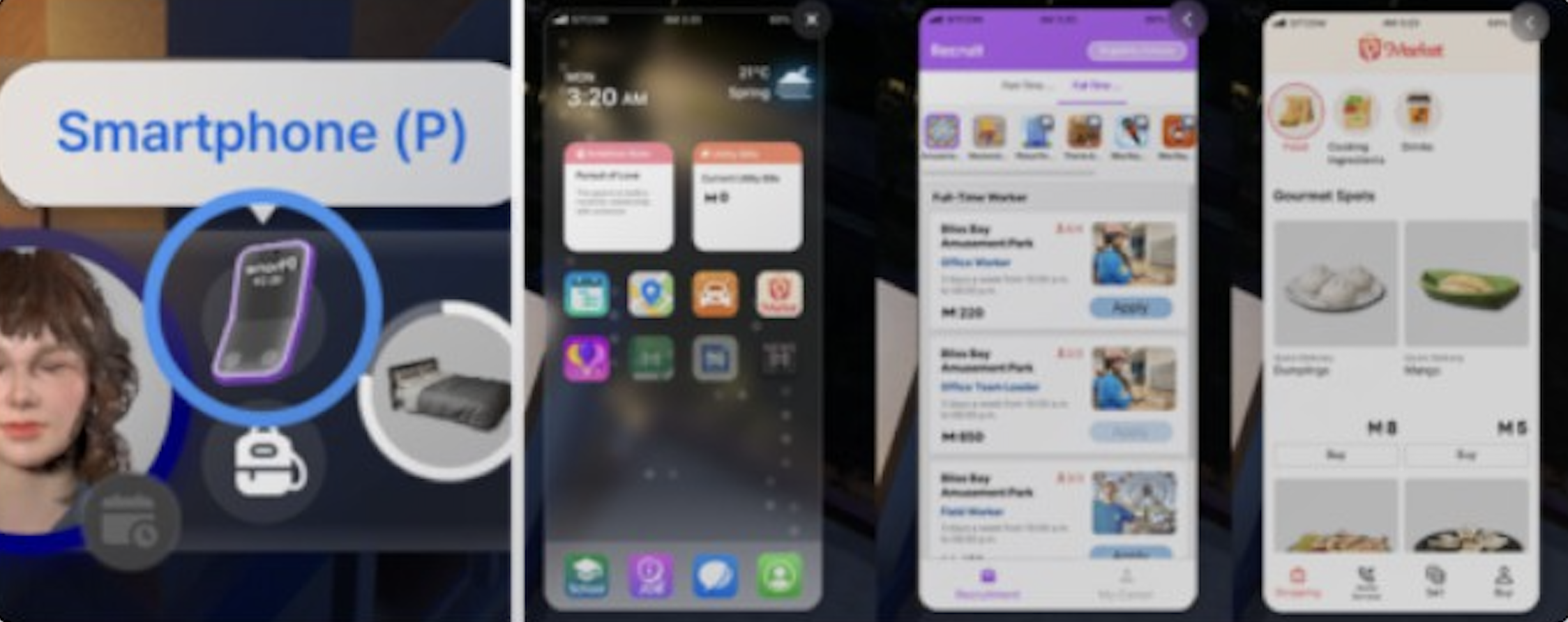
The smartphone (press P) is the main delivery channel for gameplay notifications. Several types of alerts arrive as phone messages or app updates:
Notification Type | Source | Details |
|---|---|---|
Text messages | Messages app | Friends, coworkers, and family send texts. Responses affect relationship scores. |
Bill reminders | Tax Department | Arrive every Friday when utility bills are due. Open Messages and select the Tax Department conversation to pay. |
Death notifications | Messages app | A text message notifies the player when someone from the relationship panel passes away. |
Delivery confirmations | Appears when items ordered through the Pocket Market arrive at the front door. | |
Event reminders | Events app | Reminders for scheduled social events like parties, dates, and weddings. |
Career updates | Notifications about job applications, promotions, and schedule changes. | |
Spam messages | Occasional promotional messages advertising Pocket Market items. | |
Relationship milestones | Messages app | Psycat sends notifications when two Zois make progress in their social bars. |
Thought Bubbles
During conversations and interactions, visual thought bubbles appear above Zois. This reflects their inner thoughts. These icons show emoji-style images that represent the Zoi's emotional reaction to what is happening. Thought bubbles help players understand how a Zoi feels about a conversation or action without needing to open the full emotions panel.
Thought bubbles display briefly at normal game speed. Players who want to read the full thought can pause the game (press Space) while the bubble is visible. The same timing limitation applies to dream sequences during sleep, where dreams are shown at an accelerated speed.
Needs and Urges Indicators
The Needs panel (visible in the main UI) displays eight core needs as colored bars: Hunger, Energy, Hygiene, Bladder, Social, Fun, Comfort, and Environment. When any need drops critically low, the bar turns red and the Zoi may exhibit distressed behavior or refuse certain actions.
Urges appear as floating icons or thought prompts when a Zoi autonomously wants to perform an action tied to their traits or ambitions. For example, a Zoi with the Fitness Master ambition might show an urge to exercise. Urges can be fulfilled or ignored by the player.
Property Notification Board
The Property notification board appears on the right side of the screen during gameplay. It provides alerts related to the household's home and lot:
Notification | Description |
|---|---|
Bill arrival | Displays when new utility bills are due. |
Visitor notifications | Alerts when NPCs visit the lot. |
Emergency alerts | Fire notifications appear when a fire breaks out on the property. Known bug: fire alerts may persist for several in-game days after the fire has been extinguished. |
Collection Log access | The book-shaped icon below the notification board opens the Collection Log. |
Rabbit Hole Career Updates
When a Zoi is at a rabbit hole career (a job where they disappear inside a building whose interior cannot be viewed), the game provides periodic text updates about what they are doing offscreen. These notifications appear in the UI as status messages, letting the player know the Zoi is working without requiring direct supervision.
Build Mode Notifications
In Build Mode, Psycat provides help through the Psycat's Help button, offering building tips and furniture placement guidance. Cost notifications appear when placing or removing items. This shows the Meow cost or refund in real time. When editing community lots, a notice confirms that edits are free and do not cost the household any Meow.
UI Customization
All notification-related UI elements can be repositioned by clicking and dragging them to a new location on the screen. However, elements cannot be resized or combined. The game supports several layout styles:
Layout | Description |
|---|---|
Default | Smaller windows on the sides, center screen clear for gameplay. |
Life simulator style | Main panels at the bottom left, smaller panels at the bottom right. |
Bottom-heavy | All UI elements concentrated at the bottom to maximize central screen space. |
Note that custom UI positions may reset when loading a save, as the game is still in Early Access. This is a known limitation.
Notification History
The notification systems have been adjusted across several updates in response to player feedback:
Update | Change |
|---|---|
v0.1.6 (April 2025) | Removed Psycat karma decline alerts to reduce judgment during negative gameplay. |
v0.4.0 (October 2025) | Removed karma scores, icons, and dedicated menu items. Karma-based interactions merged into general system. |
v0.5.0 (December 2025) | Introduced the Memory System as a step toward the planned diary feature. Improved Ambitions reward display visuals. |
Tips
Press P to quickly check smartphone notifications without navigating away from the current view.
Pause the game (Space) when a thought bubble appears to read the full content before it fades.
If Psycat alerts about Meow earnings feel intrusive, focus on the AR Talk log rather than the popup, as AR Talk messages stay in the chat history.
Pay bills promptly when the Tax Department notification arrives. The 2-day deadline can sneak up, especially during busy gameplay sessions.
If fire alerts persist after extinguishing, save and reload the game to clear the stuck notification.