

Overview
Tattoos and face paint are part of the skin detail customization system in inZOI. Found under the Face Characteristics section of Create a Zoi, these options let players add visual details to their Zoi's skin, ranging from decorative face paint and neck tattoos to realistic features like scars, moles, and freckles. While makeup focuses on cosmetic products like eyeshadow, lipstick, and blush, the skin detail categories covered here deal with more permanent or structural markings on the face and neck.
The system is organized into several subcategories: Face Paint (which includes both decorative paint designs and neck tattoos), Scars (including bandages and pimple patches), Moles, and Freckles. Each category has its own set of preset options with varying degrees of customization. These details work alongside face customization and clothing to give every Zoi a distinct, personal appearance.
How to Access Skin Details
All tattoo, face paint, scar, mole, and freckle options are located in the same area of the character creator. To reach them:
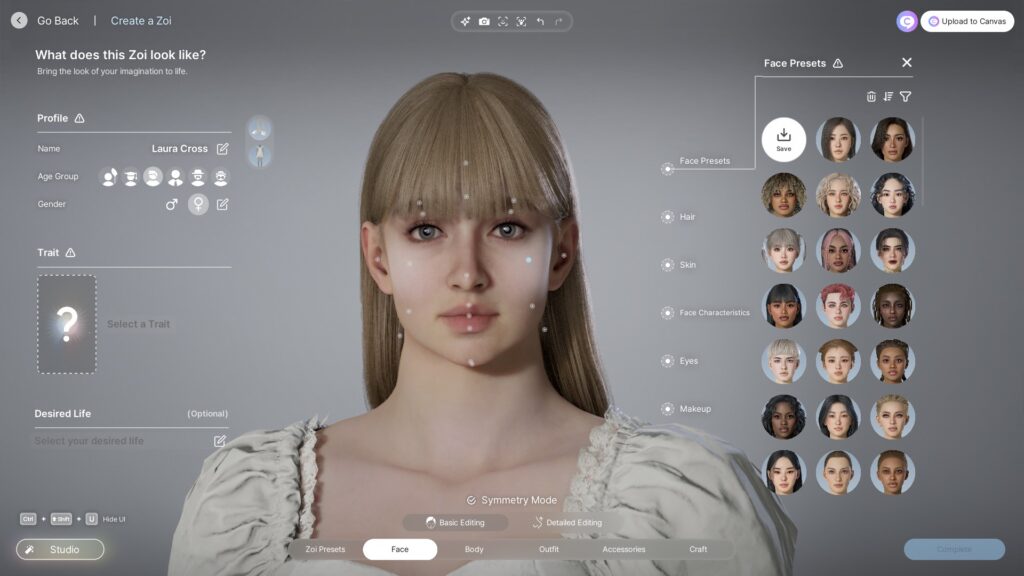
Open Create a Zoi (either when creating a new character or by editing an existing Zoi's appearance in-game).
Navigate to the Face tab.
Select Characteristics from the subcategories.
Choose the specific category you want: Face Paint, Scars, Moles, or Freckles.
Each category displays a grid of thumbnail previews. Clicking a thumbnail applies it to your Zoi in the viewport. Some thumbnails can be difficult to read at small sizes, and neck tattoos in particular may not be immediately obvious from the preview alone. You may need to select an option and rotate your Zoi to see where the design actually appears on the body.
Skin Detail Categories
The following table summarizes the skin detail categories available under Face Characteristics.
Category | What It Includes | Customization |
|---|---|---|
Face Paint | Decorative face paint designs and neck tattoos | Color adjustment only; position is fixed |
Scars | Facial scars, bandages (bandaids), and pimple patches | One selection at a time; limited customization |
Moles | Moles and birthmarks in various sizes and placements | Preset placement; wide variety of options |
Freckles | Freckle patterns ranging from subtle to full-face coverage | Preset patterns with varying intensity levels |
Face Paint and Neck Tattoos
The Face Paint category serves double duty in inZOI. It contains both obvious face paint designs and options that function more like tattoos, particularly on the neck area. The label "Face Paint" is somewhat misleading because many of the available designs are clearly intended to look like ink rather than paint.
The face paint designs include decorative patterns such as hearts placed under the eyes, leopard print running down the side of the face, and various artistic motifs that cover the cheeks and forehead. These tend to be bold and colorful, suited for expressive or stylized characters.
The neck tattoo options occupy the lower portion of the Face Paint grid. These designs wrap around the neck or sit on the throat and collarbone area. Because they are smaller and more detailed than the face paint designs, they pass more convincingly as actual tattoos. Neck tattoos are currently the closest thing to "real" tattoos available in the base game without mods.
Color Customization
All face paint and neck tattoo options support color customization. After selecting a design, you can change its color using the color picker. This lets you shift a heart design from red to black, turn leopard print from orange to blue, or adjust a neck tattoo to match your Zoi's skin tone for a more subtle look. However, you cannot adjust the opacity, size, or position of any face paint design. The artwork is locked to a fixed location on the face or neck.
Scars, Bandages, and Pimple Patches
The Scars category goes beyond traditional scars to include several types of skin details that add character and storytelling potential to your Zoi.
Type | Description |
|---|---|
Scars | Traditional facial scars in various shapes and placements, useful for giving a Zoi a battle-worn or rugged appearance |
Bandages (Bandaids) | Adhesive bandage strips placed on the face, adding a casual or injured look |
Pimple Patches | Small round patches placed on the skin, mimicking the acne patches popular in real-world skincare |
One important limitation is that you can only select one option from the Scars category at a time. Choosing a scar replaces any previously selected bandage or pimple patch, and the reverse is also true. You cannot stack a scar with a bandage on a different part of the face. This restricts the layering possibilities for players who want to combine multiple skin details.
The Scars category provides a solid foundation for character storytelling, but community members have noted the absence of certain scar types such as burn marks and acne scars. Players have also requested the ability to apply multiple scars simultaneously for more complex character designs.
Moles and Birthmarks
The Moles category offers a wide variety of options for adding moles and birthmarks to your Zoi's face. Unlike the Scars category, the mole selection is quite generous, with options that range from small, subtle beauty marks to larger birthmarks. Moles come in different sizes and are placed at various locations on the face, including the cheeks, chin, forehead, and near the lips.
Moles and birthmarks are preset in their placement. You cannot drag them to a custom position on the face or resize them. The community has suggested a drag-and-drop system for moles and birthmarks that would allow players to place them freely, but this feature has not been implemented as of the current version. Currently, you browse the available options and select the one whose position best matches what you want.
Because mole placements are fixed, you may need to try several presets to find one that sits where you want it. Rotating your Zoi to inspect the mole from different angles helps confirm whether the placement works with the rest of your character's face structure.
Freckles
Freckles are one of the more detailed skin customization options. The selection ranges from very subtle patterns with only a few scattered dots to full-face coverage that gives your Zoi a distinctly sun-kissed appearance. This variety makes freckles useful for both realistic characters and more stylized designs.
Freckle presets differ in their density, spread, and placement on the face. Some options concentrate freckles on the nose and cheeks (the most common natural pattern), while others spread them more evenly across the forehead and chin as well. The range of intensity options means you can add freckles as a subtle touch or make them a prominent feature of your Zoi's appearance.
Freckles are currently limited to the face. They do not extend to the body, arms, or shoulders. Like moles, freckle patterns are fixed presets and cannot be freely positioned or combined with other freckle patterns.
Interaction with Other Customization
Skin details work alongside the other layers of face customization and makeup. Face paint renders on top of the base skin, so it is visible regardless of skin tone. Scars and moles appear as part of the skin surface and interact naturally with lighting and shading. Freckles blend into the skin texture and become more or less visible depending on the Zoi's complexion.
Makeup (highlighter, blush, eyeshadow, eyeliner, lipstick) is applied as a separate layer from skin details. This means you can combine freckles with blush, add a scar alongside eyeliner, or use face paint together with eyeshadow without one canceling the other. The rendering order ensures that skin details like freckles and moles sit beneath makeup, which looks natural since real freckles show through foundation in a similar way.
One thing to be aware of is that skin details are tied to the face editing system rather than the clothing or outfit system. Face paint, scars, moles, and freckles persist across all outfit categories. You cannot assign different scars to different outfits the way you can with accessories. Whatever skin details you set in Create a Zoi will be visible in every outfit your Zoi wears.
Current Limitations
The skin detail system has several restrictions in the current version of inZOI:
No body tattoos. Only face and neck areas are covered. Full-body tattoos on the arms, chest, back, and legs are not available in the base game.
Face paint position is fixed. You cannot reposition, resize, or rotate face paint and neck tattoo designs. They are locked to predetermined locations.
Color only. Face paint customization is limited to color changes. There is no control over opacity, intensity, or blending.
One scar at a time. You can only equip one scar, bandage, or pimple patch from the Scars category. Multiple scars cannot be layered.
No custom designs. Players cannot import, draw, or generate their own face paint or tattoo patterns in the base game.
Fixed mole and freckle placement. Moles, birthmarks, and freckle patterns are preset and cannot be freely positioned on the face.
Face-only freckles. Freckle patterns are limited to the face and do not extend to the neck, shoulders, or body.
No scar types like burns or acne scarring. The available scars are limited to clean-line facial scars, bandages, and patches.
Modded Tattoos
The modding community has stepped in to expand the tattoo options available in inZOI. Custom tattoo mods, distributed through platforms like CurseForge, can add body tattoos that are not possible in the base game. Popular modded content includes neck tattoo collections with designs like hibiscus flowers, orchids, and oni masks, as well as full-body tattoo overlays that cover the arms, chest, and back.
Modded tattoos are installed through the ModKit and appear in the character creator alongside the base-game options. Because they use the same face paint slot system, they share the same limitations around layering. However, modders have found ways to create designs that cover larger body areas by using the body texture system rather than the face paint system, which allows tattoos to appear on parts of the body that the base game does not support.
If you want tattoos beyond what the base game offers, browsing the CurseForge inZOI section for "tattoo" content is the best starting point. Keep in mind that modded content may not be compatible with all game updates and could need to be reinstalled after patches.
Planned Features
During a developer AMA held on the official inZOI Discord server on February 28, 2025, Krafton confirmed several upcoming improvements to the tattoo system:
Feature | Details | Timeline |
|---|---|---|
Full-body tattoos | Tattoos on the arms, chest, back, legs, and other body parts beyond the face and neck | Originally announced for "around August 2025"; not yet released as of the latest update |
AI-generated tattoos | Players will be able to upload a photo of a real tattoo and have it applied to their Zoi using AI tools | Announced as coming "later" after body tattoos |
Create a Zoi improvements | Broader category of character creation enhancements listed on the official roadmap | Ongoing across multiple updates |
The full-body tattoo feature was initially expected around August 2025, but it was not included in the v0.3 update (August 20, 2025) or subsequent patches through v0.7. The feature remains on the development roadmap, though no updated release timeline has been provided.
The AI-generated tattoo tool is a particularly ambitious planned feature. According to the developers, players will eventually be able to take a photo of their own real-world tattoo, upload it, and have it placed on their Zoi's body. This would allow for truly personalized tattoo designs that go far beyond preset artwork. However, this feature was described as coming after the basic body tattoo system, so it is likely further out on the timeline.
Tips
Rotate your Zoi after selecting face paint. Many designs, especially neck tattoos, are not fully visible from the default front-facing camera angle. Rotate to see where the design actually sits on the neck and jawline.
Use color to make neck tattoos look realistic. Choosing a dark color (black, dark blue, dark green) for neck tattoo designs helps them read as actual ink rather than decorative paint.
Pair freckles with a warm skin tone. Freckles look most natural on lighter and medium skin tones. On very dark skin tones, subtle freckle presets may be barely visible, so consider using a denser pattern.
Use scars for character storytelling. A scar or bandage can suggest a backstory for your Zoi without any additional context. This is especially effective when paired with certain traits during character creation.
Check modded content for body tattoos. If you want tattoos on the arms, chest, or back, the ModKit community has created body tattoo mods available on CurseForge that extend beyond what the base game provides.
Combine skin details with makeup. Freckles beneath blush, moles peeking through foundation, or scars alongside dark eyeliner can all create a more layered, realistic look. These elements render on separate layers so they do not conflict.
See Also
Create a Zoi - Full overview of the character creation system
Face Customization - Facial structure editing, eye customization, and skin features
Makeup - Cosmetic customization including eyeshadow, lipstick, blush, and eyeliner
Clothing - Outfit customization, categories, and the wardrobe system
Accessories - Hats, eyewear, jewelry, piercings, and other wearable items
Body Type Customization - Body shape, height, and physique options
Canvas - Community sharing platform for downloading and uploading custom content
Additional Details
Tattoo System
Tattoos in InZOI can be applied to multiple body regions. The editor presents a library of pre-made designs organized by style and body placement.
Placement and Positioning
Body regions that support tattoos:
Upper arms and shoulders
Forearms and wrists
Chest and upper back
Lower back
Legs (thighs and calves)
Hands and fingers
Neck
After selecting a design, players can scale it up or down, rotate it to any angle, and drag it to a precise position on the body. This level of control means a single tattoo design can look very different depending on where and how it is placed. Small designs work well on the wrist or behind the ear, while larger pieces can cover an entire upper arm.
Face Paint
Face paint occupies its own section within the body customization menu. Designs range from simple decorative marks to elaborate full-face patterns.
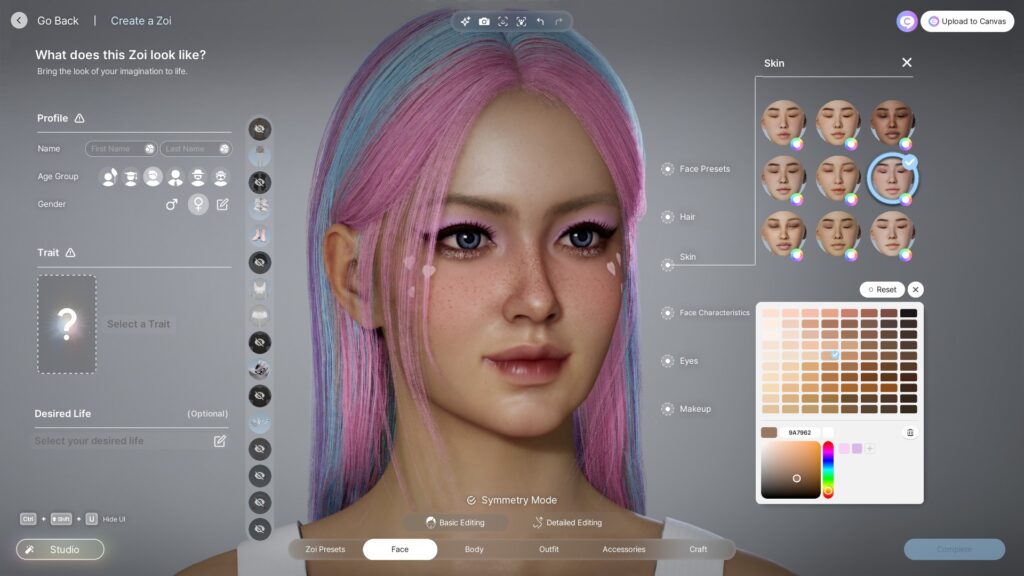
Face paint categories include:
Geometric patterns and lines
Cultural and tribal-inspired designs
Sport-style face paint (stripes, blocks of color)
Decorative marks (dots, stars, artistic swirls)
Full-coverage face paint for dramatic looks
Like tattoos, face paint can be scaled, repositioned, and recolored. It layers on top of Makeup, so players can combine both for complex facial designs.
AI Texture Generation
One of InZOI's most unique customization features is the AI Texture tool. Players can type a text description of the tattoo they want, and the game generates a custom design based on that prompt. This feature uses generative AI to produce original artwork that can then be applied, positioned, and colored like any other tattoo.
The AI Texture tool is particularly useful when the built-in library does not include a specific design the player has in mind. Descriptions can be as simple as "a rose on fire" or as detailed as "a geometric wolf head in minimalist line art style." Results vary, and players can regenerate multiple times until they get a design they like.
Persistence Across Outfits
Tattoos and face paint exist on the body layer, which means they are visible regardless of what clothing the character is wearing. Changing outfits does not hide or remove tattoos. The only way to remove them is to go back into Create a Zoi and delete them from the body customization section.
This design choice reflects how real tattoos work and ensures that the body art a player carefully places remains a consistent part of their character's identity.