

Creative Studio
Complete guide to the inZOI Creative Studio, the free standalone character and property creator released on Steam. Covers the Character Studio with 250+ customization parameters, Build Studio with furniture and architecture tools, AI Texture, 3D Printer, AI Emotes, Photo Mode, Canvas integration, Clothing Craft Mode, system requirements, key distribution via Twitch and Steam drops, and the full availability timeline.
On This Page
Overview
The Creative Studio is a standalone application that KRAFTON released on Steam (App ID 3092450) to let players create and customize Zois and build properties outside the main inZOI game. It served as both a creative sandbox and an on-ramp for new players who wanted to experiment with inZOI's customization tools before purchasing the full game. Everything made in Creative Studio could be uploaded to Canvas, inZOI's integrated user-generated content (UGC) sharing platform, and then downloaded into the main game.
Release History
Creative Studio was divided into two modes: the Character Studio for designing Zois and the Build Studio (also called Blueprint Studio) for constructing properties. The application also included Photo Mode with full camera controls, pose selection, filters, and background removal, giving creators a way to show their designs before sharing them on Canvas.
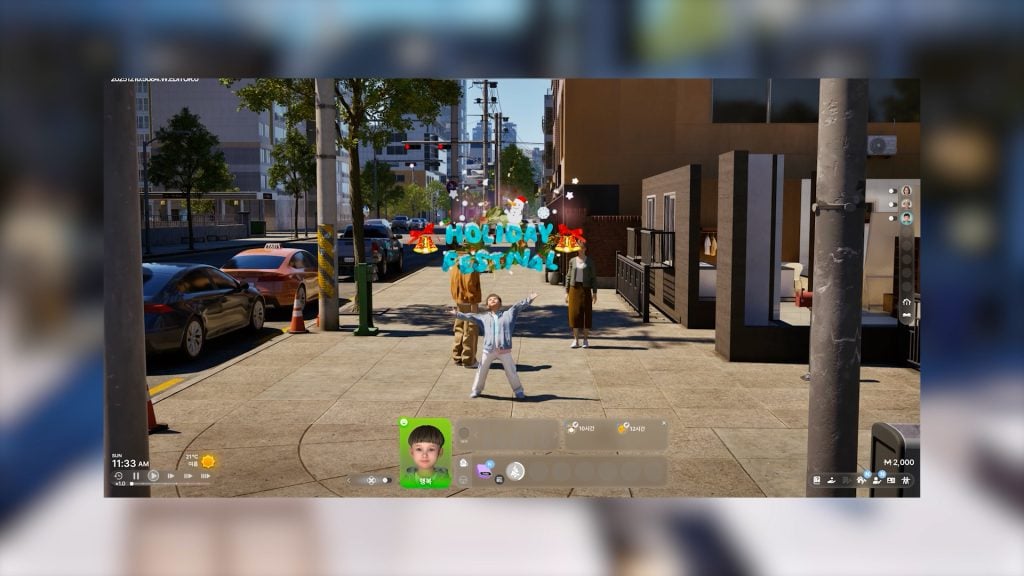
KRAFTON originally released the Character Studio as a limited-time demo from August 21 to August 26, 2024 (UTC), available for five days on Steam. The expanded Creative Studio (with the Build Studio included) launched ahead of inZOI's Early Access release, available to everyone from March 23 to March 27, 2025. The Creative Studio was a time-limited promotional demo, not a permanently available application, and access ended when the full Early Access build launched on March 28, 2025. The download size was approximately 28.2 GB.
Character Studio
The Character Studio provided access to the same Create-a-Zoi editor found in the full game. Players could customize over 250 individual parameters across facial features, body shape, skin tone, hairstyle, clothing, accessories, nail art, and more. Every slider and option from the main game was available, including the ability to fine-tune details like sleeve length, aging lines, height, body type, complexion, and individual finger shapes.
Age Groups and Identity
The character creator offered six age categories: Child, Teenager, Young Adult, Adult, Middle-Aged, and Senior. Gender options included male, female, and non-binary identities with customizable romantic relationship preferences and attraction settings. Players could also set personality traits (18 available) and select a "Desired Lives" alignment that connected traits with specific skills and ambitions.
Face Customization
The detailed editing mode offered extensive facial feature manipulation. Players could adjust specific characteristics including brow crease, eye bags, lip line, and chin cleft. A symmetry mode mirrored changes across the face automatically, making it easier to keep proportions balanced. Facial markings included moles, freckles, scars, bandages, pimple patches, and face paint designs (including neck tattoo-style options).
Eyes featured individual iris and pupil size adjustment with separate color wheels for each component. Eyebrows and eyelashes had dedicated color and styling controls. The makeup system was equally comprehensive, with options for highlighter, blush, eyeshadow, eyeliner, and lipstick, each with adjustable color, intensity, and gloss settings.
Hair System
Hairstyles could be filtered by length categories: Short, Medium, Long, or Tied-Up. Each hairstyle supported up to five customizable color zones: a base color, a sub-color, and three highlight layers. Players could adjust hair length, color ratio, and color blur between zones. Colors were selectable via a color wheel or by entering hexadecimal codes directly, and players could save custom color swatches for reuse.
Body Customization
Body customization used freeform sculpting through direct dragging on the character model. Muscle mass and body weight were adjustable via sliders. The system allowed granular control over torso, arms, legs, and hands. Individual finger shapes could be modified for players who wanted that level of detail.
Outfit Categories
The character creator supported nine distinct outfit slots: Everyday, Formal, School, Sleepwear, Party, Sportswear, Swimwear, Summer, and Winter. Each slot could hold a different complete outfit. There were no category-based clothing restrictions, so players could assign any clothing item to any outfit slot.
Clothing Craft Mode
Beyond selecting from the existing catalog, players could create entirely custom clothing using the Craft tool. The bottom-right corner of the character creator screen contained a tab to access the Craft interface. From there, players could design custom shirts, pants, skirts, necklaces, and watches.
The Craft system used selectable style foundations (tops, bottoms, skirts, accessories) as starting points. Players could adjust the length of sleeves and hems, change the neckline, and alter the overall fit (tight, loose, and variations in between). Each section of a garment accepted custom colors and patterns.
For textures, players had two options beyond the built-in patterns. They could upload their own textures using.png files saved on their computer, or they could download community-made textures from Canvas. Custom clothing also supported AI Texture generation for unique fabric patterns. Once finished, players needed to click the blue Save button near the bottom of the screen to preserve their design. All custom clothes were saved to a "Custom Outfits" section accessible in the character creator and in the Zoi's wardrobe.
Accessories
The accessory catalog covered several categories:
Category | Items |
|---|---|
Headwear | hats and headpieces |
Eyewear | glasses and sunglasses |
Jewelry | necklaces, earrings, rings, and wristwear |
Body Items | nails, piercings (one nose or lip piercing per character) |
Players could also craft custom accessories. Necklaces could be assembled by combining different chains and charms. Watches were customizable with selectable watchbands and watch faces. Most accessories supported color customization.
AI Texture
AI Texture is a generative AI tool that creates custom fabric patterns and textures for clothing and furniture. Players type a text prompt describing the pattern they want, and the system generates unique texture variations. The AI runs entirely on-device, so no internet connection is required for texture generation once the application is running.
According to KRAFTON, all art assets used by the generative AI are sourced exclusively from KRAFTON's own games (such as PUBG) and copyright-free material. This keeps no third-party intellectual property is used. AI Texture works on clothing items in the Character Studio and on furniture surfaces in the Build Studio, allowing for essentially unlimited customization without requiring external design software.
Saving and Exporting Characters
Finished characters are saved as Zoi Presets. A preset captures the complete character (face, body, outfit, and accessories) as a single package. Presets can be kept locally or uploaded to Canvas for others to download. Players can also save partial presets covering just the face or just the outfit if they want to share only one aspect of their design.
Creation Methods
The Character Studio supported multiple approaches to creating a Zoi:
Method | Description |
|---|---|
Manual customization | sculpting every feature from scratch using sliders and freeform tools |
Randomized generation | generating a random character with age selection, then refining |
Preset-based creation | starting from an existing Zoi preset and modifying it |
Canvas downloads | downloading community-created Zois and using them as a starting point |
using iOS Live Link Face to capture real facial features (see below) |
AI Emotes and Motion Capture
The Creative Studio included the AI Motion tool, which let players create custom emotes and animations for their Zois. The tool was accessible by scrolling down in the character editor to find the "AI Motion" option and selecting "Make AI Emote."
Static Poses From Images
When uploading an image, the AI analyzed the photo and generated a still emote based on the subject's pose. For best results, the image needed to be a full-body shot of a single person, taken from the front, free of clutter so the AI could properly identify the pose. Image formats such as.png and.jpg were supported.
Animated Emotes From Video
For animated emotes, players could upload a video file. Supported formats included.MP4,.AVI, and.MOV. The video needed to feature a single person in a full-body shot with a stationary camera for the motion capture to work accurately. The system converted the video's movement data into an in-game animation that could be applied to the player's Zoi.
Facial Capture
The Facial Capture system used Unreal Engine's "Live Link Face" application, available only on iOS devices at launch. By connecting an iPhone or iPad running the app to the game, players could map their real facial expressions onto their Zoi in real time. This was separate from the general character creation process; it did not scan a player's face to generate a character model, but rather captured live facial movements (smiling, blinking, eyebrow raising) and applied them to the Zoi for Photo Mode and emote purposes.
Facial Capture was not available on Android devices. Players without an iOS device could still select from pre-made facial expressions in the editor.
Build Studio
The Build Studio (referred to as the Blueprint Studio in some official materials) is a sandbox version of the game's Build Mode. Players can construct properties from scratch by mixing and matching architectural elements like walls, roofs, stairs, fences, platforms, and gates. They can decorate spaces with a variety of objects and design custom furniture to personalize every detail. Build Studio supports the full catalog of furniture and decorative items.
Players can design anything from cozy studio apartments to sprawling mansions, then upload completed lots, individual rooms, or single furniture pieces to Canvas. The controls were intuitive, allowing precise furniture placement. The lighting system responded dynamically to window placement, and the way light hit different textures changed in real time as players modified the layout.
Furniture could be customized by changing its color, material, and texture. Style options ranged from grand ornate designs to minimalist Scandinavian aesthetics. AI Texture could also be applied to furniture surfaces for custom patterns.
Custom Furniture Creation
Beyond the existing furniture catalog, the Build Studio's Craft tab offered a Custom Furniture tool that let players mix and match furniture parts to create new items. For example, players could take the seat of a gamer chair and attach the wooden legs of a dining chair. The process involved opening the Craft tab on the left-side menu, clicking Custom Furniture, choosing the furniture type, and selecting different parts from the available options.
Custom Furniture differed from the 3D Printer in that it only used preset in-game model parts. It was a modular assembly tool rather than a generative one. The resulting custom furniture could be saved as a furniture preset, shared on Canvas, and used alongside standard catalog items.
3D Printer
The 3D Printer lets players create custom objects by uploading reference images from their computer. The system uses AI to convert the 2D image into a 3D model, a process that takes approximately 20 seconds. The resulting object can then be used as a furniture piece or decoration, or turned into a wearable accessory.
For best results, KRAFTON recommends using high-quality images with a plain background, no strong shadows, and no other objects in frame. The 3D Printer works best with symmetrical objects (like vases) or objects where only one side is visible (like wall plaques). 3D-printed items can be saved as furniture presets and uploaded to Canvas like any other creation.
To upload a 3D-printed item to Canvas, players enter Build Mode, place the item, select it, choose "Save Furniture Preset," capture photos, and then upload. The 3D Printer is available in both the standalone Creative Studio and the main game's Build Mode.
Photo Mode
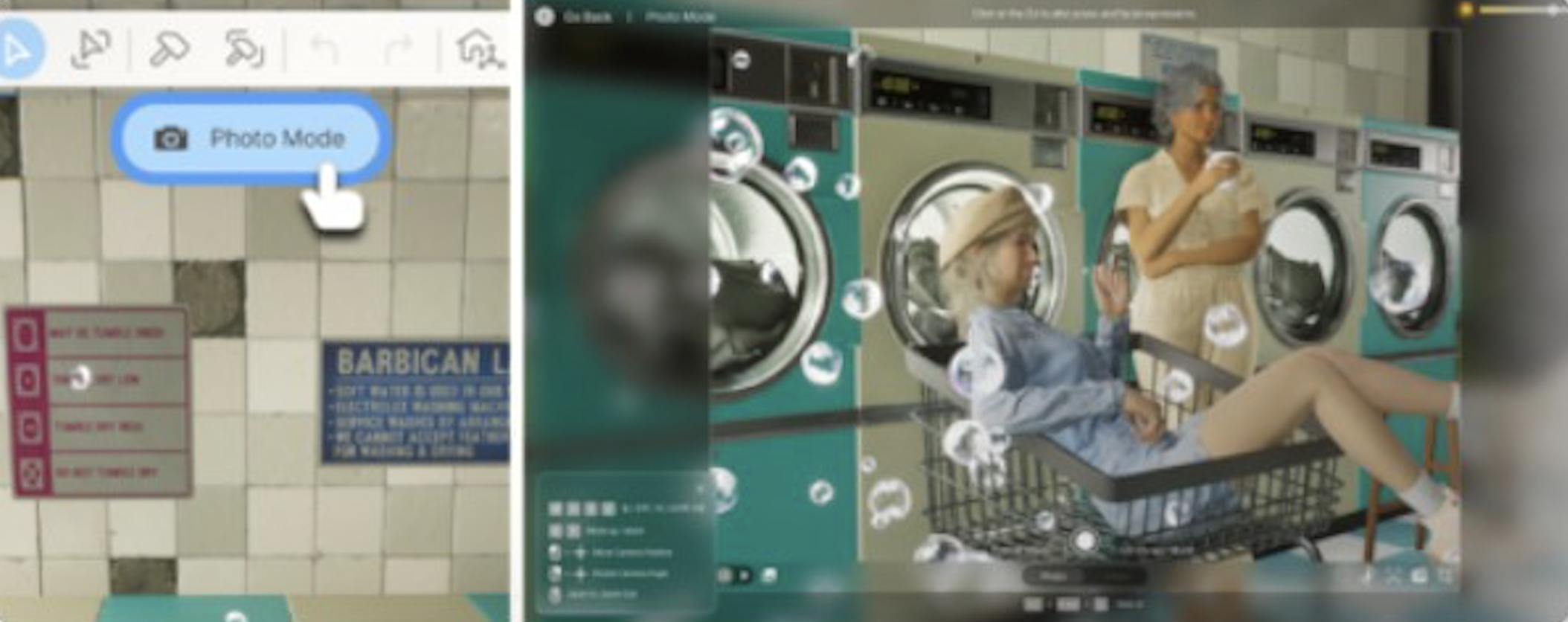
Creative Studio included a full Photo Mode that let players capture and share screenshots of their Zois and builds. In the Character Studio, it was accessible through the camera button in the top section of the editor. Photo Mode supported both portrait (regular-sized) and landscape (wide shot) compositions.
Camera Controls
Players could control the camera point of view using the mouse and W, A, S, D, Q, and E keys. The camera could be moved forward, backward, left, and right using mouse click and drag. Additional options included Field of View (FOV) and Depth of Field (DOF) adjustments under Camera Options. A background removal toggle let players isolate their Zoi against a clean backdrop, and the Screen Ratio setting affected the final image composition.
Filters and Effects
Nine visual filters were available in Photo Mode, each with its own distinct color palette and effects. Players could also change the time of day to set the perfect lighting for their shot. The combination of filters, lighting, and camera settings gave creators significant control over the visual style of their screenshots.
Poses and Expressions
A library of pre-made poses was available, some of which included unique animations and props. Players could select any pose and pair it with facial expressions. The AI Emote system (described above) could also generate custom poses from uploaded images. For more complex expressions, the Facial Capture feature (iOS only) allowed real-time expression mapping from a connected device.
Canvas
Canvas is inZOI's built-in UGC sharing platform. It functions as a gallery, workshop, and social network for creators. On launch day, Canvas attracted more than 1.2 million players and received over 470,000 pieces of uploaded content.
Canvas is accessible in multiple ways:
In-game through Create-a-Zoi and Build Mode menus, via the blue Canvas icon
From the inZOI lobby by clicking the Canvas button
Web browser on the Canvas website, which lets players browse, like, and comment on creations from a PC or phone without launching the game
All methods require a linked KRAFTON ID account. To access Canvas, players must either register or log in to their KRAFTON account using account credentials or a QR code. KRAFTON IDs can be created through Steam, email, or other supported login methods.
Content Categories
Six types of content can be shared on Canvas:
Category | Description |
|---|---|
Full character designs with face, body, and outfit | |
Faces | Facial designs only, without body or clothing data |
Outfit combinations that can be applied to any Zoi | |
Properties | Complete lots including house structure, rooms, and all placed furniture |
Rooms | Individual room designs with walls, flooring, ceiling, and furnishings |
Single pieces, including items created with the 3D Printer |
Only creations made within the game or Creative Studio can be shared on Canvas. Custom content or mods created with external tools cannot be uploaded.
Uploading Creations
To upload a creation to Canvas, players click the "Upload to Canvas" button in the Create-a-Zoi or Build Mode menus. The upload form includes:
Field | Description |
|---|---|
Title | a name for the creation |
Description | optional text explaining the design or its features |
Screenshots | up to 4 photos captured in Photo Mode or uploaded from saved images |
Tags | up to 15 tags to help others find the creation through search |
Contributors | optional field to credit other players who contributed |
Uploads become available to the community after submission. For character presets, the upload includes selecting a Zoi Preset, Face, or Outfit category. For 3D-printed furniture, the process involves placing the item, saving it as a furniture preset, rotating it to set the thumbnail appearance, then completing the upload form.
Downloading Creations
When browsing Canvas in-game, clicking on a creation and pressing Download adds it to the player's presets. When using the web browser version, clicking Schedule Download queues the item for transfer; scheduled downloads are automatically downloaded when the game is next launched.
Downloaded Zois appear in Create-a-Zoi presets, downloaded lots appear in Build Mode property presets, and furniture appears in the appropriate categories. There is a limit on scheduled downloads from the web browser. Players have reported a maximum of 10 items queued at once. This limit resets over time. Downloads made directly from within the game lobby do not appear to share this restriction.
Discovery and Browsing
Canvas provides several ways to find content:
Tab | Description |
|---|---|
Trending | shows creations with high recent engagement |
Rankings | highlights the most popular posts over specific time periods |
Search | filter by category, tags, or keywords |
Following | a feed of new uploads from creators the player follows |
Players can like creations to save them for later and leave comments. The like system feeds into the creator ranking algorithm and helps surface popular content.
Creator Ranking System
Canvas uses a four-tier ranking system that rewards active and popular creators:
Rank | Description |
|---|---|
Newbie | The default rank for all new creators |
Silver | Reached after accumulating likes and followers past the initial threshold |
Gold | A higher threshold indicating consistent popularity |
Diamond | The top tier, reserved for the most followed and liked creators on the platform |
As creators gain likes and followers, they progress through the tiers. Having other players download or like creations contributes to rank advancement. Rankings for different content categories are calculated differently, and KRAFTON adjusts the ranking algorithms periodically. The ranking system is designed to provide all creators with a fair opportunity while safely managing the community. Higher-ranked creators may unlock additional features and appear more prominently in discovery feeds.
Moderation
Canvas has a community reporting system. Players can report creations that violate guidelines (inappropriate content, stolen designs, misleading tags). KRAFTON moderates reported content and can remove creations or restrict creator accounts. The system is designed to keep the platform safe and fair for all users.
Popular Content Trends
Since launch, several content niches have emerged as particularly popular on Canvas:
Trend | Description |
|---|---|
Celebrity recreations | players use the detailed character editor to recreate real-world celebrities, fictional characters, and video game protagonists |
Architectural builds | elaborate mansions, modern minimalist homes, and themed commercial properties are among the most downloaded lots |
Custom clothing | creators use AI Texture to design unique fashion collections and share them as outfit presets |
3D-printed novelty items | custom furniture and accessories generated from reference images, from miniature statues to creative wall art |
Shortly after launch, the Canvas platform also attracted attention for user-generated content that mimicked real-world intellectual property. KRAFTON's moderation system works to address content that violates guidelines while keeping the platform open for creative expression.
Key Distribution and Access
The March 2025 Creative Studio rollout used a phased distribution approach. From March 20 to March 22, 2025, access was limited to players who obtained a Steam key through streaming platform drops. From March 23 onward, the application was free to download for everyone on Steam without any key required.
Drop Platforms and Watch Times
Keys were distributed through four streaming platforms, each with its own watch time requirement:
Platform | Watch Time Required | How to Claim |
|---|---|---|
Twitch | 15 minutes | Watch any inZOI stream, then claim the drop from Twitch Drops inventory |
Chzzk | 15 minutes | Watch any inZOI stream, then claim from Chzzk Drops Inventory |
Steam | 30 minutes | Watch inZOI streaming on the Steam store page; automatically added to library |
SOOP | 30 minutes | Watch any stream in the inZOI category |
Players who missed the key distribution window between March 20 and March 22 could still access the Creative Studio freely starting March 23, 2025 at 00:00 UTC. The key-based early access period was intended as a reward for engaged community members and content creators.
System Requirements
The Creative Studio shared the same system requirements as the full inZOI game, since it ran on the same Unreal Engine 5 foundation. KRAFTON published four tiers of hardware specifications:
Tier | CPU | GPU | RAM | Storage |
|---|---|---|---|---|
Minimum | Intel Core i5-10400 / AMD Ryzen 5 3600 | NVIDIA RTX 2060 (6 GB) / AMD RX 5600 XT (6 GB) | 12 GB | 40 GB SSD |
Medium | Intel Core i7-11700 / AMD Ryzen 7 5800X3D | NVIDIA RTX 3060 (8 GB) / AMD RX 6600 (8 GB) | 16 GB | 40 GB SSD |
Recommended | Intel Core i7-12700K / AMD Ryzen 7 7800X3D | NVIDIA RTX 3070 (8 GB) / AMD RX 6800 XT (16 GB) | 16 GB | 75 GB SSD |
High | Intel Core i7-14700K / AMD Ryzen 7 9800X3D | NVIDIA RTX 4080 / AMD RX 7900 XTX | 32 GB | 75 GB SSD |
At minimum specifications, KRAFTON recommended turning off the Smart Zoi feature, as it required a more powerful GPU to run smoothly. The initial download size was approximately 28.2 GB, with the recommended reserved storage reaching 75 GB at the highest quality settings.
Compatibility and Integration
Presets created in the Creative Studio during its availability windows were designed to carry over to the full game. KRAFTON stated that creations uploaded from Creative Studio would remain on Canvas and be usable in inZOI after the Early Access launch. Both the standalone app and the main game shared the same Canvas platform and KRAFTON ID account.
Some facial features or clothing items from earlier versions of the Character Studio (August 2024) may render slightly differently due to asset updates between the demo and the Early Access build. KRAFTON aimed to maintain backward compatibility but could not guarantee pixel-perfect consistency across major updates.
Players who used the Creative Studio and later purchased the full Early Access game found their Canvas uploads, downloaded presets, and KRAFTON ID progress all intact. The transition was designed to be seamless, encouraging players who enjoyed the free demo to continue their creative work in the full game.
Reception
The Creative Studio was well received by the community. The August 2024 Character Studio demo earned a "Very Positive" rating on Steam, with 81% of 1,967 user reviews being positive. Thousands of players joined on the first day, and the Canvas platform quickly filled with character designs that showcased the editor's depth.
The March 2025 Creative Studio release saw even larger engagement. Over 1.2 million players used the application during the week it was available, uploading more than 470,000 pieces of content to Canvas. Community reviewers praised the Character Studio's level of detail, with particular attention to the hair system's color zones, the clothing craft tools, and the AI Texture feature. The Build Studio received positive feedback for its intuitive controls and dynamic lighting.
Some players noted that the system requirements were high for a character creation tool, with the minimum specs calling for an RTX 2060 and 12 GB of RAM. Others pointed out that certain features, like the Facial Capture system, were limited to iOS devices at launch. Overall, the Creative Studio succeeded in building anticipation for the full Early Access release.
Availability Timeline
Period | Access | What Was Available |
|---|---|---|
August 21 - 26, 2024 | Free, open to all on Steam | Character Studio only (character creation) |
March 20 - 22, 2025 | Key drops via Twitch, Steam, Chzzk, and SOOP streams | Full Creative Studio (Character Studio + Build Studio) |
March 23 - 27, 2025 | Free, open to all on Steam (no key needed) | Full Creative Studio (Character Studio + Build Studio) |
March 28, 2025 | Delisted from Steam | Replaced by the full Early Access game ($39.99 USD) |
By launch day, players had uploaded over 470,000 creations to Canvas from 1.2 million players during the Creative Studio period.
Creative Studio vs. the Full Game
Feature | Creative Studio | Full Game |
|---|---|---|
Character creation | Yes (full Create a Zoi) | Yes |
Yes (Build Studio) | Yes | |
Yes | Yes | |
Yes | Yes | |
AI Emotes / Motion Capture | Yes | Yes |
Photo Mode | Yes | Yes |
Facial Capture (iOS) | Yes | Yes |
Clothing Craft Mode | Yes | Yes |
Custom Furniture | Yes | Yes |
Canvas integration | Upload and download | Upload and download |
Gameplay / simulation | No | Yes |
Careers, skills, social | No | Yes |
Open world exploration | No | Yes |
Multiple households | No | Yes (up to 8 Zois per family) |
Price | Free (delisted) | $39.99 USD |
Notes
The Creative Studio and Build Studio are different things. Creative Studio was the full standalone app; Build Studio was the construction mode inside it.
Characters made in the Creative Studio can be imported into the full game if the player later purchases Early Access.
A KRAFTON account was required to upload creations to Canvas.
The August 2024 demo included only the Character Studio. The Build Studio, 3D Printer, and Custom Furniture tools were first available in the March 2025 release.
AI Texture, AI Emotes, and the 3D Printer all run on-device using the player's GPU. No internet connection is needed for these features to function once the application is installed.
Players who created content in the Creative Studio and never purchased the full game can still browse their uploaded creations on Canvas via the web browser on the Canvas website.
The download size for the Creative Studio was approximately 28.2 GB, identical to the initial install size of the full game.
Facial Capture requires an iOS device running the Unreal Engine Live Link Face app. Android support was not available at launch.