

Social Events
Complete guide to social events in inZOI. Covers all event types (parties, dates, weddings, birthday parties), how to create and customize events through the smartphone Events app and direct interactions, recommended and prohibited action categories, dress codes, venue selection and decoration, guest management, group photos, seasonal festivals and holidays, the v0.4.0 and March 2026 update additions, inviting Zois over, event outcomes, and tips for successful gatherings.
On This Page
Overview
Social events are organized gatherings that bring Zois together for shared experiences. Three core event types have been available since early access launch: Parties, Dates, and Weddings. The v0.4.0 update added ten additional social event types, including Blind Dates, Group Study sessions, and Fitness Club meetings. The March 2026 update then introduced birthday parties as a dedicated social event type, along with a calendar system that tracks birthdays, holidays, and other key dates.
Events are planned through the Events app on the in-game smartphone and can be customized with guest lists, dress codes, venue choices, and behavioral guidelines. Successfully hosting events builds relationships and creates lasting memories for participating Zois. Events also influence a Zoi's emotional state and can unlock new interactions between attendees.
How to Create an Event
There are two ways to initiate a social event:
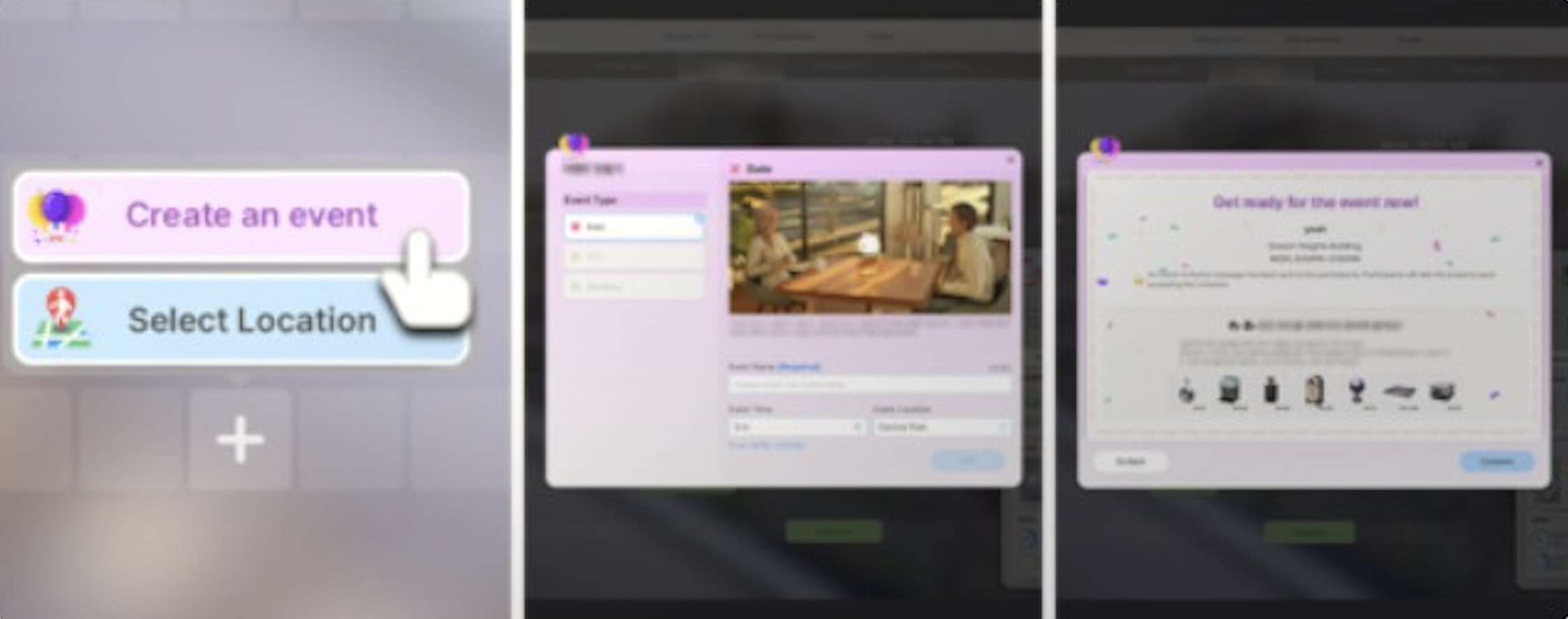
Method 1: Smartphone Events App
Press P to open the smartphone.
Tap the Events app.
Find an open timeslot on your Zoi's schedule and click "Make Event."
Choose the event type (Party, Date, Wedding, or Birthday Party).
Name the event and set the duration. Parties require at least a two-hour block.
Select the venue location.
Invite guests (up to 10 for Parties and Weddings).
Set a dress code for attendees.
Choose recommended and prohibited actions.
Confirm. The game will suggest preparation items based on your choices.
Method 2: Direct Interaction
Interact with another Zoi and choose to ask them on a date, propose a party, or propose marriage. Dates scheduled this way are automatically set for one hour after the interaction. Weddings planned through a proposal are scheduled for noon the following day.
Inviting Zois Over (Casual Visit)
Outside of formal social events, you can invite any Zoi to visit your current location. Press R to open the Relationships tab, then click the "Call Over" button to select people you want to invite. You can also click on the ground near your Zoi and choose the "Call Over" interaction, which opens the same menu. This works anywhere in the open world, not just at your home. You can invite family members, friends, coworkers, and even acquaintances. If a Zoi is unavailable (at work, sleeping, or otherwise busy), the game will display a notice explaining why they cannot come.
Core Event Types
Parties
Parties are the most flexible event type. They require no prerequisites and can be planned at any time as long as a two-hour block is available. Up to ten guests can be invited. When naming a party, you can give it any theme: "Housewarming," "Birthday Party," "Game Night," or anything else you want. During the party, your Zoi can greet arriving guests, light candles on birthday cakes, start group activities, and interact freely. Parties always conclude with a group photo opportunity where all attendees gather for a commemorative snapshot.
The event timer displays a list of suggested actions like greeting guests and lighting candles. You do not have to complete any of these suggested activities, but doing so generally makes the party more enjoyable for everyone involved. You can also use party interactions to call other participants over if someone has wandered off.
Dates
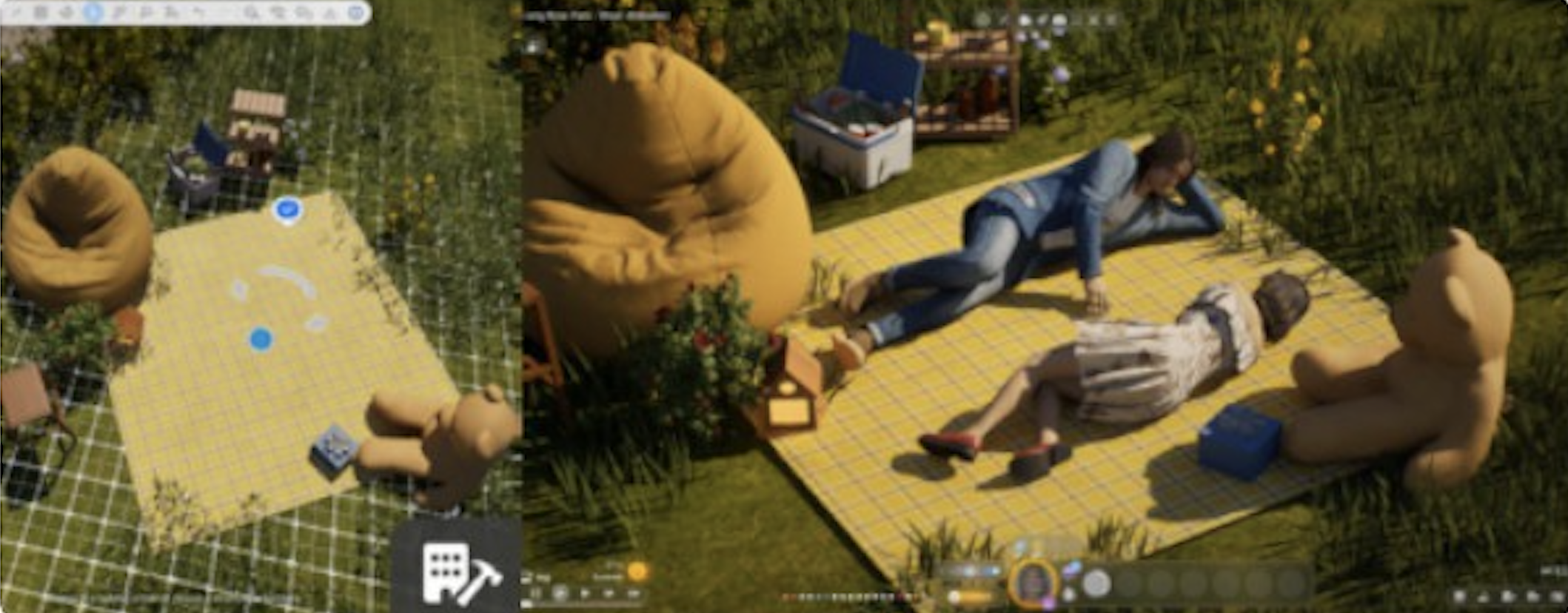
Dates are romantic events that require an existing relationship. To schedule a date, speak to another Zoi and use the "Romance" interaction to ask them out. Once they accept, the date is automatically scheduled one hour later. During a date, Zois can compliment each other's outfits, hold hands, cuddle on a picnic blanket, and perform other romantic interactions that deepen their bond. Dates strengthen romantic relationships and create lasting memories between partners. Several date-specific interactions are available that do not appear during normal socializing, giving dates a distinct feel.
Weddings
Weddings represent the most significant social event in inZOI. They require a prior engagement (one Zoi must have proposed and been accepted). Wedding planning involves several decisions:
Planning Option | Description |
|---|---|
Guest List | Invite up to ten attendees |
Wedding Party | Assign roles like best man and maid of honor |
Officiant | Choose who performs the ceremony |
Venue | Pick any lot, then use the city management menu to access and decorate it |
Dress Code | Set formal attire expectations for guests |
Kiss Performance | A scripted "Give Kiss Performance" action added in the March 2026 update |
After the ceremony, the newlyweds establish shared housing. If both Zois had separate homes, the game prompts you to select where the new couple will live and divide assets to give them some starting funds. Weddings also end with a group photo opportunity, just like parties.
Birthday Parties
Birthday parties were added as a dedicated social event type in the March 2026 update. Birthdays are now marked on the in-game calendar, making it easy to track when each Zoi's birthday is coming up. A birthday party functions similarly to a regular party but includes birthday-specific activities:
Feature | Description |
|---|---|
Blowing out candles | on a birthday cake, which triggers the Zoi's advancement to their next life stage |
Receiving gifts | from attending guests |
Smashing a pinata | to receive candy (an interactive object guests can participate in) |
If a Zoi's birthday passes without a birthday party and they do not blow out candles, they will still advance to their next life stage automatically. However, celebrating with a party provides the full birthday experience with memories, gifts, and social bonding.
Customization Options
Recommended and Prohibited Actions
When planning any event, you can set behavioral guidelines for guests. Actions are organized into categories. Mark actions as "recommended" to encourage guests toward specific activities, or "prohibited" to prevent unwanted behavior.
Category | Example Actions |
|---|---|
Indoor Activity | Watch TV, play video games, read books, listen to music, bathe, repair objects, sleep, clean |
Food & Cooking | Cook meals, eat snacks, bake cakes, prepare food, make coffee, serve drinks |
Hobbies & Leisure | Play instruments, paint, play chess, dance, write, appreciate art, take photos, exercise, play video games, read |
Outdoor Activity | Swim, exercise, garden, fish, steal |
Conversation | Chat, hug, argue, tell jokes, set romantic mood, kiss, be kind, be rude, fight |
Child Activities | Play with toys, do homework |
For example, a Housewarming party might recommend cleaning and helping around the house while prohibiting sleeping. A Game Night party could recommend playing video games and chess. A romantic dinner date could recommend cooking and setting a romantic mood while prohibiting arguing.
Dress Codes
Each event can specify a dress code. Guests will attempt to match the requested style when they arrive. This applies to Parties and Weddings. Setting a dress code ahead of time helps ensure the visual cohesion of your event and gives guests a clear expectation for their appearance. For Weddings, you can style your Zois' outfits in Create a Zoi before the ceremony to ensure they look their best.
Venue Selection and Decoration
You can host events at any lot in the game. For Weddings and special Parties, use the city management menu (Edit City mode) to access the chosen lot and place decorations before the event begins. Chairs, arches, tables, and themed decorations can all be positioned to set the mood. When building or selecting lots for events, leave enough clear space near the entrance for guest arrivals and interactions to trigger properly. Objects placed too close to doorways can block event mechanics and prevent guests from entering smoothly.
The Social Event Furniture category in Build Mode contains items specifically designed for events, including buffet tables, dance floors, and decorative pieces suited to different party themes.
New Event Types (V0.4.0)
The v0.4.0 update, released on October 30, 2025, introduced ten new social event types and one surprise event. These new events expanded the range of group activities available and allowed other Zois to visit your home, adding variety to daily routines. Three of the named event types are:
Event Type | Description |
|---|---|
Blind Date | A date with someone your Zoi has not met before, letting new romantic connections form without prior acquaintance |
Group Study | An academic gathering where Zois study together and boost their skills |
Fitness Club | An exercise-focused meetup that improves physical fitness for all participants |
Seven additional social event types were added in the same update, expanding the range of group activities Zois can participate in. The update also introduced more dynamic crowd roles in the city (police, thieves, cleaners, artists), which add background life to events held in public locations.
Separately, the same update introduced a Burglar Break-In event: a random occurrence where a burglar attempts to enter your lot. This is not a social event you plan but rather an unscripted encounter that adds unpredictability to gameplay.
Clubs and Social Groups
Beyond one-off social events, inZOI also supports ongoing clubs and social groups. These are recurring group activities that your Zoi can join or form with other Zois who share similar interests. While social events are single scheduled occasions, clubs provide a structure for regular meetups. See the Clubs and Social Groups article for full details.
Seasonal Festivals and Holidays
The March 2026 update introduced a formal holiday system tied to the new 28-day calendar. Three annual festivals now occur on fixed dates each year:
Festival | Season | Description |
|---|---|---|
Spring | A celebration of the new season with outdoor activities and community gatherings | |
Fall | A spooky celebration featuring pumpkin farming, carving, trick-or-treating, and ghost fish fishing (originally introduced in v0.4.0) | |
Winter & Year-End Festival | Winter | A festive holiday celebration with themed park booths, snacks, choir performances, and gift boxes |
Players can also set custom recurring holidays on specific dates through the calendar system. These holidays will appear and reappear as the save file progresses. Festivals are held in public parks and city areas to celebrate each season's holidays, adding atmosphere and seasonal variety to the game world.
Holiday Festival (v0.5.0)
The v0.5.0 update (December 23, 2025) introduced the first limited-time Holiday Festival. City parks were decorated with Christmas-themed booths, snacks, activities, and afternoon choir performances. Players received Holiday Festival Gift Boxes containing exclusive build items upon accepting the festival announcement. While this was a time-limited event that ran through January 31, 2026, the underlying festival system it introduced laid the groundwork for the recurring seasonal festivals added in the March 2026 update.
Group Photos
At the conclusion of Parties, Birthday Parties, and Weddings, all attending Zois gather for a group photo. The photo is saved to the Zoi's memories and can be viewed later. Group photos serve as a commemorative record of the event and the relationships formed or strengthened during it. You can also choose to take photos at any point during the event using the in-game camera, though the group photo at the end is automatic.
Event Outcomes and Relationship Effects
Social events have a direct impact on how Zois feel about each other. Attending an event together strengthens the bond between participants. The specific interactions that occur during the event determine whether relationships improve or deteriorate. Romantic dates can deepen love, while poorly managed parties where guests argue may damage friendships.
Events also generate memories for all participating Zois. The Memory System (introduced in the March 2026 update) records significant moments from events, such as blowing out candles at a birthday party, exchanging vows at a wedding, or having a memorable conversation at a gathering. Positive memories can unlock new interactions between Zois, while negative memories may influence future social dynamics.
Each Zoi's emotional state is affected by how the event goes. Successful events tend to produce positive emotions, while events where prohibited actions occur frequently or where the Zoi's needs are neglected can result in negative moods. A Zoi's traits also influence how they experience events; for example, a Social Zoi may gain more enjoyment from large parties, while an introverted Zoi might prefer smaller dates.
Calendar Integration
The 28-day month calendar system introduced in the March 2026 update displays all scheduled social events alongside work schedules, birthdays, holidays, and due dates for pregnant Zois. This makes it much easier to plan events around a Zoi's existing commitments. You can view the calendar at any time to check for upcoming events or to find open timeslots for new ones.
Birthdays are automatically marked on the calendar for every Zoi in the household, so you will receive a visual reminder when a birthday is approaching. Holidays and festival dates are also displayed, allowing you to plan celebrations around these community occasions.
March 2026 Update Changes
The March 2026 update brought several improvements to the social event system:
Change | Description |
|---|---|
Birthday parties | were added as a dedicated social event type with candle-blowing, gift-receiving, and pinata-smashing activities |
Door permissions | are now automatically granted to event participants, so guests can enter your home without needing manual permission settings |
Party call-over | hosts can now use party interactions to call other participants over if someone has wandered away from the event area |
Late RSVP cancellation | if invited guests respond too late to a social event invitation, the event will be automatically cancelled |
Wedding kiss | a "Give Kiss Performance" scripted action was added specifically for wedding ceremonies |
New group activities | were added that can be performed during events: 12 fitness-related activities, 6 instrument-related activities, 4 critical thinking activities, "Build a Snowman Together," "Have a Pillow Fight," "Enjoy Lower-Body Soak Together," and "Snuggle and Talk" on picnic mats |
Seasonal festivals | (Spring, Halloween, and Winter & Year-End) were tied to the new calendar system |
Contact management | Zois can now ask for and exchange phone numbers, as well as delete or block contacts. NPCs can do the same, meaning invitations may be rejected if the relationship is poor |
v0.10.0 Event Changes (September 3, 2026)
Social events for regional holidays in Cahaya were added to the calendar and are announced through notifications and messages.
Indicators with descriptions were added for holiday icons on the calendar.
All event missions can be viewed from a single combined interface screen.
Cahaya's central market was improved and now hosts a night market social event.
Resort accommodations added in the same update run their own recommended activities, including a private spa, a barbecue party, and private beachside dining, which vary by property.
Tips for Successful Events
Plan events during times when invited guests are free. Check the calendar for scheduling conflicts before sending invitations.
Keep the guest list manageable. Ten is the maximum for Parties and Weddings, but smaller gatherings can be easier to direct and produce more focused interactions.
Use recommended actions to steer the mood. Setting "Cook meals" as recommended at a dinner party ensures guests actually cook rather than watching TV.
Decorate the venue before the event starts. For Weddings, use the city management menu (Edit City) to place chairs, arches, and decorations on the lot.
Events can be cancelled at any time through the schedule if plans change.
When building custom lots, leave enough clear space near the door for interactions to trigger properly. Objects placed too close to entrances can block event mechanics.
Make sure guests have exchanged phone numbers with your Zoi before sending invitations. Since the March 2026 update, contact management affects who you can invite.
For birthday parties, make sure a birthday cake is placed on the lot before the event begins. The candle-blowing interaction requires a cake to be present.
Set prohibited actions strategically. Preventing "argue" and "fight" at a romantic dinner keeps the mood positive, while prohibiting "sleep" at a party ensures guests stay engaged.
Take advantage of the automatic door permissions granted to event participants. You no longer need to manually set door access for every guest.
Use the "Call Over" party interaction if guests wander away from the main event area. This brings them back to where the action is happening.
Plan birthday parties on or near the actual birthday date shown on the calendar. Blowing out candles at a birthday party is the most memorable way for a Zoi to advance to their next life stage.
Related Articles
Party
Dating and First Dates
Marriage and Wedding
Calendar and Birthday System
Relationships
Memory System
Seasonal Events
Holiday Festival
Burglar Events
Clubs and Social Groups
Social Event Furniture
Romance
March 2026 Update