
Starsand Island features four distinct player properties that serve as home bases for farming, ranching, crafting, and decoration. Each property is unlocked at a different stage of progression, and all of them support the full Building system. Players begin with Hopeland and can eventually own all four properties simultaneously, each with its own plots, terrain, and unique character.
Property Overview
The four properties are spread across different parts of the island. Each one unlocks at a specific rank in the Starsand Points progression system and has its own expansion plots, scenery, and features.
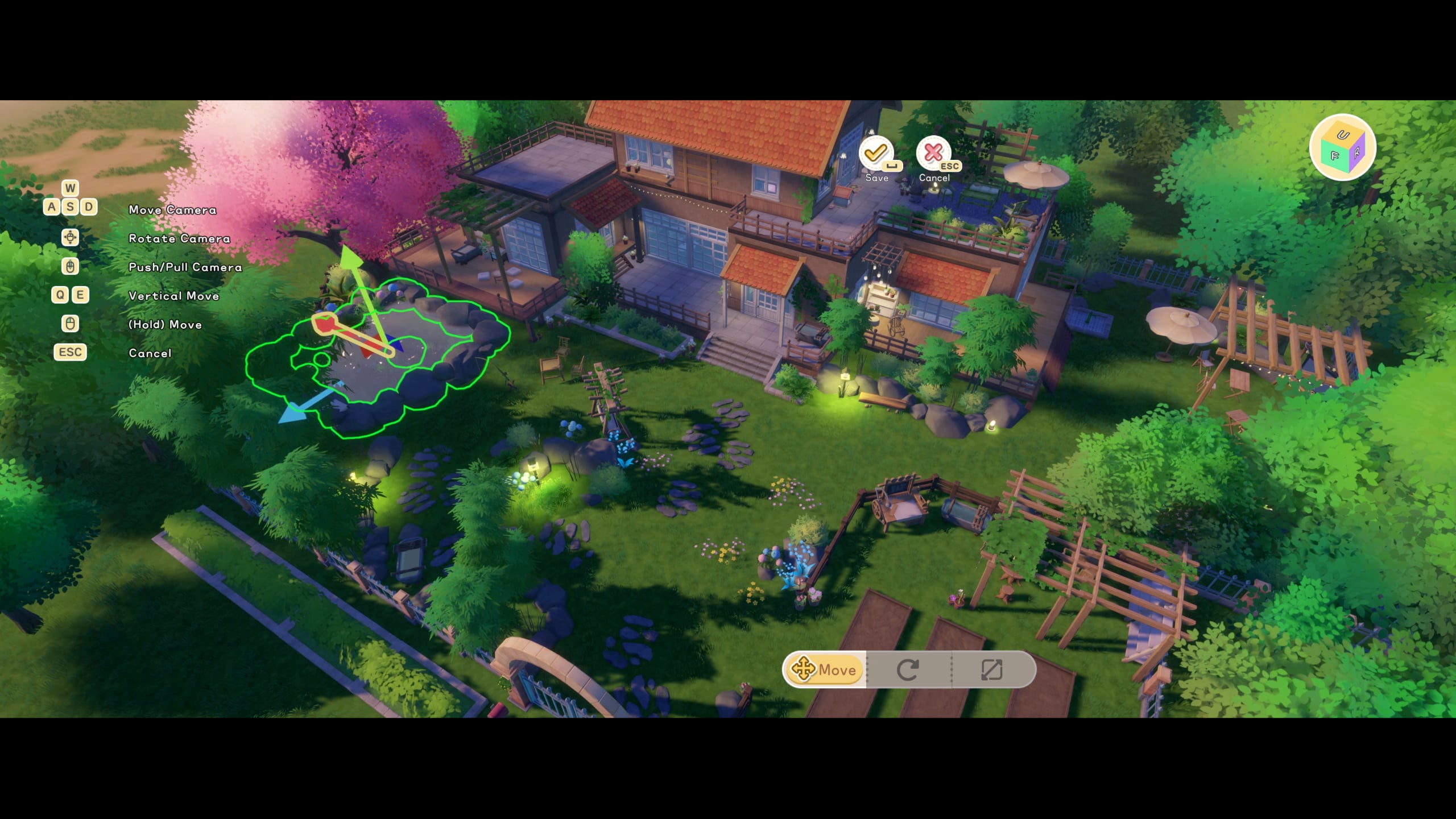
Property | Unlock Requirement | Location | Focus |
|---|---|---|---|
Starting property (available from the beginning) | Central island, near Starsand Town | General farming, first home | |
Home Builder rank | Lakeside area, inland | Ranching, waterfront views | |
Bright Star rank | Southern coast | Coastal living, port access | |
Starsand Legend rank | Separate offshore island | Largest area, endgame property |
Hopeland
Hopeland is the player's starting farm, located near Starlight Town. It is the first property the player receives and is the primary base for farming, cooking, and crafting throughout the game. The initial plot is small but can be expanded significantly through Land Expansion.
Hopeland has 8 expansion plots that unlock progressively. Each plot costs a combination of Coins and Starsand Points. The costs scale dramatically as you unlock more land.
Plot | Coin Cost | Starsand Cost |
|---|---|---|
Plot 1 | 2,000 | 50 |
Plot 2 | 5,000 | 50 |
Plot 3 | 10,000 | 100 |
Plot 4 | 20,000 | 100 |
Plot 5 | 40,000 | 150 |
Plot 6 | 60,000 | 200 |
Plot 7 | 100,000 | 250 |
Plot 8 | 160,000 | 300 |
At full expansion, Hopeland provides a large area for crop fields, animal pens, orchards, crafting stations, and a fully furnished home. The proximity to Starlight Town makes it convenient for daily shopping and NPC interactions.
Cloudrest Lake
Cloudrest Lake is the second property, unlocked by reaching the Home Builder rank. Located on a scenic lakeside, this property is well-suited for ranching and animal husbandry. The water features provide a different aesthetic compared to Hopeland.
The property comes with its own expansion plots (separate from Hopeland) and starts with a lakefront area ideal for placing animal barns and pastures. The lake itself is fishable, providing easy access to freshwater fish without traveling to other parts of the island.
Lakeside terrain with natural water features.
Separate expansion plots from other properties.
Good location for ranching due to flat open pasture areas.
Fishable lake on the property grounds.
Blue Beach
Blue Beach unlocks at the Bright Star rank and is located on the southern coast of the island. This coastal property features sandy terrain, ocean views, and access to a port area.
The beach setting gives this property a distinct feel compared to the inland farms. The coastal location provides access to beach foraging, tidal pools, and ocean fishing directly from the property.
Coastal terrain with beach and ocean access.
Port area for boat-related activities.
Ocean fishing available directly from the property.
Sandy landscape ideal for tropical-themed builds.
Windflute Island
Windflute Island is the final and most prestigious property, unlocked at the Starsand Legend rank (the highest rank). It is located on a separate offshore island, accessible by boat. This is the largest property in the game with the most buildable space.
As the endgame property, Windflute Island represents the pinnacle of the building and farming systems. The island offers diverse terrain types within a single property, including grasslands, rocky outcrops, and waterfront areas.
Largest buildable area of all four properties.
Located on a private offshore island accessible by boat.
Diverse terrain types within a single property.
Endgame content designed for experienced players with extensive resources.
The Building System
All four properties use the same building system, which allows players to construct and decorate structures freely. The system provides three camera modes for different construction needs.
Mode | Description |
|---|---|
Free-View Mode | Top-down bird's-eye perspective for placing buildings and large structures. Best for overall layout planning. |
Character Perspective | Third-person view while building. Useful for adjusting furniture placement and seeing structures at ground level. |
Local View | Close-up first-person view for fine-tuning interior decorations, wall hangings, and small item placement. |
Players can switch between these modes at any time while in building mode. The building system uses a grid-based snapping system for walls and foundations, but decorative items can be placed freely with rotation and height adjustments.
Construction and Materials
Structures are built using materials gathered from the island. The main building materials include wood, stone, metal ingots, and specialty materials for decorative finishes.
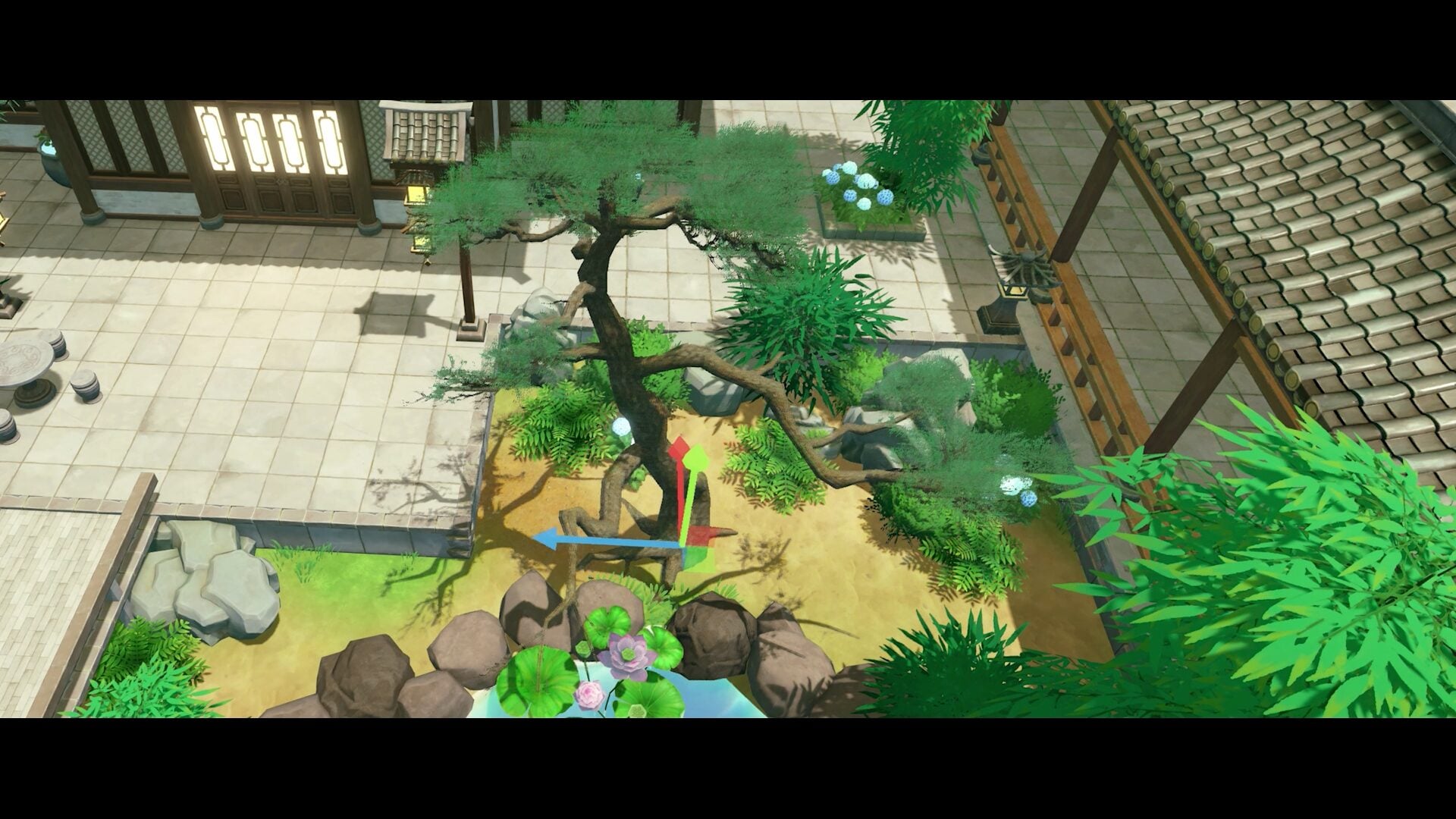
Walls, floors, roofs, and foundations are the core structural pieces. Each comes in multiple material variants (wood, stone, brick).
Doors and windows can be placed on any wall segment. Multiple styles are available for each material type.
Fences and gates define outdoor areas for animal pens and garden boundaries.
Stairs and ramps connect multi-level structures. The system supports buildings up to 3 stories tall.
The building system offers 8 paint textures that can be applied to walls, floors, and ceilings. Each texture comes in multiple color options, allowing players to customize the appearance of every surface in their home.
Interior Decoration
The game features approximately 1,000 decorative items that can be placed inside and around structures. These range from furniture and appliances to wall art and seasonal decorations.
Category | Examples |
|---|---|
Furniture | Beds, chairs, tables, sofas, bookshelves, wardrobes, desks |
Appliances | Stoves, refrigerators, sinks, washing machines, TVs |
Lighting | Floor lamps, ceiling lights, wall sconces, string lights, lanterns |
Wall Decor | Paintings, photos, shelves, clocks, mirrors, mounted items |
Outdoor | Benches, planters, garden lights, mailboxes, signs, fences |
Seasonal | Holiday-themed items available during festival events |
Workbenches, sewing tables, cooking stations, smelters |
Items can be obtained through Furniture Crafting, purchased from shops, earned as quest rewards, or unlocked through seasonal events. Some rare decoration items are exclusive to specific festivals or achievement milestones.
Terrain Editing
The building system includes terrain editing tools that allow players to reshape the landscape on their properties. These tools work within the boundaries of owned expansion plots.
Raise or lower terrain to create hills, slopes, and flat building platforms.
Smooth tool blends terrain transitions for a natural appearance.
Path placement creates walkways between structures using stone, wood, or dirt textures.
Water features cannot be added or removed, but existing water on properties (like Cloudrest Lake) is permanent.
Blueprint Library
Players can save their building designs as blueprints and share them with other players through the Blueprint Library. This feature allows the community to exchange home designs and building ideas.
Save any completed structure as a blueprint including all furniture and decoration placements.
Browse community blueprints in the Blueprint Library accessible from the building menu.
Download blueprints from other players and place them on your property (materials still required).
Rate and favorite blueprints to help the community find popular designs.
Seamless Interiors
One of the notable features of the building system is seamless interior and exterior transitions. There are no loading screens when entering or exiting player-built structures. Walking through a door transitions directly into the interior, and the building remains visible from outside with accurate window placement and lighting.
Interior and exterior spaces are part of the same world, which means weather effects (rain on windows, sunlight through glass) and time-of-day lighting changes are visible from inside player homes.
Tips for Property Management
Start expanding Hopeland early. The first few plots are cheap and provide significantly more farming space.
Place crafting stations in a central location on your farm to minimize travel time between tasks.
Use the Blueprint Library to get design inspiration before building. It saves materials from trial-and-error construction.
Each property is independent. Crops planted at Hopeland will not be affected by activities at Cloudrest Lake or other properties.
Unlock all properties gradually as you progress through the Starsand Points ranks. There is no rush to buy them all at once.
Animal barns and pens produce resources passively. Setting up ranching at Cloudrest Lake lets you focus Hopeland on crops.
Seasonal decorations from festival events are limited-time items. Collect them during events if you want to decorate with them later.