

Overview
Character customization in Pokemon Pokopia lets players personalize their Ditto's human form with hairstyles, hair colors, skin tones, clothing, full outfits, accessories, and emotes. Since the player character is Ditto disguised in a humanoid shape based on its former trainer's appearance, every cosmetic option features subtle "drip effects" that reflect Ditto's gloopy, transformative nature. There are no gender restrictions on any customization options, meaning every hairstyle, outfit, and clothing piece is available to every player.
The only permanent decision you make is choosing your Ditto's name at the start of the game. Everything else, from face color and hair to outfits and accessories, can be changed freely at any time by visiting a Mirror or similar customization station.
How to Change Your Appearance
To access the customization menu, interact with any item that has a mirror surface. This includes wall-mounted mirrors, freestanding mirrors, wardrobes, and dressing tables. When you press A in front of one of these items, the full customization screen opens. After making changes, press the Plus button to confirm and save.
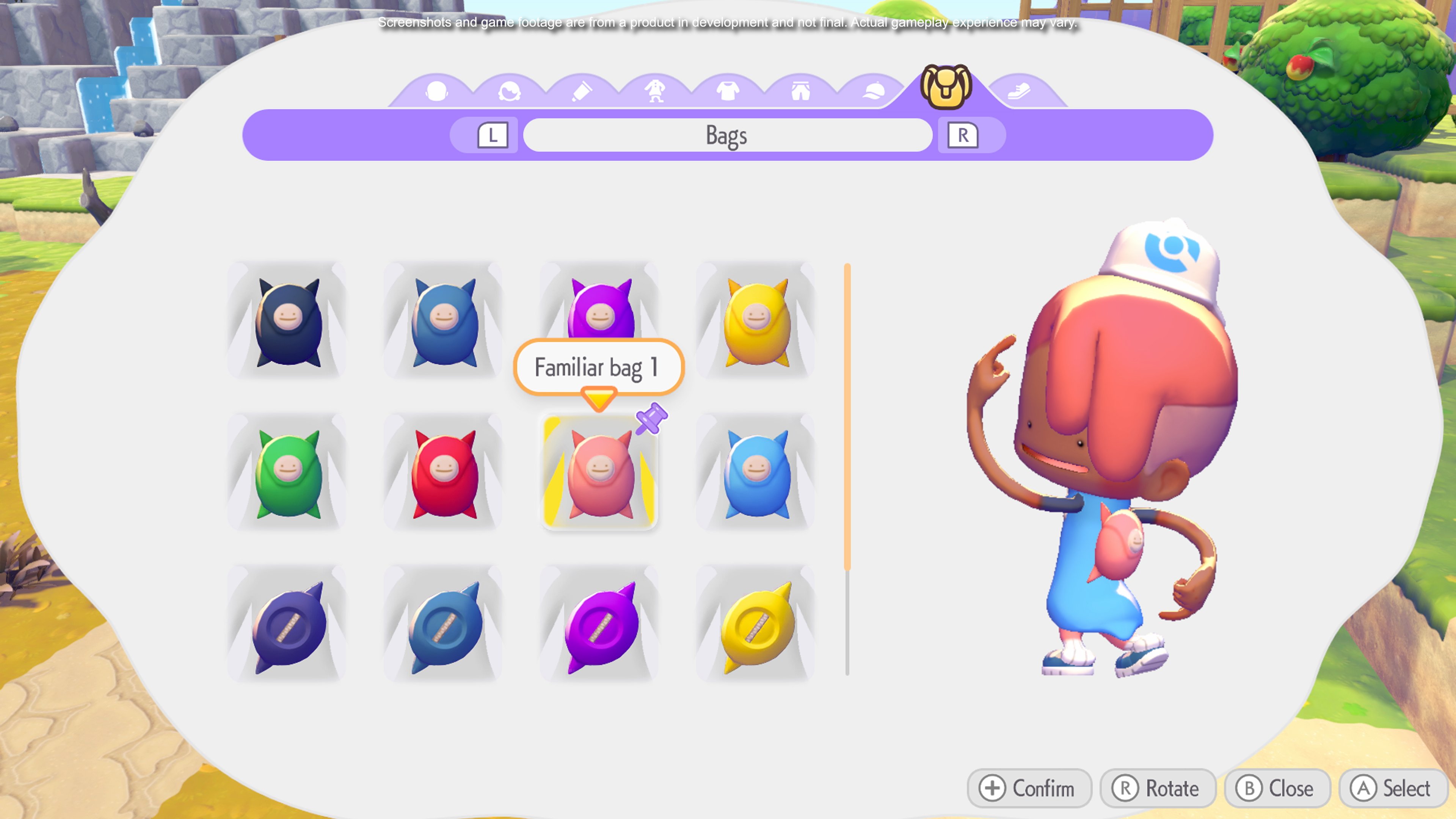
Your first opportunity to change your appearance comes during character creation, where you pick a starting hairstyle, hair color, and skin tone. After that, you need a mirror. Here is where to find one early:
Free mirror in Withered Wasteland: Head to the dilapidated room east of the Withered Wasteland Pokemon Center. Use Rock Smash to clear the rubble blocking the entrance. Inside, you will find a free freestanding mirror (and the Ninja Outfit Human Record). Press Y to pick up the mirror, then place it anywhere you like.
PC Shop purchase: Buy a Large Mirror from the PC Shop for 50 Life Coins. Available at any rebuilt Pokemon Center.
Workbench crafting: Craft a mirror at a Workbench using Glass and Wood materials.
Wardrobes and dressing tables also function as customization stations. If you find one in the world or place one in your home, you can change your appearance without a standalone mirror.
Face and Skin Tones
Players can choose from 10 skin tone options, labeled Default plus Skin Color 1 through 9. These range from light to dark, providing a broad spectrum of natural tones. All 10 options are available from the start and can be changed at any mirror.
The default facial appearance uses Ditto's characteristic simple features: beady dot eyes and a small smile. Players can also choose more detailed facial structures that mimic the look of a former human trainer for a more realistic appearance. Regardless of which face style you pick, the Ditto drip effects remain visible on the character model.
Hairstyles
Seven hairstyles are available from the beginning of the game. Three additional hairstyles are unlocked by finding specific Human Records in the overworld and on Dream Islands. Even more hairstyles can be unlocked through additional Dream Island records, bringing the total to at least 13 confirmed styles. All hairstyles incorporate Ditto's characteristic drip effects, giving the hair a slightly gloopy, sticky quality.
Starting Hairstyles
Hairstyle | Description |
|---|---|
Short | Close-cropped basic hairstyle |
Pigtails | Two pigtails on either side |
Buns | Hair gathered into rounded buns |
Two-Block Cut | Undercut with longer top |
Braided Pigtails | Two braided pigtails |
Locs | Dreadlock-style hairstyle |
Shaved | Fully shaved head |
Unlockable Hairstyles
Additional hairstyles are found as Human Records scattered throughout the game world and Dream Islands. Each one references a classic Pokemon character.
Hairstyle | Human Record | Location | Reference |
|---|---|---|---|
Parted | This Year's Top Trend! | Clifftop ledge near windmill, Withered Wasteland | General trend |
Mermaid | Unmasking the True Misty! | Cave where Onix is found, Withered Wasteland | Misty, Cerulean City Gym Leader |
Long Bangs | DELUXE Alola! (February Issue) | Gladion, a classic rival trainer | |
Fluffy | Alola! (January Issue) | Acerola, a classic trainer | |
Curly | Gym Leader Monthly (June Issue) | Bede, a classic trainer | |
Locs (unlockable) | Angler Monthly (Special Edition) | Fishing-themed style | |
Sideswept | New Bark Bulletin (February) | Johto-inspired style | |
Simple | Saffron City Press Release | Saffron City reference | |
Winged Pigtails | Angler Monthly (Special Edition) | Volcanic Dream Island (via Drifloon) | Unique Dream Island style |
For a full breakdown of hairstyles and hair colors, see the dedicated Hairstyles and Hair Colors page.
Hair Colors
All 28 hair color options are available from the start of the game. The color spectrum covers natural shades like black, brown, blonde, red, gray, and white, as well as lively options including blues, purples, greens, and pinks. Colors appear as numbered swatches in the customization menu and can be changed freely at any mirror at no cost.
Clothing Basics
Beyond full outfits, players can customize five individual clothing categories. Each category starts with 2 base designs (except shoes, which have 1), and each design comes in 8 color variants: Black, Blue, Purple, Yellow, Green, Red, Pink, and Cyan.
Category | Starting Designs | Color Variants |
|---|---|---|
Tops | 2 base designs | 8 colors each |
Pants | 2 base designs | 8 colors each |
Headwear | 2 hat styles | 8 colors each |
Bags | 2 bag types | 8 colors each |
Shoes (Familiar Sneakers) | 1 design | 8 colors each |
Individual clothing pieces can be mixed and matched freely to create custom looks. Equipping a full outfit from a Human Record overrides your individual clothing choices with the complete outfit set. You can switch back to mix-and-match pieces at any time through the mirror menu.
Hats, bags, and shoes function independently of whether you wear a full outfit or separate top and pants. This means you can pair a hat from your starting collection with an unlocked outfit, or wear the Sailor Hat with the Ninja Top if you like.
Outfits From Human Records
Full outfits are discovered through Human Records, collectible lore items that appear as glowing books with yellow sparkles on the ground. Walking up to a Human Record and pressing A collects it. You are given the option to wear the outfit immediately upon discovery; if you decline, it is saved to your wardrobe for later.
Most outfits come as a complete set including a top, pants, and shoes. Some also include headwear. Each outfit references a classic Pokemon character or trainer class from the Kanto region and beyond. For a complete list of every outfit, where to find it, and what pieces it includes, see List of All Outfits and Clothing.
Story Area Outfits
These outfits are found in the main story areas and can be collected as you progress through the game:
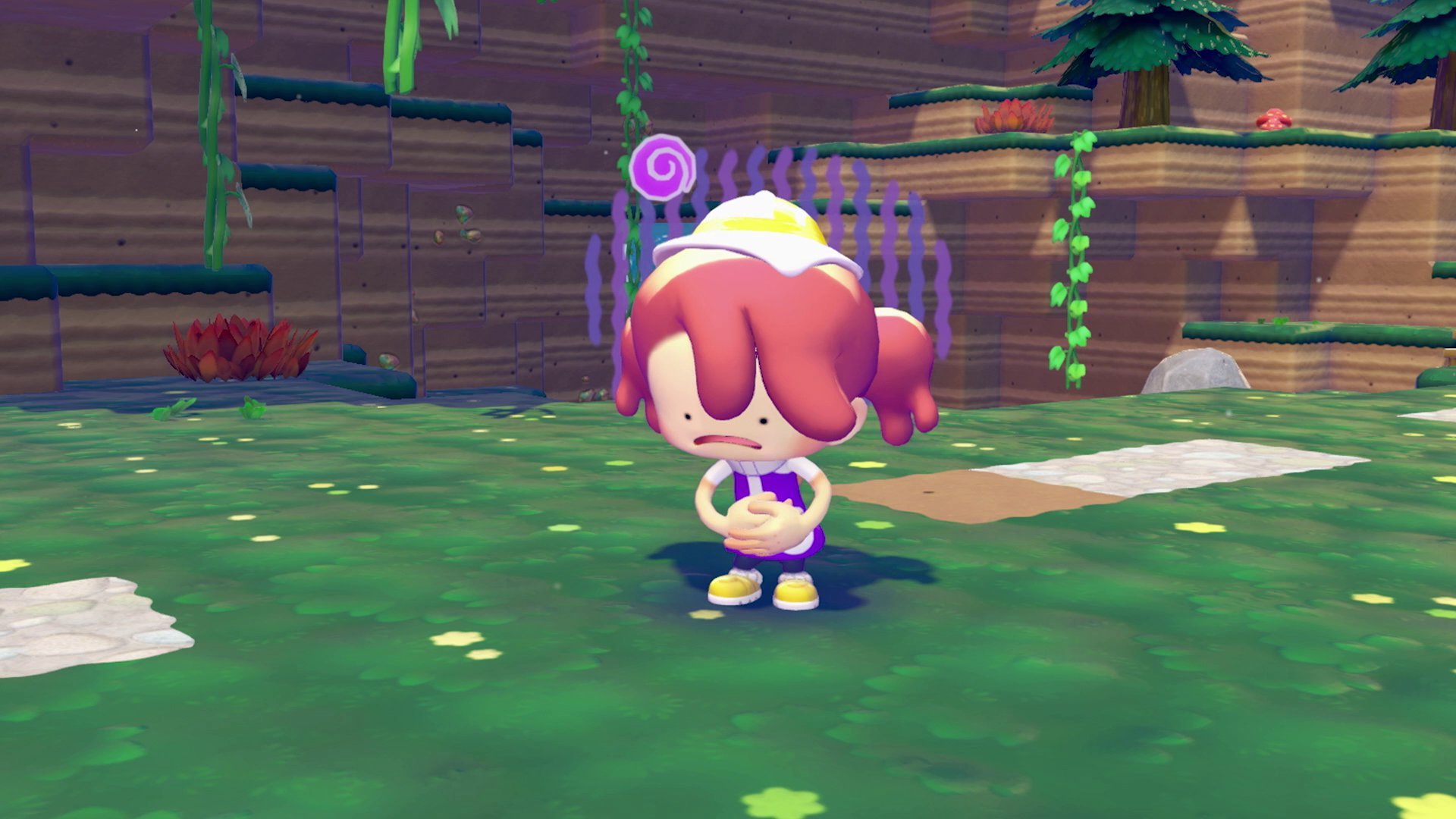
Outfit | Area | Location | Reference |
|---|---|---|---|
Starting | Given at game beginning (two variants) | Default appearance | |
Dilapidated home east of the Pokemon Center | Koga and Janine, Fuchsia City Gym | ||
Near the Pokemon Center | Lt. Surge | ||
Aboard the SS Anne ship | Sailor trainer class | ||
Near the train tracks in the mines | Super Nerd trainer class | ||
Near Chef Dente's kitchen | Brock, Pewter City Gym Leader | ||
Main platform near Celadon Dept. Store | Sabrina, Saffron City Gym Leader | ||
Near the elevator repair area (Alakazam quest) | Black Belt trainer class | ||
Game Corner on the furthest island | Team Rocket organization |
Dream Island Outfits
Many outfits are exclusive to Dream Islands. Since Dream Islands are randomized and you can only access one per day, collecting all Dream Island outfits takes time. Check every building and cave on each Dream Island you visit.
Outfit | Human Record | Reference |
|---|---|---|
Pokemon Center Outfit | Career Monthly (Vol. 111) | Pokemon Center staff |
Bird Keeper Outfit | Bird Pokemon Monthly (Anniv. Issue) | Bird Keeper trainer class |
Sightseer Outfit | Alola! (May Issue) | Sightseer NPC from Sun/Moon |
Roughneck Outfit | Pocket World Weekly #38 | Roughneck trainer class |
Professor Outfit | Poke TV (July Issue) | Pokemon Professor |
Red Outfit | PokeWeek (Issue 122) | Red, protagonist of Gen I |
Cool Outfit | Gym Leader Monthly (March Issue) | Gym Leader inspired |
Fresh Outfit | Island Monthly (May Issue) | Tropical island style |
Rascal Outfit | Pocket World Weekly #18 | Youngster trainer class |
Cozy Outfit | Pokemon Breeder Monthly #37 | Pokemon Breeder |
Chic Outfit | Information Wanted | Fashionable style |
Sport Outfit | Archeology Magazine #12 | Athletic style |
Ditto's Transformations
While using Pokemon abilities, Ditto usually maintains its humanoid form but alters specific body parts. For example, arms become plant stems when using Leafage. However, certain moves cause Ditto to fully transform into a Pokemon form:
Move | Ditto Transforms Into |
|---|---|
Generate (electricity) | |
Rock Smash (boulders) |
These transformations are purely visual and are not affected by your clothing or customization choices. Your outfit returns to normal once the transformation ends.
Item Customization and Painting
Beyond character appearance, Pokopia also has an item customization and painting system. After recruiting Smearguru in Bleak Beach, you can repaint placed furniture, building exteriors, and blocks using colored dyes. Dyes are produced by giving berries to any Pokemon with the Crush specialty. You can also apply decorative patterns through Smearguru's follower mode.
Peculiar Patterns are special collectibles found exclusively on Dream Islands. There are 9 Peculiar Patterns in total, and bringing them to Smearguru unlocks additional pattern options for item painting.
Photo Mode
Photo Mode lets you capture screenshots showing your current outfit and surroundings. Access it by pressing the Minus button on Joy-Con or through the Pokedex menu.
Control | Function |
|---|---|
Minus button | Open Photo Mode |
X button | Toggle between normal photo and selfie mode |
D-Pad Down | Change Ditto's pose |
D-Pad Left/Right | Change facial expressions |
D-Pad Up | Characters look at camera |
ZL / ZR | Zoom out / Zoom in |
Plus button | Open frames and filters menu |
Special "Photo Ops" moments trigger alerts during gameplay. Capturing them unlocks new frames for customizing future photos. On Cloud Islands (multiplayer), all players can pose together with their individual outfits visible for group photos.
Emotes
Emotes are gestures and expressions your character can perform. They are unlocked through two methods: collecting specific Human Records and talking to Pokemon with speech bubbles above their heads. Open the emote wheel by pressing Down on the D-pad, then use the Left Joystick to scroll and A to confirm. Players can customize up to three emote wheels.
Default emotes available from the start include Celebrate, Cry, Shocked, Beckon, Bow, and Sleepy. Additional emotes like Greetings, Point Here, Goodbye, Smile, Thinking, and Clap are unlocked through Human Records. Angry, Proud, and Despair are unlocked by talking to specific Pokemon.
For full emote details and unlock locations, see Human Records and Emotes.
Character References and Easter Eggs
Many customization options reference classic Pokemon characters. Data mining by PLDH confirmed that players can recreate several iconic looks by mixing and matching clothing pieces and hairstyles:
Blue (FireRed/LeafGreen): Clothing options matching Blue's rival outfit from the Gen III remakes.
Misty: The Mermaid hairstyle matches Misty's signature side ponytail, and you can strike her pose in Photo Mode.
Sun and Moon Sightseer NPC: A hairstyle and outfit combination resembling the tourist NPC from Gen VII.
Brock: The Rock-Solid Outfit directly references Pewter City's Gym Leader.
Koga and Janine: The Ninja Outfit references the Fuchsia City Gym Leaders.
Sabrina: The Psychic Master Outfit references Saffron City's Gym Leader, found near the Celadon-inspired area.
Team Rocket: The Team Rocket Outfit is found at the iconic Game Corner front in Sparkling Skylands.
Tips and Tricks
Grab the free mirror and Ninja Outfit in the dilapidated room east of the Withered Wasteland Pokemon Center as early as possible. Use Rock Smash to clear the rubble.
Buy a second mirror from the PC Shop (50 Life Coins) or craft one with Glass and Wood at your Workbench. Having mirrors in multiple locations saves travel time.
Wardrobes and dressing tables also function as customization stations, so placing one in your main base gives you quick access.
Human Records glow with yellow sparkles and are easy to spot. When you find one, you can wear the outfit immediately or save it for later.
All hairstyles and clothing options are available to all characters with no gender restrictions.
Use Photo Mode (Minus button) to show outfits. Switch to selfie mode with X and try different poses with the D-Pad.
Mix individual clothing pieces for custom looks. Equipping a full Human Record outfit overrides your individual choices, but you can switch back at any time.
Explore Dream Islands thoroughly. Many exclusive outfits and hairstyles are only found there, and since you can only visit one per day, it pays to search every corner.
Photograph your favorite outfit combinations and save them. The game stores photos in the "Memories" category for easy reference.