

Overview
In Pokemon Pokopia, befriended Pokemon need homes to live in. While Pokemon can initially stay in their habitats, building dedicated dwellings is essential for raising their comfort level to higher tiers. Homes provide more floor space for furniture, better protection from weather, and overall happier living conditions. There are two approaches to housing: purchasing pre-built Building Kits from the PC Shop, or constructing custom houses block by block using the building system.
Two Building Methods
Building Kits (Prefab)
Building Kits are purchased from the PC Shop inside any rebuilt Pokemon Center using Life Coins. The shop has a limited daily stock that replenishes each day. To construct a kit:
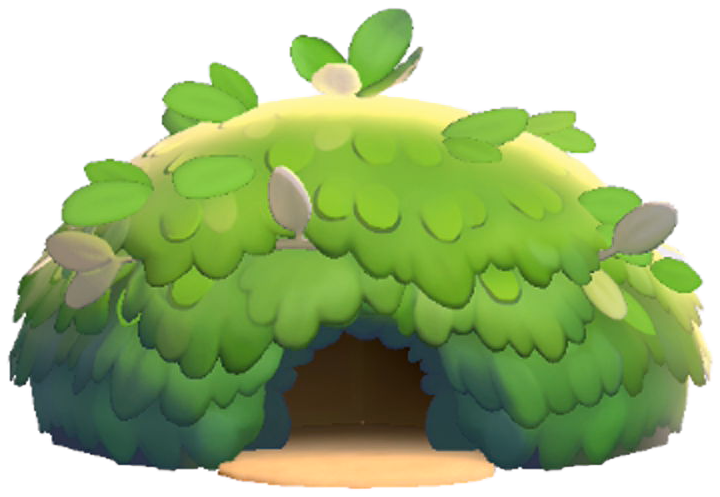
Purchase the Building Kit from the PC Shop.
Place the kit at your desired location. Flat terrain works best.
Supply the required materials listed on the kit.
Assign a Pokemon with the Build specialty (such as Timburr, Machop, or Cubone) to begin construction.
Wait for construction to finish. Time varies by size; a Leaf Den takes roughly 15 minutes, while larger builds take longer.
Prefab buildings can be relocated using Relocation Kits and can be upgraded by placing another Building Kit over an existing structure. The interior may be larger than the exterior suggests, and some kits come with furniture pre-installed. Having Tinkmaster (Engineer specialty) nearby significantly speeds up construction.
Custom Block Building
Players can build entirely custom homes by laying blocks manually. To create a valid house, enclose a rectangular or square area with walls and attach a door. The game recognizes the structure as a dwelling once the enclosure is complete (a sparkle effect confirms recognition). Custom building rules:
Parameter | Detail |
|---|---|
Minimum size | 2x2 blocks |
Maximum size | 9x10 blocks |
Minimum wall height | 1 block (though 3+ blocks recommended for navigable interiors) |
Ceiling | 4th block high acts as ceiling or upper floor |
Wall materials | Any blocks or fences count as walls |
Required | Door must be attached for the game to recognize it |
Relocation | Cannot be relocated with Relocation Kits (must be demolished) |
Pokemon capacity | Up to 4 Pokemon per custom house |
Custom structures offer the most flexibility for creative designs. You can build multi-story houses, open-air homes (roofless designs with just walls and a door), and elaborate mansions. The late-game Magnet Rise move is especially useful for custom building, as it allows vertical flight and mid-air block placement without scaffolding.
Standard Building Kits
Standard residential Building Kits come in four material tiers and four sizes. Each tier uses different construction materials and has a distinct visual style. The four sizes determine room count and Pokemon capacity:
Size | Description | Rooms |
|---|---|---|
Den | A small dwelling for medium-sized Pokemon or smaller | 1 room |
Hut | A modest home that any Pokemon could easily live in | 1-2 rooms |
Cottage | A comfortable place where two Pokemon can relax | 2 rooms |
House | A ginormous house where everyone can live together | 3+ rooms |
All Standard Kits by Tier
Tier | Den Kit | Hut Kit | Cottage Kit | House Kit |
|---|---|---|---|---|
Leaf Den Kit | Leaf Hut Kit | Leaf Cottage Kit | Leaf House Kit | |
Sand | Sand Den Kit | Sand Hut Kit | Sand Cottage Kit | Sand House Kit |
Stone Den Kit | Stone Hut Kit | Stone Cottage Kit | Stone House Kit | |
City | City Den Kit | City Hut Kit | City Cottage Kit | City House Kit |
Leaf Kits are available earliest and use basic materials (Leaves, Vine Rope, Small Logs). Sand Kits use sand-based materials. Stone Kits require Stone and Lumber. City Kits are the most advanced, requiring Bricks, Iron, and other industrial materials that become available in later regions.
Special Building Kits
In addition to the standard 16 kits, several special residential kits with unique appearances are available:
Kit | Description |
|---|---|
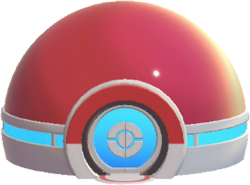
Poke Ball House Kit | Makes a house that looks like a giant Poke Ball |
Pink Hut Kit | Makes a cute plaster house with a pink exterior |
Orange Hut Kit | Makes a fancy brick house with warm-toned walls |
Gray Hut Kit | Makes a cool stone house with a muted aesthetic |
Gray Cottage Kit | A high-class house with a serene atmosphere, full of luxurious furniture |
Yellow Hut Kit | Makes a flashy concrete house with a modern look |
Log Cabin Kit | Makes a house that has a pleasing woodsy aroma |
Commercial and Public Building Kits
Non-residential Building Kits are also available for building community infrastructure:
Kit | Function |
|---|---|
Poke Mart Kit | Retail shop where Pokemon and items can be traded |
Small Office Kit | A small workspace building |
Relaxing Park Kit | An outdoor relaxation area that boosts nearby Pokemon comfort |
Stylish Cafe Kit | A cafe building where Pokemon can gather |
Concert Stage Kit | A performance stage for DJ Rotom and Hype-specialty Pokemon |
Fountain Plaza Kit | A decorative plaza centered around a fountain |
Building Materials
Different Building Kits and custom blocks require various materials. Most materials are produced by Pokemon with specific specialties:
Material | How to Obtain |
|---|---|
Found in the world; basic resource | |
Found in the world; drops from trees | |
Found in the world; basic resource in all regions | |
Found in the world; drops from trees | |
Chop-specialty Pokemon (Scyther, Scizor, Heracross, Pinsir) process Small Logs | |
Bricks | Burn-specialty Pokemon process Squishy Clay at a furnace |
Burn-specialty Pokemon smelt Iron Ore at a Smelting Furnace | |
Litter-specialty Pokemon (Bellsprout, Weepinbell) | |
Dye (colored Paint) | Crush-specialty Pokemon process berries |
Recycle-specialty Pokemon process wastepaper | |
Tinkagears | Tinkmaster (Engineer specialty) converts Iron Ingots; 1 Iron Ingot = 3 Tinkagears |
Block types for custom building include Stone Blocks, Brick Blocks, Brick Flooring, Brick Steps, Arched Tiling (2 Stone), Hay Piles (2 Leaf), plus Doors, Roofs, Fences, Ladders, and Windows.
Ditto Flag (Player Home)
The Ditto Flag is a special item that designates a house as your personal home and fast-travel return point. It is unlocked during the early Withered Wasteland story progression:
Reach Environment Level 2 in the Withered Wasteland.
Purchase 3 Leaf Den Kits from the PC Shop for 50 Life Coins.
Build a house and progress the story until Charmander asks to celebrate.
Bring Charmander to Professor Tangrowth to receive your first Ditto Flag.
After receiving your first Ditto Flag, you unlock the crafting recipe: 1 Sturdy Stick + 1 Twine + 1 Leppa Berry. Only one home per area can be designated as your player home via the Ditto Flag. Placing the flag inside a house sets it as your fast-travel destination for that region.
Housing Capacity
Each house can accommodate a specific number of Pokemon residents depending on its type:
Custom block houses hold up to 4 Pokemon regardless of size. Expanding the house does not increase this cap.
Building Kit houses vary by size: Dens hold 1 Pokemon, Huts hold 1-2, Cottages hold 2, and Houses hold up to 4.
Habitats placed inside houses do NOT count against the housing capacity limit. Each habitat houses exactly one additional Pokemon.
To move a Pokemon into a house: ask the Pokemon to follow you (Up on the D-pad), walk to the house, speak to the Pokemon near the house, and select the option to ask if it wants to move in. Some Pokemon may refuse if the house does not match their preferences (e.g., a water-type Pokemon may prefer a house near water).
Comfort Level System
Every Pokemon has a comfort level that measures how happy it is with its living conditions. There are five comfort tiers:
Tier | Name | Effect |
|---|---|---|
1 | Iffy | Lowest tier; Pokemon is unsatisfied with its living situation |
2 | Average | Default tier for Pokemon living in basic habitats |
3 | Nice | Pokemon is content; provides moderate Environment Level contribution |
4 | Great | Pokemon is very happy; strong Environment Level contribution |
5 | Awesome | Highest tier; maximum Environment Level contribution and productivity |
To raise a Pokemon's comfort, use these methods:
Method | Description |
|---|---|
Place furniture | Add items matching the Pokemon's preferences (check the Specialties & Likes tab in the Pokedex). Relaxation items (beds, chairs, sofas) directly boost comfort. |
Move to a house | Comfort rises faster in houses than open habitats because of the extra room for decorations. |
Complete requests | Pokemon flag you down with personal requests; completing these gives large comfort boosts that bypass furniture limits. |
Give gifts | Items matching a Pokemon's favorites from the Pokedex increase comfort. |
Feed preferred food | Cooked meals matching the Pokemon's flavor preferences boost comfort. |
Remove disliked items | Comfort decreases when disliked items are placed near a Pokemon's habitat. |
Habitat zones are marked by white boundary lines (visible by clicking the right stick). Zones can overlap between adjacent Pokemon, allowing shared furniture to benefit multiple residents.
Environment Level
Each area in Pokopia has its own Environment Level (1 through 10), driven by the cumulative comfort of all Pokemon in that area. Higher Environment Levels unlock new items in the PC Shop and are required for story progression:
Environment Level 5 in each area is required to reach the game's ending.
Environment Level 10 unlocks everything available in the PC Shop for that area.
Legendary and Mythical Pokemon provide a larger comfort contribution toward the Environment Level than regular Pokemon.
Removing Pokemon from an area decreases its Environment Level score and can re-lock previously unlocked items.
A few well-furnished houses with happy Pokemon push the Environment Level higher than many neglected habitats. Focusing on quality of housing rather than quantity of habitats is the most efficient approach.
Demolition and Relocation
Demolition Kit
Demolition Kits cost 10 Life Coins from the PC Shop. To demolish a building:
Purchase a Demolition Kit from the PC Shop.
Place the kit outside the building you want to demolish.
Assign a Pokemon with the Bulldoze specialty (Onix, Makuhita, or Snorlax) as the project leader.
Add helper Pokemon to speed up the process.
The building is permanently destroyed and materials are returned at the demolition site.
Relocation Kit
Relocation Kits also cost 10 Life Coins. They work similarly to Demolition Kits but preserve the building for placement at a new location. After a Bulldoze-specialty Pokemon completes the relocation preparation, you receive a Relocation Kit (reconstruct) that can be placed at the new desired location. Relocation Kits only work on buildings made from Building Kits; custom block builds cannot be relocated and must be demolished and rebuilt manually.
Upgrade and Remodel
To upgrade or remodel a kit-built structure, place another Building Kit over the existing building. The interior furniture is preserved during remodeling. However, the house cannot be occupied by any Pokemon during the remodel process, and the size cannot be reduced during upgrades.
Tips
Start with Leaf Dens early in the game. They are cheap and provide a basic comfort boost over open habitats.
Upgrade to Stone and City kits as materials become available. The extra rooms make a significant difference in achievable comfort tiers.
Use the 3D Printer at the Pokemon Center to duplicate furniture for filling multiple homes quickly.
Custom block houses are best for creative designs, but Building Kits are more practical since they can be relocated.
Place houses near each other for the neighborhood effect. Social Pokemon are happier when their home is close to other Pokemon's homes.
Check each Pokemon's Specialties & Likes tab in the Pokedex before furnishing their home. Matching furniture preferences gives a much stronger comfort boost.
You can build valid open-air houses by using one-block-high walls and a door. The game recognizes any enclosed rectangular area with a door as a valid dwelling.
Tinkmaster (Engineer specialty) reduces construction time for all building projects. Always have Tinkmaster nearby when starting a new build.
Decorations placed outside and inside the house contribute to comfort. Placing items just outside the boundary line still counts if the zone overlaps.