

Open Lot Business
Guide to the Open Lot business type in inZOI. Covers what makes it unique among the nine business presets, how to set one up, required equipment like market stalls and kiosks, selling mechanics, pricing strategies, customer interactions, theft prevention, employee management, and tips for turning a profit.
On This Page
This article is incomplete
Some sections are missing or need additional details. Help improve it by contributing.
Overview
The Open Lot is one of nine business presets available in inZOI, introduced alongside the business ownership system in the v0.5.0 update (December 2025). Unlike specialized presets such as the Cafe, Bakery, or Restaurant, the Open Lot functions as a general-purpose commercial space. It does not come with pre-configured customer activities or a specific product focus, which gives you full control over what you sell and how the space operates.
Think of the Open Lot as a blank canvas for your Zoi's entrepreneurial ambitions. You can set up outdoor market stalls, display crafted goods, and sell directly to passersby. It is especially well suited for players who want to sell a variety of handmade or collected items without being locked into a single product category like baked goods or coffee.
All Business Types
The Open Lot sits alongside eight other business presets in the business system. Each preset configures a default set of customer activities and management settings tailored to that type of establishment, though all settings can be adjusted manually after registration.
Business Type | Focus | Key Equipment |
|---|---|---|
Coffee and light snacks | Coffee machine, blender, display case | |
Oven-baked goods | Oven, display case, counter | |
Full meals and dining | Stove, fridge, dining tables | |
Beverages and nightlife | Bar counter, cocktail station | |
Florist Shop | Flowers and arrangements | Flower displays, counter |
Confectionery | Sweets and desserts | Candy displays, counter |
Fitness and lectures | Exercise equipment, lecture board | |
School | Education and classes | Lecture boards, desks |
Open Lot | General-purpose selling | Market stalls, kiosk |
Setting up an Open Lot Business
Getting an Open Lot business off the ground follows the same general process as any other business type in inZOI. Your Zoi must be a Young Adult or older to purchase and register a business property.
Step 1: Purchase a Commercial Property
Open the Edit City window and browse available commercial lots. Properties available for purchase are labeled as Business Property in their description. Prices range from roughly 20,000 to over 100,000 Meow depending on the size and location of the lot. Dowon, Bliss Bay, and Cahaya each have commercial lots available, so pick a location that suits the foot traffic you want.
Step 2: Register the Business
Once you own the lot, click on the property in the Edit City window and select the Register Business button. You will be asked to choose a business preset. Select Open Lot. This preset does not lock you into specific product types the way a Cafe or Bakery preset would, so your customer activity list starts empty and ready for customization.
Step 3: Configure Business Settings
After registration, open the Business App on your Zoi's smartphone to configure the details:
Business Hours: Set the times your lot will be open to customers. You can run shorter hours while getting started and expand later.
Customer Activities: Under Player Settings, add activities like "Order" so that visiting Zois will actually purchase items from your stalls. Without the Order activity enabled, customers will browse but never buy.
Target Clientele: Set who you want visiting your lot. This filters the types of Zois that show up during business hours.
Pricing: Adjust your entrance fee (if any) and service cost tiers. The Open Lot works well without an entrance fee, since your revenue comes from direct product sales.
Essential Equipment
Two pieces of equipment are critical for any Open Lot business: a kiosk and at least one market stall.
Kiosk
The kiosk is a point-of-sale terminal where customers pay for their purchases. Search for "kiosk" in the Build Mode search bar and place one near the entrance or the main selling area. Without a kiosk, customers have no way to complete transactions, so this is a non-negotiable piece of infrastructure.
Market Stalls
Market stalls (also called sales stands) display your products for customers to browse. You can find them in Build Mode under the Social Events category or by searching for "stall." The Wider Sales Stall costs 330 Meow and provides a good starting setup. Place stalls outdoors near the street for maximum visibility. If you place them on a residential lot, other Zois may wander through your house, so keeping stalls on a dedicated commercial property is strongly recommended.
What You Can Sell
The Open Lot is the most flexible business type when it comes to product variety. You can sell items through your market stalls by selecting a stall and choosing "Place items for sale," which opens your inventory and lets you list items individually with custom prices.
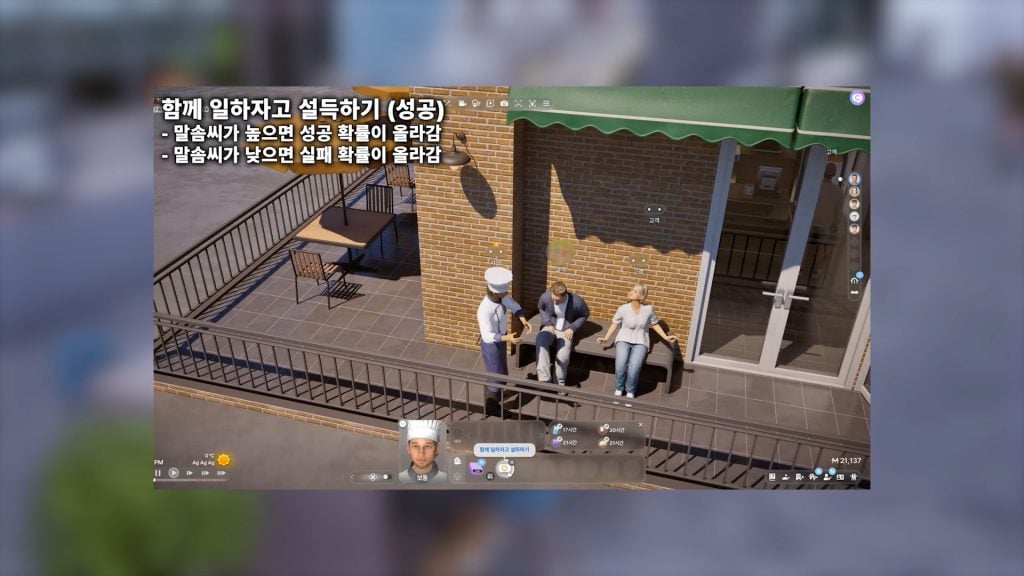
Sellable items through market stalls currently include recipe-based products:
All cooked dishes (via the Cooking skill)
Baked goods (via the Baking skill)
Coffee and fruit beverages
Crafted items like paintings, novels, and programs can also be sold, though the Pocket Market app on your Zoi's smartphone is often a faster way to offload those one-off creations. The market stall approach works better for bulk or repeatable products where you want foot traffic and an in-person selling experience.
Note that not all items can be placed on market stalls. Objects like potted plants, furniture, and most non-recipe items cannot currently be listed for sale through a business lot. This is a known limitation in 2026, and Krafton may expand the sellable item list in future updates.
Selling Mechanics
Once your stalls are stocked and your business hours are active, the selling process is straightforward. Select your market stall and click "Start selling" to begin a selling session. Sessions last up to three hours, though you can end them early at any time by selecting "End sale."
During a session, you have several promotional actions available:
Greet Customers: Improves customer satisfaction and encourages purchases.
Promote: Attracts more Zois to your stall area.
Dance for Promotion: An attention-grabbing action that draws foot traffic.
Queue these actions from the left side of the selling screen and press the play button to execute them. Active management makes a noticeable difference in daily revenue compared to leaving the stall unattended.
Pricing Strategy
Getting your prices right is essential. If items are priced too high, visiting Zois will display "pricey" reactions or start booing, and they will walk away without buying. On the other hand, underpricing means you are leaving Meow on the table.
Start with moderate prices and watch customer reactions during your first few selling sessions. Adjust upward gradually as your business star rating improves and customer satisfaction rises. Higher-quality items (produced by Zois with better skills) command higher prices naturally, so investing in skill development pays off over time.
Theft Prevention
Shoplifting is a real concern on open lots. Occasionally, a visiting Zoi will pocket an item instead of paying for it, which costs you Meow rather than earning it. When you spot this happening, click on the offending Zoi and select "Fight the thief" to confront them. Successfully catching a thief recovers the lost currency and awards Karma points, which boosts your Zoi's luck and happiness.
Because the Open Lot exposes your merchandise outdoors with fewer physical barriers than an indoor shop, staying attentive during selling sessions is important. Keep an eye on the activity feed for theft notifications.
Employee Management
Like all business types in inZOI, the Open Lot allows you to hire employees to help run the operation. You can hire acquaintances or household members through the Business App. The system assigns tasks based on each employee's skill levels. A Zoi with strong Rhetoric skills will handle customer-facing roles, while those with relevant crafting skills can help prepare products.
Keep in mind that employees cost Meow in wages, and in the early stages of a business those wages can eat into your profits significantly. Many players recommend running the Open Lot solo at first, then hiring once revenue is stable enough to cover payroll.
Customer Satisfaction and Star Ratings
Customer satisfaction is a core metric across all business types and is a key indicator of your business's value growth. Satisfaction is influenced by several factors:
Owner relationships: How your Zoi interacts with visiting customers.
Furniture quality: Better furniture and decorations improve the lot's appeal.
Pricing: Fair prices relative to item quality keep customers happy.
Service frequency: How often and how actively you engage with customers during business hours.
As satisfaction increases, your business earns higher star ratings, which attract more customers and allow you to charge premium prices. Profits are calculated and logged at the end of each business day, with summaries showing total income, expenses, and net profit.
Open Lot vs. Other Business Types
The Open Lot occupies a unique niche. While specialized presets like the Gym (which earns through entrance fees and paid lectures with zero crafting costs) or the Cafe (which focuses on coffee and snacks) are more streamlined, the Open Lot trades that focus for flexibility. You are not tied to a single product line, and you can experiment with different items to find what sells best in your location.
That flexibility comes with a tradeoff. The Open Lot requires more hands-on management because it lacks the automatic customer activity configurations that specialized presets provide. You need to set up every activity manually and actively promote your stall to attract buyers. For players who enjoy the management side of running a business, this is part of the appeal. For those who want a simpler experience, a Cafe or Gym might be a better starting point.
Tips for Running a Profitable Open Lot
Start small. Place one or two stalls and focus on a handful of products. Expand your inventory once you understand local demand.
Pre-stock outside business hours. Prepare food, baked goods, or other products before opening so you are not scrambling to craft items while customers wait.
Watch for thieves. The outdoor layout makes theft more common. Stay at your stall and confront shoplifters immediately to recover lost Meow.
Invest in skills. Higher-quality products sell for more. Level up your Zoi's Cooking, Baking, or other relevant skills to unlock better recipes and produce premium goods.
Skip the entrance fee. Unlike a Gym or School, the Open Lot generates revenue primarily through product sales. Charging an entrance fee can discourage foot traffic without adding enough income to justify it.
Use promotions actively. Queue up Greet Customers and Promote actions throughout each selling session. Active engagement increases satisfaction and sales.
Delay hiring employees. Employee wages can drain profits quickly in the early stages. Run the lot solo until daily income comfortably covers operating expenses, then bring on help to extend your hours or output.
Known Limitations
The business system in inZOI is still evolving through Early Access. A few limitations to keep in mind with the Open Lot:
Not all crafted or collected items can be placed on market stalls for sale. Potted plants, furniture, and many non-food items are currently excluded.
City Travel is unavailable while your Zoi is engaged in business-related activities. You need to close the business or resign employment to travel.
Multiple businesses can be owned by a single household, but managing several at once requires careful scheduling and enough household members to staff them.
Krafton has indicated that more business presets and expanded selling options are planned for future updates, so the Open Lot's capabilities may grow over time.