

Overview
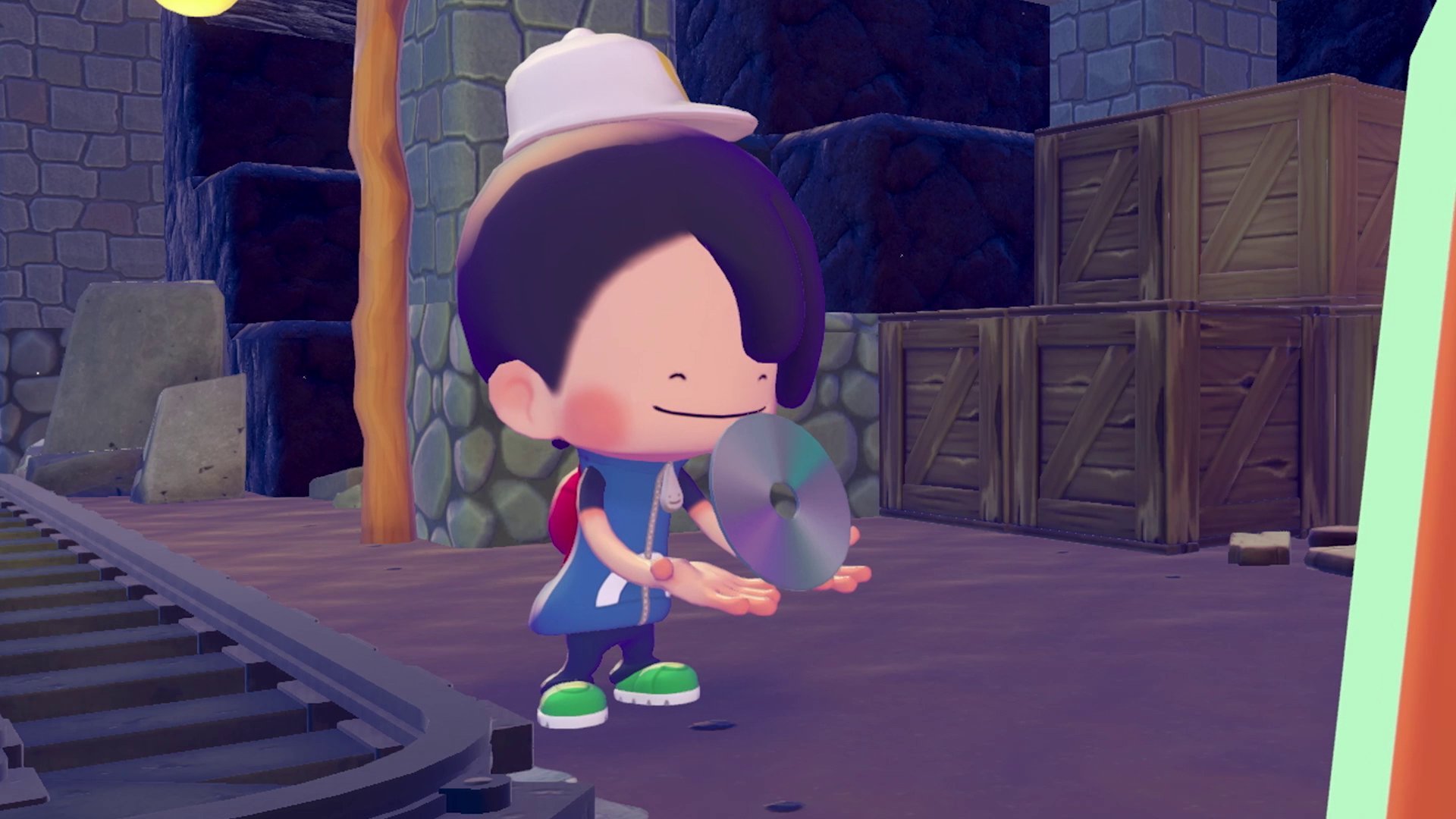
Music CDs are collectible items scattered throughout Pokemon Pokopia. Players find CDs during exploration and give them to DJ Rotom to build custom playlists that replace the default background music in settlements. The collection features rearranged versions of iconic tracks from across the Pokemon franchise, spanning every generation from Kanto to Paldea. CDs can also be played through a craftable CD Player furniture item, letting you set up background music in areas where DJ Rotom is not stationed.
How to Find CDs
CDs come from multiple entries. Drops from glowing spots are randomized, so players should use every available method to build their collection. The Dowsing Machine paired with a Pokemon that has the Search specialty is one of the most reliable tools for locating hidden CDs and other buried items.
Method | How It Works |
|---|---|
Glowing Spots | Use Rock Smash on glowing rock formations found around the world. Drops are randomized and may yield CDs, Human Relics, or other items. Glowing spots disappear after interaction but respawn daily. |
Equip the Dowsing Machine and bring a Pokemon with the Search specialty (Pidgey, Venonat, or others) to detect nearby hidden items. The detector pulses faster as you approach a buried item. | |
Quest Rewards | Certain quests award specific CDs on completion. DJ Rotom's introductory quest includes a CD found on a bookshelf in the area you just cleared. |
Dream Islands | CDs appear as loot during Dream Island expeditions. Check item containers and sparkling objects on each island. |
PC Shop | Some CDs rotate into the daily stock of the PC Shop and can be purchased with Life Coins. |
On randomly triggered Lucky Days, extra glowing spots and sparkling ripples spawn across the island, increasing CD drop chances. A notification appears at the start of the day when a Lucky Day triggers. |
Unlocking DJ Rotom
DJ Rotom becomes available during the Rocky Ridges questline, which is one of the first areas unlocked after the Withered Wastelands. The quest that introduces DJ Rotom is called "Investigate the Source of Music," triggered by speaking with Scorbunny near a wall where mysterious music can be heard.
Investigate the Source of Music
Scorbunny asks you to investigate strange sounds coming from inside a rock wall. To reach DJ Rotom, you need the powered-up version of Rock Smash, which requires eating a Hamburger Steak first (or completing the "Make a Hamburger Steak" request). Once the move is upgraded, smash through the reinforced rock to enter a small mine. Navigate deeper inside until you find an orange machine emitting music.
Interact with the machine to trigger a cutscene where DJ Rotom introduces itself. After the cutscene, DJ Rotom becomes your friend and companion. Return to Scorbunny outside to complete the quest. From this point on, you can give CDs to DJ Rotom to customize your settlement's background music.
Complete CD List
There are 43 Music CDs in Pokemon Pokopia. Each CD is a rearranged version of a classic track from across the Pokemon franchise, spanning every generation from Kanto to Paldea.
Generation I: Kanto (16 CDs)
# | Track Name | Source Game |
|---|---|---|
1 | Title Screen | Pokemon Red/Green |
2 | Pallet Town Theme | Pokemon Red/Green |
3 | Professor Oak's Laboratory | Pokemon Red/Green |
4 | Road to Viridian City | Pokemon Red/Green |
5 | Pewter City Theme | Pokemon Red/Green |
6 | Pokemon Red/Green | |
7 | Caves of Mt. Moon | Pokemon Red/Green |
8 | Road to Cerulean City | Pokemon Red/Green |
9 | Fuchsia City Theme | Pokemon Red/Green |
10 | Pokemon Gym | Pokemon Red/Green |
11 | Road to Bill | Pokemon Red/Green |
12 | Vermilion City Theme | Pokemon Red/Green |
13 | The S.S. Anne | Pokemon Red/Green |
14 | Rocket Hideout | Pokemon Red/Green |
15 | Silph Co. | Pokemon Red/Green |
16 | Battle! (Gym Leader Battle) | Pokemon Red/Green |
Generation II: Johto (3 CDs)
# | Track Name | Source Game |
|---|---|---|
17 | Union Cave | Pokemon Gold/Silver |
18 | Ecruteak City | Pokemon Gold/Silver |
19 | Bell Tower | Pokemon Gold/Silver |
Generation III: Hoenn (2 CDs)
# | Track Name | Source Game |
|---|---|---|
20 | Fortree City | Pokemon Ruby/Sapphire |
21 | Sootopolis City | Pokemon Ruby/Sapphire |
Generation IV: Sinnoh (3 CDs)
# | Track Name | Source Game |
|---|---|---|
22 | Route 209 (Day) | Pokemon Diamond/Pearl |
23 | Mt. Coronet | Pokemon Diamond/Pearl |
24 | Game Corner | Pokemon Diamond/Pearl |
Generation V: Unova (3 CDs)
# | Track Name | Source Game |
|---|---|---|
25 | Driftveil City | Pokemon Black/White |
26 | Route 10 (Unova) | Pokemon Black/White |
27 | Dress Up With Props | Pokemon Black/White |
Generation VI: Kalos (4 CDs)
# | Track Name | Source Game |
|---|---|---|
28 | Snowbelle City | Pokemon X/Y |
29 | Boutique | Pokemon X/Y |
30 | Super Training! | Pokemon X/Y |
31 | Contest Spectacular | Pokemon X/Y |
Generation VII: Alola (3 CDs)
# | Track Name | Source Game |
|---|---|---|
32 | Hau'oli City (Day) | Pokemon Sun/Moon |
33 | Aether Paradise | Pokemon Sun/Moon |
34 | Ultra Ruin | Pokemon Sun/Moon |
Generation VIII: Galar (4 CDs)
# | Track Name | Source Game |
|---|---|---|
35 | Wild Area (North) | Pokemon Sword/Shield |
36 | Wyndon | Pokemon Sword/Shield |
37 | Rose Tower | Pokemon Sword/Shield |
38 | Battle! (Gym Leader) 1 | Pokemon Sword/Shield |
Pokemon Legends: Arceus (1 CD)
# | Track Name | Source Game |
|---|---|---|
39 | Jubilife Village | Pokemon Legends: Arceus |
Generation IX: Paldea (4 CDs)
# | Track Name | Source Game |
|---|---|---|
40 | South Province | Pokemon Scarlet/Violet |
41 | The Academy | Pokemon Scarlet/Violet |
42 | Area Zero | Pokemon Scarlet/Violet |
43 | Battle! (Gym Leader) 2 | Pokemon Scarlet/Violet |
Hidden and Notable CDs
While most CDs come from randomized glowing spot drops, a handful can be found through specific in-game locations or events. that CD #5 (Pewter City Theme) and CD #13 (The S.S. Anne) have fixed spawn locations in addition to appearing in the normal glowing spot pool.
CD | Location | Details |
|---|---|---|
Pewter City Theme (#5) | Pewter Museum (Rocky Ridges) | Found inside the ruins of the Pewter Museum in the underground cave north of the area's Pokemon Center. Requires upgraded Cut (eat a Simple Bread) to destroy the metal gates blocking the path. |
The S.S. Anne (#13) | S.S. Anne (Bleak Beach) | Located aboard the S.S. Anne south of Bleak Beach. Requires the Surf ability to reach the ship, learned by befriending Lapras. |
Rocket Hideout (#14) | Secret area (Rocky Ridges) | Found inside a hidden Team Rocket area in the Rocky Ridges mines. Explore the underground passages and storage rooms thoroughly. |
Introductory CD | DJ Rotom's mine (Rocky Ridges) | A guaranteed CD sits on a bookshelf inside the mine during the "Investigate the Source of Music" quest. This is typically the first CD players collect. |
All other CDs appear exclusively through randomized glowing spot drops, Dream Island loot, PC Shop rotations, or quest rewards. There is no way to target a specific CD from glowing spots, so building a complete collection requires patience and repeated farming.
Giving CDs to DJ Rotom
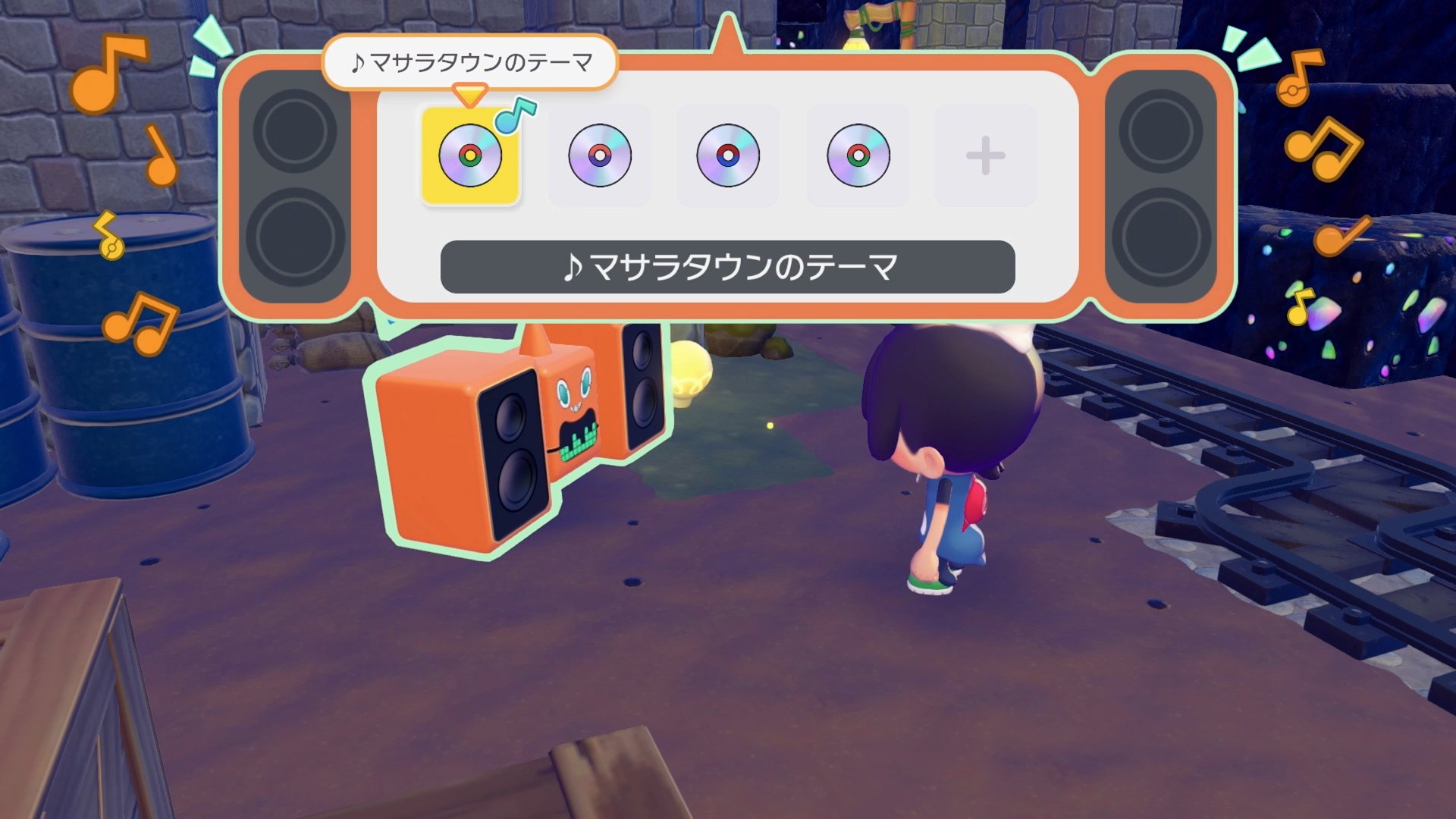
To play collected CDs, walk up to DJ Rotom in your settlement and press A to interact. Select the option to hand over a CD. DJ Rotom can hold up to 5 CDs at a time in its playlist. The selected tracks play on rotation from left to right, then repeat, replacing the default background music for the surrounding area.
You can swap CDs in and out of the playlist at any time by talking to DJ Rotom again. Talking to DJ Rotom also lets you skip between tracks in the current playlist. If all CDs are removed, the area reverts to its default soundtrack. Extra CDs beyond the 5-slot limit stay in your inventory or storage box.
Music Range and CD Player
Music only plays when the player is near DJ Rotom. If you want continuous music while exploring or building, have DJ Rotom follow you as a companion Pokemon. This keeps the playlist active as you move around the island.
DJ Rotom also has a mood-checking function. When you talk to DJ Rotom, you can select an option to check the mood of all nearby Pokemon. This is particularly useful during the "Time to Party!" Important Request, where keeping mood levels high is the primary objective.
CD Player Furniture
Players can craft a CD Player furniture item at a Workbench. The CD Player lets you play CDs independently of DJ Rotom, which is useful for customizing the soundtrack across multiple areas of your island. Unlike DJ Rotom's 5-CD playlist, the CD Player holds only one CD at a time. To use it, interact with the powered CD Player and select a CD from your inventory. The CD is inserted manually, one at a time, and must be swapped out by hand whenever you want to change tracks. Extra CDs stay in your inventory or Storage Box until you decide to insert them.
Crafting Recipe
Material | Quantity |
|---|---|
1 | |
1 | |
1 |
How to Unlock the Recipe
The CD Player crafting blueprint can be purchased from the PC Shop on Sparkling Skylands after reaching Environment Level 3, costing 500 Life Coins. Alternatively, you can buy a finished CD Player directly from the Palette Town PC Shop at Environment Level 3 for 300 Life Coins.
Power Requirements
The CD Player is a functional device, not just decorative. It requires an active electrical connection to operate. Place the CD Player within your base where wiring is accessible, connect it to your power network using a power wire, and make sure the power source is turned on. If the power goes out or you disconnect the wiring, the CD Player stops playing music immediately. This means areas with unreliable power (for example, if your Windmill or Furnace runs out of fuel) will lose their background music until the connection is restored. For a wireless alternative, unlock the Wireless Power Transmitter later in the game to eliminate cable clutter when placing CD Players in distant areas of your island.
Arrangements
Each CD comes with its own set of arrangements, which are alternate versions of the same track. After inserting a CD into the CD Player, you can cycle through different arrangements to find the variation you prefer. Arrangement variants range from calm, ambient versions to energetic remixes and layered compositions that blend multiple instruments together. Some tracks may only have two or three arrangements, while others offer more variety depending on the source material. Experimenting with arrangements across different CDs is one of the main incentives for building a complete collection.
CD Player vs DJ Rotom
The CD Player and DJ Rotom serve different roles in Pokopia's music system. DJ Rotom holds up to 5 CDs and plays them in rotation, functioning as a playlist that cycles through tracks left to right. The CD Player, by contrast, accepts only one CD at a time. Swapping to a different track requires opening your inventory, removing the current CD, and manually inserting a new one.
There is no preview function on the CD Player. You cannot hear a CD's music without actually inserting it first, so finding the right track for a particular area involves some trial and error. This is different from DJ Rotom, where you can browse your handed-over CDs and skip between tracks in the active playlist.
Feature | CD Player | |
|---|---|---|
Capacity | 1 CD at a time | 5-CD rotating playlist |
Switching Tracks | Remove and insert manually from inventory | Talk to DJ Rotom and skip between tracks |
Power Required | Yes, needs active electrical connection | No, runs independently |
Portability | Stationary furniture item | Can follow you as a companion |
Music Preview | No preview; must insert to hear | Can browse and skip within playlist |
Multiple Locations | Place one per area for zone-specific music | One DJ Rotom, follows you or stays put |
Arrangements | Can cycle through arrangement variants per CD | Plays the default arrangement |
For players who want different music in different parts of their island, the CD Player is the better choice since you can place multiple CD Players in separate areas, each playing a different track. For continuous background music while exploring and building, DJ Rotom's 5-CD playlist and companion mode are more convenient.
Habitat Use
CD Players also serve as habitat components. When combined with items like CD Racks and Magazine Racks, they create music-themed environments that attract specific Pokemon such as Kricketot, Kricketune, and DJ Rotom.
Pokemon Reactions
When DJ Rotom plays music, all Pokemon with the Hype specialty in the area begin dancing with unique animations. There are 23 Pokemon with the Hype specialty in Pokopia, and each one has its own distinct dance routine. Nearby Pokemon without the Hype specialty may also bob or sway to the beat, though their reactions are less pronounced.
Music and dancing generate Mood Points for the settlement. You can check the current mood level of nearby Pokemon by talking to DJ Rotom and selecting the mood-check option. Higher mood levels result in happier Pokemon and contribute to the overall atmosphere of your settlement.
Mood Points and Events
This feature plays a central role in the "Time to Party!" Important Request, where players need to raise the settlement's mood level through decoration, atmosphere, and music. Having DJ Rotom play a stacked playlist of 5 CDs while surrounded by Hype-specialty Pokemon (such as Ludicolo) is one of the most efficient strategies for completing this quest.
DJ Rotom is the only Pokemon with the unique DJ specialty. No other Pokemon in Pokopia shares this specialty. The DJ specialty is what allows Rotom to play CDs and manage playlists, making it an irreplaceable part of the music system.
Tangrowth Warning
Do not give CDs to Tangrowth. If you hand a CD to Tangrowth (which has the Vine Grab specialty), it will pocket the CD and will not return it. This catches many players off guard since Tangrowth is a prominent NPC that appears near DJ Rotom in some settlements.
Always confirm you are interacting with DJ Rotom before handing over CDs. The two can look similar at a glance when positioned close together. Duplicate copies of CDs can typically be found later through glowing spots or other methods, but losing one to Tangrowth still wastes time and progress toward a complete collection.
Tips
Check glowing spots daily. They respawn every in-game day and are the most common source of new CDs.
Keep the Dowsing Machine equipped while exploring. A Search-specialty Pokemon like Pidgey or Venonat makes locating hidden CDs and buried items much faster.
Lucky Days significantly increase glowing spot spawns across the island. Take advantage of these days to farm for missing CDs.
Explore the Rocky Ridges underground passages to find the hidden Rocket Hideout CD (#14) and other rare items.
Visit the Pewter Museum ruins in Rocky Ridges for the Pewter City Theme CD (#5), and sail to the S.S. Anne off Bleak Beach for The S.S. Anne CD (#13).
Place DJ Rotom near Hype-specialty Pokemon like Ludicolo to enjoy their dance animations and generate Mood Points while music plays.
Craft or buy a CD Player to add music to areas where DJ Rotom is not stationed. Remember that CD Players need an active power connection to function.
Try different arrangements on the CD Player. Each CD has multiple variations ranging from ambient to energetic, so experiment to find your preferred sound.
Visit friends' islands during multiplayer sessions. Their islands may have glowing spots with different CD drops, helping you fill gaps in your collection.
Build a music-themed habitat with CD Players, CD Racks, and Magazine Racks to attract Kricketot, Kricketune, and DJ Rotom.
If you lose a CD to Tangrowth, do not panic. Duplicate copies appear through glowing spots over time, so keep farming daily.