

Lots and Housing
Complete guide to lots and housing in inZOI, covering residential and community lot types, all properties in Dowon, Bliss Bay, and Cahaya, buying and financing property, property taxes, moving between homes, Build Mode and Build Studio, Canvas lot sharing, household management, standardized property sizes, and future cities.
On This Page
Overview
Housing in inZOI determines where a Zoi lives, how much space they have for furniture and activities, and how much they pay in property taxes. The game divides properties into two categories: residential lots where Zois live, and community lots that are shared public spaces. All lots can be edited through Build Mode, and apartment buildings can reach up to 30 floors.
Each city comes with a fixed number of residential lots that vary in size, price, and style. Dowon has 12 residential lots and 25 community lots, while Bliss Bay offers 14 residential lots with generally larger footprints and more outdoor space. Cahaya, the island destination introduced by the Island Getaway DLC, follows a different model with resort villas and a farming settlement. New Zoi households start with 50,000 Meow, which is enough to purchase an empty lot and build a modest starter home.
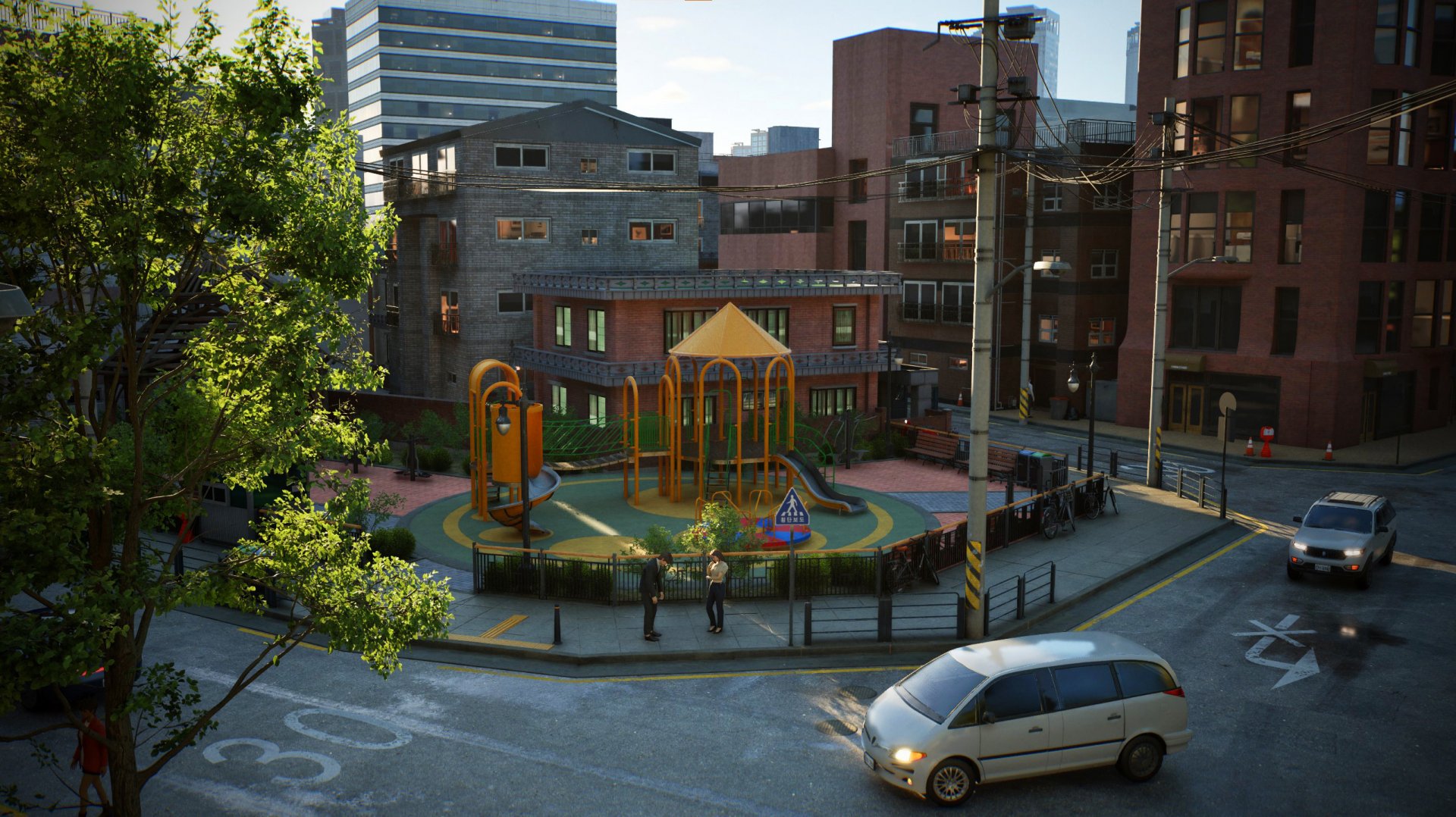
Lot types
Residential Lots
Residential lots are where Zoi households live. They range from compact studio apartments to larger multi-room properties. Each household occupies one residential lot at a time; you cannot own multiple properties simultaneously during Early Access. The lot includes the building footprint and any outdoor space (yard, garden, parking area) associated with it. Gardening, outdoor exercise equipment, and swimming pools all require outdoor space on the residential lot.
Residential lots come in three states. Empty lots contain no structures and cost the least Meow; they are blank canvases for building from scratch. Unoccupied lots have pre-built homes with furniture but no family living there. Occupied lots already have a family in residence. Moving into an occupied lot requires relocating or dismissing the existing household first.

Community Lots
Community lots are public buildings and spaces that all Zois can visit. Parks, gyms, restaurants, libraries, convenience stores, karaoke bars, internet cafes, and other public venues are all community lots. Dowon has 25 community lots and Bliss Bay has its own set of public spaces.
Some community lots are marked as editable. These lots display an "(Editable)" indicator at the top-left corner when you visit them. To edit an editable community lot, visit the location and press the building icon in the bottom-right corner to enter Edit Public Property mode. Editing community lots is completely free; no Meow is spent. Players can redesign these public spaces by adding new furniture, rearranging layouts, and creating entirely new public venues. Not all community lots are editable, however. Some public buildings like NPC workplaces and certain city infrastructure cannot be modified.
Available Community Lots
Community lots in Dowon include Harang River Park (which doubles as an outdoor gym with Cross Country and Air Swing equipment), Plesio Gaming Cafe, Coin Booth Karaoke, Tarot Fortune Cafe, Cafe Gaon, and Central Park. Bliss Bay features its own set of public venues including Muscle Beach (an outdoor gym) and various beachside amenities. Neither city currently has a dedicated indoor commercial gym, so Zois use the outdoor gym equipment at parks for fitness training.
Apartments
inZOI supports apartment buildings with up to 30 floors. Apartment living is common in both cities, especially in Dowon where the urban density means smaller lots and taller buildings. Each floor in an apartment building can contain multiple units. Players can edit their own unit through Build Mode without affecting other units in the building.
Apartments tend to be more affordable than standalone houses, making them a good choice for Zois who are just starting out or who have not built up significant savings yet. Five of the 12 residential lots in Dowon are apartments or flats where you cannot change the exterior shell of the building; only interior modifications are allowed. Bliss Bay also has several apartment options including City Nest Apartment, Heaven Hill Apartments, and Ocean Bliss Apartment.
Lots by City
Dowon
Dowon has 12 residential lots. The city has a dense, urban layout with compact apartments and smaller properties. Dowon's lots reflect its metropolitan character: vertical living spaces, close neighbors, and limited yard space. The tight layout encourages indoor-focused gameplay, with Zois relying on community lots for outdoor activities like fitness at Harang River Park. The following table lists every residential property in Dowon with its dimensions, approximate price, and default occupancy.
Property | Dimensions | Price (Meow) | Default Occupant |
|---|---|---|---|
Aram Estate Property | 19.5m x 25m | 5,000 | Empty lot |
Dowon Heights Building | 28.5m x 37.5m | 259,246 | Hwang Family |
Dowon Villa | 14.5m x 13m | 10,654 | Koo Family |
Evergreen House Property | 16m x 15m | 34,815 | Empty lot |
Gaya Apartments, Building 102 | 26.5m x 15m | 126,440 | Unoccupied |
Gaya Apartments, Building 105 | 26.5m x 15m | 148,153 | Martin Family |
Hangyeol House | 17m x 15m | 52,329 | Unoccupied |
Junghwa Parkville | 20m x 25.5m | 174,083 | Sung Family |
Metro House | 14m x 9.5m | 49,317 | Lee Family (Kyeongtae) |
Moaville | 14.5m x 15m | 42,650 | Lee Family (Jean) |
Mugunghwa Villa | 16.5m x 13.5m | 53,983 | Kim Family |
Sandeul Villa | 13m x 16.5m | 23,624 | Park Family |
The two cheapest options for new players are Aram Estate Property (5,000 Meow, empty lot) and Dowon Villa (10,654 Meow, small apartment). Junghwa Parkville is the largest free-standing lot at 20m x 25.5m, while Dowon Heights Building has the biggest overall footprint at 28.5m x 37.5m but is also the most expensive property in the city.
Bliss Bay
Bliss Bay has 14 residential lots, two more than Dowon. The coastal city has a suburban feel with larger properties and more outdoor space. Lots in Bliss Bay tend to be wider, giving Zois room for gardening, outdoor furniture, and recreational areas. The beachside location also means some lots have ocean proximity, fitting the city's vacation-town atmosphere.

Property | Dimensions | Price (Meow) | Default Occupant |
|---|---|---|---|
1011 Willowtree Lane | 39m x 20m | 86,220 | Williams Family |
19 Beachfront Drive | 35m x 25m | 336,036 | Abbott Family |
2008 Oakridge Drive | 38m x 20m | 10,000 | Empty lot |
203 Somerset Place | 26m x 30m | 215,344 | Unoccupied |
3140 Greenway Street | 38.5m x 20m | 5,000 | Empty lot |
420 Kingsbury Court | 25m x 30m | 116,312 | Collins Family |
510 Palm Tree Avenue | 35m x 39.5m | 213,563 | Hughes Family |
5151 Sunshine Avenue | 25m x 18.5m | 42,041 | Unoccupied |
6117 Sunshine Avenue | 25m x 17.5m | 35,104 | Unoccupied |
8 Beachfront Drive | 22.5m x 15m | 40,000 | Empty lot |
City Nest Apartment | 17.5m x 41m | 39,567 | Unoccupied |
Heaven Hill Apartments | 13m x 24.5m | 17,438 | Yoon Family |
Lumiere | 19.5m x 38.5m | 227,854 | Unoccupied |
Ocean Bliss Apartment | 16.5m x 23.5m | 74,132 | Murphy Family |
For new players on a budget, 3140 Greenway Street (5,000 Meow, empty lot) and 2008 Oakridge Drive (10,000 Meow, empty lot) are the cheapest entry points. Heaven Hill Apartments is the most affordable furnished property at 17,438 Meow. On the other end of the spectrum, 19 Beachfront Drive is the most expensive lot in either city at 336,036 Meow. The largest lot by area is 510 Palm Tree Avenue at 35m x 39.5m.
Cahaya
Cahaya is a resort destination introduced by the free Island Getaway DLC. Rather than following the traditional residential lot model, Cahaya uses a different housing structure split across three islands. The main island has a residential settlement where Zois can live permanently, sustaining themselves through farming, fishing, and mining. The vacation island is home to the resort, offering temporary accommodations and leisure activities. The third island is a deserted island located between the other two, used for exploration and survival-style gameplay.
Villa Accommodations
The resort side of Cahaya offers three types of villa accommodations: the Garden Villa, the Premier Ocean View Villa, and the Private Water Villa. These range from budget-friendly to premium options with swimming pools and ocean views. Resort villas cannot be modified in Build Mode. On the residential side, housing options range from simple micro-budget homes with gardens to premium properties with swimming pools. The residential island has a Stardew Valley-inspired feel, with players sustaining their Zois through crafting and resource gathering rather than traditional city employment.
Players living in Dowon or Bliss Bay can take temporary vacation trips to Cahaya without permanently relocating. However, moving permanently to Cahaya is also possible by creating or transferring a household to the island.
Buying Property
To buy a property, open the city map by pressing M on the keyboard or clicking the "Edit City" icon in the bottom-right corner of the screen. Available lots appear as markers on the map. Gray lot symbols indicate uninhabited properties. Select a lot to see its details, including the property name, dimensions, price, and current occupancy status.
The purchase price varies by lot size, location, and existing structures. Empty lots with no buildings are the cheapest, starting at 5,000 Meow in both Dowon and Bliss Bay. Unoccupied lots with pre-built homes and furniture cost more because the furniture is included in the price. For example, leaving the City Nest Apartment and comparing options, you might see a property-only offer of around 118,789 Meow versus a property-plus-furniture offer of around 155,012 Meow.
New households begin with 50,000 Meow. This is enough to purchase one of the cheaper empty lots outright and still have funds left over for basic furniture. Players who want a larger or pre-furnished property will likely need to supplement their starting funds with a bank loan.
Bank Loans for Property
Banks in both cities (Narae Bank in Dowon, Southwest Bank in Bliss Bay) offer property loans at approximately 1% interest. Bank loans can cover amounts from 300 to 15,000 Meow, making them the primary financing method for property purchases. Loan repayments are deducted automatically from the household's funds. See Meow and Economy for full banking details.
Loan Shark Financing
Loan sharks offer quick cash at 5% interest for amounts of 2,500 or 5,000 Meow. While this can supplement a property purchase, the high interest rate and the risk of debt collectors seizing household items make bank loans the better option. Loan shark financing should be a last resort.
Property Taxes and Bills
Owning property means paying bills every Friday. Property tax is one of three bill types (alongside electricity and water). The tax amount is based on the value of the lot and its furnishings. A modestly furnished apartment generates lower taxes than a fully decorated mansion. Players can reduce property tax by keeping their home simple or by choosing a smaller lot.
When bills are due, you receive a notification on your Zoi's smartphone from the Tax Department. To pay, open the smartphone, navigate to Messages, select the Tax Department conversation, and click "Submit Payment." The total is automatically deducted from the household's balance.
Late Payment Consequences
Bills have a 2-day payment deadline after the Friday notification. If the household cannot pay within this window, both electricity and water services stop working in the home. Zois living without utilities experience "Unpleasant" and "Uncomfortable" emotional states, which negatively affect their mood and daily performance. Services remain restricted until payment is made. Zois will not be evicted for unpaid bills, but their quality of life deteriorates significantly.
If the household cannot pay, the welfare system may help: households below 1,000 Meow automatically receive a 2,000 Meow payment. This safety net prevents complete financial ruin but does not cover the cost of expensive properties.
Moving
Zois can move to a new lot at any time by opening the city map. The moving process involves several steps:
Open the city map (press M or click the Edit City icon).
Select an available lot. Gray markers indicate uninhabited properties.
Review the cost breakdown, which factors in the price of your current home against the cost of the new one.
Choose whether to sell the current property or keep it. Selling returns its purchase value (minus depreciation).
Choose whether to sell or store existing furniture. Selling converts each item to Meow at its current resale value. Storing preserves items in household inventory for placement in the new home through Build Mode.
Confirm the move. The household relocates to the new lot. Vehicles automatically transfer to designated parking spaces at the new property.
Zois who are already scheduled for work, school, or events at the time of the move will not immediately travel to the new home. They will return to the new address after completing their current activity.

Moving Into an Occupied Lot
It is possible to move into a lot that another family currently occupies. Before your household can move in, you must deal with the existing residents. There are two options:
Option | Description |
|---|---|
Relocate | Choose the occupied house on the city map and select "Relocate." Pins appear across the map showing available destinations. Pick a new location for the displaced family and confirm. The family moves out within a few minutes, freeing the lot. |
Dismiss | Choose "Dismiss" to evict the family entirely. The dismissed household is removed from the active neighborhood and placed in the All Families menu. In Early Access, dismissed families leave the city and all active relationships with their members are severed. They can be brought back later from the All Families list in the Edit City menu. |
Cross-City Relocation
Once a household is assigned to a city during family creation, they cannot relocate to a different city. A Dowon household cannot move to Bliss Bay, and vice versa. KRAFTON has stated that cross-city relocation is planned for a future update, but it is not available during Early Access.
Household Management
Beyond moving between lots, inZOI provides tools for reorganizing households. These tools are accessed through the city map under the "All Families" menu (the button in the upper-left corner of the map screen).
Transferring Zois Between Families
Select "Move Zois Between Families" to open a management screen where you can pick two households. From here, you can swap individual Zois between families, transfer Meow and assets between households, combine entire households into one residence, and redistribute members as needed. Changing family members through this tool does not affect their surnames. Note that baby and toddler-stage Zois cannot be transferred.
Splitting Households
To split a household, use the "Create Temporary Family" option in the Move Zois Between Families screen. Select the source household, choose which Zois to move out, distribute assets (Meow) between the original and new family, name the temporary family, and confirm. The new family can then be moved to a different lot. This feature is particularly useful for separating adult children from their parents or creating roommate arrangements. Moving unmarried Zois together as roommates is only possible through this tool, since the in-game option to ask a Zoi to move in only appears if the Zois are married.
Build Mode and Lot Editing
All lots (both residential and community) can be customized through Build Mode. Enter Build Mode by pressing I on the keyboard or clicking the Build Mode icon in the lower-right corner of the screen. Residential lot edits cost Meow, while community lot edits are free. Build Mode allows players to:
Place, move, and remove walls, floors, and ceilings. Walls can be drawn straight or diagonally, but curved walls are not currently supported.
Add and arrange furniture throughout the property. Furniture categories include bedroom, kitchen, living room, bathroom, and more.
Build outdoor features like swimming pools with adjustable water levels, gardens, and patios.
Customize paint, wallpaper, and flooring materials. Individual tiles and wall sections can be painted different colors.
Change furniture colors, materials, glossiness, and textures. Custom patterns can be generated using AI text prompts or imported from image files.
Construct multi-story additions up to the apartment limit of 30 floors.
Save rooms, furniture groupings, and entire lots as presets for reuse or sharing.
Build Studio
The Build Studio is a separate creative workspace designed for unrestricted building. Unlike Build Mode, the Build Studio has no monetary constraints: you can use any material and place any furniture without spending Meow. It is dedicated solely to construction, from complex multi-story structures to detailed interiors. A scale in meters is displayed along the edges of the site so builders can plan dimensions precisely (four grid squares equal one meter).
Designs created in Build Studio can be saved as presets and then applied to actual lots in the city through Build Mode. This makes Build Studio the ideal place to prototype a home design before committing Meow to build it on a real lot. The Build Studio also includes a Furniture Creation feature where players can use a 3D Printer to combine parts and create custom furniture pieces.
Canvas and Lot Sharing
Players can share their lot designs through Canvas, inZOI's online community platform. Canvas had over 470,000 uploaded creations shortly after launch. To upload a lot design, enter Build Mode, click "Upload to Canvas" on the left panel, select the preset to share, add a name and description with up to 15 keyword tags, and publish. Other players can browse, download, and place these lots in their own cities.
Downloaded lot presets appear under Property Presets in Build Mode, while room-level designs appear under Room Presets. Canvas is accessible both in-game and via the web on the Canvas website. A KRAFTON account is required to upload and download.
As of the v0.7.0 update (March 2026), Canvas supports a Property Size filter that lets builders search for presets that match their lot dimensions. This works together with the standardized property sizes introduced in the same update (see below).
Standardized Property Sizes (V0.7.0)
The v0.7.0 update released on March 26, 2026 introduced standardized property sizes across all lots. Property dimensions were normalized into seven standard formats. This change was designed to increase reusability for buildings created on different properties with identical sizes, provide clearer dimension and orientation indicators for improved preset usability, and enable easier browsing and downloading of presets on Canvas through the new Property Size filter.
Several lots were adjusted to fit the new standard formats. Notable changes include:
Property | Old Dimensions | New Dimensions | Change |
|---|---|---|---|
Junghwa Parkville (Dowon) | 25.5m x 20m | 25m x 20m | Reduced |
203 Somerset Place (Bliss Bay) | 30m x 26m | 30m x 25m | Reduced |
8 Beachfront Drive (Bliss Bay) | 22.5m x 15m | 25m x 20m | Expanded |
Updated properties revert to their default configurations, but any custom buildings are automatically saved as property presets so builders do not lose their work. Some properties that were reduced in size may cause previously downloaded presets to fail to load if the building no longer fits within the new boundaries. Players receive notifications about affected properties when they resume gameplay. Property price adjustments from these changes will not cause household funds to drop below 1,000 Meow.
Choosing a Home
Several factors affect which lot is right for a household:
Factor | Details |
|---|---|
Budget | Dowon apartments are generally cheaper. Bliss Bay lots are larger but cost more. Starting Zois may want to begin with a modest apartment and upgrade later. The cheapest empty lots in both cities cost 5,000 Meow. |
Outdoor space | Gardening requires planter space, swimming pools need room to build, and outdoor gym equipment takes up yard space. Bliss Bay lots tend to offer more outdoor area. |
Proximity to work | Living near the Zoi's workplace reduces commute time. Check the city map for nearby organizations. |
Household size | Larger families need more bedrooms and living space. An apartment that works for a single Zoi will feel cramped with children. |
Tax burden | Bigger, more furnished lots mean higher bills. Keep the weekly tax payment in mind when choosing property size. |
City character | Dowon offers a dense Korean-inspired urban experience with automatic shoe removal indoors. Bliss Bay has an Americanized coastal feel with beaches and amusement attractions. Each city has different careers and venues available. |
Lot state | Empty lots cost less but require building from scratch. Pre-furnished lots save time but limit initial design choices. Occupied lots require displacing an existing family. |
Current Limitations (Early Access)
Several housing features have restrictions during inZOI's Early Access period:
Limitation | Details |
|---|---|
Single property ownership | Each household can only own one lot at a time. Purchasing a new property requires selling or abandoning the previous one. |
No cross-city relocation | Households cannot move between Dowon and Bliss Bay. This feature is planned for a future update. |
Bundled purchases | You currently buy the entire lot including the building and furniture together. Future updates plan to let players buy just the property, or the property and building without furniture. |
Apartment exterior restrictions | In apartment buildings, you can only modify the interior of your unit. The exterior shell and common areas cannot be changed. |
Non-editable community lots | Not all public buildings can be customized. Only those with the "(Editable)" marker can be modified in Build Mode. |
Future Cities and Lots
Five additional cities are planned for future updates: Brusimo, Goldenfield, Winiber, Haegang, and Recalleta. Each city will bring new lots with distinct architectural styles and lot sizes. A sixth future city, Kucingku, has also been referenced in developer communications.
Cahaya is already available as a resort and farming destination. Check the Early Access Roadmap for planned city release dates. The existing lot counts (12 in Dowon, 14 in Bliss Bay) will expand as these new cities are added, giving players significantly more housing options over time.
Housing and the Welfare System
Zois who cannot afford housing are protected by the welfare system. When household funds drop below 1,000 Meow, the game automatically deposits 2,000 Meow. This prevents a household from being unable to pay bills or buy food. Combined with the cheapest available lots (5,000 Meow for empty land in either city), the welfare system ensures that every Zoi can maintain some form of housing, even without a career.
The welfare payment is a repeatable safety net, not a one-time grant. Whenever the household balance drops below the 1,000 Meow threshold, the automatic top-up triggers again. This means even Zois who lose their job or face unexpected expenses will not become permanently homeless, though they may need to downsize to a more affordable property to remain financially stable.