

Overview
The Comfort System in Pokemon Pokopia measures how satisfied each befriended Pokemon is with its living situation. Raising comfort is essential for increasing the area's Environment Level, unlocking new items, and progressing the story. Every Pokemon starts at the lowest inhabited tier and relies on your efforts to move up. You can check a Pokemon's comfort at any time by talking to it and selecting "How's your comfort level?" from the dialogue menu. The Pokemon will state its current tier and provide hints about what it wants, with key details highlighted in orange text.
Comfort Tiers
There are six comfort tiers, listed from lowest to highest:
Tier | Description |
|---|---|
No Home | The Pokemon has no home assigned. Either it was never given one, or its dwelling was demolished. |
Iffy | The Pokemon has basic shelter but the wrong amenities. Needs significant improvement. |
Average | The default starting tier for most newly befriended Pokemon. Basic needs are met. |
Nice | Several conveniences have been provided. The Pokemon is content but still has unmet preferences. |
Great | Highly personalized living space. Most needs are fulfilled, but not quite perfect. |
Awesome | The highest rating. This Pokemon is completely happy with its home and living conditions. |
Asking Pokemon Directly
The most important tool for raising comfort is talking to your Pokemon. Walk up to any befriended Pokemon and select "How's your comfort level?" in the dialogue menu. The Pokemon will:
State their current comfort tier (Iffy, Average, Nice, Great, or Awesome)
Provide a hint about what they are missing, with the key information highlighted in orange text
The orange-highlighted hints can reference a type of furniture ("I want a toy"), a food flavor ("I like sweet things"), an environmental preference ("I enjoy bright spaces"), or specific activities they enjoy. The hints are usually broad categories rather than specific items. For example, if a Pokemon says it wants "a toy," any craftable item tagged as a toy will satisfy the request.
Check the Pokedex entry for each Pokemon to see their full preference profile under "Specialties and Likes."
How to Raise Comfort
Place Preferred Furniture
The most direct way to increase comfort is placing furniture inside a Pokemon's home that matches its preferences. Pokemon have preferences across three main furniture tags:
Tag | Examples |
|---|---|
Decoration | Wall art, rugs, vases, shelving, ornamental items |
Balls, rocking horses, building blocks, playful items | |
Relaxation | Beds, cushions, baths, resting furniture |
Matching a Pokemon's preferred categories provides a stronger comfort boost than placing random items. Check the orange-highlighted hints or the Pokedex to learn which categories each Pokemon values most.
Feed Preferred Flavors
Giving a Pokemon food that matches its preferred flavor boosts comfort. There are five food flavors in Pokopia:
Flavor | Example Foods |
|---|---|
Sweet | |
Spicy | |
Sour | |
Bitter | |
Dry |
You can feed Pokemon directly by interacting with them, or place cooked meals on a dish inside their habitat. Food is especially useful for getting Pokemon from Average to Nice comfort quickly. Each Pokemon's preferred flavor is listed in its Pokedex entry.
Complete Personal Requests
Befriended Pokemon occasionally flag the player down with personal requests (shown as a speech bubble icon). Completing these provides a massive, direct comfort boost that bypasses normal furniture limits. Personal requests become essential for pushing Pokemon from Great to Awesome tier. Requests can ask for specific items, food, or completing tasks.
Play Mini-Games
Several Pokemon offer mini-games that boost comfort when completed. Each mini-game can only provide a comfort boost once per day:
Mini-Game | Description |
|---|---|
(with Bulbasaur) | |
(pointing game) | |
(with Zorua) | |
(trivia questions) |
Mini-games provide a moderate comfort boost and are a good daily routine for incrementally raising comfort across your settlement.
Match Environmental Preferences
Some Pokemon prefer specific environmental conditions. The main environment types include brightness, humidity, warmth, coolness, and darkness. Matching a Pokemon's environment to its preference raises comfort over time.
Humidity is a particularly important hidden environmental stat. Water-type and Grass-type Pokemon generally prefer humid conditions, while Fire-type Pokemon prefer dry environments. You can manage humidity by:
Planting trees (provides the biggest passive humidity boost)
Watering plants actively with Water Gun
Completing NPC quests (some trigger large humidity jumps)
Unwatered plants do not contribute to humidity. If you have Pokemon with conflicting preferences in the same area, use a zoning strategy: designate humid zones for Water and Grass types, and dry zones for Fire types, on separate parts of the island. Individual houses can serve as environmental buffers tailored to specific species.
Campfires and Warmth
Warmth is a key environmental stat that directly affects the comfort of Fire-type Pokemon and certain other species. The primary way to add warmth to a habitat is by placing campfires or candles. These fire-based decorations radiate heat into the surrounding area and raise the warmth level of any habitat zone they overlap with.
Important: Only decorations that produce actual fire provide warmth. Items that emit light without flame, such as Lamps and Lamplights, do not warm habitats at all. If a habitat needs warmth, stick to campfires and candles rather than electric lighting.
Lighting Campfires
A placed campfire starts out unlit and provides zero warmth until a Pokemon with the Burn specialty ignites it. To light a campfire, ask a Burn-specialty Pokemon (such as Charmander, Torchic, or Cyndaquil) to follow you using Follow Me, then walk it close to the unlit campfire. The Pokemon will automatically light the fire when it gets close enough. Once lit, a campfire stays burning and does not need to be relit.
Placement and Protection
The number of campfires you need depends on the habitat you are building. Some habitats require campfires as a construction material. For example, the Riding Warm Updrafts habitat (Habitat #016) requires 3 campfires and attracts Drifloon. The Campsite habitat (Habitat #017) requires 1 campfire along with a Straw Table and Straw Stool, and it attracts Charmeleon. For general warmth across a living area, place campfires near the edges of the habitat zone so the heat radiates inward without blocking Pokemon movement paths.
Rain will extinguish outdoor campfires, removing the warmth bonus until they are relit. To prevent this, build a roof over any campfire you place outdoors. You can do this either by constructing a block-built shelter around the campfire or by using a Building Kit structure that provides overhead cover. Indoor campfires inside fully enclosed houses are protected from weather automatically.
Which Pokemon Benefit From Warmth
Most Fire-type Pokemon prefer warm environments, including Charmander, Charmeleon, Charizard, Torchic, Cyndaquil, and Flareon. Some Ghost-type Pokemon such as Litwick, Lampent, and Chandelure also prefer warm conditions, particularly near gravesites. Check each Pokemon's Pokedex entry under "Specialties and Likes" to confirm whether it benefits from warmth.
Habitats vs. Houses
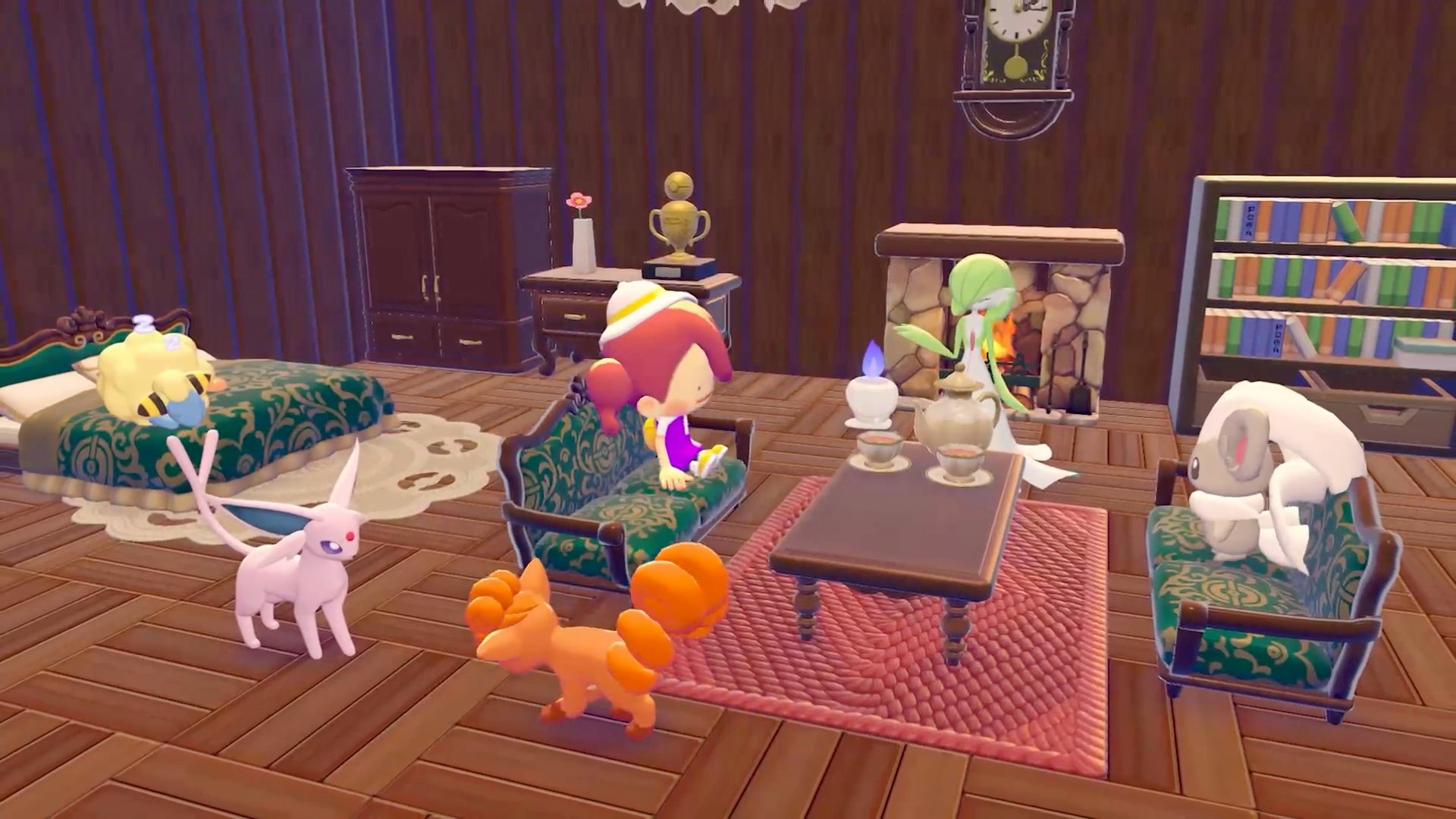
Natural habitats are great for initially attracting Pokemon, but they are physically small with a strict limit on how much furniture can be placed. Each habitat has a designated zone marked by white lines (visible by clicking the right stick). To push a Pokemon into the upper comfort tiers (Great and Awesome), build them a proper house.
Custom Houses
Block-built houses offer dramatically more space for furniture. The building rules are:
Requirement | Details |
|---|---|
Minimum size | 2 x 2 blocks |
Maximum size | 9 x 10 blocks |
Minimum height | 2 blocks tall (3+ recommended for walkable interior) |
Door | Must have a door or gate for entry |
Minimum furniture | 3 furniture pieces to be considered inhabitable |
Max occupants | 4 Pokemon per house (does not increase with size) |
Stacking | Houses can be stacked vertically for multi-story buildings |
Habitats placed inside a house do not count against the 4-Pokemon occupancy limit. Moving a Pokemon from a natural habitat into a custom house is the single biggest step you can take for pushing comfort to higher tiers.
Building Kit Houses
Pre-designed houses can also be purchased as building kits from the PC Shop (limited daily stock). Place the kit, gather the specified materials, and assign a builder Pokemon. Building kit houses also require at least 3 furniture pieces to be inhabitable.
Habitat Zones
Each habitat has a designated comfort zone, visible as white lines on the ground when you click the right stick. Furniture placed within this zone contributes to that habitat's Pokemon comfort. Be aware that habitat zones can overlap, which may cause preference conflicts if Pokemon with different environmental needs share the same space. When possible, separate habitats for conflicting types.
Benefits of High Comfort
Benefit | Description |
|---|---|
High-comfort Pokemon contribute more to the area's Environment Level, accelerating story progression and unlocking new items in the PC Shop. | |
Name recognition | At high comfort, Pokemon start referring to the player by their character name instead of just "Ditto." |
Material gifts | Happy Pokemon occasionally gift the player rare materials spontaneously. |
Specialty efficiency | Higher-comfort Pokemon perform their specialty tasks more reliably and frequently. |
New challenges | Higher Environment Levels unlock new Challenges that grant Life Coins. |
Rarer Pokemon | Higher Environment Levels enable encounters with rarer Pokemon species. |
Tips
Ask Pokemon directly about their comfort regularly. The orange-highlighted hints are the fastest way to learn exactly what each Pokemon wants.
Food is the fastest early-game comfort boost. Bring cooked meals with the right flavor when visiting Pokemon you want to level up.
Build large houses early. The extra floor space pays off throughout the game as you work toward Awesome comfort for every Pokemon.
Focus on getting all Pokemon in an area to at least Nice comfort before trying to push any individual to Awesome.
Play mini-games daily for a steady comfort boost across multiple Pokemon.
Use zoning to manage conflicting environmental preferences. Water and Grass types go in the humid section; Fire types go in the dry section.
Habitat zones (white lines) can overlap. Check by clicking the right stick before placing habitats close together.
Move Pokemon from natural habitats into custom houses as soon as possible. The additional furniture space makes reaching Great and Awesome much easier.
The 4-Pokemon-per-house limit means you may need multiple houses. Plan your settlement layout accordingly.
Pokemon may not react to furniture changes immediately, but their comfort will update over time.