

Character Customization
Complete guide to character customization in Crimson Desert covering the Barber Shop at the Greymane camp (hairstyles with full color palette, beards, eyebrows, face tattoos, body tattoos for Kliff, Damiane, and Oongka), the Dye Station system with layered armor coloring, mount customization for horses (4 armor zones) and the Dwarf-engineered War Robot, and the planned Another Journey mode with full BDO-style character creation.
On This Page
Character Customization Overview
Character customization in Crimson Desert covers everything from hairstyles and tattoos to armor dyes and mount appearances. Because the single-player campaign features fixed protagonists.Kliff, Damiane, and Oongka. There is no character creation screen at the start of the game. Instead, all visual customization happens through two facilities at Greymane Camp: the Barber Shop Tent for body and facial features, and the Dyehouse for coloring armor, weapons, and mounts. A full character creator with sliders and facial modeling may arrive with the Another Journey multiplayer mode as a post-launch update, though Pearl Abyss has stated this depends on commercial performance and market demand.
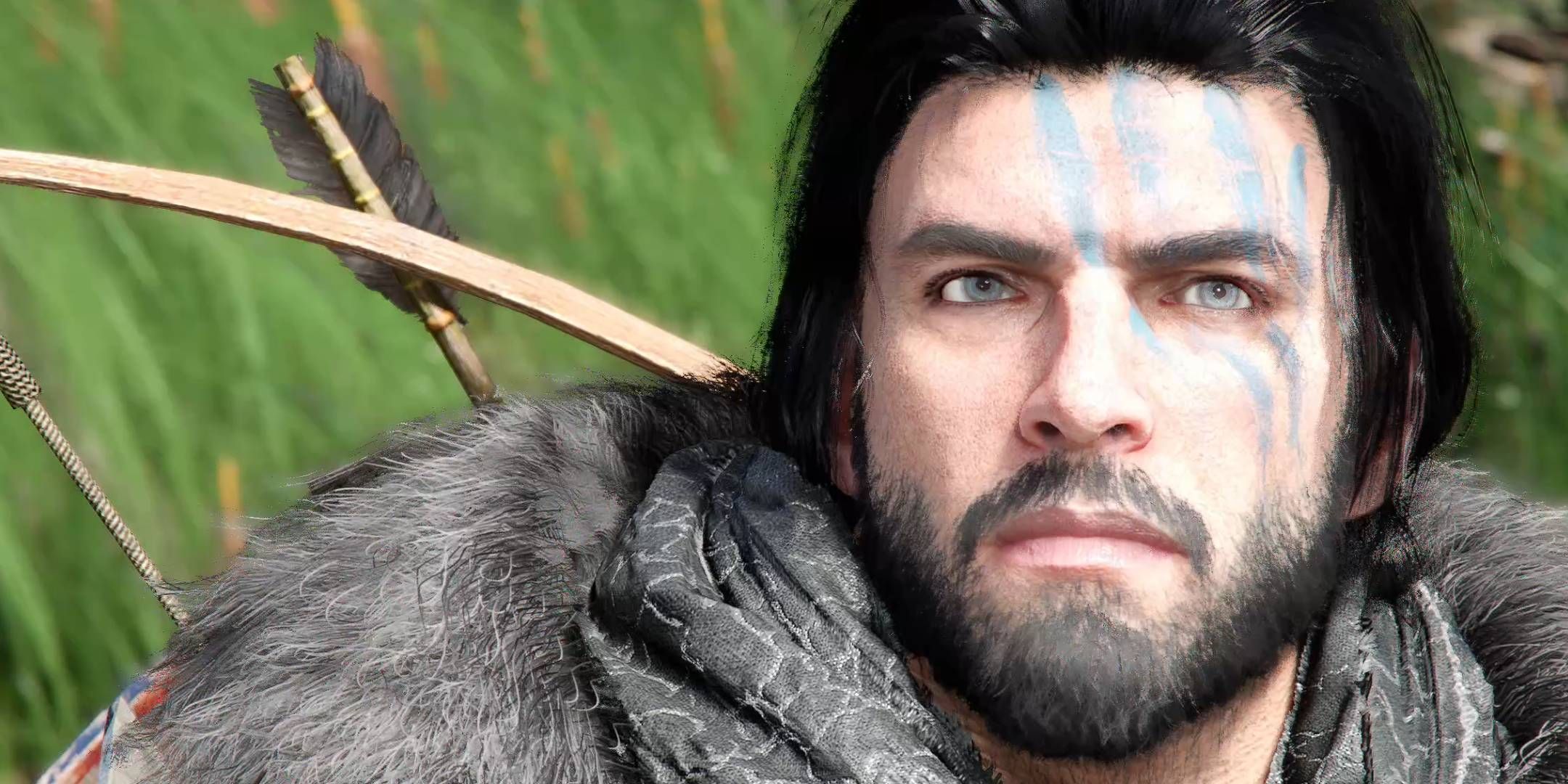
Pearl Abyss has confirmed there are no microtransactions or cosmetic shops in Crimson Desert. All customization options are earned through gameplay and exploration.
Barber Shop Tent
The Barber Shop Tent is located at Greymane Camp, the player-built camp that is your main base. It becomes available as you progress the main story and expand the settlement. The Barber Shop Tent works for all three playable characters.
The barber is an NPC named Eric, who joins Greymane Camp after you complete the A Rumor at the Inksworth Bindery quest. This quest is part of the Solid Foundation questline within the Greymane faction quest chain. Once recruited, Eric sets up his tent at camp and remains available for the rest of the game. All barber visits are available for a small gold fee. You can change your look as often as you want at no cost.
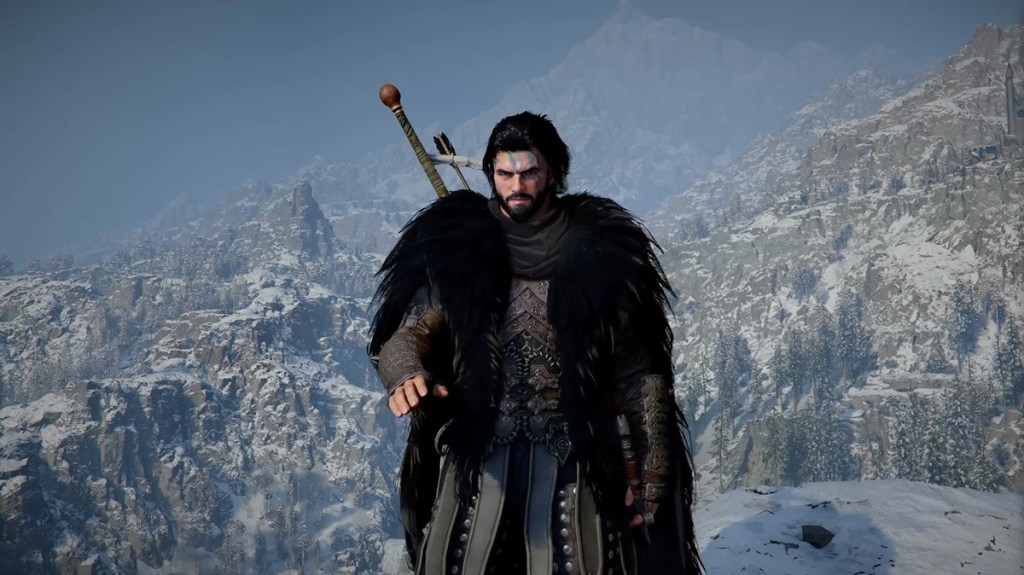
Both alternate playable characters get identical customization options at Eric's barber tent. You can customize hair, eyebrows, face tattoos, and body tattoos for all three protagonists. Beards are available for Kliff and Oongka only.
Available Customization Tabs
Tab | What It Changes | Details |
|---|---|---|
Hair | Hairstyle and hair color | Multiple distinct hairstyle options per character with a full color palette. Including natural tones and unconventional colors (bright purple, green, blue, etc.). |
Beards | Facial hair | Beard styles and coloration. Modifiable independently from head hair. Available for Kliff and Oongka. |
Eyebrows | Eyebrow shape and color | Separate tab with its own shape and color options for fine-tuning facial appearance. |
Face Tattoos | Facial tattoo designs | Equippable tattoo patterns applied to the face. Multiple designs available. |
Body Tattoos | Body tattoo designs | Separate from face tattoos. Equippable designs that appear on exposed skin areas. |
All customization at Eric's barber tent is available for a small gold fee. There is no currency cost for changing hairstyles, beards, eyebrows, or tattoos. You can preview every option before confirming, and revisit as often as you like with no cooldown or penalty.
Per-Character Customization Options
Each playable character has access to different customization features at the Barber Shop Tent. None of the three protagonists can have their facial structure, body type, or voice modified. Those elements are fixed to preserve narrative consistency.
Character | Hair | Beard | Eyebrows | Face Tattoos | Body Tattoos | Notes |
|---|---|---|---|---|---|---|
6+ styles with a full color palette ranging from white through crimson, including vivid blues, greens, and purples | Yes, full color palette | Yes | Yes | Yes (visibility depends on equipped armor) | Cannot modify facial structure, body type, or voice | |
Yes | No | Yes | Yes | Yes (often hidden under armor) | Fixed facial features and voice | |
Yes | Yes | Yes | 13+ confirmed designs | Yes (highly visible due to exposed torso) | Fixed facial features and voice |
Dyehouse
The Dyehouse is the facility where you recolor armor, weapons, horse equipment, and the War Robot using dyes. The earliest Dyehouse is operated by Theoric at the Hernand Farmhouse, southeast of Hernand. Later, a dye merchant named Oliver joins Greymane Camp once you complete enough Greymane faction quests and upgrade the Howling Hill base. Dyes are obtained through exploration, purchases from regional merchants, and alchemy crafting at cauldrons.
Dyehouse Locations
The earliest accessible Dyehouse is run by an NPC named Theoric. His shop sits southeast of Hernand at the Hernand Farmhouse. Speak with Theoric to open the dye interface, where you can recolor armor, weapons, and horse gear. Confirming changes costs Silver Coins, with the fee scaling based on how many color zones you modify.
As you progress through the Greymane faction questline and upgrade the Howling Hill base camp, you can recruit Oliver, a dye merchant who sets up shop at your settlement. Once Oliver arrives at Greymane Camp, you no longer need to travel back to Hernand every time you want to recolor your gear.
Ten specialized dye merchants operate across Pywel. Each one focuses on colors associated with their home region. These merchants typically set up on the outskirts of towns, recognizable by the colorful fabrics displayed near their stalls.
Dye Merchant Type | Region | Specialty |
|---|---|---|
Hernandian Dye | Red tones and warm colors native to the Hernand region | |
Demenissian Dye | Colors associated with the Demeniss region | |
Pailunese Dye | Colors associated with the Pailune region | |
Calphadean Dye | Calphad | Colors associated with the Calphad region |
Pororin Dye | Pororin | Colors associated with the Pororin region |
These five types represent the named regional dye families. The remaining five specialists sell additional color variations found in other settlements. Once purchased, you must open your inventory and select "Use" on the dye item to permanently unlock it as a customization option at any Dyehouse.
Crafting Dyes
Dyes can also be crafted at a cauldron. Note that cauldrons are different from cooking pots. The most accessible cauldron sits in Hernand, inside the building just north of where the rock-paper-scissors minigame takes place. Dye recipes require a mix of gathered flowers and insects. The general pattern combines 10 to 15 flowers with varying quantities of beetles.
Three beetle types appear in dye recipes: Beetle (common), Longhorn Beetle (uncommon), and Stag Beetle (rare). The flowers you choose determine the base color family, while the specific beetle combination controls which shade you get. Rarer beetles produce deeper, more vivid tones.
Dye | Flowers | Insects |
|---|---|---|
Dark Yellow | 10 Dunbaria | 3 Beetle, 1 Longhorn Beetle, 2 Stag Beetle |
Bright Yellow | 10 Dunbaria | 3 Beetle, 3 Longhorn Beetle |
Rich Purple | 15 Lavender, 5 Blue Lavender | |
Deep Red | 10 Peony |
If you do not have a specific recipe, select the Improvise option at any cauldron to experiment freely. Different flower and beetle combinations produce different results, so testing various mixes can reveal new dye colors you would not find otherwise.
Finding Dyes in the World
Beyond crafting and purchasing, dyes can be looted from chests scattered throughout Pywel. You can also steal dyes from certain locations, though theft requires wearing a mask to avoid being identified. Regardless of how you obtain a dye (looting, crafting, or purchasing), you must open your inventory and select "Use" on the item before it becomes available at the Dyehouse. Each learned dye unlocks all shades within its color family, so a single dye item gives you access to multiple tones.
How Dyes Work
Obtaining dyes: Dyes are found through world exploration or crafted via the alchemy system using flowers, insects, and other gathered materials
Layered coloring: Each outfit piece has multiple dyeable layers. The main armor surface, cloth details, accent trim, and similar sub-sections can each receive different colors
Separate slots: Gloves and boots have their own independent dye channels, separate from the main chest piece
Material options: In addition to color, the system offers options for different material appearances on certain armor pieces
Color palette: The interface uses a visual color palette for precise color selection
Cost: Confirming dye changes requires an in-game currency fee
Dyes are not sold through any storefront or cash shop. They are found while exploring the world of Pywel or crafted through the alchemy and life-simulation systems using gathered materials like flowers and insects. Cosmetic progression is tied entirely to gameplay rather than a separate store.
What Can Be Dyed
Equipment Type | Dyeable Zones |
|---|---|
Character armor | Main surface, cloth details, accent trim, gloves, boots. Each zone independently |
Weapon surfaces can be recolored using the palette interface | |
Horse equipment | Head armor, body armor, saddle/stirrups. Three independent dye zones |
War Robot | Main chassis, limbs, and other major components. More zones than horse armor |
The dye system supports per-section precision when coloring armor. Rather than applying a single color to an entire armor piece, players can target individual sections within each piece, such as the main surface, cloth inlays, accent trim, and metal hardware. This layered approach applies to all dyeable equipment categories:
Character armor (individual sections within each piece, plus separate channels for gloves and boots)
Weapons
Horse caparison and horse armor
War Robot mechanical plates
Mount customization
Mounts in Crimson Desert have their own customization systems. The game features horses, bears, raptors, dragons, and the War Robot, though horses and the War Robot have the most detailed customization options.
Horse Customization
Horses have four equipment zones that can be equipped and dyed independently:
Zone | Notes | |
|---|---|---|
Head (Champron) | Head armor, face plate | Protects the horse's head and changes the face profile |
Body (Barding) | Body armor, blankets | Largest visual impact. Multiple armor sets available from different settlements |
Saddle | Saddle | Affects both appearance and riding comfort |
Stirrups | Stirrups | Separate from the saddle. The Deluxe Edition includes the Exclaire Horse Tack Set (Champron, Barding, Saddle, and Stirrups) |
Each settlement's blacksmith and tailor offer horse equipment that matches the region's aesthetic. Mix and match pieces from different settlements for unique combinations, then apply dyes at the Dyehouse.
War Robot Customization
The War Robot is a combat mech built by the Ironflame Orcs at Gorthak using Marni's technology in Delesyia, which becomes available during Chapter 10. It is equipped with machine guns, rockets, and jump jets. It has more customizable parts than horses:
Main chassis. The central body shell, the largest visual surface
Limbs. Arms and legs can be dyed separately from the chassis
Additional components. Smaller metal parts and accent pieces each have their own dye channels
War Robot customization is entirely done through the Dyehouse. Equipment swaps for the War Robot (if any) are handled through the crafting and upgrade systems rather than the cosmetic dye system.
Equipment and Gear Appearance
Beyond dyes, your character's visual appearance is primarily determined by equipped weapons and armor. Key points:
Blacksmiths across Pywel provide weapons, while tailors provide armor. Each settlement's offerings match the region's specialty
Equipment can be mixed and matched freely. There is no set bonus that locks you into matching armor visually
Individual armor slots (chest, gloves, boots, helmet) each affect your character's appearance independently
All equipped gear is visible in gameplay and cutscenes
Another Journey mode
The Another Journey mode is a separate multiplayer/co-op experience that will be released as a post-launch update. Pearl Abyss has indicated that its development will depend on the game's commercial performance. It is the only way to access a full character creation system in Crimson Desert.
Full Character Creator
Another Journey is expected to use Pearl Abyss's character creator technology. Players are expected to build a custom character with sliders for facial features, body proportions, and other attributes, but specific details about the range of options and the underlying tech have not been officially revealed.
Integration with Single-Player
Levels, items, and skills earned in single-player carry over to Another Journey
Single-player and multiplayer are organically connected. No multiplayer-exclusive content gates your progression
Drop-in/drop-out cooperative gameplay
Players who prefer solo play are not required to engage with Another Journey at all
Transmog and Appearance Override
Crimson Desert does not include a transmog system. Equipped armor and weapons always display their assigned appearance on the character model, and there is no way to override one piece of gear's look with another's. This applies to all three playable characters.
The only partial exception involves face accessories. Players can toggle the visibility of face accessories through the character settings menu, hiding or showing items like eye patches and scarves. This toggle does not extend to helmets, body armor, or any other equipment slot.
Because there is no transmog, visual appearance is tied directly to the gear you choose to equip. Players who care about both stats and aesthetics should note that the Dyehouse offers some control over color, but the fundamental look of each armor piece is fixed.
Pearl Abyss has not announced plans to add transmog in post-launch updates for Crimson Desert. Whether the feature arrives later remains unconfirmed.
No microtransactions
Pearl Abyss has confirmed that Crimson Desert has no cosmetic shop and no microtransactions. All customization. Hairstyles, dyes, tattoos, mount armor, War Robot colors. Is earned through gameplay. Director of Marketing Will Powers stated: "This is made to be a premium experience that you buy and you enjoy the world... that is the transaction, full stop."
Tips
Visit the Barber Shop Tent before major cutscenes. Your customized appearance carries into story cinematics
Experiment with unconventional hair colors (bright purple, green, etc.) for a unique look. The full color palette is available from the start
Collect flowers and insects as you explore Pywel. These are alchemy ingredients for crafting dyes. Rare colors require rarer materials
Each settlement has region-themed equipment. Visit multiple areas to expand your wardrobe options
Gloves and boots are dyed separately from the chest piece. Do not forget to color them or they will stand out with default colors
The War Robot has the most dye channels of any customizable entity. Save your rarest dyes for it if you want a cohesive color scheme
If you want full character creation (face sculpting, body sliders), wait for the planned Another Journey post-launch update
Preview all changes before confirming at both the Barber Shop Tent and Dyehouse. You pay the fee on confirmation, not on preview
Patch 1.04: 30 New Tattoo Designs
Patch 1.04 expanded the tattoo library with 30 new designs for the character creator. The additions are split across the existing face and body tattoo categories, so the new options appear in the same tattoo selector used for every protagonist: Kliff, Macduff, and Sotdae of Bond-era saves alike. Existing characters can pick up the new designs by visiting Eric's barber tent to re-customize, and new characters can pick them during the initial creation flow. There is no separate unlock step: the 30 designs are added to the selector for every save the moment Patch 1.04 is installed.
A secondary community count circulated a lower figure of around 13 designs shortly after the patch shipped, but the official patch notes list 30 as the addition, and a scroll through the tattoo selector post-patch confirms the larger number. When placing an order for this wiki or matching a design name to a screenshot, treat 30 as the authoritative count. See the full list during character re-customization by scrolling through the Face Tattoos and Body Tattoos tabs in the Character Creation menu at Eric's tent.
The mechanics for applying, swapping, and removing tattoos did not change with the patch. Each slot still allows one face tattoo and one body tattoo at a time, there is still a small gold fee per visit, and there is still no cooldown between changes. The update is purely a content drop: more designs in the same selector, same rules around how they are applied.
Accessibility Options (Patch 1.04)
Patch 1.04 added a dedicated accessibility layer under Settings > Accessibility. Three colorblind modes and one photosensitive mode are the headline additions, and they can be toggled independently of each other and of the new Difficulty Settings. The options are applied game-wide across combat UI, map markers, quest indicators, menus, and world-space icons, so a single toggle covers the HUD and the environment at the same time rather than needing per-system overrides.
The three colorblind modes are built around the three common forms of color vision deficiency. In practice, the modes remap the palette used for friend-or-foe, status, and quest markers so that players who struggle to separate red from green, or green from blue, or blue from yellow, can still distinguish each category. This is especially important for combat UI elements that previously relied on red to flag incoming damage and green to flag healing. Selecting a mode filters every one of those signals through a deficiency-aware palette, and the toggle can be changed at any time without restarting the game.
The photosensitive mode is a separate toggle aimed at players who are sensitive to flashing lights or rapidly strobing effects, including those who have seizure triggers. Enabling it reduces the intensity and frequency of bright flashes that occur during heavy combat, spell effects, explosions, and cutscene transitions. It does not remove the effects entirely, but it tones them down enough to make them safer to look at for extended sessions. The mode can be combined with any of the three colorblind modes.
Accessibility toggles are stored per save, so different characters or households sharing a single console can set different preferences without overwriting each other. The settings persist through patches and are independent of the combat difficulty, so a player on Hard mode can still enable photosensitive mode without softening enemy behavior, and a player on Easy mode can still disable colorblind assistance if it is not needed.
Other Quality-of-Life Tweaks
A pair of smaller Patch 1.04 changes are worth noting on this page because they affect how the customization and navigation flows feel moment-to-moment. First, the mini-map now displays compass markers for North, East, South, and West around its rim, so orientation while running between Pailune, Pororin, and the surrounding regions is easier to read at a glance without having to check the sun or a landmark.
Second, on PlayStation controllers, you can now long-press or hold the touchpad to open the world map directly, skipping the pause menu entirely. The previous flow required pressing Start, scrolling to the map tab, and confirming; the new touchpad shortcut is one motion from gameplay to the full map view, which saves a noticeable amount of time on long cross-map treks. The hold duration is short, closer to a tap-and-hold than a firm press, so it fires quickly when you need it. Other control setups (keyboard, Xbox controller) were not called out in the patch notes for an equivalent shortcut, so players on those setups still use the standard pause menu route for now.
Patch 1.09.00 (May 29, 2026) fixed an issue where checking colors while dyeing and customizing a character was difficult depending on the surrounding light sources, making color selection more consistent across environments.