

Overview
Crimson Desert uses a dual save system that combines automatic saving with a "Save Anytime" manual option. This approach suits the game's open-world structure, letting players explore Pywel freely without worrying about lost progress while also giving full control over when to create checkpoints. "Save Anytime" is listed as an accessibility feature on the official Steam store page. The autosave system is robust and triggers frequently enough that it is rare to lose more than a few minutes of progress from an unexpected death.

Autosave
The autosave system runs continuously in the background and cannot be disabled. The game maintains three dedicated autosave slots that occupy the first three positions in the save file list. These three slots cycle automatically based on your latest activity, so at any given time you have three recent checkpoints to fall back on. The autosave slots cannot be deleted or overwritten manually.
Autosaves trigger roughly every 10 minutes during open-world exploration and also fire at the following key moments:
Trigger | Description |
|---|---|
Entering combat | The game saves when you engage enemiespreserving your state before the fight |
Exiting combat | A fresh save is created after combat ends, locking in loot and Abyss Artifact progress |
Completing quest objectives | Turning in quests or reaching story milestones triggers a save |
Liberating outposts | Clearing strongholds and enemy outposts creates a checkpoint |
Reaching new areas | Entering a new zone, settlement, or dungeon creates a checkpoint |
Collecting important items | Picking up gear, significant collectibles or solving a puzzle triggers an autosave |
Talking to key NPCs | Conversations with quest-critical characters create a checkpoint |
Periodic interval | The game saves at regular intervals (roughly every 10 minutes) during free exploration |
Because the autosave cannot be turned off, your latest progress is always backed up regardless of whether you also save manually. If you die to a regular enemy, the autosave usually puts you back just moments before the fight.
Manual Save (Save Anytime)
Players can create a manual save at almost any point during gameplay. The manual save option is located inside the pause menu under a series of sub-tabs, which is why some players miss it at first.
Step-by-Step Instructions
Pause the game by pressing Escape (keyboard), Start (Xbox controller), or Options (PlayStation controller).
Navigate to the Others tab. On Xbox press RB; on PlayStation press R1; on keyboard use the mouse or scroll wheel.
Open the Options sub-tab. On Xbox press RT; on PlayStation press R2.
Select Save/Load Game.
Choose an empty slot or select an existing manual save to overwrite it with your current progress.
The game displays an overwrite confirmation prompt before replacing any existing manual save, so you cannot accidentally lose progress by clicking too quickly.
When You Cannot Save
Manual saving is disabled during certain situations. You must wait for the event to finish before the save option becomes available again:
During active combat encounters (the save option is grayed out while fighting regular enemies and bosses alike)
During cutscenes and scripted story sequences
During specific stages of main quests
On active loading screens
During certain boss fight phases
What Happens When You Load a Combat Save
If you saved while in the middle of a fight or while falling, loading that save will transport Kliff to a safe location nearby rather than dropping you back into danger. This safety net means you do not need to worry about saving at an "impossible" moment.
Loading Saves From the Title Screen
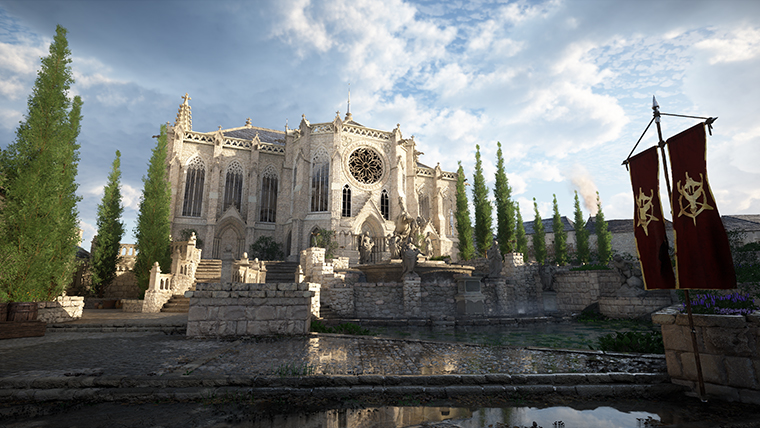
You do not need to navigate through the full menu system every time you want to resume your game. The title screen offers two quick-access shortcuts that let you jump back into Pywel right away. Both shortcuts are displayed in the bottom-right corner of the title screen.
Action | PC Key | Description |
|---|---|---|
Quick Load (most recent save) | E | Instantly loads your most recent save file, whether it is an autosave or a manual save. This is the fastest way to get back into the game. |
Open Save/Load Menu | R | Opens the full save/load menu so you can browse all 12 save slots and choose a specific file to load. |
On console, the equivalent buttons are displayed in the same corner of the title screen. These shortcuts bypass the multi-step pause menu navigation entirely, making them especially convenient for short play sessions or when you simply want to pick up where you left off.
Save Slots
The save file list contains a fixed number of positions:
Slot Type | Count | Details |
|---|---|---|
Autosave slots | 3 | Occupy the first three positions. Cycle automatically. Cannot be deleted or manually overwritten. |
Manual save slots | 9 | Freely created, overwritten, and deleted by the player. Once all nine are filled, you must overwrite or delete an existing save to create a new one. |
Total | 12 | Three autosaves plus nine manual saves. The list does not expand beyond this. |
Autosave entries in the list are clearly marked with an "Auto Save" label. Any save file that does not display this label is a manual save. This visual distinction makes it straightforward to tell the two types apart at a glance, which becomes particularly helpful once you have accumulated a dozen or more save files.
Each save file displays the save timestamp, the current chapter and quest nameKliff's level, total play time, and a thumbnail screenshot of the moment the save was created.
Save File Locations
Knowing where save files are stored is helpful for manual backups, transferring saves between PCs, and troubleshooting corrupted files.
Platform | Path |
|---|---|
PC (Steam / Epic Games) | C:\Users\[Username]\AppData\Local\Pearl Abyss\CD\save\ |
PC (Xbox Game Pass / Microsoft Store) | C:\Users\[Username]\AppData\Local\Packages\PearlAbyss.CrimsonDesert_[ID]\SystemAppData\wgs\ |
Steam Deck / Linux (Proton) | /home/deck/.local/share/Steam/steamapps/compatdata/3321460/pfx/drive_c/users/steamuser/AppData/Local/Pearl Abyss/CD/save/ |
Mac (Steam) | ~/Library/Application Support/Pearl Abyss/CD/save/ |
PlayStation 5 | Managed by the console's system storage. Access via Settings > Saved Data and Game/App Settings. |
Xbox Series X|S | Managed by the console's cloud/local storage. Xbox Play Anywhere titles sync saves between Xbox and PC via the Microsoft Store version. |
Config file (PC) | C:\Users\[Username]\AppData\Local\Pearl Abyss\CD\Config\Settings.ini |
On Windows, press Win + R, type %localappdata%and press Enter. Then navigate to Pearl Abyss > CD > save. If the AppData folder is not visible in File Explorer, click the View tab and enable "Hidden items".
Xbox Game Pass save files are encrypted with alphanumeric folder names, which makes manual backup more difficult than the Steam version.
Cloud Saves and Cross-Platform Progress
Pearl Abyss's official pre-launch FAQ stated that Crimson Desert did not support cross-save across platforms. That changed with Patch 1.14.00 (July 16, 2026), which added opt-in cross-save between the PlayStation 5, Xbox Series X|S, Steam and Epic Games Store versions through Pearl Abyss account linking. Cross-save moves save files between platforms; it is not crossplay.
The one exception involves Xbox Play Anywhere. Crimson Desert is an Xbox Play Anywhere title, so a single purchase through the Microsoft Store grants access on both Xbox consoles and Windows PC, with saves syncing automatically between the two via cloud. This does not extend to the Steam or Epic Games Store versions.
Steam Cloud is supported for the Steam version on PC and Mac. Saves sync automatically when you close the game. If Steam Cloud sync causes save conflicts (saves reverting or disappearing), you can temporarily disable it: right-click Crimson Desert in your Steam Library, select Properties > General, and toggle Steam Cloud off. Play and save manually, then re-enable it to upload your current progress.
Save Scumming
Save scumming is the practice of manually saving before an event with a random or uncertain outcome, then reloading if the result is unfavorable. Because Crimson Desert allows manual saves at almost any time, save scumming is straightforward.
Common Save Scumming Uses
Mistake | Details |
|---|---|
Save before entering a Duo or Five-Card table. If you lose the hand or get a poor deal, reload your manual save and try again. This is one of the fastest ways to accumulate silver because the AI opponents tend to call "all in" early, creating large pots you can win with a strong hand. | |
Boss retries | Save before entering a boss arena so you can retry with different equipment, consumables or strategy without replaying approach content. |
Branching quest decisions | Some quests offer choices with lasting consequences. A manual save lets you explore different paths and reload to pick the one you prefer. |
Pickpocketing and theft | Save before attempting to pickpocket or steal items so you can reload if the crime system consequences are too harsh. |
Risky exploration | Save before jumping into an unfamiliar Abyss Dungeon or high-level territory. |
Backup and Recovery
Manually backing up your save folder is the best protection against data loss from crashes, cloud sync conflicts, or update-related corruption.
How to Back up Saves on PC
Navigate to the save folder (see the Save File Locations table above).
Copy the entire save folder to a separate location, such as an external drive or cloud storage service.
Repeat this after long play sessions or before installing game patches.
You can transfer saves between PCs by copying the save folder contents and pasting them into the identical directory path on another machine. This works for the Steam and Epic Games Store versions. Xbox Game Pass saves are encrypted and tied to your Microsoft account, so manual transfer is not possible for that version.
Recovering Corrupted Saves
If you encounter a "Save Data is Corrupted or Unreadable" error, crashes during autosave operations, sudden power outages, or Steam Cloud sync conflicts are the most common causes. Try the following recovery steps:
Step | Details |
|---|---|
Restore from an autosave | Because the game keeps three autosave slots, you may be able to load an earlier autosave that is not corrupted. |
Force a Steam Cloud sync | Close the game. Right-click Crimson Desert in Steam > Properties > General. Toggle Steam Cloud off and then back on. This forces Steam to download the last healthy cloud backup. |
Use a manual backup | If you followed the backup steps above, copy your backed-up save folder back into the original directory. |
Save files are tied to your platform account (Steam ID, Microsoft account, or PSN account). Downloaded save files from the internet will not work because the game recognizes the mismatch and flags them as corrupted.
Known Issues
Issue | Details |
|---|---|
Steam Cloud sync conflicts | Steam Cloud can occasionally overwrite local saves with older versions during server syncs. If your saves keep reverting, disable Steam Cloud temporarily, force a manual save, then re-enable it. |
Settings not persisting | In some cases, graphics and audio settings may not save after loading them. This is listed on Pearl Abyss's official known issues page. |
Config file sensitivity | The configuration file at AppData\Local\Pearl Abyss\CD\Config\Settings.ini can be edited manually with a text editor, but broken entries can cause the BlackSpace Engine to crash on startup. Always back up Settings.ini before editing it. |
Patch 1.15.00 (July 24, 2026) fixed an occasional crash when loading cross-save data. Patch 1.16.04 (August 5, 2026) fixed equipment quantities becoming incorrect after receiving certain equipment and then saving and reloading, and hotfix 1.16.02 fixed a persistent loading or black screen when loading save data.
Tips
Create a manual save before every boss fight. The autosave is reliable, but a manual save gives you a precise restart point if you want to swap gear or try a new approach.
Keep a "clean" save at major story milestones (for example, before entering a new region of Pywel) in case you want to revisit earlier choices.
Since you only have nine manual slotsperiodically delete old saves you no longer need to keep slots available for new checkpoints.
On console, the system-level rest mode preserves your session, but always create a manual save before turning off the console to be safe.
Back up your save folder before installing patches or mods. This protects against data loss from cloud sync conflicts or update-related corruption.
If New Game Plus is available after completing the story, keep a save from just before the final boss so you can start NG+ at your leisure without replaying the ending.