
Loading...
Loading...
Developer Island
March 29, 2026 at 03:11 PM
Convert 2 bullet list(s) to table(s)
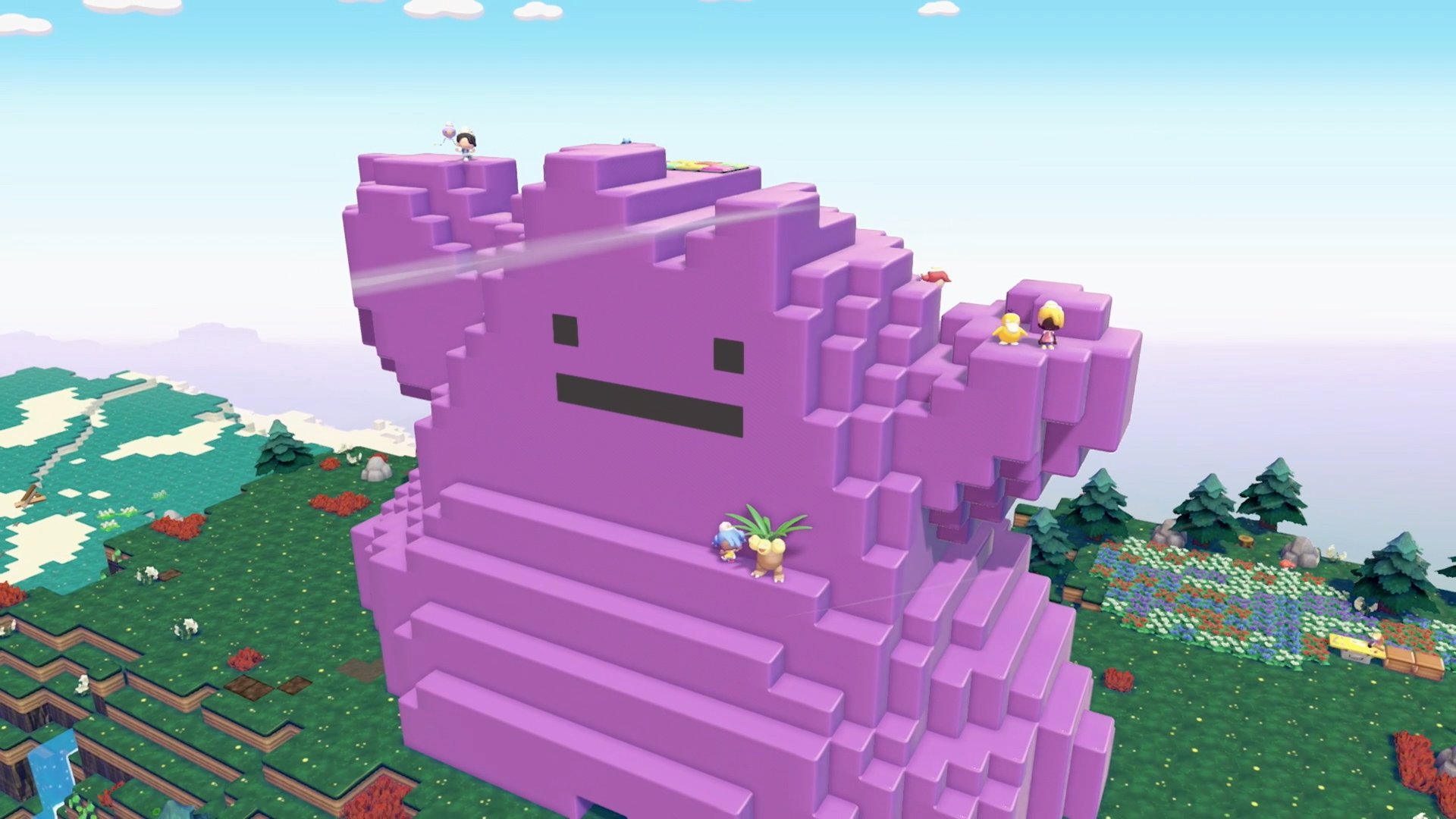
Developer Island (officially called the "Developer's Cloud Island") is a special showcase area in Pokemon Pokopia built by the development teams at Game Freak and Omega Force. The island features elaborate structures and creative builds designed by the game's developers, serving as both a source of inspiration for player building projects and a practical resource for obtaining rare items via the 3D Printer. Unlike the five main areas, Developer Island is a self-contained Cloud Island accessible through the Mysterious Goggles item rather than the standard Link Play menu.
The island was announced on March 2, 2026, with a developer tour video released the following day, two days before Pokopia's launch on March 5. The island features two distinct creator zones built by members of the development team, showcasing advanced building techniques and creative habitat designs.
Spoiler warning: Developer Island contains late-game items and Pokemon species. Visiting early in your playthrough may reveal content you have not encountered yet in the main game.
Visiting Developer Island requires an active Nintendo Switch Online membership and meeting a few in-game prerequisites:
Reach Environment Level 3 in Withered Wasteland.
Purchase the Mysterious Goggles from the PC Shop at any rebuilt Pokemon Center for 100 Life Coins.
Open your Bag (press X), select the Mysterious Goggles, press A, and confirm that you want to use them.
When the code entry screen appears, enter the access code: PXQC G03S.
You are teleported directly to the Developer's Cloud Island.
Important: You must use the Mysterious Goggles from your Bag to access the Developer Island. Do not use Link Play from the PC, as that menu is for collaborative multiplayer islands, not creator island visits. Attempting to enter the code through Link Play will result in an error stating the island is not public.
Pokopia has two separate online systems for visiting other players' and creators' islands. Understanding the difference is important because using the wrong method to enter a code will fail.
Feature | Link Play | Mysterious Goggles |
|---|---|---|
Purpose | Collaborative multiplayer building and exploration | Solo visits to creator-made islands |
Access | Select Link Play from the Pokemon Center PC | Use the Mysterious Goggles item from your Bag |
Island type | Cloud Islands (your own or friends') | Creator islands (similar to Animal Crossing's Dream Islands) |
Yes, play together with friends in real time | No, solo viewing only | |
Modification | Can build and modify (if host allows) | View-only (tour mode) |
Code entry | Link Code for joining a friend's session | Creator Island Code for visiting a specific island |
Developer Island | Cannot access (returns error) | Enter PXQC G03S to visit |
The Mysterious Goggles function similarly to the Dream Suite feature from Animal Crossing: you enter a code and are transported to a read-only version of someone else's island. You cannot modify anything, but you can walk around freely and use camera copy mode to photograph items for the 3D Printer.
When visiting Developer Island (or any creator island through the Mysterious Goggles), several restrictions apply:
Restriction | Details |
|---|---|
No personal Pokemon | You cannot bring your own Pokemon with you. Your party is left behind when you put on the Goggles. |
No moves | You cannot use Pokemon moves on the island. This means moves like Strength, Cut, or any building-related moves are unavailable. |
View-only mode | You cannot place, remove, or modify any objects, terrain, or structures. The island is in tour mode to prevent griefing. |
Developer Pokemon interaction | While you cannot bring your own Pokemon, you can interact with the Pokemon already living on the island. You can speak to them, and if you ask, they will follow you around as you explore. |
Camera copy mode | The camera and its copy mode function normally. This is the primary way to bring value back from your visit. |
There are several ways to leave Developer Island and return to your current area:
Open the Pokedex menu (press the + button) and select the exit option (press the - button).
Return to the Pokemon Center on the island and interact with the outdoor PC to exit virtual mode.
Remove the Mysterious Goggles from the Bag menu to end the visit.
After exiting, you are returned to the exact location where you originally put on the Goggles.
Four key developers participated in creating and presenting the island:
Name | Role | Notable Background |
|---|---|---|
Takuto Edagawa | Chief Director (KOEI TECMO GAMES) | Previously game director of Dragon Quest Builders 2 |
Marina Ayano | Art Director (KOEI TECMO GAMES) | Previously art director of Dragon Quest Builders 2 |
Kanako Murata | Producer (The Pokemon Company) | Pokopia project producer |
Shigeru Ohmori | Concept & Senior Director (GAME FREAK) | Veteran Game Freak director |
The island is divided into two main creator zones: Takuto Edagawa's area featuring "ingenious machinations" (mechanical and machine-themed builds) and Marina Ayano's area with "ghoulishly cool" gothic-themed structures and creative Pokemon habitat designs.
Developer Island contains a variety of elaborate showcase builds demonstrating advanced uses of Pokopia's building and crafting systems:
Build | Description |
|---|---|
Giant Replica Poke Ball | A large-scale Poke Ball structure built from colored blocks, visible from across the island |
Secret Ghost-Type Gym | A hidden gym with Ghost-type theming, including eerie lighting and atmosphere |
Mountain Home | A residence carved into the side of a mountain, featuring an automated toilet and a hidden musical room |
Beach Puzzle Room | A puzzle challenge on the beach that requires cooperation with a Pokemon companion to solve |
Vaporeon Habitat Area | An aquatic-themed zone with water features designed to showcase Water-type habitat building |
Glaceon Habitat Area | An ice-themed zone with cold terrain and matching decorative pieces |
Leafeon Habitat Area | A nature-themed zone showcasing grass and leaf decoration techniques |
Spooky Mimikyu Mansion | A haunted-aesthetic structure using darker environmental elements, designed as a Mimikyu habitat |
Functional Gyms and Libraries | Integrated buildings combining practical and decorative architecture |
The island also features underground secret bases accessible through manholes scattered across the surface. These hidden areas contain additional decorations, mechanical builds, and Easter eggs that reward thorough exploration.
One of the most useful features available on Developer Island is camera copy mode. This allows you to photograph specific items, decorations, and structural elements, then replicate them on your own islands using the 3D Printer at any Pokemon Center.
Open the camera (press Minus button).
Switch to copy mode (press Y). The game displays the name of the item you are pointing at.
Photograph the desired item to save it to your reference photo album.
Return to your own island's Pokemon Center.
Use the 3D Printer (located on the left side of the Pokemon Center).
Select the photographed item and pay the Pokemetal cost to duplicate it.
Rarer items cost more Pokemetal (some require Rare Pokemetal). Your reference photo album holds only 20 slots, so delete photos after printing to maintain space. Copy mode on the Developer Island lets you obtain items you may not have unlocked yet in your own game, making it a valuable shortcut for decoration and habitat building.
Item Category | Examples |
|---|---|
Rare decorative items | Patterned furniture (closets, shelves), unique wall decorations |
Fountains | Horsea Fountain (boosts water habitats), decorative stone fountains |
Various berry trees for instant farming setups | |
Gravestones | Unlocks rare dark habitat configurations |
Environmental props | Themed lighting, atmospheric decorations |
Fossils and relics | Higher Pokemetal cost but valuable for late-game collections |
Rare flowers | Decorative flowers not commonly found in early regions |
The Developer Island builds demonstrate several advanced techniques that players can learn and apply to their own islands:
Technique | Description |
|---|---|
Vertical habitat stacking | Layering habitats vertically and combining compatible environments to house multiple Pokemon species within a single complex layout. |
Environmental prop manipulation | Using smooth stone tiles to create dry biome areas, and strategically placing items to adjust habitat conditions without extensive terrain redesign. |
Pathway design | Creating pathways that guide Pokemon movement and create natural flow between habitat zones. |
Biome identity through decorations | Using decorative items to define the character of different zones, such as making a tropical area or a spooky corner using only available items. |
Electricity infrastructure | The developers' layouts demonstrate efficient power distribution patterns. Studying how they route electricity through their builds can help players optimize their own setups. |
The automated toilet in the Mountain Home and the hidden musical room are playful Easter eggs showcasing the depth of the building system.
Manholes leading to underground secret bases are hidden surprises that require thorough exploration to find.
Pokemon are scattered throughout the island in their respective habitat areas. Late-game Pokemon species are present, so visiting early may result in spoilers.
The island was described by The Pokemon Company as a "whimsical journey" designed to "inspire your future creations."
Visit Developer Island early in your playthrough for building inspiration, but be aware that some late-game Pokemon and items are visible, which may be spoilers.
Use camera copy mode to photograph rare items. Even if you do not have the Pokemetal to print them yet, the photos are saved for later.
Pay attention to how the developers use electricity infrastructure. Their layouts demonstrate efficient power distribution patterns.
Study the furniture placement in developer builds to learn how to maximize comfort levels for your Pokemon.
Delete photos from your reference album after printing. The 20-slot limit fills up quickly on Developer Island.
Explore every manhole on the island. The underground secret bases contain some of the most creative builds.
The Beach Puzzle Room is easy to miss. Look for it along the shoreline and bring a Pokemon companion to help solve it.
Make sure you use the Mysterious Goggles from your Bag to enter the code. Using Link Play from the PC will not work for visiting creator islands.
You can interact with developer Pokemon on the island and ask them to follow you. This is a fun way to explore with company even though your own team stays behind.
Developer Island may receive new builds and additions through future updates.
