
Business
Complete guide to owning and managing a business in inZOI. Covers prerequisites, purchasing commercial property, registering through the Business App, all nine business types (Cafe, Bakery, Restaurant, Bar, Florist Shop, Confectionery, Gym, School, Open Lot), business lot presets across Dowon, Bliss Bay, and Cahaya, hiring employees, salary negotiation, business levels and star ratings, revenue and daily earnings, market stall mechanics, business-related traits and ambitions, the franchise system, known limitations, troubleshooting, and profit optimization strategies.
On This Page
The business ownership system, introduced in inZOI's v0.5.0 update (December 2025), lets your Zoi start and manage their own commercial enterprises. As a business owner, you control every aspect of operations from setting business hours and hiring employees to adjusting pricing and monitoring customer satisfaction. Business properties operate independently from your residential lot, and a single household can run multiple establishments as a franchise.
The system is accessed through the Business App on the Smartphone (press P to open the phone, then select the Business App icon). Businesses can generate significant daily income, with well-managed gyms earning over 20,000 Meow per day.
Prerequisites
Before you can open a business, your Zoi needs to meet a few requirements. First, you need enough Meow to purchase a commercial property. Property prices vary depending on the lot size and location, but expect to spend anywhere from 20,000 to over 100,000 Meow. Your Zoi must also be a Young Adult or older. It helps to have some savings beyond the purchase price so you can furnish the space and cover initial operating costs before revenue starts flowing in.
Having relevant skills leveled before opening is strongly recommended. Low-skill products sell poorly and reduce customer satisfaction, which can cause your business to lose money in the early days when operating fees and employee wages exceed revenue.
Purchasing a Business Property
Business properties are available on commercial lots throughout the game world. You can browse available properties through the Edit City window or by visiting vacant commercial lots in person. When you find a property you like, interact with it to view the price and lot details.
Once you purchase a lot, it becomes your business location. Unlike residential lots, commercial properties are specifically zoned for business operations. The lot size affects how many items you can place, how many customers can visit at once, and ultimately how much revenue you can generate.
Business Lot Presets
The v0.5.3 hotfix added 12 pre-built business lot presets across the three cities, giving new business owners ready-made locations:
City | Preset Count | Notes |
|---|---|---|
5 presets | Central business district with high foot traffic | |
6 presets | Beachside locations; includes Goz's Bakery lot | |
1 preset | Includes 14 Jal Surya Putih lot |
Some NPC-operated business lots (such as Goz's Bakery in Bliss Bay) can also be purchased. A v0.6.0 fix resolved an issue where entry to NPC business lots was blocked during their operating hours, preventing purchase.
Registering Your Business
After purchasing a property, open the Business App on your Zoi's phone to register your business. The registration process involves several steps:
Select the commercial property you purchased as your business location.
Choose a name for your business in the Business Settings tab.
Set your operating days and hours in the Business Hours tab.
Pick a business preset that determines the type of establishment you will run in the Business Type tab.
Configure which recipes or services to sell in the Recipe tab.
Set customer targeting (age groups, activities) in the Player Settings tab. "Order" is the key activity that makes customers buy items.
The Business App is the central management hub with five main tabs:
Tab | Function |
|---|---|
Business Settings | Business name and basic information |
Business Hours | Operating schedule (days and hours) |
Business Type | Apply or customize business presets |
Recipe | Select which recipes or items to sell |
Player Settings | Customer targeting (age groups, activities) |
The business preset is the most important decision because it defines what products and services you can offer. You can change certain aspects of your business later, but the core preset shapes the entire operation.
Business Types
inZOI offers thirteen distinct business presets, each with its own products, customer interactions, skill requirements, and profit potential. Your choice of business type determines what equipment you need, what skills your employees should have, and how customers interact with your establishment.
Business Type | Key Skill | Description |
|---|---|---|
Cafe | Serves coffee, tea, and light beverages. A popular starter business with moderate setup costs and consistent customer flow. Requires espresso machine, counter, and seating. | |
Bakery | Produces and sells baked goods like bread, pastries, and cakes. Requires oven, baking station, and display counter. | |
Restaurant | Full dining establishment serving cooked meals. Higher setup costs but strong revenue potential from food sales. Requires kitchen equipment, dining tables, and kiosk. | |
Bar | Drink Mixing | Serves alcoholic and non-alcoholic drinks. Operates on a one-time entry fee model (starting at 10 Meow). Cocktails cost 9 to 13 Meow to craft. Operates best during evening and nighttime hours. |
Florist Shop | Sells flowers and floral arrangements. Lower overhead costs. Pair with Gardening skill to grow your own flowers and reduce ingredient costs. Being expanded in the March 2026 update with bouquet making and flower fragrance. | |
Confectionery | Specializes in candies, chocolates, and sweet treats. Similar setup requirements to a bakery. | |
Gym | Provides fitness services and equipment. Earns income through entrance fees plus paid lectures. Consistently the highest-earning business type. | |
School | Various | Provides educational services and paid lectures. Uses a lecture/teaching preset similar to gyms. Separate from the rabbit hole K-12 and university systems. |
Massage Parlor | Fitness | Added in v0.7.0 (March 2026). Offers massage and yoga services. Customers pay for individual sessions. Requires massage table, yoga mats, and a relaxing atmosphere. Revenue comes from session fees and tip jar earnings based on customer satisfaction. |
Movie Theater | Various | Added in v0.7.0 (March 2026). Screens movies across four genres. Revenue comes from ticket sales and concession items like popcorn. Requires a popcorn machine, seating rows, and a screen. Customers choose which genre to watch. |
Open Lot | Various | A freeform business type with no preset restrictions. You configure the products, services, and layout yourself for maximum flexibility. |
None | Added in v0.8.0 (April 29, 2026). Available in Dowon, Bliss Bay, and Cahaya. Place salon chairs that let the owner cut and restyle other Zois' hair. Run as a player-owned business; the parallel Hair Stylist employee career is still in development. | |
None | Added in v0.8.0 (April 29, 2026). Available in Cahaya. Place mannequins that display preset or custom outfits other Zois can try on. Run as a player-owned business; the parallel Clothing Store employee career is still in development. |
The v0.7.0 update (March 2026) added two new business types: Massage Parlor and Movie Theater. More business presets are still planned for future updates. Each business type includes a default preset that auto-configures the management environment, but all settings can be customized.
The v0.8.0 update (April 29, 2026) added two more business types: Hair Salon and Clothing Store. Both are player-owned businesses run through the standard business management loop rather than Career app jobs. The Hair Salon uses salon chairs to restyle visiting Zois' hair (Dowon, Bliss Bay, Cahaya); the Clothing Store uses mannequins to display outfits visitors can try on (Cahaya).
Setting up Your Business Space
Once registered, enter Build Mode to furnish and arrange your business property. The layout of your space directly affects customer satisfaction, employee efficiency, and overall revenue. Here are the essential elements every business needs:
Kiosk: The point-of-sale terminal where customers pay. Every business needs at least one kiosk near the entrance or counter area.
Market Stand: Displays products for sale. Place these where customers can easily browse your offerings. Supports up to 8 slots.
Seating: For businesses like cafes, restaurants, and bars, seating is essential. Customers need places to sit while eating or drinking.
Production Equipment: Cooking stations, espresso machines, ovens, and similar equipment where employees prepare products.
Lecture Board: For gyms and schools. Each paid lecture teaches 5 to 6 Zois at approximately 560 Meow per Zoi, making it one of the most profitable equipment items.
Decorations: Furniture quality and decorations contribute to customer satisfaction. Higher-quality items improve your business rating.
Pay attention to flow and layout. Customers should be able to enter, browse or order, find a seat, and leave without getting stuck on obstacles. Employees need clear paths between production stations and serving areas. The v0.5.0 update added 39 business-specific display and show items to Build Mode, including display cases, menu boards, and 35 display models.
Market Stall Mechanics
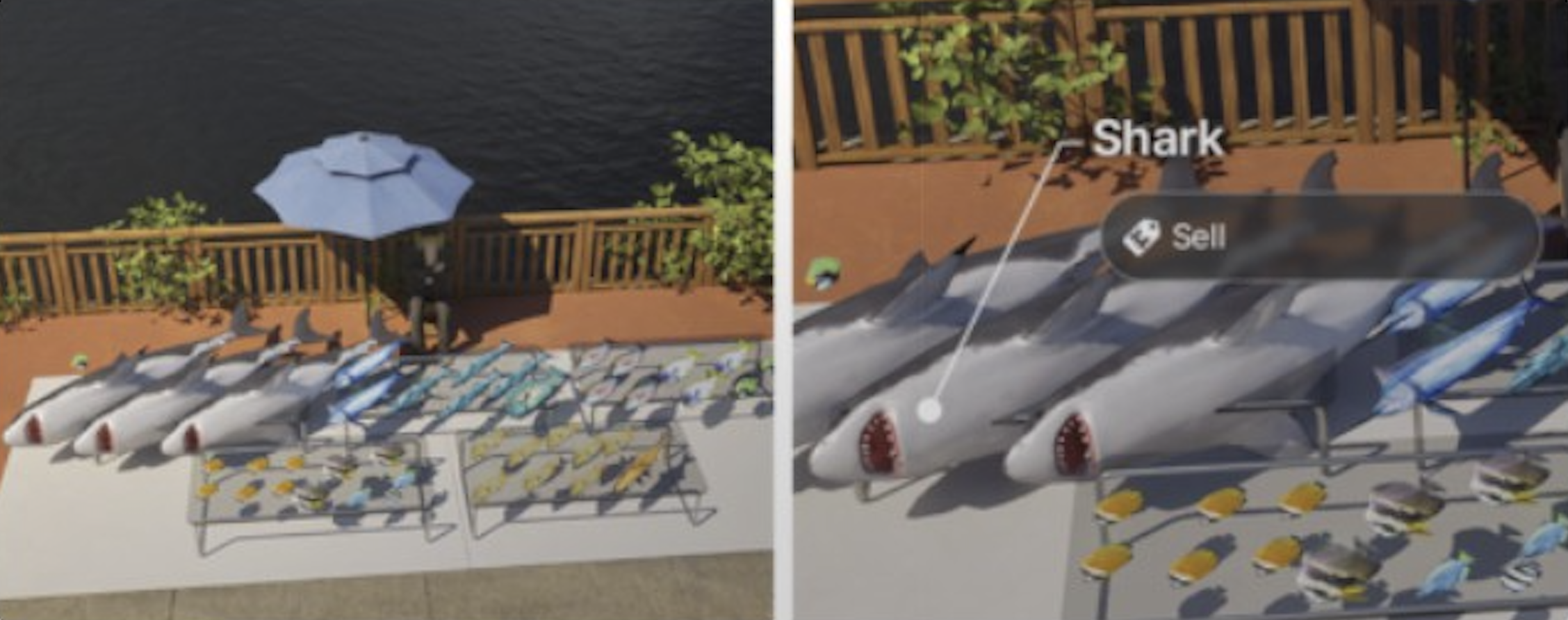
Market stalls are the primary way to display and sell products. The Island Getaway DLC introduced market stalls with several interactive features beyond basic sales:
Greet Customers: Interact with the stall to greet browsing customers, which improves satisfaction and encourages purchases.
Promote: Use the promote interaction to attract more customers to your stall. Helps during slow periods.
Thief Defense: Thieves can attempt to steal items from your stall. When a theft is detected, you can select "Fight the thief" to recover your Meow and gain karma.
Food Portioning: The v0.5.3 update added the ability to portion large food items for display. Use "Fill Cooking" or "Fill Baking" interactions on fridges to stock market stands with properly portioned servings.
The Wider Sales Stall is available from the Farm Store in Cahaya for 330 Meow and provides more display slots than the standard stall.
Configuring Products and Recipes
Through the Business App, you can configure which products your business offers. For food-based businesses (cafes, bakeries, restaurants), this means selecting which recipes to add to your menu. Each business preset comes with a default set of recipes, but you can customize the menu to focus on higher-margin items or cater to customer preferences.
Pricing is another important consideration. You can adjust the prices of individual items. Setting prices too high drives customers away, while prices that are too low cut into your profit margins. Start with the default pricing and adjust based on how your business performs.
For gym and school businesses, you configure customer activities instead of food recipes. These activities determine what customers can do at your establishment, such as using cardio machines, lifting weights, attending group classes, or participating in paid lectures. You also set an entrance fee that all customers pay when they visit.
Inventory Management
Businesses need regular restocking to keep selling products. The restocking method depends on the product type:
Stock Type | How to Restock |
|---|---|
Go to fridge, select "Stock Market Items" or "Fill Cooking" / "Fill Baking" | |
Beverages | Use coffee machines or blenders to restock |
Crafted items | Craft items at a workstation; they auto-stock to the stand |
Flowers / Arrangements | Purchase from Farm Store or grow via Gardening |
Items are placed for sale at the market stand or kiosk on the property. Customers browse and purchase from these stands. A v0.6.0 fix resolved an issue where "Stock Your Market Items" auto-interaction sometimes failed, and another fix addressed "Fill" interactions not working on the last slot of 8-slot sales stands.
Hiring Employees
Running a business alone is possible but inefficient. Hiring employees lets your business serve more customers, produce more products, and operate even when your Zoi is not physically present. You can hire employees through the Business App.
Who Can You Hire
Employees must be acquaintances or members of your household. You cannot hire strangers off the street. This means you need to build relationships with other Zois before they become eligible candidates. Potential employees must be Young Adult age or older. If a hired employee already has another job, they automatically resign from it.
Salary Negotiation
When hiring, you negotiate a daily salary with each employee. Salaries are calculated based on business level, salary rank, and working hours. Offering a higher salary increases the chance they accept, while lowball offers may be rejected. Once hired, the employee's salary is deducted from your daily revenue. Keep salary costs in mind when calculating your profit margins. Employees can also negotiate salaries through conversation.
Be mindful that long working hours may negatively affect your relationship with employees over time.
Employee Skills
The effectiveness of your employees depends on their skills. Different business roles require different skill sets:
Role | Key Skill | Impact |
|---|---|---|
Kitchen / Production Staff | Higher Cooking skill means faster, higher-quality food preparation. Skilled cooks reduce wait times and improve customer satisfaction. | |
Barista / Drink Maker | Coffee Craft / Drink Mixing | Higher skill produces better beverages faster. Critical for cafe and bar businesses. |
Customer-Facing Staff | Better at serving customers, handling complaints, and maintaining a positive atmosphere. | |
Lecture Instructor | Fitness / Various | Teaches paid lectures in gyms and schools. Each lecture serves 5 to 6 customers. |
General Staff | Various | Tasks like cleaning and restocking do not require specific skills but benefit from higher overall stats. |
Assign employees to roles that match their strengths. A single skilled cook or charismatic server can make a bigger difference than multiple unskilled workers.
Business Levels and Star Ratings
Your business has a level system tied to its star rating. As customers visit and leave satisfied, your business earns experience toward the next level. Higher business levels unlock additional features, allow hiring more employees, and improve your establishment's reputation, attracting more customers.
The star rating (displayed on your business profile) reflects overall customer satisfaction. It factors in several elements:
Factor | Description |
|---|---|
Service Frequency | How quickly and consistently customers receive their orders. Slow service drags down satisfaction. |
Furniture Quality | Higher-quality furniture and decorations create a better atmosphere, improving the customer experience. |
Pricing | Fair prices relative to the product quality. Overpriced items make customers feel ripped off. |
Relationship with Owner | Customers who have a positive relationship with your Zoi are more forgiving and rate the business higher. |
A clean business space contributes to satisfaction. Messy or cluttered areas lower ratings. |
Customer satisfaction is displayed in real time through thought bubbles above customers during visits. At the end of each business day, customer reviews provide detailed feedback. You can also ask customers directly for feedback through conversation, or search for "Tips to Improve Customer Satisfaction" on a computer for improvement suggestions.
Income and Revenue
Business income is calculated through daily settlement. At the end of each business day (when your operating hours close), the game tallies up all revenue from sales and entrance fees, subtracts employee salaries and a daily opening fee, and deposits the net profit into your Zoi's account.
Revenue comes from multiple entries:
Item Sales: The primary income source for most businesses. Every product sold at your market stand or kiosk generates revenue.
Entrance Fees: Gyms, schools, and bars charge an entrance fee. Every customer who walks in pays this fee.
Paid Lectures: Gym and school lecture boards generate approximately 560 Meow per Zoi per session, with 5 to 6 Zois attending each lecture.
Estimated Daily Earnings by Business Type
Revenue varies significantly based on your setup, location, employee count, pricing, active management, and customer traffic. Based on player reports, here are approximate daily earnings ranges:
Business Type | Passive Daily Revenue | Active Daily Revenue | Notes |
|---|---|---|---|
Gym | ~6,000 Meow | 18,000 to 23,000 Meow | Consistently the highest earner. Entrance fees + paid lectures with zero crafting costs. |
Restaurant | ~4,000 Meow | 9,000 to 16,000 Meow | Depends on menu selection, seating capacity, and employee count. Group meals sell at higher margins. |
Cafe | ~3,000 Meow | 4,500 to 13,000 Meow | Steady income. Higher end requires efficient layout, skilled baristas, and two-star employees with expensive recipes. |
Bakery | ~2,500 Meow | 5,000 to 10,000 Meow | Moderate income. Benefits from producing high-margin pastries. |
Bar | ~2,000 Meow | 4,000 to 9,000 Meow | Evening-focused. Entry fee model. Cocktails currently have limited market stand support. |
Florist | ~1,500 Meow | 3,000 to 7,000 Meow | Lower traffic but also lower overhead. Pair with Gardening to grow your own flowers. |
School | ~5,000 Meow | 15,000 to 20,000 Meow | Similar to gyms in profitability. Relies on paid lectures as primary income. |
Massage Parlor | ~2,000 Meow | 4,000 to 8,000 Meow | New in v0.7.0. Session-based income plus tip jar earnings. Lower overhead than restaurants. |
Movie Theater | ~3,000 Meow | 6,000 to 12,000 Meow | New in v0.7.0. Ticket sales plus concession revenue from popcorn machines. Scales with seating capacity. |
Active management (visiting your business in person) can triple daily earnings compared to leaving it unattended. Sending any adult household member to the business counts as active management.
Business-Related Traits and Ambitions
Several traits give Zois advantages in business ownership and management:
Go-Getter: Zois with this trait enjoy discussing business and build business relationships more easily.
Authoritarian: Provides natural leadership abilities that help with employee management.
Leader: Similar to Authoritarian, this trait makes managing employees and running operations smoother.
The ambitions system includes a Business Success ambition (added in v0.5.0) that provides structured progression goals for aspiring business owners. Completing ambition milestones rewards Meow Coins.
Additionally, Young Adult Zois can study Business Administration at university, which may provide skill advantages for business ownership.
Franchise System
A single household can own and operate multiple businesses as a franchise. Each location operates independently with its own employees, hours, and accounting. This lets ambitious Zois build a business empire across Dowon, Bliss Bay, and Cahaya.
However, only one business can operate per property. You cannot run multiple businesses on different floors of the same building. Each business must have its own dedicated commercial lot.
Business Inheritance
Family businesses can be inherited by other household members. When a Zoi who owns a business dies or becomes a Senior, business ownership can transfer to another adult family member. Ownership can also transfer upon marriage or household separation to the eldest member. This allows multi-generational business dynasties without losing progress when the founding Zoi ages out.
Maximizing Profit
To get the most out of your business, focus on these key strategies:
Optimize Your Layout
Arrange your business so that customers and employees can move efficiently. Place production stations close to serving areas. Ensure there are enough seats for peak customer flow. A cramped or poorly laid out business slows down service and lowers satisfaction.
Hire the Right People
Prioritize employees with high relevant skills. A single skilled cook or charismatic server can make a bigger difference than multiple unskilled workers. Balance your staff between production and customer service roles.
Upgrade Furniture Gradually
Furniture quality directly impacts satisfaction. As your business earns money, reinvest in better tables, chairs, counters, and decorations. Each upgrade slightly boosts your star rating and attracts higher-spending customers.
Manage Operating Hours
Set your business hours to match customer demand. Bars should open in the evening. Cafes and bakeries do well with morning and afternoon hours. Gyms and schools can operate throughout the day. Running the business during off-peak hours wastes employee salaries on empty rooms.
Keep Prices Balanced
Resist the urge to set prices at maximum. Moderate pricing leads to higher customer volume and better satisfaction scores, which translates to more customers over time. The sweet spot is usually slightly above the default pricing.
Known Limitations
One business per property: Each commercial lot supports only one business. You cannot run multiple businesses on different floors of the same building.
No home-based businesses: Running a business from a residential property is not currently possible. A separate commercial lot is required.
City travel restricted: City travel is restricted while a business is actively open. Close your business before traveling to another city.
Bar cocktail display: Cocktails currently cannot be placed on market stands for direct sale. Bars primarily rely on their entry fee model rather than drink-by-drink sales.
Business management requires attention: Businesses left unattended for multiple days lose reputation quickly, reducing customer count and revenue.
Common Issues and Troubleshooting
The business system was introduced in v0.5.0 and has received several fixes in subsequent updates. Here are recurring issues and their workarounds:
Issue | Description | Workaround |
|---|---|---|
Employees Standing Idle | Hired employees sometimes stand around and do not perform tasks, especially in larger businesses. | Reassign them to specific roles through the Business App. Reducing the number of employees can also help. |
Customers Not Leaving | Some customers linger after finishing their food or activity, blocking seats for new visitors. | Ensure clear exit paths. Restarting the business day by closing and reopening can reset customer behavior. |
Food Display Bugs | Products sometimes do not display correctly on market stands or counters. | Remove and re-place the market stand in Build Mode. Save and reload if the issue persists. Fixed partially in v0.6.0. |
Stair Navigation | Customers or employees unable to access multi-floor business properties (e.g., Goz's Bakery). | Fixed in v0.6.0. Update to the latest version. |
Restock Fruit Drinks | "Restock Fruit Drinks" fails to display items outside business hours. | Fixed in v0.6.1. Restock during business hours as a workaround on older versions. |
Revenue Not Depositing | Occasionally the daily settlement does not seem to add up correctly. | Check if employee salaries and daily opening fees are eating into your revenue. Review the financial summary in the Business App. |
SetBusinessLevel Cheat
For players who want to skip the grind, inZOI includes a SetBusinessLevel cheat command. This allows you to set your business to any level instantly. While useful for testing or sandbox play, using this cheat removes the natural progression experience. The cheat can be entered through the game's developer console.
Related Systems
System | Relationship |
|---|---|
Separate system for selling personal items through a smartphone app. Independent of the business system, but paintings sold via Pocket Market from a business lot may receive lower prices. | |
Secondhand Sales Counter | A placeable stall for informal yard sales. Not a formal business. |
Independent income streams that can supplement business earnings. A new Delivery freelance career is coming in March 2026. |
Tip Jar System (March 2026)
The v0.7.0 update introduced the tip jar as a new placeable item for business properties. When placed on a business lot, the tip jar allows customers to leave tips based on their satisfaction level. This provides an additional revenue stream on top of regular sales and entrance fees.
Customer satisfaction directly determines tip amounts. Satisfied customers leave larger tips, while dissatisfied ones leave little or nothing. The factors that influence tip jar earnings mirror the overall customer satisfaction system: product quality, furniture quality, fair pricing, employee responsiveness, and the frequency of service interactions.
As the business owner, you decide how to distribute tip jar earnings. You can keep all the tips for yourself or share them with your employees. Sharing tips can improve your relationship with employees and may boost their work performance over time. Keeping all the tips maximizes short-term profit but may create friction with staff who feel undervalued.
The tip jar works across all business types, not just the new Massage Parlor. Cafes, restaurants, bakeries, bars, and other establishments all benefit from placing a tip jar near the counter or kiosk area. For best results, position the tip jar where customers naturally pass after receiving their order or service.
Massage Parlor and Yoga Services (March 2026)
The v0.7.0 update added the Massage Parlor as a new business type. This service-oriented business lets your Zoi offer professional massage and yoga sessions to customers. Unlike food-based businesses that rely on product sales, the Massage Parlor generates income through individual session fees and tip jar earnings.
Setting up a Massage Parlor
To open a Massage Parlor, purchase a commercial lot and select the Massage Parlor preset from the Business App. The essential equipment includes:
Massage Tables: The core service item. Each table serves one customer at a time. Place multiple tables to serve more customers simultaneously.
Yoga Mats: Customers can participate in yoga sessions on these mats. Yoga sessions can serve multiple customers at once, similar to gym lecture boards.
Relaxation Decor: Candles, plants, water features, and calming furniture contribute to the atmosphere. Higher-quality decor improves customer satisfaction and tip amounts.
Kiosk: As with all businesses, you need a kiosk for processing payments.
Tip Jar: Strongly recommended. Massage and yoga customers tend to leave generous tips when satisfied.
Massage and Yoga Interactions
Employees assigned to a Massage Parlor perform massage and yoga interactions with customers. The Fitness skill determines the quality of both massage and yoga sessions. Higher Fitness skill leads to better service quality, which increases customer satisfaction and tip amounts.
Massage sessions are one-on-one interactions between an employee and a customer. Each session takes a set amount of time, during which the customer's comfort and mood improve. Yoga sessions, by contrast, can accommodate multiple customers at once, making them an efficient way to serve high customer volumes during peak hours.
Movie Theater (March 2026)
The Movie Theater is another new business type added in v0.7.0. It allows your Zoi to own and operate a cinema where customers purchase tickets to watch movies across four different genres.
Setting up a Movie Theater
Movie Theaters require a screening room with seating rows, a movie screen, and a popcorn machine for concession sales. The number of seats determines maximum capacity per screening. Revenue comes from two sources: ticket sales (the primary income) and concession items like popcorn that customers can purchase before or during the movie.
Customers choose which genre to watch from the available options. Offering a variety of genres helps attract a broader audience. The four movie genres provide different appeal to different Zoi personalities and preferences.
Tips
Start with a Cafe or Gym for your first business. Cafes have low setup requirements, and gyms generate the highest consistent income with zero crafting costs.
Build relationships with skilled Zois before opening your business so you have a pool of employees ready to hire.
Visit other businesses in the game world to see how they are set up. You can learn layout ideas from NPC-owned establishments.
Keep an emergency fund of at least 5,000 Meow after opening. Early days may have low revenue until you attract regular customers.
Level the relevant skill before opening a business. Low-skill products sell poorly and reduce customer satisfaction.
Visit your business regularly. Active management can triple daily earnings compared to leaving it unattended. Sending any adult household member counts as a visit.
Gyms with entrance fees and two lecture boards are the most profitable early-game business setup.
Florist shops pair well with the Gardening skill to reduce ingredient costs by growing your own flowers.
Check customer satisfaction feedback at the end of each business day and adjust pricing, menu, or staffing accordingly.
Do not neglect your Zoi's personal needs while managing the business. A Zoi with low mood or energy performs poorly, affecting the entire operation.
Customer Satisfaction
Customers automatically visit the establishment during business hours. Satisfaction is tracked through several indicators:
Thought bubbles above customers show real-time satisfaction.
End-of-day customer reviews provide detailed feedback on the business.
Search for "Tips to Improve Customer Satisfaction" on a computer for improvement suggestions.
Ask customers directly for feedback through conversation.
Customer satisfaction is affected by product quality, furniture quality on the property, pricing, employee skill matching, and how often the owner visits the business.
Revenue and Profitability
Business revenue depends on product quality, customer volume, pricing, and how actively the business is managed.
Factor | Impact |
|---|---|
Active management | Visiting the business in person significantly increases daily earnings. A gym earning 6,000 Meow passively can earn 18,000-20,000+ Meow with active management. |
Product quality | Higher skill levels produce better products that sell for more Meow. |
Business value | Higher business value attracts more customers and allows hiring more employees. |
Daily costs | A daily opening fee plus employee salaries create ongoing expenses. Costs increase over time. |
Gyms with entrance fees and lecture boards are particularly profitable, as each lecture teaches 5 to 6 Zois at approximately 560 Meow per Zoi. Early-stage businesses may lose money until the owner levels the relevant skill and upgrades equipment.
v0.9.0 Business Additions
The v0.9.0 update (June 19, 2026) added a new clothing store business and reworked the existing hair salon business. Both are business types you run on a property, in the same family as the game's other player-run businesses, not active career paths.
Clothing Store Business
The clothing store business lets you install mannequins on the property to sell chosen outfit combinations to other Zois. Seven new outfit items were added that can only be accessed at the clothing store. This is a player-run storefront; the separate active Clothing Store Career path is tracked on its own page.
Hair Salon Business Changes
Hair colors are retained when changing hairstyles.
Refunds can be requested after a failed haircut.
The children hairstyles list now matches Create a Zoi.
Three new hairstyles were added that can only be accessed at the hair salon.
v0.10.0 Business Changes (September 3, 2026)
The title of a business owner can be edited.
Zois with no prior relationship with the owner can be hired.
Hire candidates are listed in descending order of their required skill level.
Work schedule and role presets can be applied to employees after hiring.
Part-time employees are each assigned half of the business's operating hours.
If required furniture is missing when operation begins, the owner is notified. Luxury restaurants cannot open until every required piece is placed.
The recipe selection screen groups recipes by category.
The owner can ask a customer to leave the building, barring that Zoi from entering for a period of time.
A full dining loop went live for restaurants in the same update, and an editor for lot autonomous behaviour was previewed for October 2026 so owners can define which objects staff and customers use and how they behave. Autonomy plans and per-furniture permissions arrived in the October 15, 2026 update (below).
v0.11.0 Business Changes (October 15, 2026)
Applying the premium restaurant template automatically assigns restaurant roles to employees and fills any missing positions with new hires.
The current business template can be reset without selling and repurchasing the business.
When assigning a role to an employee, their expertise in that role is shown first.
An employee can be replaced with another Zoi without being fired.
Autonomy plans can be set for public properties in Build Mode, together with permissions for individual furniture; a plan applies to Zois who have a schedule at that property.
The official known-issues list of October 15, 2026 includes a Zoi who is a teen or younger keeping a business after inheriting it, and business hours not matching kiosk order availability hours.