
Photography and Photo Mode Guide
Complete guide to photography and Photo Mode in inZOI. Covers camera controls, filters, poses, expressions, AI Emote custom poses, Facial Capture, the Themed Studio, in-game photography, Media Production skill leveling, Bubbly social media, photography equipment, selfie spots, composition tips, Canvas uploads, 3D printer photo objects, and photo frames.
On This Page
Overview
inZOI features two distinct photography systems that complement each other. Photo Mode is a player-facing screenshot tool that pauses the simulation and gives full control over the camera, filters, poses, lighting, and depth of field. It exists purely for creative expression and has no effect on gameplay progression. In-game photography is a Zoi action performed through the phone camera or photography objects. These actions level the Media Production skill, earn income, and fulfil urges. Photo Mode screenshots do not count toward Media Production; only in-game Zoi actions do.
Both systems share the same visual engine, so the image quality is identical. The distinction matters for gameplay: Photo Mode is for the player's gallery, while in-game photography drives skill progression and Meow income. This guide covers everything you need to know about both systems, from basic camera controls to advanced composition techniques.
Photo Mode
Accessing Photo Mode
Photo Mode can be activated from several contexts, each accessed through the camera button on the top toolbar at the center of the screen.
Context | How to Enter | Notes |
|---|---|---|
Live Mode (gameplay) | Click the camera icon on the top toolbar | Available at any time during normal gameplay. Pauses the simulation. |
Create-a-Zoi | Click the camera icon in the top toolbar | Useful for capturing character creation shots before entering the world. |
Character Studio | Click the camera icon while customizing | Allows previewing poses and outfits in the studio environment. |
Click the camera icon on the top toolbar | Capture screenshots of builds, room designs, and landscaping. |
There is no dedicated keyboard shortcut to enter Photo Mode; it must be activated through the on-screen camera button. Photo Mode cannot be activated during cutscenes.
Camera Controls
Once inside Photo Mode, you have full control over the camera position, rotation, and zoom. The controls are straightforward and allow you to frame any shot precisely.
Action | Control |
|---|---|
Move Camera | W / A / S / D |
Move Camera Up / Down | Q / E |
Reposition Camera | Left-Click + Drag |
Rotate Camera Angle | Right-Click + Drag |
Zoom In / Out | Mouse Scroll |
Hide UI | Ctrl+Shift+U |
Change Wall View | Home / End |
Take Photo | Shutter button (bottom center) |
The camera can be moved freely in any direction without distance limits. In indoor environments, use the Home and End keys to cycle through wall visibility options so you can frame interior shots without obstructions. Always press Ctrl+Shift+U to hide the entire interface before taking the final shot.
Framing Modes
Two framing modes are available, toggled by buttons beside the shutter button.
Mode | Best For |
|---|---|
Portrait | Tight focus on the subject. Ideal for headshots, upper-body shots, and character shows. |
Landscape | Wider field of view capturing more of the environment. Best for builds, outdoor scenes, and group shots. |
Portrait mode crops the frame vertically, giving you a narrower but taller composition that naturally draws the eye to the subject. Landscape mode uses a wider horizontal frame that shows more of the surroundings. Choose based on whether you want to highlight the character or the environment.
Camera Perspectives
Perspective | Description |
|---|---|
Selfie Mode | Camera faces the Zoi from the front, simulating a selfie. The Zoi looks directly at the camera. |
Play Camera Mode | Standard third-person angle from gameplay. Gives a more natural, candid look. |
Both perspectives work with both framing modes, giving you four basic camera setups before any further adjustments. Selfie Mode is excellent for social media-style posts and character portraits, while Play Camera Mode captures more organic moments where the Zoi is not directly engaging with the camera.
Camera Settings
Open Camera Options from the bottom-right corner of the Photo Mode screen to access these controls.
Setting | What It Does |
|---|---|
Field of View (FOV) | Controls how wide or narrow the lens appears. Low FOV produces telephoto compression; high FOV produces a wide-angle look. |
Depth of Field (DOF) | Controls background and foreground blur. Shallow DOF isolates the subject with a blurred background; deep DOF keeps everything sharp. |
Background Removal | Toggles the environment on or off, isolating the Zoi against a blank background. Useful for character portraits. |
Time of Day | Adjusts the in-game clock within Photo Mode to change natural lighting (sunrise, golden hour, midday, sunset, night). Does not affect actual gameplay time. |
Screen Ratio | Changes the aspect ratio of the final image. Accessed from the bottom-left icon. |
The Field of View slider is one of the most powerful tools in Photo Mode. At very low values it compresses the background, making distant objects appear larger and closer to the subject. This is called telephoto compression and it flatters facial features in portraits. At high FOV values, the wide-angle distortion stretches edges and exaggerates the sense of space, which works well for architecture shots and dramatic angles but distorts faces if the subject is too close.
Depth of Field works on a sliding scale. For single-character portraits, push DOF toward a shallow setting so the background melts into a smooth bokeh effect. For group photos, use a medium setting so that all Zois remain sharp while the background softens slightly. For showing builds or landscapes, turn DOF off or set it very deep so every detail stays crisp.
The Time of Day slider is independent of the actual in-game clock. You can scrub freely between dawn, midday, sunset, and midnight without affecting gameplay. This means you can shoot a sunset portrait at noon in real game time and then resume gameplay as if nothing happened.
Filters
Nine post-processing filters are available from the filter selector beside the Camera tab. Each one changes the color grading, contrast, and overall mood of the image.
Filter | Visual Effect | Best Used For |
|---|---|---|
Realistic | Default, unmodified game appearance | General-purpose shots where you want true-to-game colors |
Lovely | Warm tones with a soft bloom for a dreamy aesthetic | Romantic scenes, couple photos, soft portrait lighting |
Cartoon | Cel-shaded, illustrated look with outlined edges | Stylized character art, comic-book style compositions |
B&W Cartoon | Cartoon styling in black-and-white monochrome | Graphic novel aesthetic, high-contrast artistic shots |
Diorama | Tilt-shift effect that makes the scene look like a miniature model | Elevated overhead angles looking down at streets, parks, or builds |
Fisheye Lens | Barrel distortion that curves the edges of the frame | Action shots, extreme perspectives, creative distortion effects |
Mono | Black and white without the cartoon outline effect | Classic monochrome photography, dramatic portraits |
Retro | Desaturated, vintage color palette reminiscent of old film stock | Nostalgic scenes, tropical vacation postcards, period-style shots |
Thriller | High contrast, dark tones, and dramatic shadows for a suspenseful atmosphere | Night photography, moody urban scenes, horror-themed setups |
These same nine filters are also available as game-wide visual filters during normal gameplay. Access them by clicking the star or sparkle icon at the top of the screen. The gameplay filter persists until you change it, so you can play the entire game in Cartoon mode or Mono if you prefer. The Photo Mode filter is separate from the gameplay filter and resets when you exit Photo Mode.
The Retro filter pairs especially well with Cahaya's tropical beaches and palm-lined streets, producing a vintage vacation postcard look. The Thriller filter enhances night photography in Dowon's neon-lit districts, and the Diorama filter works best with elevated camera angles looking down at a street or park scene.
Poses and Expressions
Photo Mode includes over 40 preset poses and approximately 10 to 11 facial expressions that can be applied to any Zoi in the scene. Poses and expressions are selected independently, so you can mix and match any combination.
Poses come in two types:
Static poses: The Zoi holds a fixed position. Standard portrait and action stances. These are straightforward to use because the Zoi stays perfectly still.
Dynamic poses: The Zoi performs a short looping animation. The camera captures a freeze-frame from the animation. Use the Pause/Play button at the bottom-left to freeze the Zoi at the exact moment you want.
Expressions are selected separately from poses on their own tab. The preset expressions cover a range of emotions including happy, sad, angry, surprised, and neutral states. Beyond these presets, you can achieve more nuanced expressions through Facial Capture (see below). Some dynamic poses come with unique animations and props for the Zoi to perform, adding variety beyond simple standing poses.
Poses can only be changed while the game is paused in Photo Mode. Use the Pause/Play button at the bottom-left to freeze or resume Zoi movement. When working with dynamic poses, let the animation loop several times while watching for the exact moment you want to capture, then pause at that frame.
AI Emote (Custom Poses)
The Make AI Emote feature lets you create custom poses from reference images or videos. It uses AI to analyze the body position of a person in your reference and translate it onto your Zoi. Access it from the Pose tab at the top of the pose list in Photo Mode, or through the Zoi's action menu by selecting AI Motion and then Make AI Emote.
Open Photo Mode and navigate to the Pose tab
Select Make AI Emote at the top of the list
Upload a reference: a video (.mp4,.avi,.mkv,.mov) for animated emotes, or an image (.jpg,.jpeg,.png,.bmp,.tiff) for static poses
Wait for the AI to process the reference and generate the pose
The new pose appears in your pose selection menu, marked in blue to distinguish it from default presets
Reference requirements: The reference must show a full-body shot of a single person. Half-body shots or images with multiple people will fail. For images, use a clear front-facing full-body photo with a plain background and minimal clutter. Formats such as.png and.jpg are recommended. For videos, use a clip featuring a single person with a stationary camera. Supported video formats include.mp4,.avi, and.mov.
Best practices and troubleshooting:
Use high-quality images with good contrast between the subject and the background for the most accurate results.
The AI may struggle with intricate hand movements, so complex gestures like peace signs or clenched fists might not translate well.
AI-generated poses do not include facial expressions. You must select an expression separately from the Expression tab or use Facial Capture.
The feature is still under development and may not always perfectly replicate the reference, especially with unusual or extreme body positions.
Custom AI emotes are marked blue in the pose list, making them easy to find among the 40+ preset poses.
Facial Capture
For more nuanced expressions beyond the preset options, inZOI supports real-time facial capture using an iOS device. This feature translates your real-time facial movements onto the Zoi.
Requirement | Details |
|---|---|
Device | An iPhone or iPad running iOS 16.0 or later |
Network | Both the iOS device and PC must be connected to the same Wi-Fi network |
App | Download "Live Link Face" from the App Store (free, developed by Epic Games) |
Connection | A QR code appears in Photo Mode or Character Studio. Scan it with the iOS device to connect. |
Step-by-step setup:
Install Live Link Face from the App Store on your iPhone or iPad.
Make sure both your PC and iOS device are connected to the same Wi-Fi network.
Open Photo Mode in inZOI and navigate to the Expressions tab.
Click the Facial Capture icon (smiley face icon at the bottom right).
A QR code will appear on screen. Open Live Link Face on your iOS device and scan the QR code.
Once connected, your real-time facial movements will be mirrored onto the Zoi. Smile, frown, raise eyebrows, wink, or make any expression.
Pause the game in Photo Mode to lock the expression in place before taking the shot.
Facial capture continues to work while the game is paused in Photo Mode, so you can fine-tune the expression before taking the shot. This makes it possible to capture extremely precise and realistic expressions that the preset options cannot replicate.
Emotes Outside Photo Mode
Custom AI Emote poses are not limited to Photo Mode. Zois can perform emotes in the open world through the AI Motion option in the Zoi's action menu. Click on your Zoi, scroll to AI Motion, and select an emote to have the Zoi perform it in real time during gameplay. Other Zois in the world can witness and react to emotes.
Emotes can also be used in the Character Studio by clicking Customize and then selecting the Pose option. This is useful for previewing how an emote looks on a particular outfit or in a specific studio backdrop before taking it into Photo Mode.
Emotes you create can be shared via Canvas, inZOI's creation-sharing platform. Other players can browse, download, and use your custom emotes in their own games.
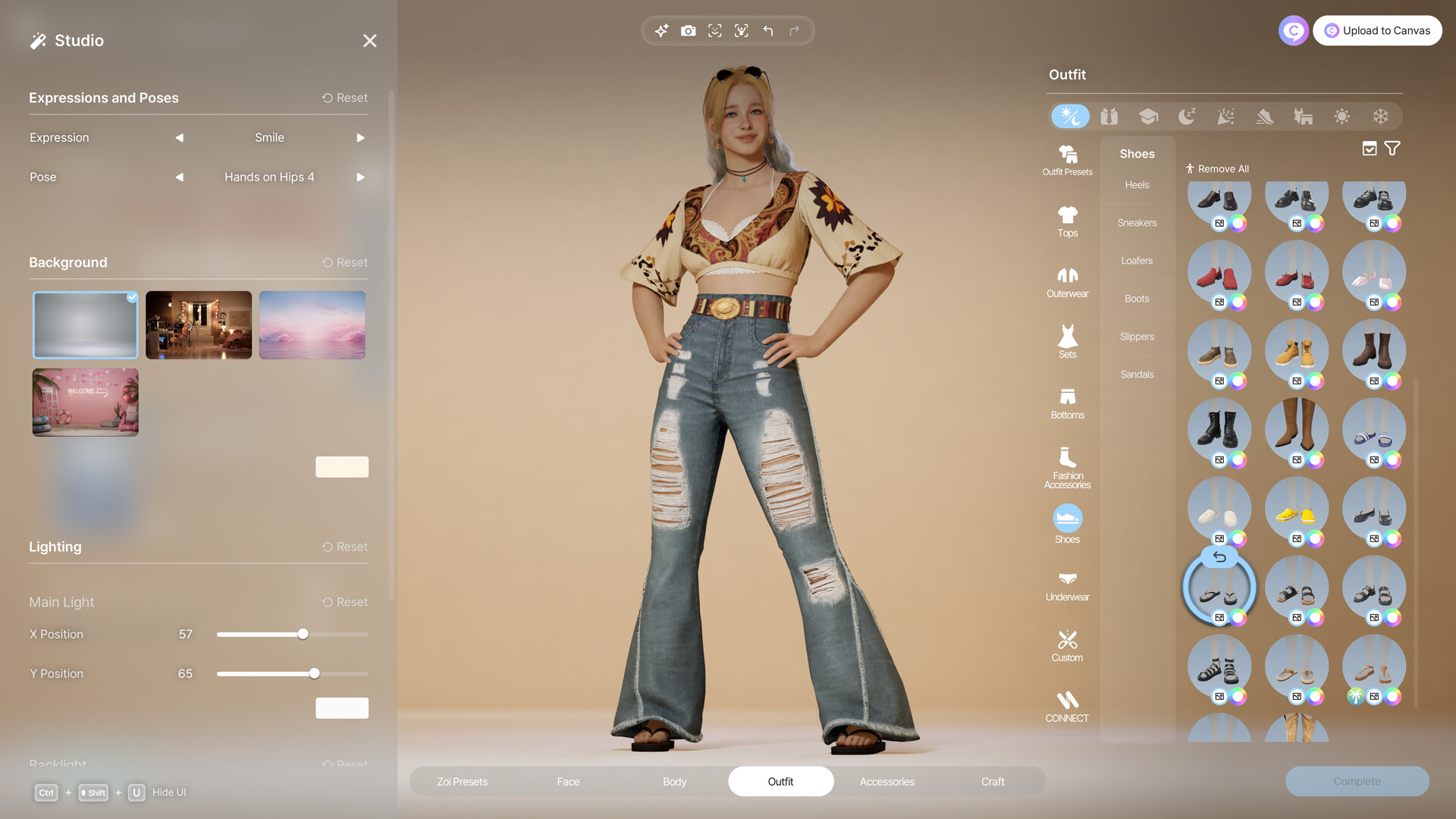
The Themed Studio
The Themed Studio is a dedicated in-game venue designed for controlled photo shoots. Travel there through the map or community lot selection. It provides a contained environment with adjustable lighting and interchangeable backdrops, making it the ideal location for staged portraits and creative setups.
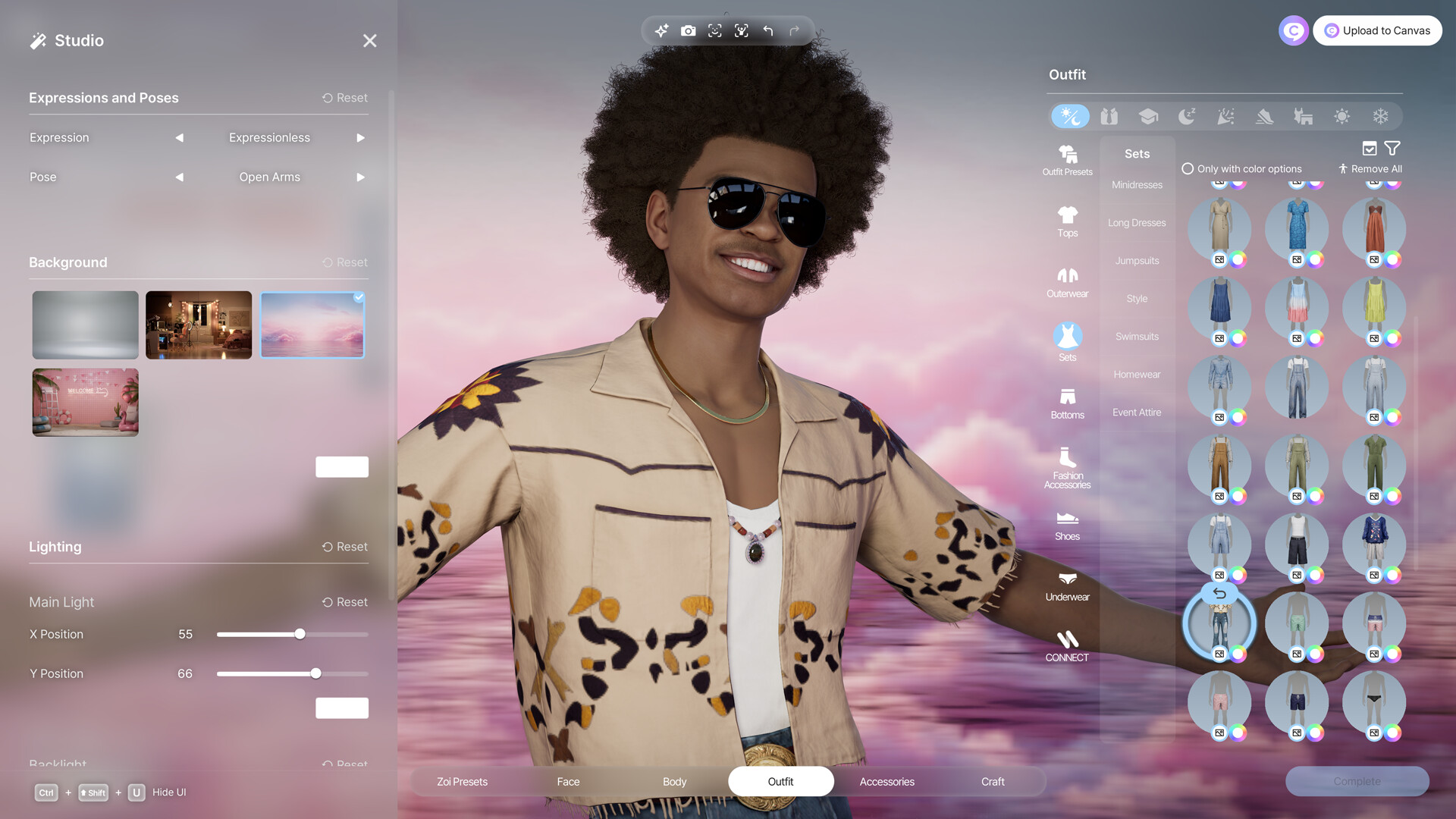
Preset backgrounds:
Item | Description |
|---|---|
White Studio | A clean, neutral white backdrop. The default option that works well for character shows and Canvas thumbnails. |
Gas Station | An urban gas station scene with neon lighting. The neon colors can be customized through the color options. |
Cloud Backdrop | A sky and clouds scene. The sky color and cloud tone can be adjusted to create different moods, from warm sunset to cool overcast. |
During the closed beta, two additional backgrounds were available (an urban playground and a car body shop) that are not currently present in the Early Access build. These may return in a future update.
Customizing the studio:
The studio can be fully customized using Build Mode tools with an unlimited budget.
Add furniture, paint walls, place props, and decorate with any item from the Build Mode catalog.
Changes can be reversed at any time by selecting a preset room again.
You can alter certain colors in each preset background. For example, the neon lighting in the Gas Station scene and the color of the sky and clouds in the Cloud Backdrop can be customized.
Lighting controls: The studio provides four lighting sliders: two for the main light (intensity and angle) and two for the backlight (intensity and angle). This allows dramatic shadow and highlight setups that are difficult to achieve in the open world. Moving these sliders around can completely change the feeling of a photo. Combine the lighting controls with the Time of Day slider for even more variety.
Where Photos Are Saved
Photos save to Documents\inZOI\Photo on your PC. A Photo Folder button at the bottom-left of the Photo Mode menu opens this directory directly. After capturing a photo, the game prompts you to save or discard the shot. Images are saved as high-quality files that can be shared, edited in external software, or uploaded to Canvas.
In-Game Photography (Media Production)
In-game photography is separate from Photo Mode. It involves Zoi actions that build the Media Production skill and can generate income. Photo Mode screenshots do not affect the Media Production skill; only in-game Zoi actions count.
Leveling Media Production
The Media Production skill governs all content creation activities in inZOI. Leveling it unlocks new video types, photography furniture, and higher income from sold content. The Curious emotional state boosts Media Production leveling speed, so getting your Zoi curious before a photography session accelerates progress.
Method | Speed | Details |
|---|---|---|
Take photos / selfies | Fastest | Use the phone camera, desktop cameras, or tripod cameras. Quick, free, and repeatable. Each selfie takes only a few seconds and can be repeated endlessly, making this the single fastest way to level Media Production. |
Edit videos on computer | Moderate | Select "Edit Video" on a desktop or laptop. Time-consuming but provides substantial XP per video. Becomes more valuable at higher skill levels. |
Post selfies on Bubbly | Slow | The in-game social media platform. Quick action but low XP. Requires at least 60 Challenger Value points. |
The most efficient leveling strategy is to spam selfies using the phone camera. Each selfie takes only seconds and grants skill XP. Once you reach level 3 or above, mix in video editing sessions on the computer for larger XP chunks. Save video selling for higher levels (see below).
Video Types and Income
At higher Media Production levels, Zois can produce and sell videos on the computer. The value scales with skill level, so delaying sales until near level 10 maximizes income.
Skill Level | Unlock |
|---|---|
Level 0 | Basic "Edit Video" option |
Level 3 | Workout Video, Performance Video |
Level 4 | Singing Video, Comedy Video |
Level 5 | Advertisement Video (highest earner) |
After completing a video, click "can sell" to receive Meow instantly. Advertisement Videos at high skill levels produce the most income. Give each video a title and description before selling. The selling price scales directly with your current Media Production level, so early sales leave significant money on the table. Wait until near level 10 before selling Advertisement Videos for maximum profit.
Furniture Unlocked by Media Production
Skill Level | Unlocked Item |
|---|---|
Level 3 | Vision Maker Computer |
Level 5 | Instant Film Picture Frame, Creative Corkboard |
Level 7 | Vintage Camera |
The Vision Maker Computer is a higher-end computer that improves video editing workflow. The Instant Film Picture Frame displays photos in a polaroid-style format, while the Creative Corkboard lets you pin multiple images and notes. The Vintage Camera is a premium photography object that adds a retro aesthetic to your Zoi's setup.
Selfie Spots
Designated selfie spots are marked with camera icons at scenic locations throughout Dowon, Bliss Bay, and Cahaya. Parks, beaches, landmarks, and popular attractions all have selfie spots.
Click the camera icon at a selfie spot to trigger the "Take Selfie" action.
Fulfils the "Wants to Take a Selfie at a Local Attraction" urge.
Provides Media Production skill XP.
Some selfie spots offer scenic backdrops that make the Zoi's social media post more impactful.
Selfie spots are scattered across all three cities. Dowon has selfie spots at parks, plazas, and urban landmarks. Bliss Bay has them at beaches, boardwalks, and coastal viewpoints. Cahaya offers selfie spots at tropical resort locations and scenic overlooks. Visiting and using selfie spots is a natural way to combine exploration with Media Production leveling.
Posting on Bubbly
Bubbly is inZOI's in-game social media platform, similar to Instagram or Facebook in the real world. Posting selfies here is not just a fun pastime but also a genuinely useful activity: it boosts your character's mood and earns Meow Coins.
How to post:
Click on the Zoi to open the action menu.
Select Smartphone, then scroll to "Post a Selfie on Social Media."
The Zoi takes a selfie and posts it to Bubbly.
Rewards include a small amount of Meow Coins and a Tranquil mood boost.
Challenger Value requirement: Posting on Bubbly requires at least 60 Challenger Value points as a Core Value. Values with 60 points or more start affecting the Zoi's wants and choices, and the Value with the most points becomes the Zoi's Core Value. The Adventurer trait has naturally high alignment with the Challenger Value, making it easy for Adventurer Zois to unlock this action early. Activities that boost Challenger Value include painting, singing, socializing, and surfing. Challenger Zois are thrill-seeking, bold individuals who embrace new experiences and hobbies.
Using Photos for Canvas Uploads
When uploading creations to Canvas, Photo Mode images serve as thumbnails. Up to four photos can be selected per upload. You can take new photos at upload time or use previously saved Photo Mode images.
A good thumbnail significantly increases download counts for shared Zois, builds, and furniture. Bright colors that pop against the background, clean character portraits using Background Removal, and well-lit compositions all contribute to a more attractive listing. The White Studio background in the Themed Studio is particularly effective for Canvas thumbnails because it provides a clean, distraction-free backdrop.
Composition Tips
Lighting
Feature | Description |
|---|---|
Golden hour | Use the Time of Day slider to set the time to early morning or late afternoon. This produces warm, directional light that flatters faces and adds depth. The golden hour glow is particularly effective for romantic couple shots and portrait photography. |
Backlight | Position the sun behind the Zoi for a rim-lighting effect that separates the subject from the background. This creates a glowing outline around the character that adds dimension. |
Night shots | Slide the time to nighttime and use the city's neon signs and streetlamps as light sources. The Thriller filter enhances night photography by boosting contrast and darkening shadows. Dowon's entertainment districts are especially photogenic at night. |
Themed Studio | For total control, use the Themed Studio's four lighting sliders. Adjust main light and backlight separately to create dramatic setups. This is the only location where you have full manual control over artificial lighting. |
Depth of Field
Shallow DOF (strong background blur) works best for portraits and close-ups. It draws the viewer's eye to the subject by softening everything else in the frame.
Deep DOF (everything in focus) is better for landscape shots and build shows where you want every detail visible.
For group photos, use medium DOF to keep all Zois sharp while softly blurring the background.
Combine shallow DOF with a low FOV for the strongest subject isolation. The telephoto compression from low FOV plus the bokeh from shallow DOF creates a professional portrait look.
Rule of Thirds
Position your subject off-center rather than dead center in the frame. Place the Zoi's eyes at roughly one-third from the top of the image. This creates a more visually interesting composition than centering everything. Landscape shots benefit from placing the horizon at the top or bottom third rather than the middle.
Camera Angles
Setting | Description |
|---|---|
Low angle | Position the camera below the Zoi, looking upward. This makes the subject appear powerful, tall, and imposing. Works well for hero-style character shots. |
High angle / overhead | Position the camera above the Zoi, looking downward. This creates a more vulnerable or contemplative mood. Combined with the Diorama filter, it produces a miniature-model effect. |
Dutch angle | Tilt the camera slightly off-axis for a dynamic, unsettling composition. Use sparingly for dramatic or action-oriented shots. |
Eye level | The most natural perspective. Place the camera at the Zoi's eye height for a neutral, relatable feel. |
Color Coordination
Choose outfits with bright colors that pop against your chosen background. A Zoi in a vivid red dress stands out against a green park setting, while a character in dark clothing gets lost. Before entering Photo Mode, consider changing your Zoi's clothing to complement the planned backdrop. Complementary colors (opposites on the color wheel) create the strongest visual contrast.
Using Props and Furniture
The Themed Studio can be decorated with any item from Build Mode using an unlimited budget. Place chairs, tables, plants, and decorative objects to create context and tell a story. A Zoi sitting on a park bench with a coffee cup creates a more interesting shot than the same Zoi standing against a blank wall. Some dynamic poses include props (instruments, sports equipment), so check the pose list for options that add visual interest.
Dynamic Poses for Action Shots
Select a dynamic (animated) pose, let it loop, then use the Pause button to freeze the Zoi at the exact moment you want. This captures mid-action energy that static poses cannot replicate. Experiment with different pause timings to find the most expressive frame. Dynamic poses with prop animations are especially effective because the prop adds a sense of activity and context.
Photography Equipment
The Photography category under Hobby Furniture in Build Mode includes seven items designed for photo sessions and content creation.
Image | Item | Price (Meow) | Requirement | Description |
|---|---|---|---|---|
| Camera | 599 | None | A basic photography camera for taking photos. Can be placed on surfaces. |
| Ring Light | 48 | None | A circular light that provides even, soft illumination. Improves lighting quality for photo sessions. |
| Softbox | 141 | None | Professional-grade diffused lighting. Produces softer shadows than a ring light. |
| Tripod | 60 | None | A camera support stand. Stabilizes the camera for clearer shots. |
| Tripod-Mounted Camera | 290 | None | A camera pre-mounted on a tripod. A convenient all-in-one photography setup. |
| Tripod-Mounted Ring Light | 338 | None | A ring light on a tripod stand. Height-adjustable for different framing needs. |
| Vintage Camera | 259 | Media Production Level 7 | A premium retro-styled camera that unlocks at a higher skill level. Adds a classic aesthetic to the photography setup. |
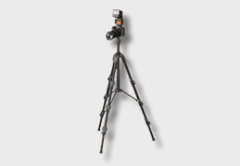
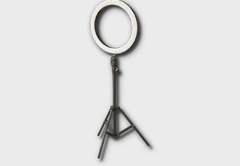
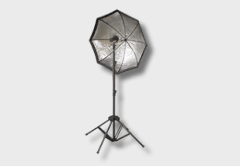
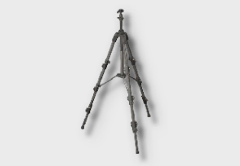
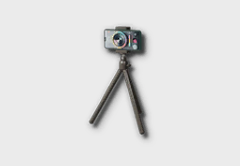
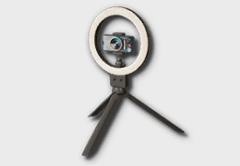
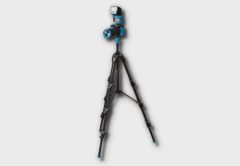
Ring lights and softboxes improve the lighting quality for in-game photo sessions. Place them around the subject to create professional-looking lighting setups. Note that these furniture items affect in-game photography actions (Zoi interactions), not Photo Mode screenshots. Photo Mode has its own lighting system through the Time of Day slider and the Themed Studio controls.
Photography Urges and Preferences
Photography-related urges appear based on the Zoi's personality and preferences.
Urge | How to Fulfil | Reward |
|---|---|---|
Wants to Take a Selfie at a Local Attraction | Visit a park or beach, find a camera icon, and select "Take Selfie." | Meow Coins + Tranquil emotion |
Wants to Take Photos | Use a desktop camera, tripod camera, or smartphone camera interaction. | Meow Coins + skill experience |
Wants to Post a Selfie on Social Media | Right-click Zoi > Smartphone > "Post a Selfie on Social Media." | Meow Coins + Tranquil emotion |
Urges expire after 12 in-game hours if not fulfilled. The Taking Photos preference can be assigned during Zoi creation and determines whether a Zoi likes or dislikes photography activities. Zois can hold up to 10 preferences simultaneously, and preferences can change over time based on events and actions.
The Taking Photos preference aligns with four Desired Life paths: Life of Perseverance, Life of Harmony, Life of Familial Devotion, and Life of Excitement. Having this preference makes photography-related urges appear more frequently, keeping your Zoi engaged with the camera.
Photo Frames and Decorations
Photos can be displayed in the home using picture frames available as furniture in Build Mode. Players can insert custom images into picture frames by clicking the brush icon on the frame, selecting the folder icon, and uploading an image file.
Feature | Details |
|---|---|
Supported formats | PNG and JPG (rename.jpeg files to.jpg if they fail to upload). |
Best dimensions | Square dimensions (e.g., 1024x1024) work best and avoid stretching. The image will be fit to the frame's aspect ratio. |
Color note | Custom images may appear slightly darker than the original after being applied. |
-- | Customized frames can be saved as furniture presets and shared via Canvas. |
Two special photo-related furniture items unlock through the Media Production skill:
Item | Unlock Level | Description |
|---|---|---|
Instant Film Picture Frame | Level 5 | A polaroid-style picture frame for displaying photos. |
Creative Corkboard | Level 5 | A bulletin board for pinning multiple images and notes. |
3D Printer Photo Objects
The 3D Printer can transform uploaded 2D photos into decorative 3D objects. Upload any image and the 3D Printer generates a three-dimensional model based on the picture. These objects are strictly decorative and non-functional.
Simple, symmetrical images with contrasting backgrounds produce the best results.
JPEGs work well for fully 3D objects, while PNGs with transparent backgrounds are better for flat items.
Use a high-quality image with a plain background and no strong shadows or other objects for the cleanest output.
3D-printed objects can be used as furniture decorations or turned into wearable accessories.
Photography Career
As of v0.11.0 (October 15, 2026) there is no dedicated photography or content creator career in inZOI. However, the Media Production skill functions as an informal freelance content creation path. Zois can earn Meow by selling edited videos, and posting selfies rewards Meow Coins. Players on the official forums have requested influencer, vlogger, and photographer career tracks as future additions.
Known Limitations and Upcoming Features
Photo Mode and the photography system are still evolving as inZOI progresses through Early Access. The following limitations exist as of the current version:
Feature | Description |
|---|---|
Video recording | A video recording button exists in the Photo Mode UI but is currently grayed out and under development. Use third-party software (OBS, NVIDIA ShadowPlay, AMD Relive) for video recording until this feature is enabled. |
Missing studio backgrounds | The closed beta included two additional Themed Studio backgrounds (urban playground and car body shop) that are not available in the current Early Access build. These may return in a future update. |
No keyboard shortcut | There is no dedicated keyboard shortcut to open Photo Mode. It must be activated through the on-screen camera button. |
AI Emote accuracy | The AI pose generation may not perfectly replicate all reference images, especially those with complex hand positions or unusual body angles. |
Facial Capture platform | Facial Capture currently only supports iOS devices through the Live Link Face app. There is no Android equivalent at this time. |
No photography career | While the Media Production skill covers content creation, a dedicated photography or influencer career track has not yet been added. |
Automatic Photo Albums (v0.10.0)
The v0.10.0 update on September 3, 2026 added automatic photo albums. Pictures taken in photo mode are compiled into a photo album and placed in the Zoi's inventory without any manual step.
The behaviour can be toggled on and off from within photo mode, so players who prefer to manage their own shots can turn it off.
General Tips
Press Ctrl+Shift+U to hide the UI before taking every photo. The clean frame looks dramatically better. This is the single most impactful improvement you can make to any screenshot.
The Curious emotional state boosts Media Production leveling speed. Get your Zoi curious before a photography session by exploring new locations or interacting with unfamiliar objects.
Taking selfies with the phone camera is the fastest method to level Media Production. Each selfie takes seconds and can be repeated endlessly.
Wait until near level 10 before selling Advertisement Videos. The selling price scales with skill level, and early sales leave money on the table.
Use Background Removal for clean character portraits. This is especially useful for Canvas thumbnails where you want the character to stand out.
The Diorama filter turns any outdoor scene into a miniature effect. It works especially well with elevated camera angles looking down at a street or park.
The Retro filter pairs well with Cahaya's tropical beaches for a vintage vacation postcard look.
AI Emote custom poses are marked blue in the pose list, making them easy to find among the 40+ presets.
Facial Capture requires Wi-Fi. Make sure both the PC and iOS device are on the same network before scanning the QR code.
For the strongest portrait effect, combine a low FOV (telephoto compression) with shallow DOF (background blur). This mimics an 85mm portrait lens from real-world photography.
Experiment with the Themed Studio's four lighting sliders before shooting. Even small changes to backlight intensity can create dramatic rim lighting effects.
When uploading to Canvas, take at least two different photos: one clean portrait with Background Removal, and one in-context shot showing the creation in a realistic setting. This gives potential downloaders a better idea of what they are getting.