
Loading...
Loading...
Create a Zoi
March 27, 2026 at 05:11 AM
Content update (2026-03-26)
Create a Zoi is the character creation system in inZOI. It offers over 250 customization parameters across personality and appearance, built on MetaHuman technology within Unreal Engine 5. Players set a Zoi's name, age group, gender, attraction preferences, trait, and Desired Life, then sculpt their physical appearance down to individual facial features, body parts, and clothing textures. For a faster start, players can download pre-made Zois from Canvas, where hundreds of thousands of community creations are available.
MetaHuman is Epic Games' framework for creating photorealistic digital humans. inZOI uses it as the foundation for its character models, which is why Zois can look remarkably lifelike compared to other life simulation games. Every face, skin pore, and strand of hair is rendered through this system, giving the creator a level of fidelity typically reserved for film and AAA action titles.
All clothing and hairstyles in Create a Zoi are fully unisex. Any Zoi can wear any item regardless of gender, and all hairstyles are available to every gender identity. This design philosophy extends to accessories, makeup, and body customization options as well.
Character creation follows a sequential process. Each step must be completed before moving forward, though players can revisit earlier steps to make changes at any point before finalizing.
Name: Set first and last names. Names can include spaces and special characters.
Profile: Choose age group (Child, Teenager, Young Adult, Adult, Middle-Aged, Senior) and gender (Male, Female, or Non-Binary). Set attraction preferences for romantic interactions.
Trait: Select one of 18 personality traits that determine mood tendencies, need change rates, and NPC interaction preferences.
Desired Life: Pick a life aspiration (not available for Children or Teenagers). Sixteen paths are available for Young Adult and older Zois.
Appearance: Customize face, body, outfits, and accessories using the full suite of editing tools.
Family setup: Optionally create additional household members (up to 8 per family) and define relationships such as partners, parents, or children. Age-based restrictions apply to certain relationship types.
City selection: Choose a starting city. Options include Dowon and Bliss Bay.
Create a Zoi provides multiple ways to speed up character creation through presets and randomization tools.
Pre-made character templates are available at the start of creation. Selecting a preset loads an entire Zoi with pre-configured face, body, hair, and outfit settings. Players can then modify any aspect of the preset to their liking. Additional presets can be downloaded from Canvas at any time during the creation process.
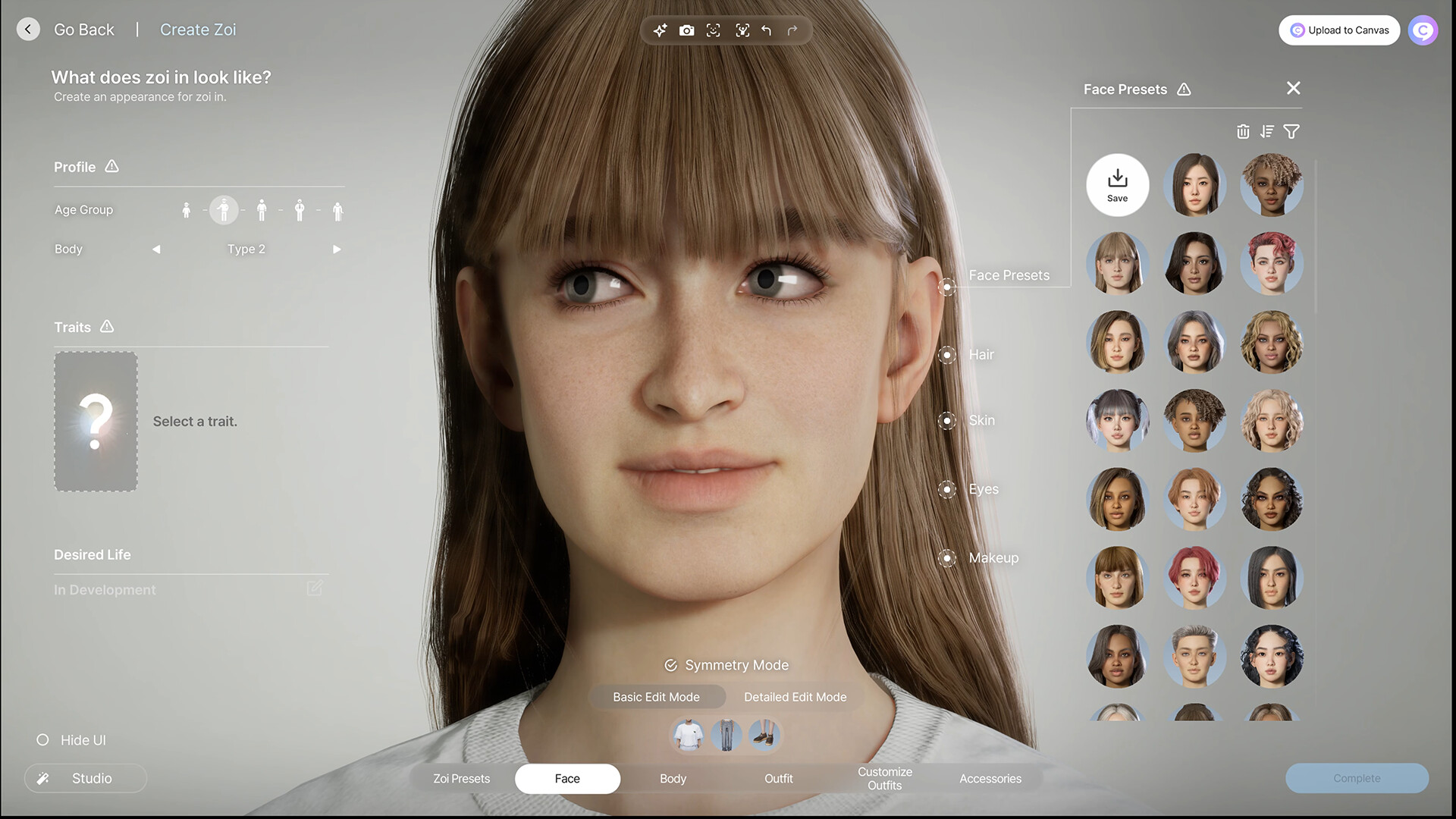
Separate face presets are available that change only the facial structure without affecting the body, hair, or clothing. These are useful when a player wants a specific face shape as a starting point. Choose face presets carefully: some foundational proportions like nose rotation and overall face depth are determined by the preset and cannot be fully overridden through sliders.
As of the March 2026 Update, Zoi presets exclusively change selected features when applied. Instead of overwriting the entire character, players can choose which specific aspects of a preset to apply. This allows mixing and matching elements from different presets without losing work on other features.
Also added in the March 2026 Update, the randomizer can be set to only change select features during character creation. Players can lock features they are happy with and randomize only the remaining ones. This is particularly useful for iterating on a specific look, for example locking a face shape while randomizing hairstyles and outfits.
The face editor is the deepest part of the creation system. It operates in two modes:
Adjusts the overall face shape with broad controls. Useful for quickly establishing general proportions before fine-tuning. Players can drag directly on the face to reshape features. Basic mode is best for rapid prototyping when you want to see the general direction before committing to precise changes.
Gives access to individual features (eyes, nose, mouth, jaw, ears, brows) through node-based controls. Each feature has multiple adjustment points that can be dragged independently. In Detailed mode, a Symmetry Mode toggle controls whether changes apply to both sides simultaneously or independently. Turning symmetry off lets each side of the face be adjusted separately, which is essential for creating natural-looking Zois since no real person has a perfectly symmetrical face.
Key face editing capabilities:
Eye rotation by clicking and dragging the half-circle line around them
Brow crease, eye bag depth, and smile line intensity
Nose shape adjustments (note: noses cannot be rotated left or right)
Chin cleft and jaw width
Lip line and mouth positioning
Ear size and angle
Direct face dragging for intuitive reshaping in both modes
Important: Choose your face preset carefully. Some foundational proportions like nose rotation and face depth are set by the preset and cannot be fully overridden through sliders. Starting with a preset close to your target look saves significant editing time.
Skin tone is set on a continuous spectrum rather than a limited palette, with manual color adjustment available through a color wheel or hex code input for specialized looks. The system supports a wide range of ethnic backgrounds, including monolid eye options and integrated complexion settings that reflect diverse facial structures.
Additional skin details include:
Feature | Details |
|---|---|
Freckles | Two freckle patterns per skin tone; range from subtle to full-face coverage |
Moles and beauty marks | Multiple placement options; cannot be repositioned via drag after placement |
Scars | Limited variety; only one scar selectable per Zoi |
Wrinkles and smile lines | Found under the skin color picker icon; intensity varies by face shape |
Face paint | Includes neck coverage; limited preview in thumbnails. Currently the only way to apply tattoo-style markings to a Zoi's face and neck |
Bandaids and pimple patches | Cosmetic additions for character personality |
Eye customization includes iris size, pupil size, color blending, and shine levels. Each parameter has its own slider and color wheel. The iris, pupil, and sclera each have individual color controls, allowing for a wide variety of natural and fantasy eye looks.
Eyebrows and eyelashes are customized separately with rotation and style options. Eyelash styles can be rotated for different looks. Eyebrow styles lean toward thick and bushy options, with limited thin or unibrow choices.
Contact lenses have a full color picker and are considered accessories rather than eye settings. They can be changed at any time after creation.
Current limitation: Heterochromia (two different-colored eyes) is not available. This is one of the most frequently requested features from the community.
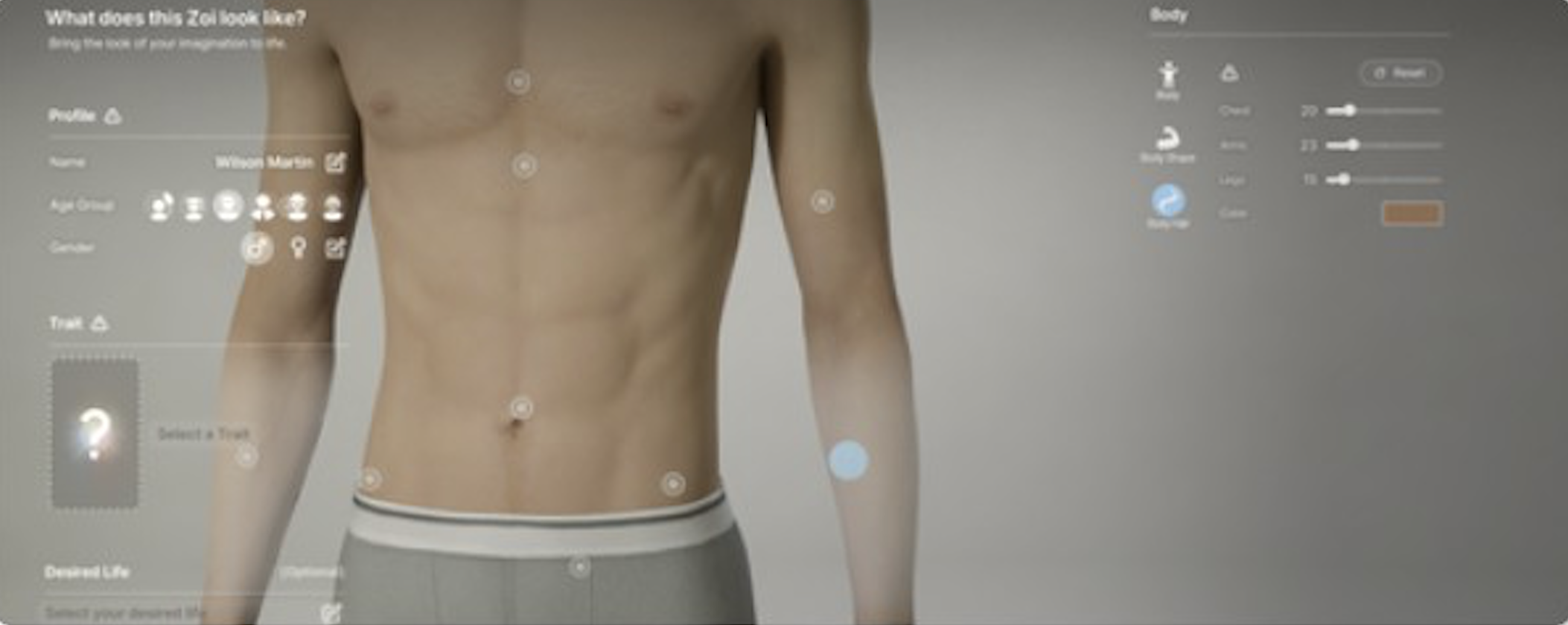
Body customization combines two global sliders with individual body part adjustments. As of the March 2026 Update, body shapes have been adjusted to appear more realistic.
Slider | Effect |
|---|---|
Muscle Mass | Adjusts overall muscle definition; does not affect other sliders |
Body Weight | Adjusts overall body size; affects all body part sliders proportionally |
Players can click on specific body parts to reveal dot-style sliders for fine-tuning. Ten body regions are individually adjustable:
Body Part | Adjustable |
|---|---|
Neck | Yes |
Shoulders | Yes |
Arms (biceps) | Yes |
Forearms | Yes |
Chest / Bust | Yes |
Waist | Yes |
Hips | Yes |
Buttocks | Yes |
Thighs | Yes |
Legs (calves) | Yes |
Hands | No |
Feet | No |
Body presets covering a wide range of body types are available for quick setup. Pushing body shapes to extremes can cause clipping with certain clothing, which the developers accepted as a trade-off for greater freedom.
Male Zois have additional sliders for body hair on the chest, arms, and legs. Players can adjust both the density and color of body hair independently, and the color can be set to any value on the color wheel (including unnatural colors like blue or green). Body hair settings can still be changed after creation, unlike other body features like facial structure and proportions.
There is no height slider. All Zois of the same gender and age group share the same height. The developers have stated this is due to the animation system: all animations are pre-programmed at fixed angles, and variable heights would break interactions like handshakes and sitting. Male Zois are coded slightly taller than female Zois.
Hairstyles can be filtered by length (Short, Medium, Long, Tied-Up) and are unisex: all styles are available regardless of gender. Most hairstyles have five color channels:
Base color
Sub color
Three highlight layers
Each channel has its own color wheel (or hex code input) with saveable swatches. Separate sliders control gloss and length, so the same hairstyle can look very different depending on settings. A color ratio slider blends between the base and sub colors, and a blur intensity slider controls how sharply the colors transition between sections.
Hats are compatible with hairstyles and trigger automatic style conversion. Tied-up styles automatically convert to hat-compatible variants when a hat is equipped. Realistic curly and afro-textured hair requires significantly more data than straight hair (sometimes as much as the rest of a Zoi's body), and the team has expanded Black hairstyle options across updates.
Beards and mustaches are customized as completely separate items with their own style selections. Most options lean toward heavier coverage rather than clean-cut styles. Each has its own length, color, and style controls independent of head hair.
All makeup categories include intensity sliders with gloss and color wheel controls:
Category | Features |
|---|---|
Highlighter | Tone, Glow, and Contour controls; multiple placement patterns |
Blush | Multiple styles with gloss capability |
Eyeshadow | Multiple sliders and color options; integrates with subtle eyeliner effects |
Eyeliner | Mostly bold options; layering with other styles not available |
Lipstick | Gloss, matte, and over-the-lip styles; dual-color editing with wrinkle adjustments |
Makeup is fully editable after creation at any time through the Style Yourself menu or by interacting with a mirror.
Players assign outfits for nine different situations. The game switches between these automatically based on context:
Outfit Slot | When Used |
|---|---|
Everyday | Default outfit for general activities |
Formal | Events, restaurants, and formal interactions |
School | School attendance (Children and Teenagers) |
Sleepwear | Sleeping and bedtime activities |
Party | Parties, nightlife, and social gatherings |
Sportswear | Exercise and athletic activities |
Swimwear | Swimming and beach activities |
Summer Wear | Hot weather conditions |
Winter Wear | Cold weather conditions |
All clothing items are unisex and ungated: any Zoi can wear any item regardless of gender. Each outfit slot lets players select individual pieces (tops, outerwear, bottoms, shoes, underwear) or choose a preset set. Colors, textures, and patterns are fully customizable, and players can import custom pattern images from personal files on their computer.
As of the March 2026 Update, wedding dresses can now have their colors changed, a feature frequently requested by the community. The update also changed the design for default underwear worn by adult Zois and added new baby outfits, adult underwear items, and bottoms.
The Craft tab enables modular clothing editing. Access it through the "Craft Clothes" button in the bottom right corner of the character creation screen. Select a base garment and customize:
Neckline style (crew, V-neck, scoop, collar, etc.)
Sleeve length and shape
Midsection fit (tight, loose, baggy)
Waistline height
Overall garment length (e.g., shorten a T-shirt into a crop top)
Hem style on skirts and pants
The Craft system also extends to accessories, letting players build custom modular pieces from component parts:
Accessory Type | Customization Options |
|---|---|
Necklaces | Choose pendant shape (heart, butterfly, crescent moon, and more) and chain type (leather cord, metal choker, chain link, etc.). Color and material fully adjustable. |
Watches | Customize face shape, display style, and wristband material independently |
All crafted items can be saved to a personal library, uploaded to Canvas for sharing, or downloaded from Canvas to use as starting points. Custom textures can also be applied to crafted garments using the AI Texture tool or uploaded image files.
Separate accessory slots are available for:
Slot | Details |
|---|---|
Hats | Unisex, not dependent on hairstyle; triggers automatic hair conversion |
Eyewear | Sunglasses include lens tinting; regular glasses do not |
Necklaces | Craftable with custom pendant and chain combinations |
Earrings | Mostly lobe piercings; cartilage hoop option cannot be combined with lobe piercings |
Headpieces | Decorative head accessories such as crowns, bands, and clips |
Wristwear | Bracelets and craftable watches |
Rings | Multiple ring styles with color customization |
Nail art | Multiple styles; limited glitter and gemstone options |
Piercings | Currently limited to one per Zoi; four nose piercings and one lip piercing available. Cannot be mirrored or combined |
Each slot is independent, so multiple accessories can be stacked. Most accessories feature full color customization.
The AI Texture tool lets players type a text description and the game generates a pattern that can be applied to any clothing item or furniture surface in Build Mode. To use it, select a clothing item, click on "My Texture" at the bottom of the item's icon, then click the four-pointed star icon to open the text prompt. Describe the desired pattern, press Create, and the game generates the texture in a few seconds.
Repeating the same prompt produces similar but slightly different results each time, so players can iterate to find the best variation. All AI texture generation runs entirely on-device using proprietary models developed by KRAFTON. The models are trained exclusively on company-owned and copyright-free assets, meaning no external servers are contacted and no copyrighted material is used.
The 3D Printer converts flat uploaded images into 3D objects. It is found in both Build Mode (for furniture and decorations) and the Craft clothes menu (for wearable accessories).
To create a 3D-printed item, upload an image from your computer. The AI processes it in roughly 20 seconds and generates a three-dimensional version. Images with blank or transparent backgrounds produce the best results, as complex backgrounds can confuse the AI interpretation.
Using 3D prints as wearable accessories: The option to wear 3D-printed items is not found in the 3D Printer itself. Instead, go to the Craft Clothes menu and pick any accessory slot (hats, eyewear, necklaces, earrings, headpieces, nails, wristwear, rings, or piercings). On the right side of the screen, all objects created with the 3D Printer appear as options that can be attached to the selected slot. This workflow lets players create custom hats, wings, masks, and other decorative pieces from any uploaded image.
3D-printed items are decorative; Zois cannot interact with them beyond wearing or displaying them. Results work best with symmetrical designs. All 3D-printed creations can be uploaded to and downloaded from Canvas.
Each Zoi selects one of 18 personality traits that determine mood tendencies, need change rates, and NPC interaction preferences. Traits are permanent after creation and cannot be changed.
Trait | Trait | Trait |
|---|---|---|
Adventurer | Authoritarian | Charmer |
Collaborator | Dreamer | Entertainer |
Explorer | Go-Getter | Individualist |
Leader | Mediator | Perfectionist |
Scholar | Sentinel | Social Activist |
Socialite | Visionary | Volunteer |
Sixteen aspirational paths are available for Young Adult and older Zois. Desired Life guides long-term goals and unlocks special interactions. Unlike traits, Desired Life can be changed after creation through the Zoi's profile card in gameplay. Desired Lives are not available for Children or Teenagers.
Desired Life | Desired Life | Desired Life | Desired Life |
|---|---|---|---|
Self-Creation | Familial Devotion | Abundance | Advancement |
Adventure | Contribution | Creativity | Excitement |
Freedom | Harmony | Respectability | Romance |
Simplicity | Stability | Tranquility | Wisdom |
inZOI supports real-time facial expression capture using Unreal Engine's Live Link Face application. This feature tracks your facial expressions through an iOS device (iPhone or iPad running iOS 16.0 or later) and mirrors them onto your Zoi in real-time.
Important: Facial Capture is not a face scan. It does not create a Zoi that looks like you. It only tracks expressions (smiling, frowning, blinking, raising eyebrows, etc.) for use in screenshots and Studio mode. Players who want their Zoi to physically resemble them must manually sculpt the face using the editing tools.
Setup requires the iOS device and PC to be on the same Wi-Fi network. Click "Set up facial capture" in the top toolbar of the creation screen, scan the QR code shown in-game to install the Live Link Face app, configure the streaming target with your PC's IP address, and connect. Once linked, zooming into your Zoi's face shows real-time expression mirroring. The feature is currently exclusive to iOS devices.
Players can import a photo or use a webcam to generate a starting face that resembles the input image. The result is a starting point that can be refined with the normal editing tools; it is not a perfect replica. The system works best with well-lit front-facing photos against a plain background.
Face scanning is separate from Facial Capture. While Facial Capture tracks live expressions, face scanning attempts to recreate the physical appearance of a person in the photo. The quality of the result varies depending on the input image, and most users report needing to spend time refining details after the initial scan.
Click "Upload to Canvas" at the top of the creation screen to share a Zoi on Canvas. Other players can download and modify it. Shared Zois retain all customization data including outfit presets and accessory configurations.
When uploading, players can share a complete Zoi, just the face, or just an outfit as a partial preset. Use descriptive, easy-to-search terms in the upload fields so other players can discover the creation.
Downloads work in both directions: browse and download during character creation through the in-game Canvas browser, or queue downloads from the web version at canvas.playinzoi.com to sync on your next session. All downloaded creations appear in the Presets tab. Downloaded lots appear in Building Presets, while downloaded sets for Zois can be found in Zoi Presets.
A KRAFTON ID connected to your Steam account is required to access Canvas. Players must create one if they do not have one and link it to their Steam account before uploading or downloading content.
The Studio button in the creation screen changes a Zoi's expression, pose, lighting, and background for screenshots. Over 40 poses and 10 expressions are available, with the option to choose between static and animated poses. Players can customize the background environment, main lighting, and backlight to create the perfect composition.
Studio mode is separate from the in-game Photo Mode, though both share similar controls. Screenshots taken in Studio mode can be uploaded directly to Canvas alongside the Zoi creation itself.
As of the March 2026 Update, baby Zois can now be customized in the Edit Appearance menu. Previously, babies had no appearance customization options. The update also introduced visual developmental realism: newborn Zois are born without teeth and will gain teeth as they grow, and six new baby outfit items were added.
Category | Status |
|---|---|
Hair color and style | Editable anytime (via mirror or 'Style Yourself') |
Outfits and clothing | Editable anytime |
Makeup | Editable anytime |
Contact lenses | Editable anytime |
Accessories | Editable anytime |
Body hair | Editable anytime |
Facial structure | Locked permanently |
Body proportions | Locked permanently |
Gender | Locked permanently |
Attraction preferences | Locked permanently |
Age group | Locked permanently |
Trait | Locked permanently |
Changeable via profile card in gameplay (not through Create a Zoi) |
To access post-creation editing, click on your Zoi and select "Change Clothes" then "Style Yourself," or interact with a mirror. Both methods open the Create a Zoi screen for the editable categories. When adding a new Zoi to a household through Create a Family, that new Zoi gets full customization access.
Before the full game launched, KRAFTON released standalone free applications on Steam to showcase the creation tools:
Release | Date | Duration | Details |
|---|---|---|---|
Character Studio | August 21-26, 2024 | 5 days | Character creation only. Reached 18,000 concurrent players on Steam. Included all Create a Zoi features except Canvas sharing. |
Creative Studio | March 23-27, 2025 | 5 days | Full Character Studio plus Build Studio for building customization. Available to everyone without restrictions after an initial drops event. |
Everything created in either studio carried over to the main game via Canvas. These limited-time releases generated significant community excitement and allowed players to begin building a library of characters and buildings before Early Access launched on March 28, 2025.
Full-body tattoos: Arms, legs, and torso tattoos are planned (currently limited to face and neck). An AI system to convert uploaded images into custom tattoo designs has been confirmed by the developers.
Additional piercings: Currently limited to one per Zoi with four nose and one lip option. Expanded options including mirroring and combinations are requested by the community.
Voice customization: Not currently available in the creator. Players have requested tone and pitch adjustments for Zoi voices.
Heterochromia: Two different-colored eyes. This is one of the most frequently requested features but has not yet been implemented.
Webcam motion capture: The developers have hinted at supporting motion capture through a webcam in the future, which would extend Facial Capture beyond iOS devices.
Start with a face preset that is already close to your target look. Foundational proportions set by the preset (like nose rotation) cannot be fully changed with sliders, so choosing wisely saves time.
Use Symmetry Mode for initial face sculpting, then turn it off for final adjustments. Slight asymmetry makes faces look much more natural and human.
Save frequently during creation. While the creator does not auto-save, uploading a work-in-progress to Canvas acts as a backup.
The Detailed face editing mode lets you drag individual control nodes. Zoom in as far as possible when making fine adjustments to features like the eye bag depth or brow crease.
When crafting custom outfits, use images with plain backgrounds for the best AI Texture and 3D Printer results.
Use the selective preset and per-feature randomization (March 2026 Update) to iterate quickly. Lock the features you like and randomize the rest until you find a combination that works.
Check Canvas before spending hours sculpting from scratch. With hundreds of thousands of community creations, there is likely a preset close to what you want that you can modify.
Body weight and muscle mass sliders affect the overall look significantly. Adjust these before fine-tuning individual body parts, as weight changes can shift proportions.
Remember that body proportions and facial structure are locked after creation. Take your time with these, since hair, makeup, outfits, and accessories can all be changed later.
Tattoos: Early Access tattoos are limited to face and neck. Full-body tattoos (arms, legs, torso) are planned, with an AI system to convert uploaded images into custom tattoo designs.
Body hair: Body hair settings can still be changed after creation, unlike other body features.
Height: The fixed-height design is intentional, not a limitation. The animation system requires all Zois of the same gender and age group to share the same height so that all interaction animations (handshakes, sitting together, etc.) work correctly.
AI features: All AI features (AI Texture, 3D Printer) run on-device using proprietary KRAFTON models. No data is sent to external servers.
Clipping: Extreme body shapes may clip through certain clothing items. The developers have acknowledged this as an acceptable trade-off to preserve creative freedom.
