
This article is incomplete
Some sections are missing or need additional details. Help improve it by contributing.
Romestead is built to be played either as a standalone single-player journey or as a cooperative experience. The world supports one to eight players, and difficulty scales depending on how many players are in the world.
Player Counts
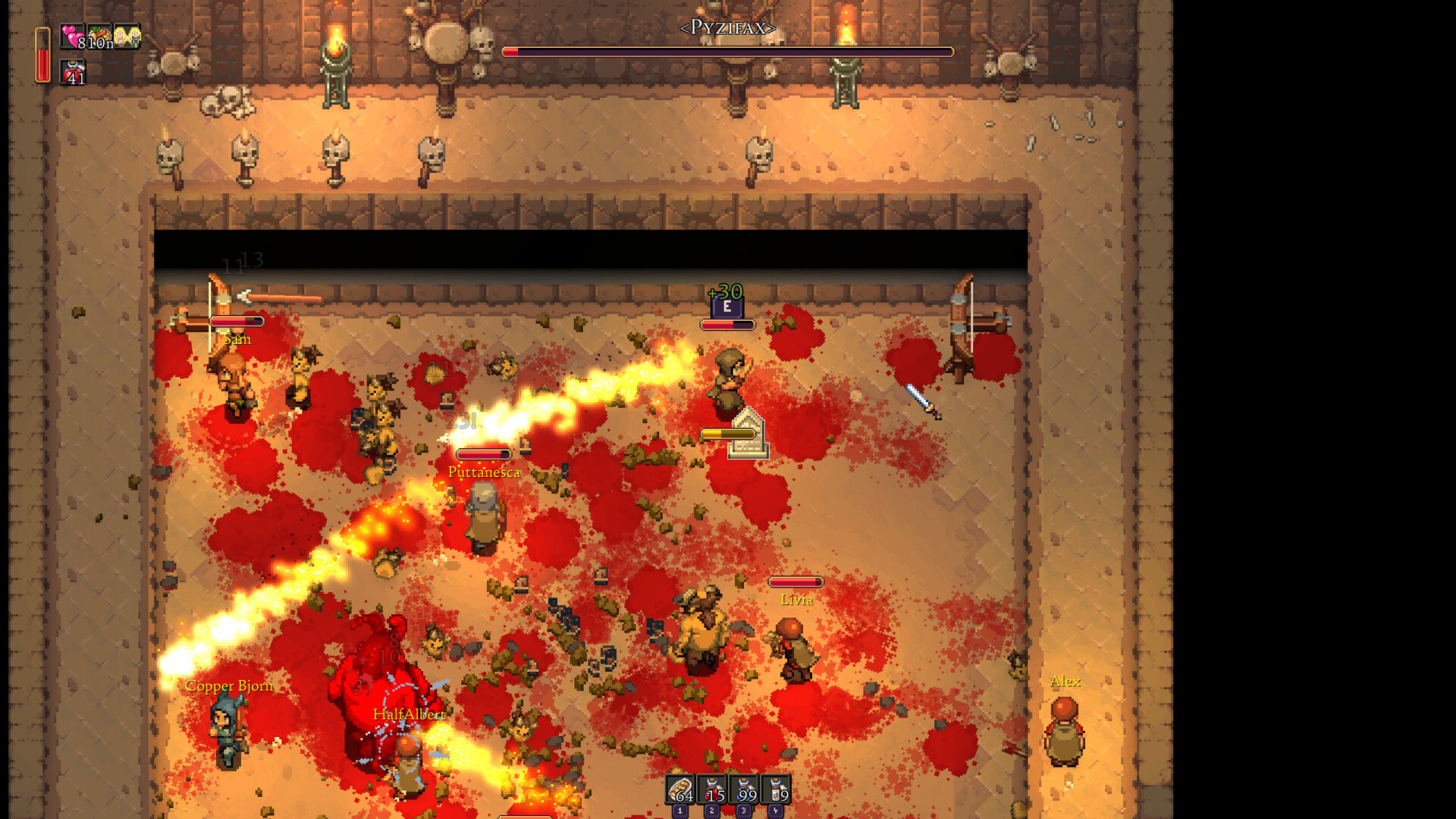
The game is finely tuned for one to four players and scales for groups up to eight. Steam lists the game as supporting single-player, online co-op, and LAN co-op, and the store description says you can host your own server or connect peer to peer.
Aspect | Detail |
|---|---|
Players supported | 1 to 8 |
Tuned for | 1 to 4 players |
Co-op types | Online co-op and LAN co-op |
Cross-play | Not applicable (PC-only) |
Difficulty | Scales to the number of players in the world |
Friend invites | Steam friends menu (Steam Friend menu improvements landed in 0.20.2_5) |
Session privacy | Password setting for hosting (added 0.23.3_0) |
Connection quality | Network quality indicator and warning, including the quality of other players' connections (added in 0.26.1) |
Specializing in Co-op
Cooperative play is where role specialization shines. While solo players do a bit of everything, a co-op group can divide responsibilities so members focus on:
Fighting the dead and biome bosses.
Gathering and hauling heavy resources.
Crafting at the Workbench, Blacksmith, Leatherworker, and Carpenter's Workshop.
Farming and managing the Farmstead, Beehive, and food chain.
Automating production via the Logistics Tent and Trading Post.
Growing the settlement and recruiting citizens.
Group Worship Choices
Restoring the gods is also a group decision: players choose together which deities to empower. Because each god offers different buffs and technology unlocks, a co-op group usually picks one or two gods to focus on first. See The Gods and Worship.
Network Changes in the Autumn Update
Network optimisation was priority II on the Early Access roadmap, and the Autumn Update (0.26.1, August 31, 2026) delivered it. The patch notes list four changes, all marked as inspired by community feedback: the network code was made more efficient and responsive; it was made more stable and handles connection issues better; a network quality indicator and warning were added, including the ability to see the quality of other players' connections; and the game now tolerates longer periods of bad connection before disconnecting. The studio asked players who had been having connection problems to try the update and report whether it helped. Hotfix 0.26.1_3 (September 1, 2026) fixed the server config sometimes resetting. See Updates and Patches for the full lists.
Connection Issues and Workarounds
In its October 15, 2026 studio update, Beartwigs explained how co-op connections work. A connection to another player goes through Steam's relay network (Steam Datagram Relay), which usually makes it more stable and faster and protects each player's IP address. The studio does not host any servers: in multiplayer, the host is the player running the server, so in a group the player with the strongest internet connection should host. Disconnects usually happen because network messages between the host and a client are not arriving in good time, and the studio said the many possible causes behind that are out of its hands.
The studio's first recommendation for players with connection issues was to switch to the 0.26.3-beta branch and report whether the problems continue there. Saves are compatible between the beta branch and the main version, so trying the beta does not put a world at risk.
For players who would rather stay on the main version, the same update passed on fixes that other players had reported:
Workaround | Detail |
|---|---|
Connect by IP instead of through Steam | Host a server through Host LAN or the Romestead Dedicated Server tool and connect to it by IP. Players who did this reported that the disconnects stopped. It may require forwarding the server's port, which is 8050 by default. |
Use a server provider | Hosting the world with a server provider bypasses Steam, which can also resolve the issue. |
Use a VPN | Some players used a VPN to improve internet routing and stability, which solved their disconnects. |
Beartwigs listed three connection improvements it is working on: keeping players connected even when the connection has problems, reconnecting a player who drops at the spot where they disconnected rather than at their respawn location, and continued work on reducing the network traffic the game needs. As of November 16, 2026 no default-branch patch note lists them; the newest default-branch patch is still hotfix 0.26.2_4 of October 6.
Dedicated Servers
Standalone dedicated server software was released alongside the Early Access launch, letting players host their own persistent worlds from day one. The dedicated server runs without a player connected. The game also supports Steam Cloud and Family Sharing.
A launch-week hotfix added a SleepThresholdMs config option for dedicated servers. It controls whether the server thread sleeps when load is low: the default of 10 lowers CPU use, accepted values run from 1.0 to 16.5, and setting it to -1 restores the previous behaviour that minimises timing jitter at the cost of using a full CPU core. The server thread also now sleeps while no players are connected, cutting idle CPU usage.
World Persistence and Joining
Each world stores its own state, including buildings, citizens, quest progress, and the seed visible via the }worldseed chat command. Players can join an existing world hosted by a friend through Steam, or via a direct IP for LAN play. Demo saves are not compatible with Early Access, so groups returning from the demo should start a new world together.
Player graves: when you die, your gear is left at a grave in the world. A launch-week update made grave recovery more reliable: invalid grave markers are cleaned up when you reconnect, an unreachable grave can be relocated to the start of its dungeon, and if a grave is lost or destroyed the gravestone is recreated at the world spawn point the next time the world loads. This recreation was not applied to graves that were already lost before the fix.
Version 0.26.2_3 (October 1, 2026) added a respawn timer after death and increased respawn time while a boss is active.
Asked in the October 30, 2026 developer Q&A whether players will be able to resurrect fallen friends, the co-founders answered no, adding that it could potentially come as part of a Peaceful mode.
Existing co-op worlds could take part in Mundus Cerialis, the October 2026 seasonal event that ended on October 31, without creating a new world. After progressing through the Desert and defeating its bosses, players spoke to the friendly spirit that appeared in town the next day. The event recommended end-game equipment.
Group Tips
Agree on the chosen first god before lighting the Altar: switching mid-progression wastes Worship Points.
Assign a single player to citizen management; happiness and food are easier to maintain with one set of eyes on them.
Use shared Storage Boxes with renamed labels (added in 0.21.1_3) to avoid confusion over where things go.
In ranged/melee/magic mixed parties, route caster offerings through Diana once Vulcan is reserved for forging.
For getting a group started, see Getting Started.