

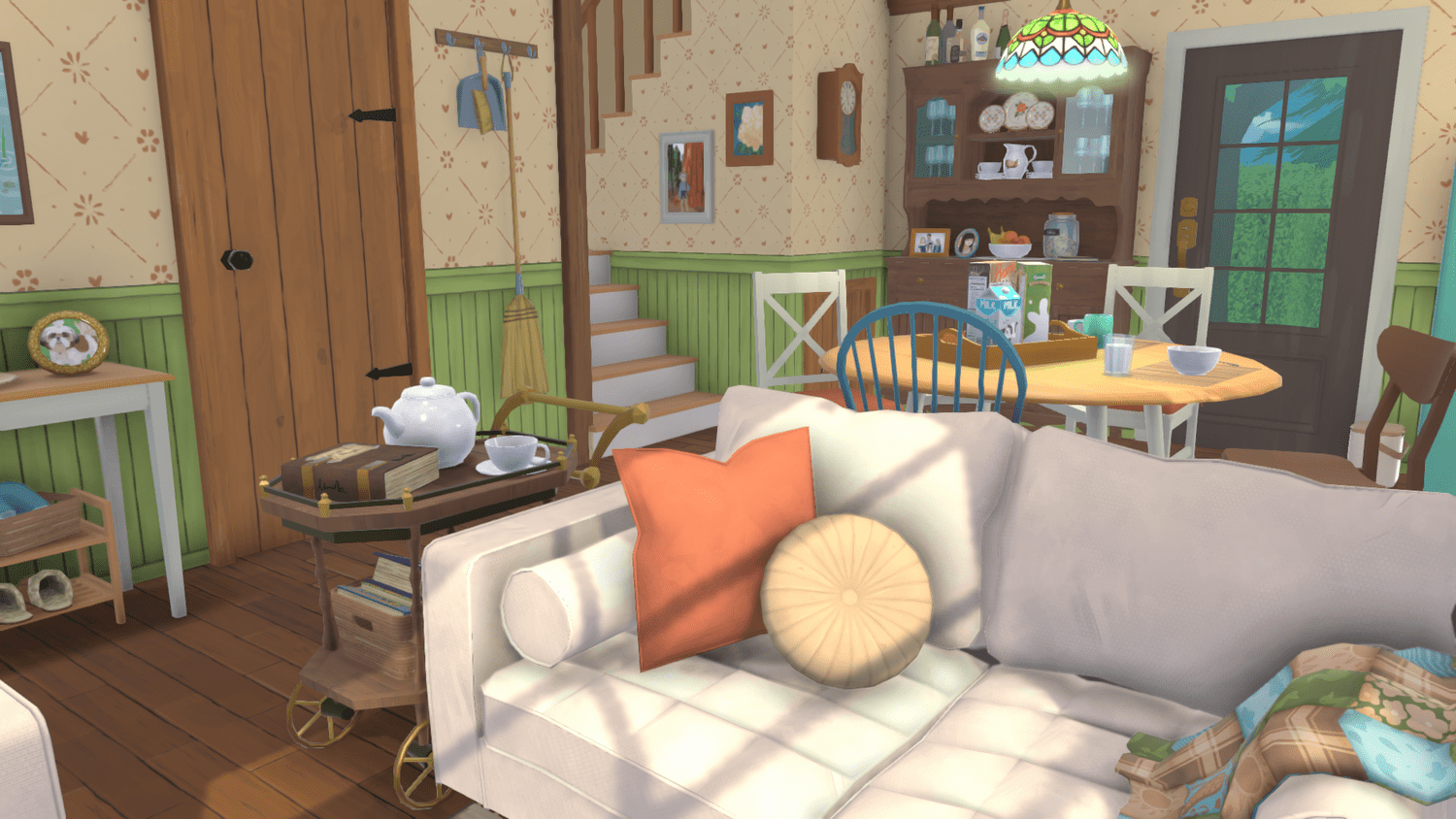
Photo Mode is a dedicated creative feature in Paralives that allows players to freeze time and set up detailed screenshots of their Parafolk and environments. When Photo Mode is activated, the simulation pauses entirely, giving players complete freedom to reposition characters, select animations, adjust the time of day, and apply a range of visual effects. The mode can be activated at any location within the game, whether indoors or out in the open world. See Open World and Town for the broader environment context.
One of Photo Mode's most important qualities is that it is entirely non-destructive. When you leave Photo Mode, everything is put back the way it was, so players can take creative liberties with their pictures without worrying about disrupting gameplay. Characters return to their original positions, the time of day resets to what it was before, and any moved objects snap back into place. This design encourages experimentation, since there is no risk of accidentally rearranging a carefully decorated room or interrupting a scheduled event.
Confirmed Photo Mode Capabilities
Capability | Status |
|---|---|
Pause the simulation | Confirmed Day 1 |
Reposition characters | Confirmed Day 1 |
Select any in-game animation | Confirmed Day 1; covers Live Mode interaction animations and ambient sets |
Select a specific frame within an animation | Confirmed Day 1; supports precise timing capture |
Adjust time of day | Confirmed Day 1 |
Filters (presets) | Confirmed Day 1; includes black and white, sepia, and additional presets |
Depth of field | Confirmed Day 1 |
Bloom (soft-glow highlight) | Confirmed Day 1 |
Frames (decorative borders) | Confirmed Day 1 |
Stickers and overlays | Confirmed Day 1; includes the Paralives logo |
Mod-installable additional effects, frames, filters, and stickers | Confirmed Day 1 via the Modding and Steam Workshop toolkit |
Hide UI for clean screenshots | Not yet publicly confirmed |
Free-flying camera controls | Not yet publicly enumerated |
Character Controls
In Photo Mode, players can move and rotate characters freely to place them exactly where they want. This makes it possible to stage group photos, recreate specific scenes, or simply find the best angle for a solo portrait. Characters can be repositioned independently of one another, and there is no restriction on how far they can be moved within the current environment.
Any animation from the game can be selected for each character. Players are not limited to idle poses; they can choose from the full library of animations that Parafolk use during Live Mode gameplay, including the 11 new ambient animations confirmed for launch and the broader Animations library. Beyond simply picking an animation, players can also select a specific frame within that animation. This level of timing control means you can capture the exact moment a character's expression changes, the peak of a jump, or the midpoint of a hug. Combined with character repositioning, this system allows for highly customized scenes that would be impossible to capture during real-time gameplay.
Environmental Controls
Photo Mode includes the ability to select the time of day. Players can shift the lighting from a bright midday sun to a golden-hour sunset or a moonlit night scene without affecting the actual game clock. Since time is frozen in Photo Mode, adjusting the time of day is purely a visual tool that changes the ambient lighting and sky appearance for the screenshot.
This time-of-day selector is particularly useful for capturing dramatic lighting conditions. A scene that takes place indoors during the afternoon, for example, can be re-lit to look as though it is happening at dawn simply by adjusting the slider. The lighting change applies globally, affecting both interior and exterior spaces.
Visual Effects
Photo Mode provides a suite of visual effects that can be layered onto screenshots for additional creative control. These effects are applied in the Photo Mode interface and do not alter the underlying game graphics.
Effect | Description |
|---|---|
Filters | Preset color grading options including black and white and sepia, which give screenshots a distinct visual tone |
Depth of field | Simulates camera lens blur, keeping the subject in sharp focus while softly blurring the background; useful for portraits and close-up shots |
Bloom | Adds a soft glow around bright areas of the image, creating a dreamy or cinematic look |
Frames | Decorative borders that can be placed around the picture; the image is cropped to fit the selected frame size |
Stickers | Graphical overlays, including the Paralives logo, that can be added to screenshots for fun or branding purposes |
These effects can be combined. For example, a player might apply a sepia filter alongside depth of field to create a vintage portrait look, or use bloom with a nighttime setting for a soft atmospheric screenshot. Filters and effects all respect the game's customization story: players can layer the moddable Day 1 sets with custom mod-installed sets to expand the available creative palette.
Modding Support
The Modding and Steam Workshop system extends to Photo Mode. The May 7, 2026 Early Access feature recap explicitly confirmed Photo Mode assets are moddable. Modders can create new effects, frames, stickers, and filter presets that other players can install. This means the range of creative tools available in Photo Mode will grow over time as the community develops custom additions. Mods can be shared through the Steam Workshop or distributed independently.
Photo Mode mods are a popular Day 1 mod category. Filter packs, frame collections, and sticker libraries are easy entry points for new modders and tend to produce widely shareable content.
Asymmetry and Customization Context
Photo Mode dovetails with the launch-build customization story. Parafolk can be designed with the full Paramaker toolset, including asymmetry options (one eye color different from the other, mismatched socks or accessories), and then captured in Photo Mode at a frame that highlights those details. The combination of asymmetry plus precise frame selection produces portraits that emphasize a Parafolk's distinct visual identity.
For Parafolk-focused content creators, Photo Mode is the primary capture tool for showcasing custom Paramaker work or build-mode-themed photo shoots. The Customization System article documents the broader customization picture; Photo Mode is the staging surface that puts it on screen.
Practical Uses
Photo Mode serves several purposes beyond simply taking pretty pictures. Community members frequently use screenshot tools in life-simulation games to document builds, share stories on social media, create character profiles, and produce content for guides and tutorials. Because Paralives allows precise animation frame selection and character repositioning, it is especially well suited for visual storytelling and character-focused content creation.
Build shows: capture completed houses and rooms from flattering angles with ideal lighting conditions; pairs well with the Build Mode feature set
Character portraits: use depth of field and specific animation frames to create polished portraits of individual Parafolk
Story scenes: stage multiple characters in specific poses to illustrate narrative moments for shared stories
Community content: create thumbnails, headers, and promotional images for guides, social posts, and forum threads
Controls and Accessibility
Photo Mode hotkeys integrate with the broader Controls set. All keys are rebindable for accessibility, including the Photo Mode toggle and the in-mode navigation hotkeys. Photo Mode shares the camera framework used by the rest of the game, so players who are comfortable with the open-world camera will find the Photo Mode camera familiar.
Day 1 Status
Photo Mode is confirmed for the May 25, 2026 Early Access launch. The character control, animation frame selection, time-of-day, filters, depth of field, bloom, frames, stickers, and modding support all ship Day 1. Additional features such as a dedicated hide-UI toggle, advanced lens controls, or pose libraries have not been publicly confirmed, and none had been added by any patch through Hotfix 0.1.8b as of September 21, 2026. Photo Mode does not appear as an outstanding entry on the studio's published feature roadmap either.
Out of Scope
Specific UI layout, exact slider ranges for filters and effects, and the full list of bundled Day 1 sticker assets have not been published in detail. Whether Photo Mode supports video capture or animated GIF output in addition to still screenshots has not been confirmed. Players should expect documentation to firm up during the Early Access window.