

Overview
The customization system in Paralives is one of the game's defining features. Unlike traditional life simulation games that rely on fixed object variants and grid-locked placement, Paralives gives players direct control over the size, color, texture, and position of virtually everything in the game. From furniture and decor to walls, floors, windows, and doors, every element can be adjusted to suit the player's creative vision. This flexibility extends to the Paramaker character editor, which uses slider-based controls rather than preset selections.
Object Resizing
Every placeable object in Paralives can be resized by pulling corner anchors. A single bed can be stretched into a king-sized bed; a small window can be enlarged into a dramatic floor-to-ceiling pane. This system eliminates the need for developers to create multiple size variants of the same object. Instead, one base model scales smoothly to any dimension the player chooses.
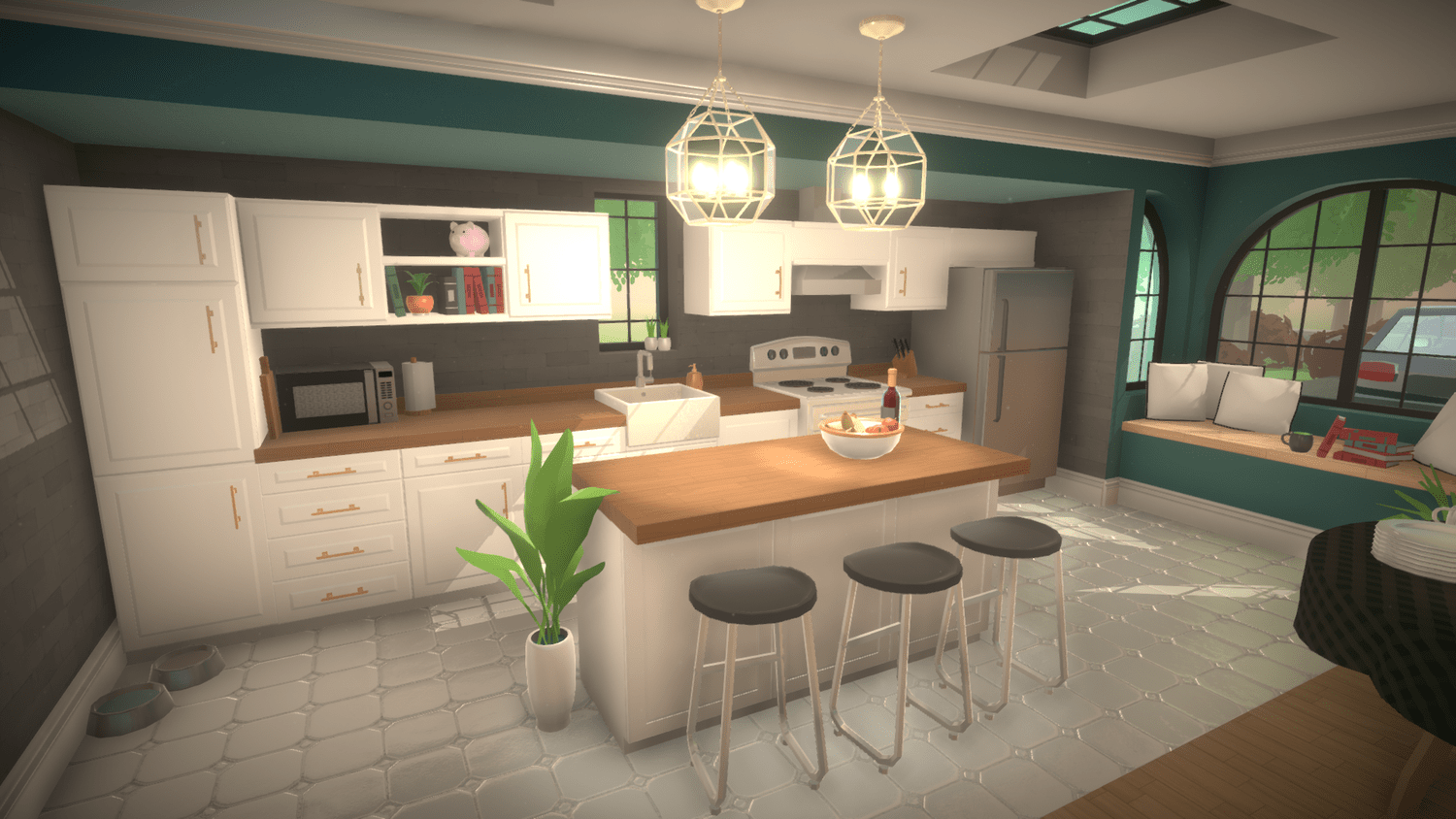
Resizing is not limited to simple uniform scaling. Depending on the object, players may be able to adjust width, height, and depth independently. A bookshelf, for example, can be made taller without becoming wider, allowing it to fit into tight spaces or fill an entire wall.
Recoloring and Textures
Paralives has a full color wheel and texture system for customizing the appearance of objects and architectural elements. Players can change the color and material of walls, floors, furniture, and decor using an intuitive palette interface. This means a single wooden table can be made to look like oak, walnut, painted white, or any other finish the player desires.
Texture changes apply to individual surfaces, so different faces of the same object can have different materials. A kitchen counter, for instance, might have a marble top with painted wooden cabinets below. Wall textures, floor tiles, and even roof materials are all customizable through the same system.
Free Placement
The Build Mode in Paralives is entirely grid-free. Objects can be placed at any position and rotated to any angle, without snapping to a predefined grid. This allows for organic, realistic room layouts that would be impossible in grid-based building systems. A dining table can be angled slightly in a corner, chairs can be pulled out at natural angles, and decorations can be clustered on shelves without awkward gaps.
For players who prefer more structured placement, an optional grid overlay is available. This grid assists with alignment and symmetry without enforcing it, giving builders the best of both worlds.
Furniture Stacking
Objects in Paralives are stackable, meaning players can place items on top of other items freely. Books can be stacked on a desk, a lamp can sit on top of a pile of books, and decorative items can be layered on shelves. The stacking system recognizes surface areas automatically, so objects placed on top of furniture will rest naturally rather than floating or clipping.
Combined with free placement and resizing, stacking enables highly detailed interior design. Players can create cluttered desks, organized bookshelves, layered coffee table arrangements, and other realistic setups that add personality to their builds.
Walls, Floors, and Architectural Elements
Customization extends beyond furniture to the structure of the building itself. Key architectural elements that can be customized include:
Walls: Can be drawn at any length and angle, including curves. Wall color, texture, and material are independently adjustable per surface (interior vs. exterior). Wall junctions snap together with clean animations.
Floors: Support split-level platforms, meaning different areas of the same story can be at different heights. Floor textures include tile, hardwood, carpet, stone, and more, all recolorable.
Windows: Can be resized and repositioned freely on walls. A small square window can be stretched into a wide panoramic window or a tall narrow slit.
Doors: Like windows, doors can be resized. A standard interior door can be widened into a double door or narrowed for a closet.
Stairs: Custom-shaped stairs can be designed to fit non-standard floor plans, including curved and L-shaped configurations.
Roofs: Basic roof placement is available at Early Access launch, with advanced roof tools planned for later updates.
Procedural Animation System
One of the technical challenges of allowing fully resizable objects is ensuring that Parafolk animations still look correct. If a player stretches a couch to twice its normal length, the sitting animation needs to adapt. Paralives solves this through a procedural animation system that automatically adjusts character movements based on the dimensions of nearby objects.
Rather than hand-animating every possible object size, the developers created a minimal set of base animations (for example, sitting on the floor, sitting on a medium-height chair, and sitting on a high stool) and let the system interpolate between them. The procedural system adjusts hip positions, arm reach, and leg placement in real time so that Parafolk interact naturally with furniture of any size.
This approach also handles interactions between Parafolk of different heights. The system automatically makes a tall adult crouch before hugging a child, for example, without requiring a separate animation for every height combination. The result is fluid, believable character movement regardless of how the player has customized their world.
Additionally, the team built a dynamic slot system for seating. If a player resizes a couch to be wider, additional seating slots are generated automatically, allowing more Parafolk to sit on it at once.
Character Customization
The Paramaker character creation tool applies the same philosophy of deep customization to Parafolk themselves. Key features include:
Height slider: Players can adjust the height of their Parafolk, a feature that is relatively uncommon in life simulation games.
Facial feature sliders: Eyes, nose, mouth, jawline, and other facial features can be fine-tuned with precision sliders. Players can enter exact numerical values for consistency between characters.
Body proportions: A single gender-neutral body frame is the starting point. Sliders for chest, hips, buttocks, muscles, body weight, and body hair allow complete control over body shape.
Skin and cosmetics: Skin tone, tattoos, moles, freckles, and body hair are all customizable. A full color wheel is available rather than a limited set of presets.
Gender-neutral clothing: All clothing items are available to all Parafolk regardless of gender settings. Garment length can be altered in Creation Mode.
Modding and Custom Content
The customization system is further extended by built-in modding tools that allow players to create and share custom furniture, clothing, textures, sounds, and more. These tools are integrated directly into the game, and creations can be uploaded to the Steam Workshop for other players to download. This ensures that the already expansive customization options can be expanded indefinitely by the community.
Comparison with Other Life Sims
Feature | Traditional Life Sims | |
|---|---|---|
Object sizing | Free resizing via corner anchors | Fixed sizes or limited scale options |
Object placement | Fully grid-free with optional grid | Grid-locked (some allow off-grid with workarounds) |
Color system | Full color wheel with hex codes | Limited preset swatches |
Wall shapes | Straight, angled, and curved | Straight only (90-degree angles) |
Height slider | Yes | Rare or absent |
Animation adaptation | Procedural (adapts to any object size) | Pre-baked (fixed to specific object dimensions) |
Furniture stacking | Full free stacking | Limited or requires workarounds |
Patch 0.1.5 Update (July 2, 2026)
Patch 0.1.5, released on July 2, 2026, expanded custom image support. In addition to the objects that already accepted uploaded images, custom images can now be applied to mugs, rugs, skateboards, curtains, cushions, and flags. The patch also added about 40 new picture-frame artworks to choose from.