
Loading...
Loading...
Interface and HUD
August 26, 2026 at 08:28 PM
Tightened the wording of the winter calendar frame description
Grave Seasons keeps its on-screen furniture light. Outside of conversations the screen carries a status cluster in the top left and a calendar block in the top right, and everything else appears only when the player is close enough to act on it. The result is that most of the frame stays given over to the hand-painted pixel art of Ashenridge.
The top-left corner holds a round portrait of the player character inside a decorative frame. The portrait updates to match whatever the player built in character creation, so it doubles as a reminder of the look chosen at the start of the run.
Two meters curve around that portrait, each tagged with a small icon: a red heart and a green sprout. The sprout meter is the energy reserve that gates physical work, and the studio has confirmed that a farm action is refused outright when the player does not have enough energy left for it. See The Player Character for what running the reserve down leads to.
A clock sits on a banner beside the portrait and reads in 24-hour time, which matches the full 24-hour day the game runs on. A small glyph shares that banner and marks whether it is day or night, showing a sun through the daylight hours and a moon after dark, so the hour and the state of the world read together. See Seasons and Calendar for how the day and the year are structured.
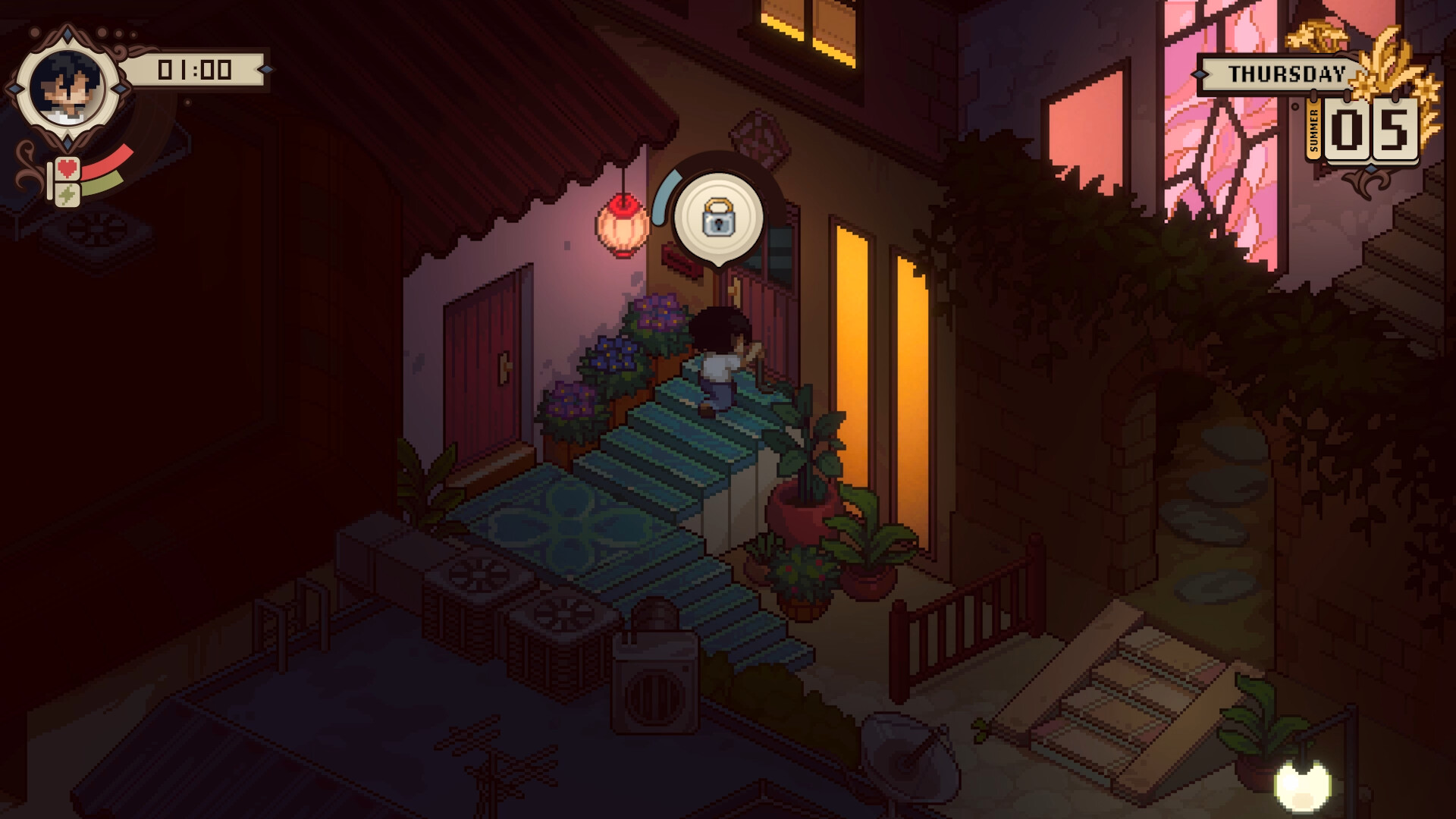
The top-right corner carries the date. A banner names the day of the week, and beneath it a panel shows the current season alongside the day number within that season, so a reading of Spring 05 means the fifth day of spring. A weather glyph sits in the same panel.
The frame around that panel is dressed for the time of year rather than being a fixed piece of chrome. Spring carries green foliage, summer golden wheat, autumn turning leaves, and winter frosted bare sprigs, which gives the player a second, wordless read on where the year has got to.
Prompts appear on the world rather than in a fixed panel. Approaching a locked door with the crowbar equipped raises a padlock icon in a rounded bubble above the doorway, which is the cue that the lockpicking minigame is available there. See Investigation and Clues for what happens next, and Tools for the wheel the crowbar is selected from.
On farm plots the prompt is the grid itself. Cells light up around the player and colour white or red depending on whether the action is allowed, which folds the tool check, the energy check and the plot-type check into a single visual. See Farming for the grid in detail. Planting runs through a quick inventory rather than a full menu: the seed is picked from that shortlist with the shovel work already done, so a row goes in without leaving the plot.
Picking something up produces a small toast in the bottom-left corner showing the item icon and a number, so a harvested crop reports its yield without opening a menu.
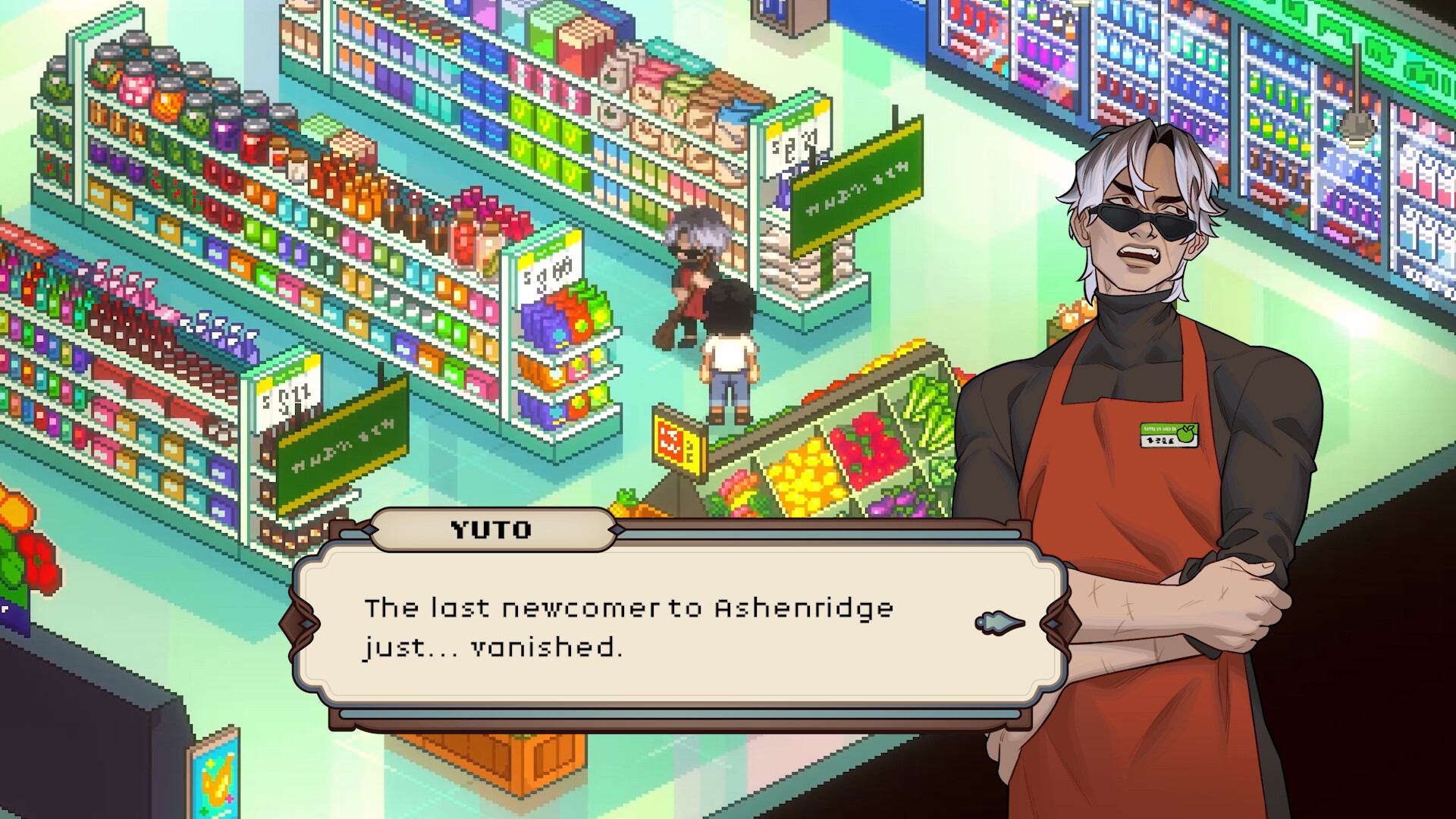
Talking to a resident clears the status and calendar furniture off the screen entirely. A large painted half-body portrait of the speaker slides in over the scene, and an ornately framed text box carries the dialogue with the speaker's name on a separate tab above it and a small arrow at the right edge to advance. The pixel-art world stays visible behind both. See Characters for the residents these portraits belong to.
The game supports a controller in full, and the team built a radial menu specifically for pad players so the important menus stay one press away rather than buried in a list. The same build ships on PlayStation 5, Xbox Series X|S and Nintendo Switch alongside PC.
Shop fronts, aisle markers and posters around town are lettered in a constructed script rather than in English. Prices on shelf tags are the exception and read as ordinary numerals, so a shop reads as navigable even though its signage does not resolve into words. It is a small, consistent piece of world-building that runs through both districts.
After dark the player carries a lantern that throws a real pool of light onto the ground and falls away sharply at its edge, so how much of a scene is legible depends on where the player is standing. Some scenes drop the interface altogether and leave only that light. See Monsters for what the dark is hiding.
Element | Where | What It Shows |
|---|---|---|
Character portrait | Top left | The player character as built in character creation. |
Health and energy meters | Top left, around the portrait | A red heart meter and a green sprout meter. Energy gates farm actions. |
Clock | Top left, beside the portrait | The time in 24-hour form, plus a sun or moon marking day or night. |
Day banner | Top right | The current day of the week. |
Season and date panel | Top right, below the banner | The season and the day number within it, in a frame dressed for that season. |
Pickup toast | Bottom left | The icon and quantity of whatever was just collected. |
Lock prompt | On the world | A padlock bubble over a door that can be forced open. |
Farming grid | On the world | Reachable cells, coloured white when the action is allowed and red when it is not. |
Dialogue box | Lower centre | A named, framed text box with a painted portrait of the speaker alongside. |
Radial menu | On demand | Quick access to the menus while playing on a controller. |
