
Loading...
Loading...
Base Building and Resources
October 19, 2026 at 06:24 PM
Added the October 2026 demo update: larger reworked buildings, construction planning, the expanded connection system, supply warehouses, gradual spending on production and the BREM repair search
Base building is the foundation of every real-time battle in Dust Front RTS. You establish a foothold, raise production and resource structures, and defend them while you assemble an army. Construction is tied directly to the wider war: every structure you raise also counts toward your strength on the global map, and what you produce feeds the units described in Units and Armies. Buildings are also unlocked and improved through technology and doctrines as your campaign progresses.
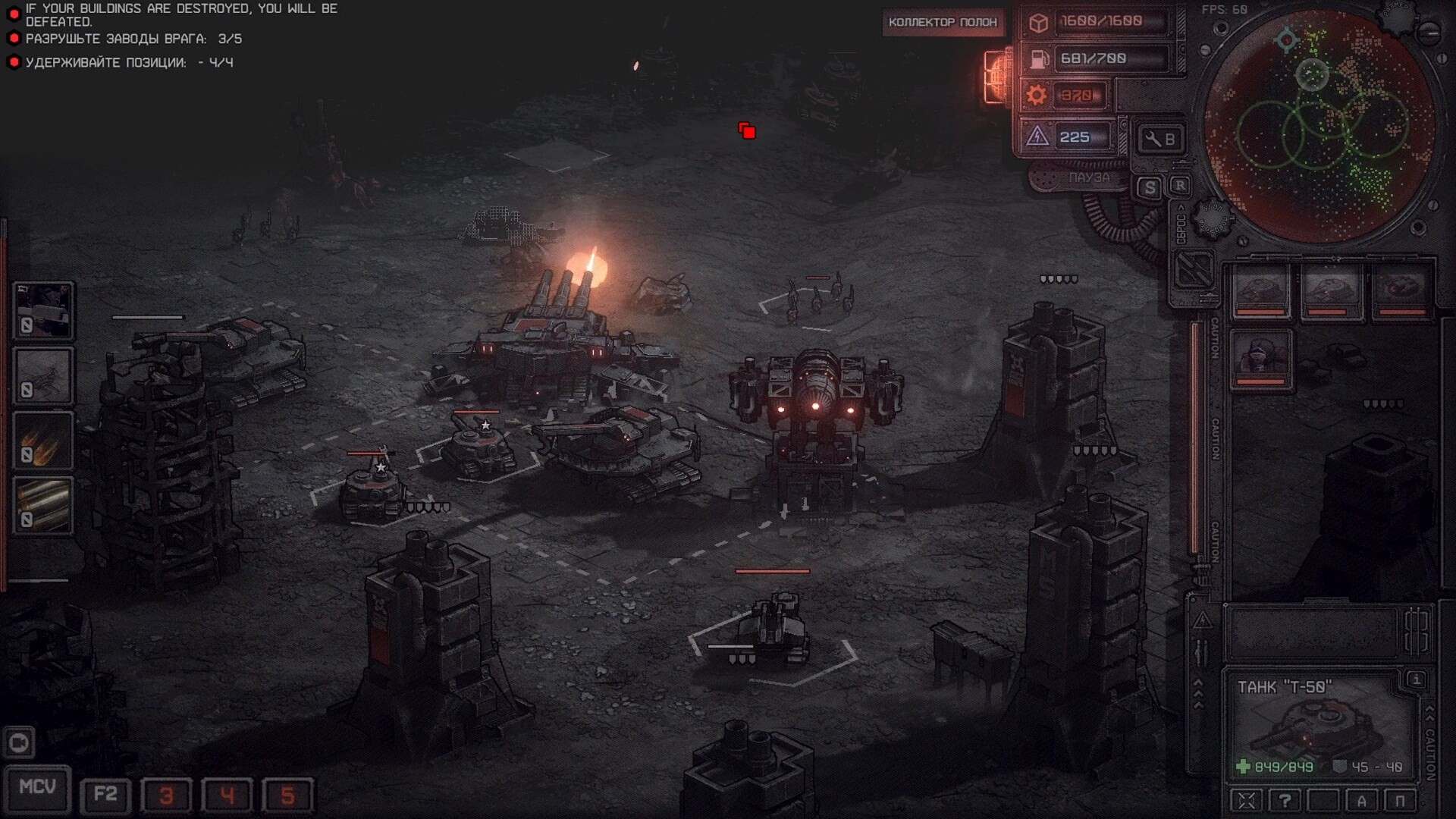
A base typically begins with a mobile construction vehicle, the MCV, which deploys to create your starting structures on the battlefield. From there you expand outward, adding the production and economy buildings you need for the mission at hand. A hard rule governs these battles: if all of your buildings are destroyed, you are defeated. Holding and protecting your base is therefore as important as fielding troops, and many missions task you with destroying the enemy's own structures, such as their factories, warehouses, and watchtowers, or with holding a position against attack.
The developer describes the game as having traditional real-time strategy base building and unit production, so the familiar loop of expanding, producing, and defending applies here rather than a restricted or preset force.
Resources come from gathering and refining minerals. Dedicated facilities extract and refine raw minerals into the materials your war machine needs, while storage capacity keeps what you collect on hand for production. Because economy structures matter on the strategic layer as well, the mining and production you set up locally feed into the global economy that you manage between battles.
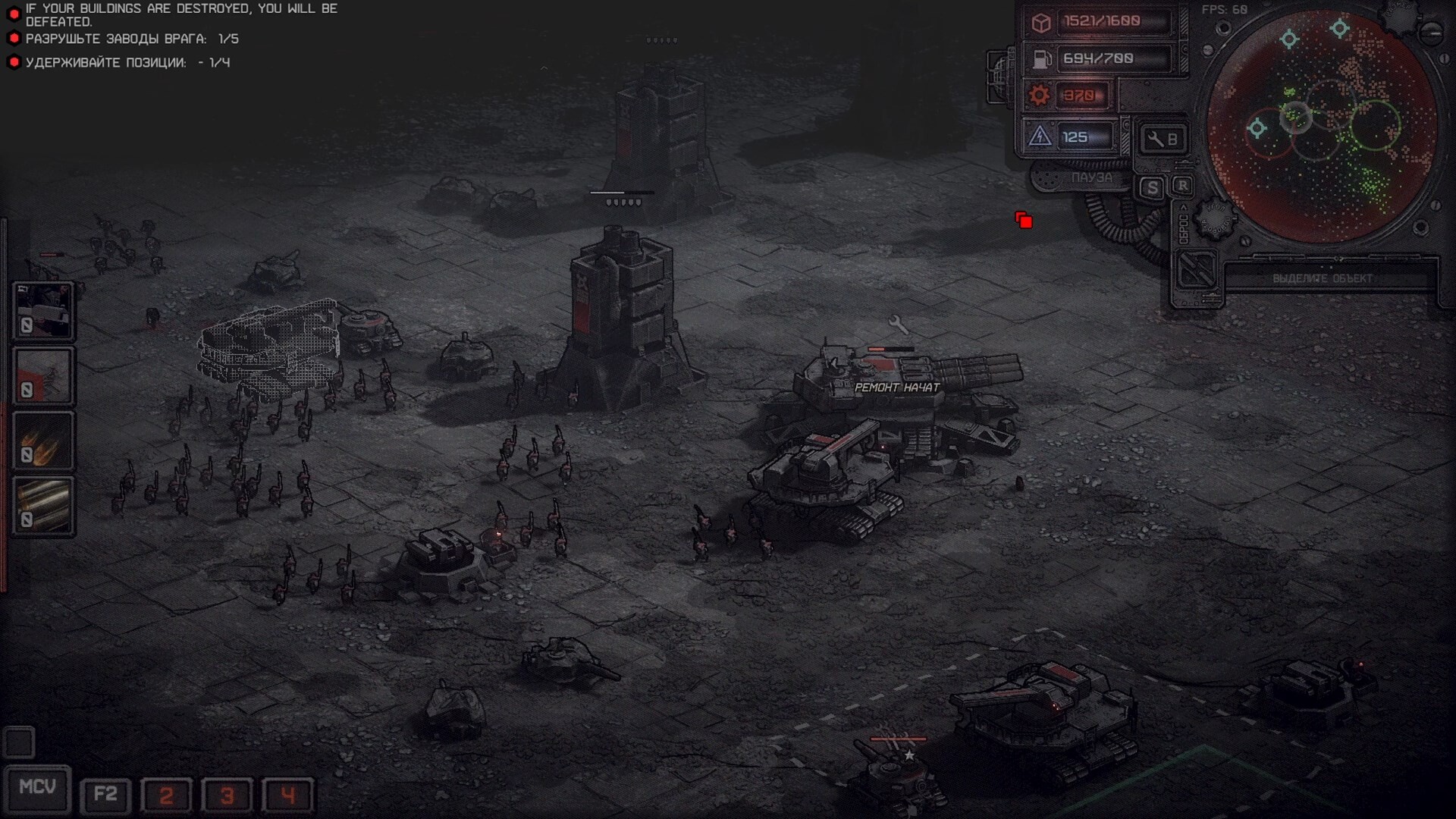
The developer's own advice for the demo puts economy first: if you are short on resources, move your base, develop a passive economy, and set production to run continuously. He also warns against holding too narrow a front, because a compressed line lets the enemy commit their whole army at once and your resources can run out before a passive economy pays off.
Since the October 2026 demo update, unit production works as a flow economy. Production buildings no longer take or require the full cost of a unit at once; the cost is spread across the unit's production time, so you can adjust the queue freely and see how well your economy is keeping up. Construction still requires resources up front, which pairs with the planning system described below. The developer says the approach was not originally planned, but that the game's macro focus won out.
The structures below are the confirmed building types seen in current builds. They are not an exhaustive list, and they are presented here without numeric values, which remain preview details.
Building Type | Role |
|---|---|
Main building | Your central command structure, the anchor of the base. |
Factory | Produces vehicles and other combat units. Shown in the demo as the vehicle factory, with its own production list. |
Mineral refinery / extractor | Gathers and refines raw minerals into usable resources. |
Barracks with storage | Trains infantry and provides storage for gathered resources. |
Warehouse | Holds gathered materials; also appears as a mission objective on enemy bases. |
Power plant | Supplies power; connecting one to a macro building speeds up unit production. |
Material fabricator | Production support structure that shuts down when power runs low. |
Defensive turret | A static emplacement that protects the base, including a flamethrower turret. |
Trenches and defensive works | Dug-in positions that infantry can occupy to hold ground. |
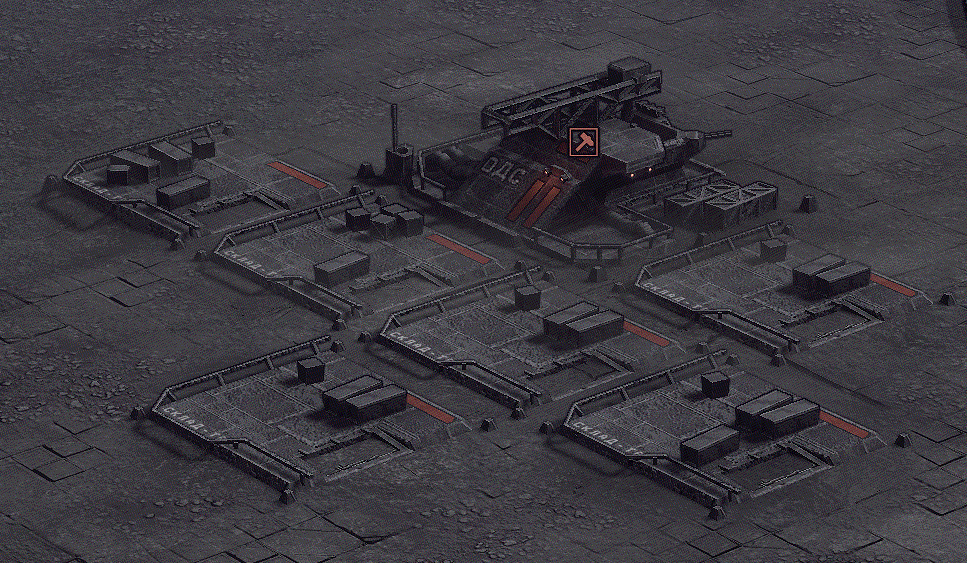
Supply depot | A builder building that constructs small supply warehouses and adds construction power; marked with a sledgehammer icon since the October 2026 update. |
Construction crane | Adds construction power; construction is shared across every crane and builder building. |
Supply warehouse | Small warehouses that raise the supply limit, with extra bonuses next to a supply depot and when attached to a large warehouse. |
Beyond your own production and economy buildings, missions also feature objective structures on both sides, such as watchtowers and warehouses, which can be targets to destroy or assets to defend. Objective lines in current builds also single out the enemy's main building, and in one case a strategic building called out on its own.
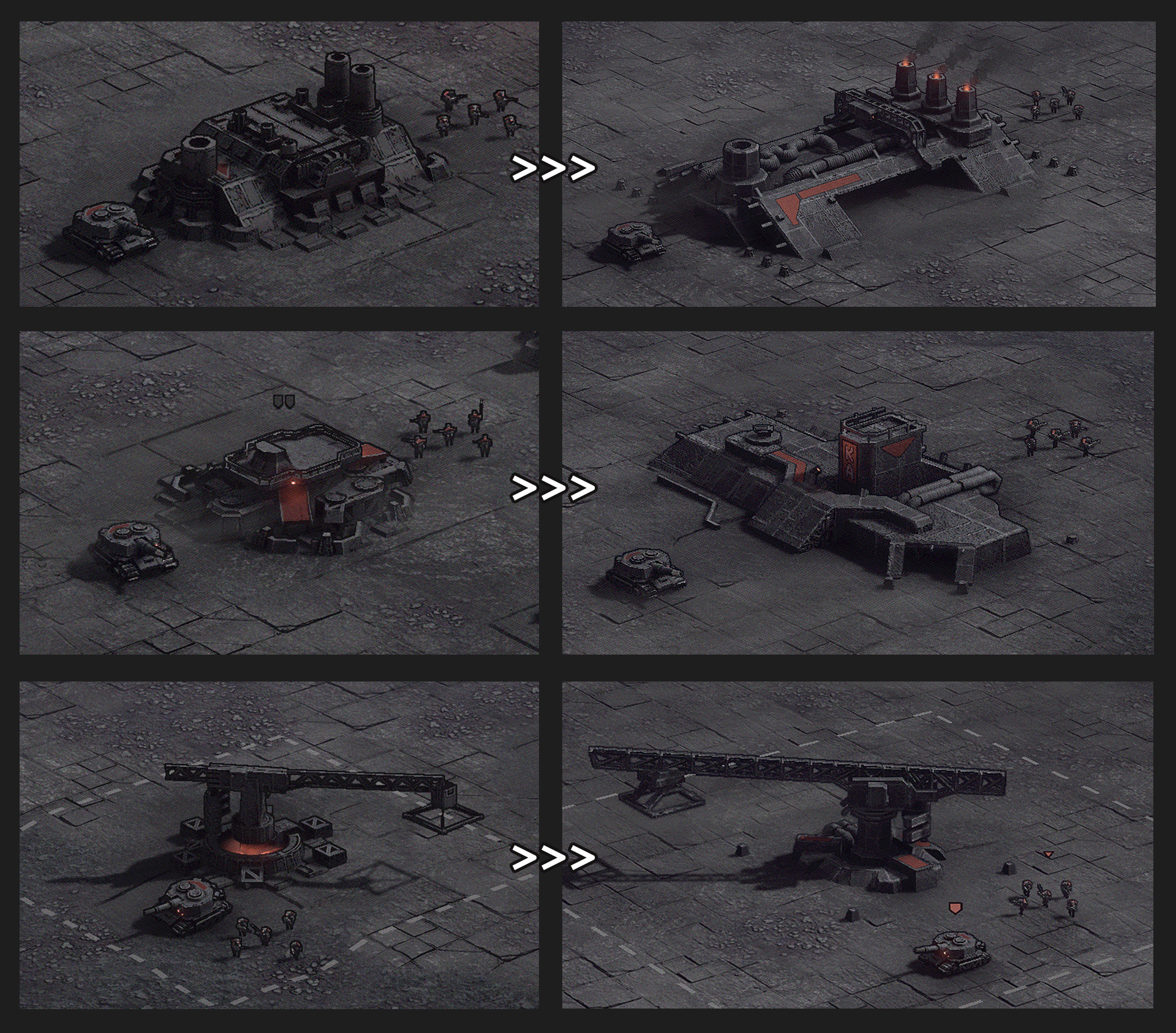
The October 2026 demo update enlarged and redesigned the buildings to suit the wider camera zoom. The vehicle factory, the barracks and the construction crane are among the reworked structures, and the developer notes that larger buildings are hard to miss and carry more natural value of their own. Buildings now occupy a set size in cells, which makes placement clearer.
The same update added construction planning. Earlier builds already allowed mass construction by pressing a building's hotkey repeatedly while clicking, but that depended on your current building capacity. Plans can now be laid down regardless of how many cranes and supply depots you have, and construction power is shared across every crane and builder building, so you no longer have to find each one to use your base's full capacity.
Plans take priority over army production. If there are not enough resources for the planned buildings, all production stops until there are, so you do not have to wait for the right amount before placing each order.
Click a plan to move it, hold the left Control key to delete plans quickly, and hold Shift to keep the selected building phantom for repeated placement.
Trenches do not use the planning system yet; the developer says they will be reworked later.
Each faction has its own macro buildings, a small set of structures that unlock technology and improve every unit on the battlefield at once. They work in the spirit of the progressive armour and damage upgrades familiar from older strategy games, but folded into the buildings themselves so that improving your army and expanding your base are the same action rather than two separate menus of buttons. The faction you play in the demo has three of them.
Macro Building | Effect |
|---|---|
Foundry | Improves the toughness of your vehicles. |
Arsenal | Increases the damage your units deal. |
Complector | Produces free infantry, the Brutes, instead of the infantry health bonus its role would otherwise suggest. |
The Complector is described as a structure of the Fourth Industrial Empire. The developer notes that a building in that slot would ordinarily raise infantry health, but that doing so would sit badly with the faction's character, so it produces free troops instead. For how these fit alongside doctrine research and per-unit blueprints, see Blueprints and Upgrades.
Buildings are not independent of one another. Some structures can be connected together to grant bonuses, which turns base layout into a real decision rather than a matter of finding free space. Factories linked by a pipe and placed in a row receive a production discount, and a power plant connected to a Complector speeds up unit production. The developer presents these adjacency effects as a substantial help to macro play.
The October 2026 update extended the connection system beyond the couple of buildings it originally covered. Selected buildings, construction plans and buildings under construction now show more clearly which structures interact, and the direction of the dotted line shows which building is the assembly center. Because structures have different proportions, linking them into a chain becomes a small layout puzzle with more possible arrangements. The developer has added that the Complector accepts only a limited number of connections, and that power generators connect only along their long side, where their connection model sits; the interface may not yet show when that limit is reached.
Power matters in the other direction too: a material fabricator and a flame turret both shut down when power runs low, so an over-extended base can lose its defenses and its production at the same moment.
There is no hard cap on army size. The developer's rule is simple: if you want a large army, build more buildings. Supply has some diminishing returns but no limit, and he has said it will stay that way. Since the October 2026 update, small supply warehouses gain an extra bonus when built next to a supply depot, the building that constructs them, and they can attach to a large warehouse, which gives them the largest additional supply limit. With construction planning, laying down a couple of dozen warehouses is no longer a chore, and infantry can walk across the top of these warehouses.
Static defensive turrets guard your perimeter, among them a flamethrower turret that punishes attackers who push in close. Trenches and other defensive structures can also be built, giving infantry dug-in positions on open ground. To keep your army in the field, repair vehicles restore damaged units, letting you recover and press a worn-down force back into action rather than rebuilding it from scratch.
Defensive turrets, including a flamethrower turret, hold key approaches to the base.
Trenches and other defensive works give infantry protected positions.
Repair vehicles move with your forces and mend damaged units during and after a fight.
Storage at the barracks keeps gathered resources available for ongoing production.
Automatic casting and mass selection for repair abilities were planned before the demo but did not make it in; the developer has said they will be added later. As a temporary measure, the October 2026 update changed the BREM repair vehicle so that it no longer drops its order but looks for the nearest unit to repair, while a full auto-cast system remains in delayed development.
Not every structure on a battlefield belongs to one of the armies. The developer has said that special buildings are sometimes found on maps, and that capturing one grants various additional features. They are worth taking rather than levelling, which makes them a different kind of target from the watchtowers and warehouses that exist to be destroyed or defended.
The example he has shown is a civilian radar tower, a tall non-military structure left standing on the map. Because these buildings are placed by the map rather than built by you, they vary from battle to battle alongside the procedurally generated terrain described under Destruction and Terrain. No full list of the special buildings or of the specific bonuses each one grants has been published.
The developer occasionally shows structures that are still experimental rather than confirmed for the finished game. These are worth keeping separate from the confirmed building list above.
Structure | What was shown | Status |
|---|---|---|
Rocket silo "Yarus" | An experimental rocket manufacturing silo that produces heavy rockets with a high-explosive warhead and controls their launches. | Labelled experimental by the developer; not confirmed for release |
Civilian radar tower | A capturable special building found on some maps, granting additional features to whoever takes it. | Shown as a map structure |
The "Yarus" silo should not be confused with the strategic missile silo you can raise on The Global Map, which is a normal buildable part of the campaign. The developer has not said whether the two are related, so this page keeps them apart. Neither is one of the rare faction Superweapons.
What you build does not stay confined to a single battle. Every structure also matters on the global map, where mining and production within your territories shape the strategic economy. Certain strategic structures are raised from the map itself rather than during a battle, including a missile silo, a siege fort, and an airport; those are covered under The Global Map. A base is both a local strongpoint and a contribution to your overall power across the campaign, which is why the choices you make in construction echo well beyond the battlefield you make them on.