
City Management Settings
Full guide to the City Management Settings panel in inZOI. Covers all 16 city status control sliders, the 9-level adjustment scale, the Soul Management Report with karma interventions, aging and day cycle settings, and changes introduced in the v0.4.0 update.
On This Page
Overview
City Management Settings give players granular control over how the simulation runs in inZOI. Accessed through the city management panel, these settings allow adjustment of everything from how quickly relationships form to how often fires break out. Players can shape their city's personality by tweaking 16 different sliders, each operating on a 9-level scale from Lowest to Highest.
The 9-Level Scale
Every city status slider uses the same 9-level adjustment scale. The default value for most sliders is Medium, and players can move up or down from there:
Level | Position |
|---|---|
Highest | Maximum effect |
Very High | Significantly above average |
High | Above average |
Slightly High | Just above average |
Medium | Default setting |
Slightly Low | Just below average |
Low | Below average |
Very Low | Significantly below average |
Lowest | Minimum effect |
City Status Control Sliders
The following sliders control different aspects of city life. Each one affects how NPC Zois behave and how the simulation plays out across your city.
Emotion and Social Sliders
Slider | Effect |
|---|---|
Positive Emotion Control | Controls how long positive emotions last. Higher settings make happy moods persist longer. |
Negative Emotion Control | Controls how long negative emotions last. Higher settings make sad or angry moods persist longer. |
Civic Consciousness | Affects the success rate of karma-based interactions between Zois. |
Friendships Relationships | Controls the pace at which friendship relationships progress. |
Romantic Relationships | Controls the pace at which romantic relationships develop. |
Controls the pace at which professional relationships form. | |
City Infrastructure Sliders
Slider | Effect |
|---|---|
City Sanitation | Controls how quickly areas and lots become dirty. Higher values keep the city cleaner. |
Fire Prevention Rate | Affects how likely fires are to start. Higher values mean fewer fires. |
Appliance Durability | Controls how often appliances and household objects break down. |
City Safety | Affects the probability of violent or criminal events. Higher values make the city safer. |
Health, Population, and Miscellaneous Sliders
Slider | Effect |
|---|---|
Health Level | Affects overall Zoi lifespan and disease susceptibility. Higher values mean healthier, longer-lived Zois. |
Dream Occurrence Rate | Controls how often Zois experience dreams during sleep, including sleepwalking episodes. |
Maximum Population | Sets the upper limit of Zois that can exist in the city. Capped at 300 Zois. |
Maximum Vehicle Count | Sets the upper limit of vehicles that can appear on city roads. |
V0.4.0 Slider Changes
The v0.4.0 update (October 2025) removed two sliders that were part of the original city management panel:
Change | Description |
|---|---|
Conversation Karma Positivity(removed) | Previously controlled how positive random conversation outcomes were. |
Conversation Negative Positivity(removed) | Previously controlled how negative random conversation outcomes were. |
These sliders were consolidated into the broader Civic Consciousness setting. The same update also changed the default day cycle length from 96 real-world minutes to 48 minutes, making each in-game day pass twice as fast.
Soul Management Report
The Soul Management Report is a companion tool to City Management Settings. It provides a real-time dashboard of city-wide statistics and allows direct karma interventions on individual Zois.
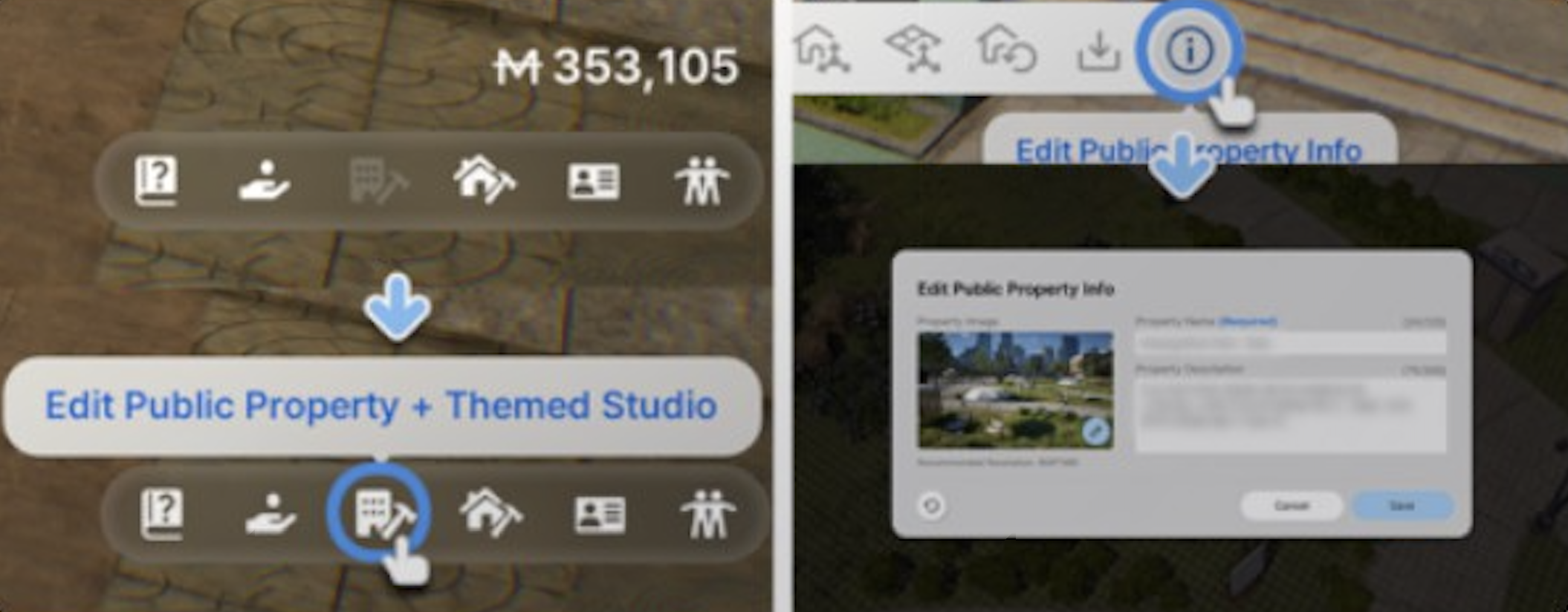
The report contains three main sections:
Feature | Description |
|---|---|
Soul Dashboard | Displays aggregate statistics about the city's population, including overall mood distribution, relationship health, and activity breakdowns. |
Karma Status | Shows each Zoi's current karma score. Players can use Compliment or Scold interventions to directly boost or penalize a Zoi's karma, influencing their behavior. |
Souls Tab | Lists every Zoi in the city with individual status information. Players can click on any Zoi to view detailed information about their current state. |
Aging Settings
Aging is configured separately from City Management, under Options > Simulation. Players can toggle aging on or off and adjust the duration of individual life stages. When aging is enabled, Zois progress through nine life stages from Newborn to Senior, each lasting a set number of in-game days.
The default life stage durations were designed around the original 96-minute day cycle. After the v0.4.0 day cycle change to 48 minutes, Zois effectively age at double the real-world speed unless players manually extend life stage durations in the simulation settings.
Tips for Configuring City Settings
For a relaxed, drama-free experience, set City Safety and Fire Prevention Rate to High or Highest, and lower Negative Emotion Control.
For a chaotic, challenging playthrough, lower City Safety and Appliance Durability while raising Dream Occurrence Rate and Negative Emotion Control.
The Maximum Population slider has a hard cap of 300 Zois. Setting it lower can improve performance on lower-end hardware.
Adjusting relationship pace sliders is useful for storytelling. Speed up Romantic Relationships for a romance-focused game, or slow them all down for a more realistic pace.
Remember that the Civic Consciousness slider replaced the two removed karma sliders, so it now is the single control point for karma-related interactions.