Overview
Furniture and decor are central to the building experience in Paralives. The game has an ever-evolving catalog of furniture, decor, and clutter objects that players can resize, recolor, stack, and place freely. Unlike many life simulation games that lock objects to a grid, Paralives offers completely grid-free placement, giving builders precise control over every item in their homes. This approach creates what the developers describe as a "tactile building experience" where players feel direct, hands-on control over their creations.
The Object Catalog
The object catalog in Build Mode organizes all available furniture, decor, and structural items into a browsable interface. The catalog was reworked during development to be both visually appealing and easy to navigate, with over 100 categories and subcategories. Objects are organized by room type (living room, bedroom, kitchen, bathroom, etc.) as well as by object type (seating, lighting, surfaces, decor, etc.), allowing players to find items through whichever organizational scheme feels most intuitive.
Known object categories include:
Category | Examples |
|---|---|
Seating | Chairs, sofas, armchairs, stools, benches |
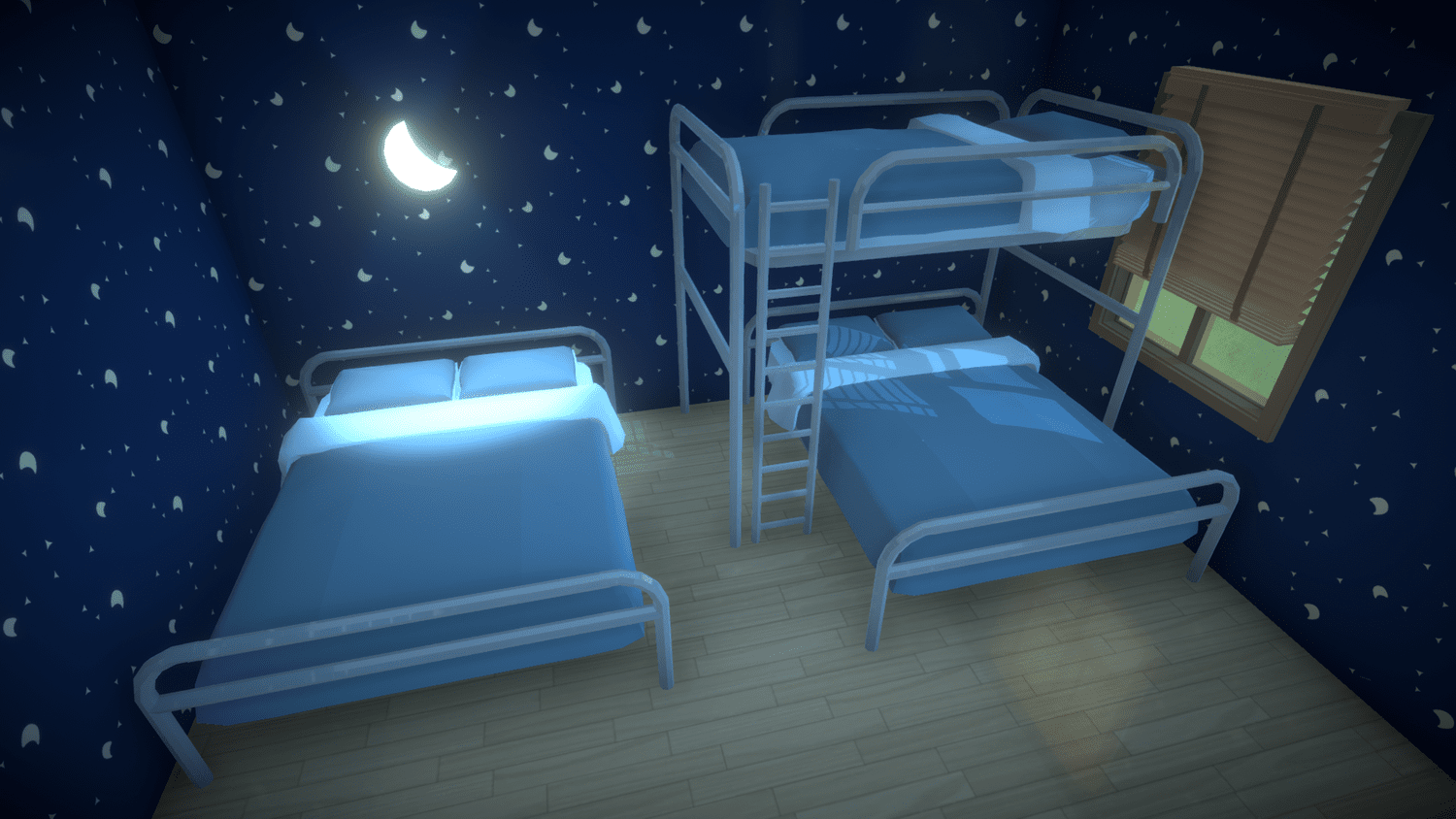
Beds | Single beds, double beds, bunk beds, loft beds |
Tables and Surfaces | Dining tables, coffee tables, desks, countertops |
Lighting | Ceiling lights, floor lamps, table lamps, wall sconces |
Storage | Shelves, cabinets, wardrobes, dressers |
Bathroom | Bathtubs, showers, sinks, toilets, mirrors |
Kitchen | Stoves, refrigerators, sinks, countertops |
Decorations | Paintings, plants, sculptures, rugs, clutter objects |
Outdoor | Patio furniture, garden decor, fencing, planters |
Structural | Doors, windows, columns, stairs, ladders |
The catalog continues to grow as the development team adds new items. Community modders will also be able to contribute custom furniture through the game's modding tools, which are being developed alongside the core game.
Free Placement
One of the most distinctive features of Paralives is its grid-free object placement. Players can position furniture, decor, and structural elements anywhere with pixel-perfect precision. There is no requirement for objects to snap to a tile grid, which means:
Sofas can be angled diagonally or placed at any rotation
Small decor items can sit precisely on the edge of a shelf
Rugs can be layered and offset at slight angles for a more natural look
Furniture can be pushed flush against curved walls without awkward gaps
An optional grid overlay is available for players who prefer alignment assistance, particularly when placing walls and structural elements. This grid can be toggled on and off at any time, giving builders the choice between freeform creativity and structured precision.
Resizing
Every placeable object in Paralives can be freely resized. By selecting an object and pulling its corner anchors, players can scale items up or down to any proportion. This system supports a wide range of creative possibilities:
A single bed can be widened into a king-size bed by dragging its edges
Windows can be stretched to span an entire wall or shrunk to a small porthole
A dining table can be extended to seat a large family or compressed for a small apartment
Decorative items can be scaled to fit any surface or shelf
This resizing capability works hand-in-hand with the game's procedural animation system, which ensures that Parafolk can interact believably with objects of any size. A Para sitting on a resized chair will adjust their posture and positioning to match the furniture's dimensions.
Recoloring and Materials
Materials, colors, and textures are fully customizable on every object. Each piece of furniture is divided into recolorable zones, and players can independently change the material and color of each zone. For example, a wooden table might have separately recolorable legs and a tabletop, allowing players to mix a dark walnut surface with lighter oak legs.
The recoloring system works through a component-based architecture. When creating furniture (including modded items), developers and modders specify which parts of an object are recolorable and what texture types are available. This means community-created furniture can support the same level of customization as built-in items.
Stacking and Height Adjustment
Objects can be stacked on top of one another and raised or lowered freely. By holding the shift key, players can elevate an object to any height or sink it partially into the ground or another surface. This opens up advanced building techniques:
Creating loft beds by raising a bed and placing another underneath for a bunk bed arrangement
Stacking books, plates, or decor items on shelves at varying heights
Sinking outdoor objects partially into terrain for a natural, embedded appearance
Layering rugs and floor coverings at different elevations
The advanced object placement tool provides additional controls for expert builders who want fine-tuned manipulation of rotation, position, and scale beyond the standard drag-and-drop interface.
Curved Walls and Structural Freedom
Paralives supports grid-free construction for walls and structural elements as well. Players can draw curved walls, create split-level floors, and design rooms with irregular shapes. Windows and doors can be dragged and placed along curved walls, and they automatically conform to the wall's curvature. This structural freedom, combined with free furniture placement, allows players to build homes and buildings that would be impossible in grid-based construction systems.
Furniture Creation and Modding
The development team has published dev diaries explaining how furniture is created for Paralives from scratch. The game's architecture treats the game itself as a mod, which means the team's own artists use the in-game modding interface to integrate their assets rather than going through Unity directly. This ensures that community modders have access to the same tools and capabilities used by the developers.
When creating a furniture item, the process involves defining the 3D model, specifying recolorable components and their available textures, setting resizability and scalability parameters, configuring stackability rules, and marking interaction points that Parafolk will use when engaging with the object.
Impact on Gameplay
The furniture and decor system is not purely cosmetic. Objects placed in a home affect Parafolk behavior in Live Mode. The autonomy system enables Paras to find and interact with furniture on their own, and the quality and type of objects in a home can influence a Para's mood, available activities, and overall satisfaction. A well-furnished kitchen encourages cooking, a comfortable living room invites relaxation, and exercise equipment prompts fitness activities.
Patch 0.1.5 Update (July 2, 2026)
Patch 0.1.5, released on July 2, 2026, added decor to the catalog. Four new hand and bath towel items were added for bathrooms, and about 40 new artworks were added to the picture-frame collection. Custom images can now also be applied to mugs, rugs, skateboards, curtains, cushions, and flags.
Major Update Preview (September 2026)
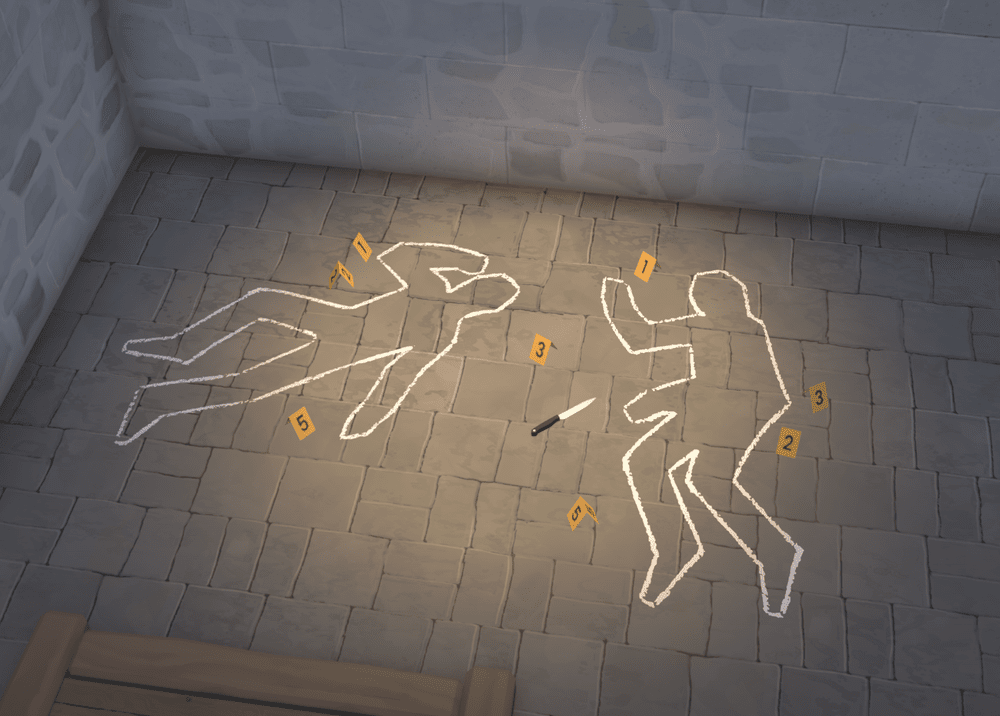
On September 15, 2026 the studio gave a first look at new items planned for its major update, which its public roadmap tags as version 0.2.0 and schedules for the end of 2026. The image shows a set of crime-scene themed decorative pieces: two chalk body outlines, numbered yellow evidence markers and a knife laid on a stone floor. They were shown as catalog items only; no interaction or gameplay system was announced with them, and they had not shipped as of September 21, 2026. See Roadmap and Planned Features for the full list of 0.2.0 workstreams.