

Construction in Planet Zoo 2 uses the series’ signature piece-by-piece building tools, letting players assemble structures from individual components for near-total control over how a zoo looks. For speed, the game also provides ready-to-place blueprints that drop in complete buildings and features. The build menu is split into Habitats, Aquariums, Exhibits, Nature, Facilities, Scenery, and Blueprints, sitting alongside the Trading, Research, and Management panels covered under Guests and Management.
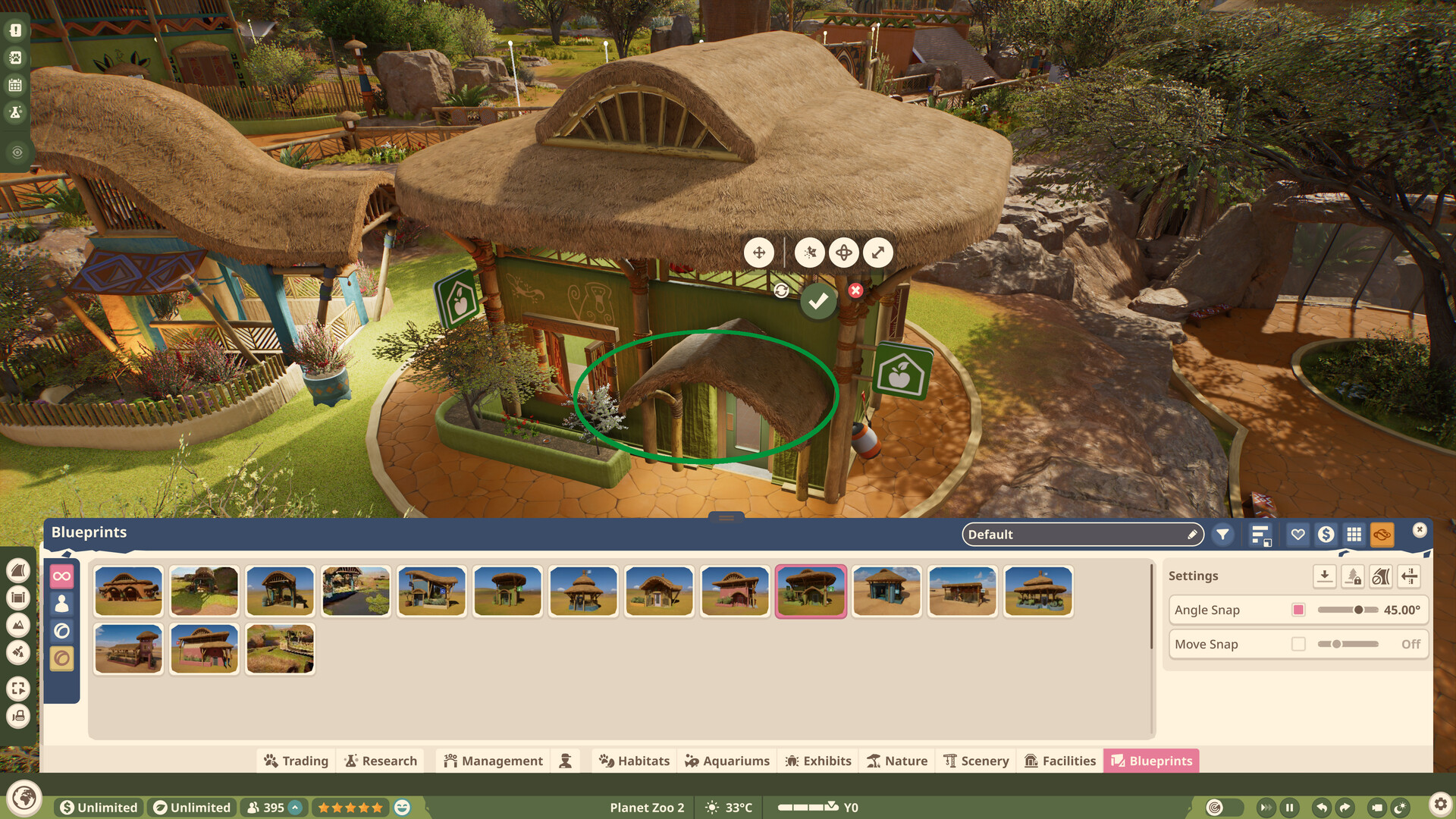
Placement Tools
Every placed object gets a set of manipulation widgets: move, rotate, an advanced move mode with axis handles, and free scaling driven by a slider. Snapping is configurable rather than fixed, so builders can work loosely or precisely.
Tool | Settings Exposed |
|---|---|
Advanced move | Move snap on or off, plus a widget speed control |
Rotate | Angle snap, adjustable in degrees |
Scale | A single scale value applied to the selected piece |
Blueprints | A browsable library with filters, sorting, favourites, and price display, with angle and move snapping applied on placement |
Paths
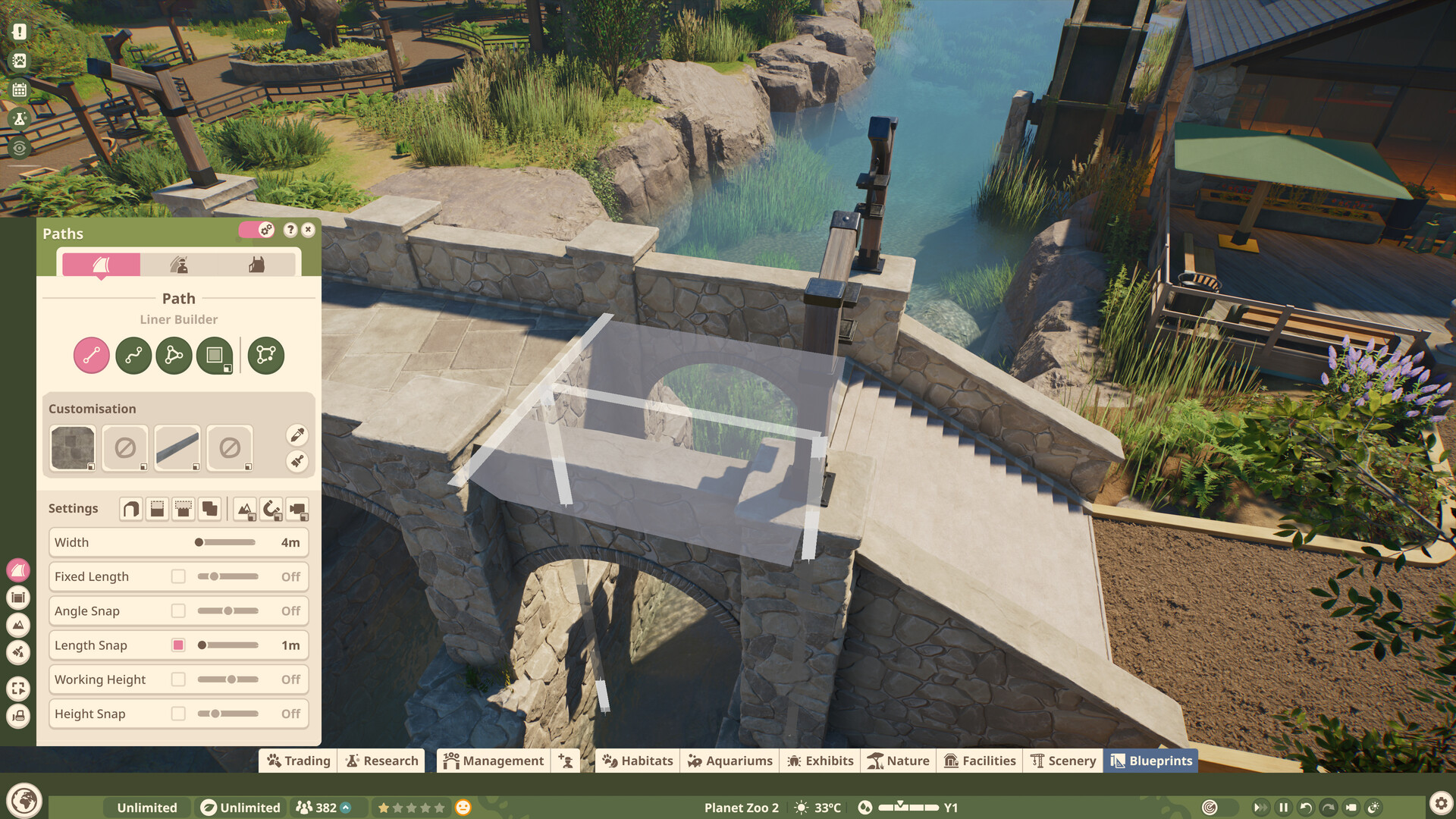
Guest paths are laid with a liner builder offering straight, curved, and freeform modes alongside a saved-path option. Width is set directly, and a row of toggles covers fixed length, angle snap, length snap, working height, and height snap, so a path can be dropped casually or measured to the metre. Paths carry their own surface, edge, and railing customisation, and they run over bridges and through terrain rather than being confined to flat ground.
Frontier has since named the four builders that make up the suite, describing the sequel’s pathing as a rebuild of a system that previously took several attempts to get right.
Path Tool | What It Does |
|---|---|
Line and Curve Builder | Runs a path between two chosen points. |
Draw Tool | Draws an area freehand, which is then filled in as path. |
Stamp Builder | Places paths and plazas from premade shapes at a single click. |
Border Edit | Gives fine control over the edges of a path or plaza. |
All four carry the same customisation options, covering path colour along with railings and supports, and they are meant to make aligning walkways to habitats, aquariums, and aviaries straightforward rather than fiddly.
Terrain and Planting
New foliage and terrain brushes allow large-scale sculpting of the ground, so habitats can be shaped to suit the animals that live in them. Sculpting, stamping, and painting all return, each with refinements aimed at fine detail.
Terrain Tool | What It Does |
|---|---|
Dynamic terrain paints | Adapt automatically to the angle and elevation of the ground they are applied to. |
Curl tool | Rotates terrain around the brush to draw it up into a point. |
Landscape stamps | Lay down whole terrain features at once, such as dunes or rolling hills. |
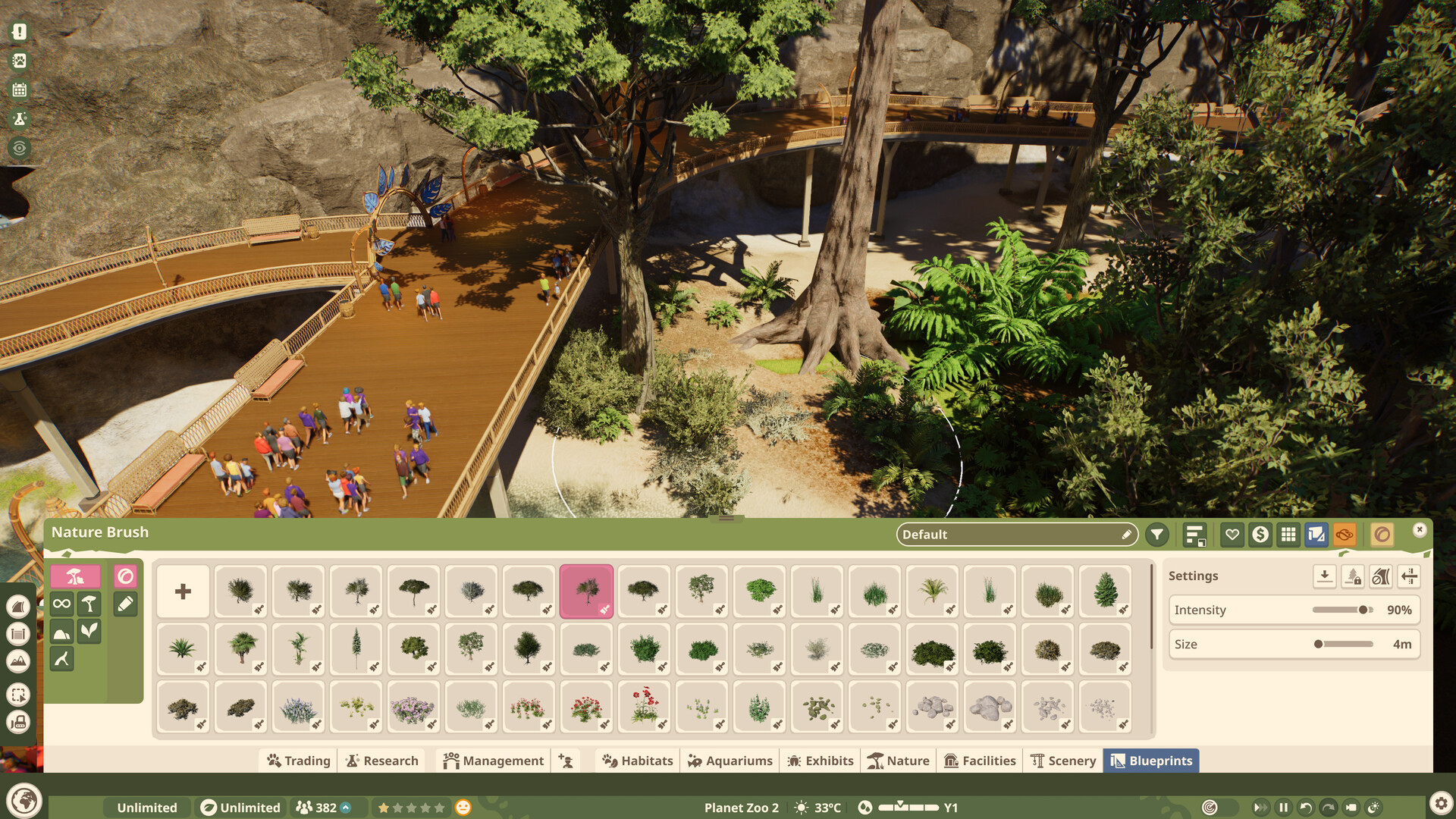
Nature brush | Paints foliage and rocks across an area instead of placing them one at a time. |
The nature brush opens a palette of trees, shrubs, grasses, flowers, and rock scatters with an intensity setting that controls how densely a pass plants, and a size setting that controls the brush footprint. Both can be adjusted mid-build, so the same brush handles a dense thicket and a sparse scatter. A further setting governs how a brush behaves around paths. A selection of brushes ships with the game, and players can configure and save their own.
Detailing and Verticality
Detailing tools return and expand. Scenery pieces can be freely scaled and also mirrored, so a single asset can be varied around the zoo or sized exactly to a gap. Flexicolour, the colour customisation system, has been widened to cover more objects than before, paths among them. Selecting pieces, grouping them, and snapping or aligning them to surfaces have all been reworked to be less fiddly, which is aimed as much at making the toolset approachable as at adding options.
The sequel leans into verticality, supporting multi-level parks shaped by height changes and rivers, and it adds open-plan shops and staff buildings that drop the surrounding walls to reveal the keeper areas inside. Elevated walkways are a common sight, both to give guests a view down into a habitat and to let them look up into an aviary.
Habitats
Each habitat is built to feel natural for its occupants, combining sculpted terrain, water, planting, and barriers. Every species sets its own barrier grade, minimum height, and climb-proofing requirement, tabulated under Habitat Requirements. The same construction tools underpin the new aquariums and aviaries, which add tank structures and generated roofs to the builder options. A roof needs a valid habitat perimeter and gate before it can be generated, and its curve is controlled with a slider so the cover can sag like netting or arch like a dome. Those roofs are not limited to birds and work well on habitats for climbing animals too. Smaller creatures are housed in exhibits, a separate category from full habitats.
Sharing
Finished buildings, habitats, and blueprints can be shared through the Frontier Workshop, a cross-platform community library built directly into the editor, so a design made on one platform can be downloaded on another. Ready-made blueprints ship with the game as well, covering shops, facilities, and complete habitat structures.
The workshop is browsed from inside the game rather than through a separate window, and Frontier describes the community library it draws on as running to thousands of blueprints. Uploading a creation of your own takes a few steps from the same menu.
Scenery Themes
Decorative scenery is grouped into nine architectural themes, four of them brand new and five returning from the first game, all drawing on iconic architecture from around the world. Frontier has named and illustrated five of the nine. Each set is described under Scenery Themes.
Theme | Style |
|---|---|
Planet | The essentials for any zoo, including returning favourites from the first game, intended as the set you start with. |
North | Hardy and robust, drawn from the rugged scenery of the northern hemisphere’s colder regions. |
East | Exotic, bright, and tranquil, aimed at building a tropical paradise. |
South | Wild at heart, with organic and elegant scenery that gets back to nature. |
West | Homely and temperate, bringing the pastoral to a zoo for classic, timeless vistas. |
Which of the nine themes are the four new sets and which are the five returning ones has not been stated. Frontier gives the count split and describes these five by style alone, without labelling any of them as new or returning, so the two groups cannot be mapped onto the named themes. The remaining four are unnamed.
Building also has to account for the year. Colder seasons call for heaters and a power network to run them, and the terrain and planting a habitat is built from change appearance as the months pass, as covered under Seasons and Weather.