

Overview
The building and construction system in Solarpunk allows players to construct homes, workshops, storage facilities, and other structures on the floating islands. Building uses a foundation-based approach where players place foundations first, then add walls, doors, roofs, and stairs to create multi-floor structures.
The Build-Hammer
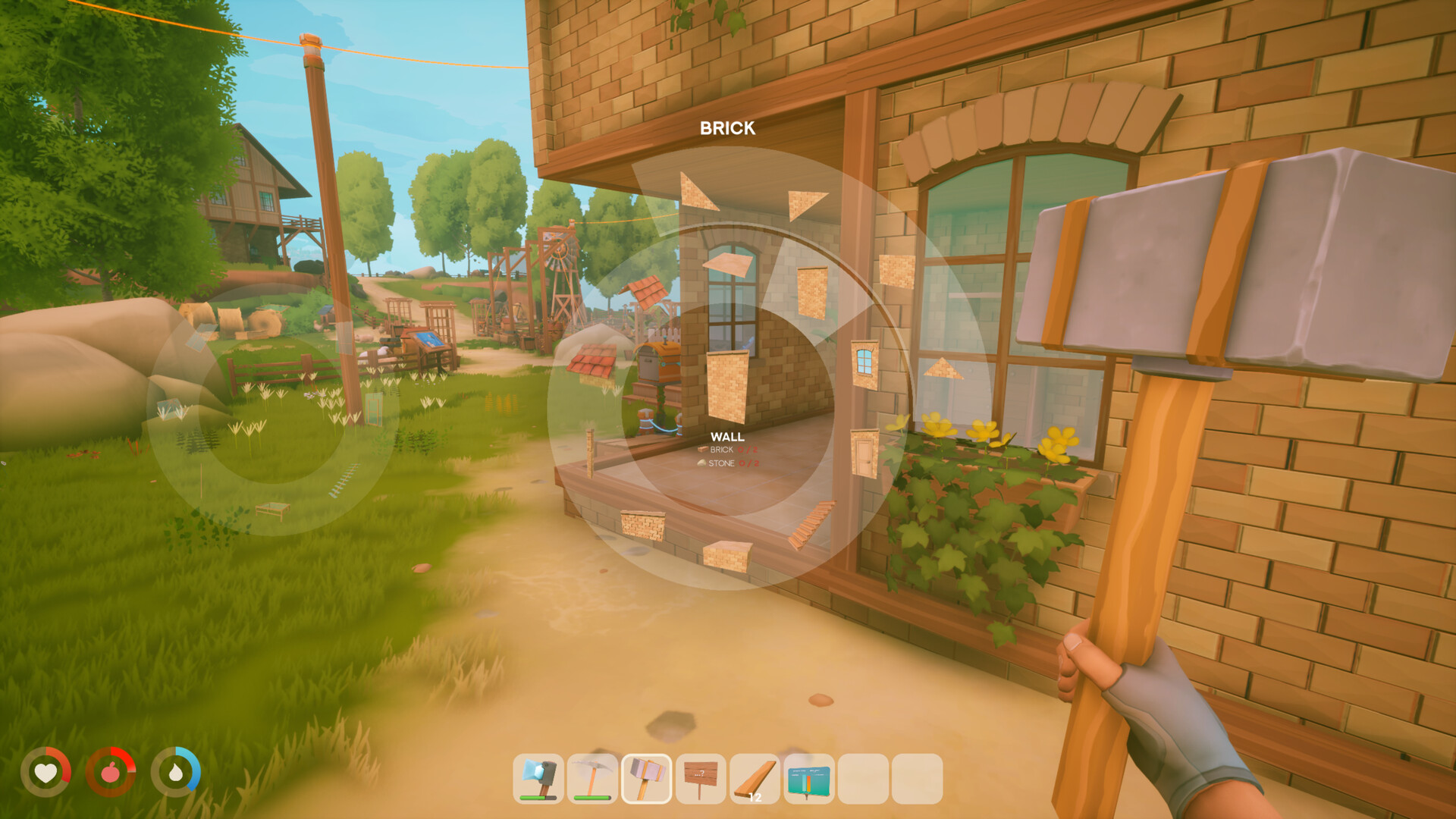
Construction is performed with the Build-Hammer, a tool crafted from Stone and Stick. Equipping the Build-Hammer opens the building interface, which displays available building pieces, material options, and a placement preview.
Placement System
When placing building pieces, a color-coded indicator shows whether the position is valid:
Blue: Valid placement. The piece can be built here.
Orange: Invalid placement. The piece overlaps with existing structures, terrain, or lacks a proper connection point.
Pieces snap to connection points on existing structures, making it straightforward to align walls, floors, and roofs correctly.
When placing a piece, on-screen prompts show the controls for rotating it and adjusting its height, so structures can be lined up precisely before they are committed. These build prompts were expanded in a post-launch update; see Updates and Patches.
Material Categories
Solarpunk offers three categories of building materials. Wood was available from the start, while Glass and Brick were unlocked as Kickstarter stretch goals.
Material | Source | Notes |
|---|---|---|
Wood | Harvested from trees and processed | Available from the beginning of the game; used in the demo |
Glass | Crafted from Sand (Kickstarter stretch goal) | Allows transparent walls and windows for greenhouses and decorative builds |
Brick | Crafted from Clay and Stone (Kickstarter stretch goal) | Provides a more durable, industrial aesthetic |
Building Process
The standard building workflow follows these steps:
Foundation: Place a foundation piece on valid ground. This is the base that all other pieces attach to.
Walls: Attach wall pieces to the edges of the foundation. Wall variants include solid walls and walls with door spaces.
Door frame: Place a door frame in a wall opening to create an entryway.
Roof: Add roof pieces on top of the walls to enclose the structure.
Stairs: For multi-floor homes, place stairs to connect the ground floor to upper levels. Additional foundations can be placed above existing structures to create new floors.
Demolition
To remove building pieces, equip an axe and right-click on a wall or structure component. Demolition returns only part of the resources used to build that piece. This means rebuilding or relocating structures has a material cost, so planning the layout before building is worthwhile.
Signage and Labeling
Signage and labeling systems are confirmed for the game. Players can place signs on or near structures to mark rooms, storage areas, or automation zones. This is particularly useful in multiplayer sessions where multiple players share a base and need to identify which areas serve which purpose.
Rotating and Raising Objects
Adjusting a piece before you place it is one of the least obvious controls in the game, because both actions need a key to be held rather than tapped.
Input | Change Height | Rotate |
|---|---|---|
Keyboard | Hold T rather than tapping it. | Hold R rather than tapping it. |
Controller | Hold Up on the D-pad and use the right thumbstick. | Hold Right on the D-pad and use the right thumbstick. |
Pressing the key once does nothing visible, which is why the control is easy to miss entirely. The developers have acknowledged that this is not clear enough at present and said they intend to improve the interface so the hold behaviour is easier to discover.
Roof pieces are the usual sticking point for new builders. They are fiddly until you understand how the pieces connect to one another, and the recommended approach is patience rather than a different technique.
Building Tips
Plan your base layout before placing foundations to avoid wasting materials on demolition
Build greenhouses with glass walls to protect crops from storm damage
Use stairs to build upward when island surface area is limited
Place energy infrastructure (solar panels, batteries) on rooftops to save ground space
Keep the Build-Hammer accessible; you will use it frequently as your base grows
Storage and Decoration in Version 1.3.0
The chest system supports different storage sizes and names. Nightstands, commodes and crates now have storage, and a larger chest increases capacity. The update also adds flower patches, vines, ivy, glowing plants, Sakura trees and Jacaranda trees. Collectible postcards can be arranged on a Postcard Pinboard.
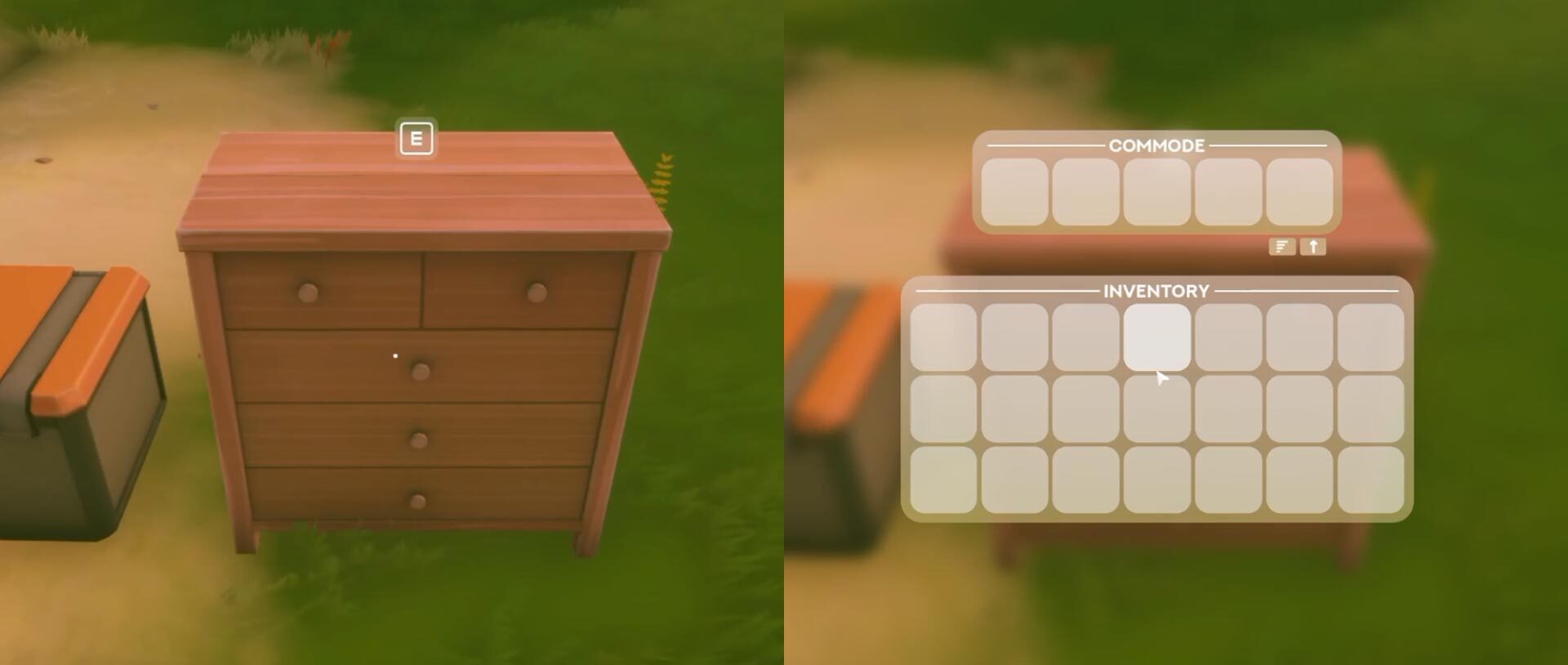
Roof-mounted solar panels and connector holders for pillars and walls provide new options for buildings and cable runs. The Dock no longer partly blocks placement of objects on itself, and the Wooden Pillar in Glass Ring no longer incorrectly requires glass.
Version 1.3.0-304818 reached Steam on September 30, 2026. The announcement placed the console rollout after platform approval; a matching live version has not been confirmed for PlayStation 5, Xbox Series X|S or Nintendo Switch 2 as of October 8. Check the installed version before relying on these changes on another platform.