
Loading...
Loading...
Best and Recommended Settings
October 13, 2026 at 02:03 PM
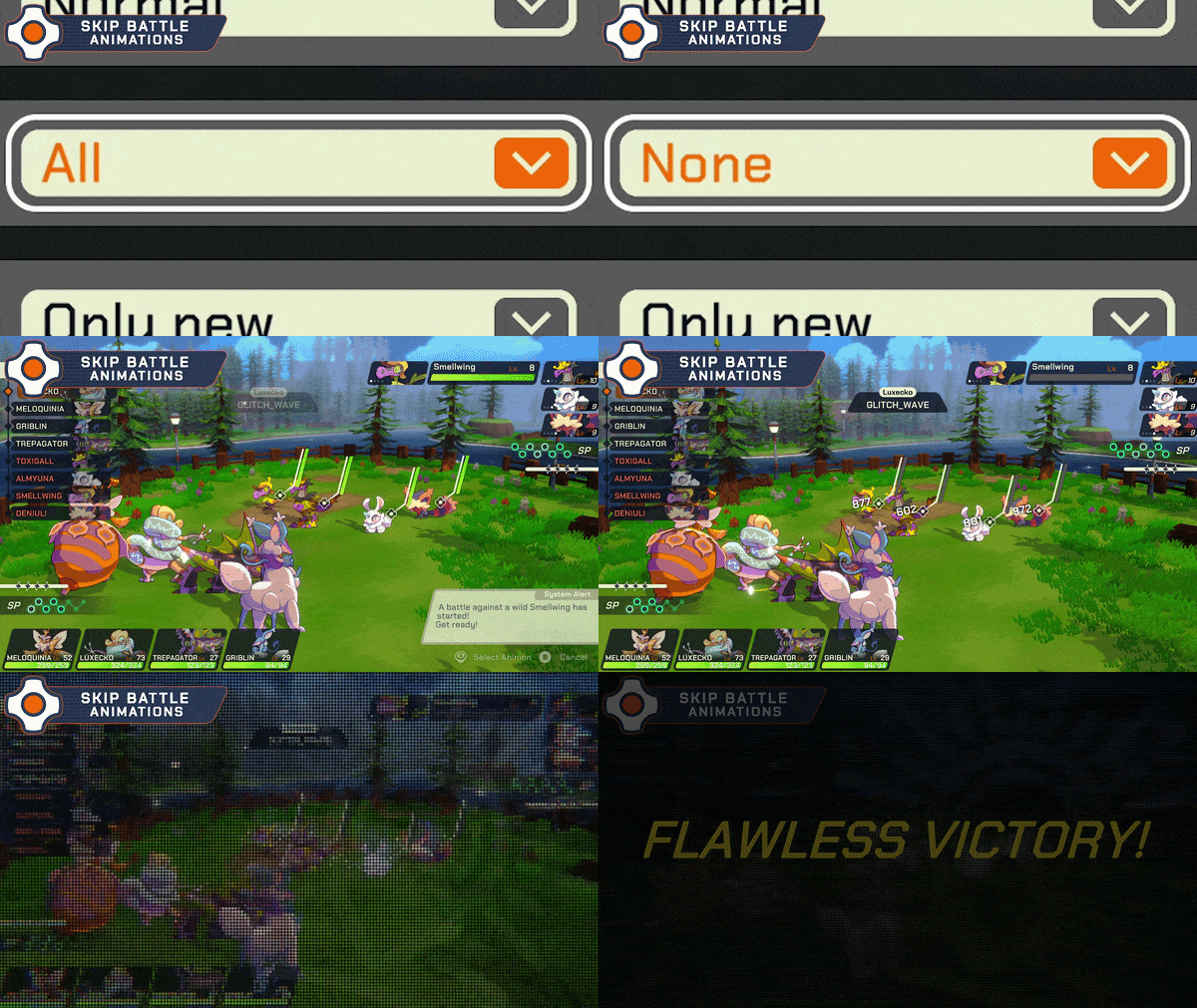
Added the official Update 1 preview clip of the Skip Battle Animations option
This page collects suggested settings for LumenTale: Memories of Trey across graphics, controls, audio, and preferences. These values aim for a stable, comfortable experience; many can be tuned to personal taste, and the difficulty in particular comes down to how much challenge you want.
The Steam store's minimum specification targets Low settings at 1080p and 30 FPS on Windows 10 with an Intel Core i5-6600K or AMD Ryzen 5 1300X, 4 GB of RAM, and an NVIDIA GeForce GTX 1650 or AMD Radeon RX 470 with 4 GB. The recommended specification targets High settings at 1080p and 60 FPS on Windows 11 with an Intel Core i7-8600K or AMD Ryzen 5 3600X, 8 GB of RAM, and an NVIDIA GeForce 2080 or AMD Radeon RX 6650 XT with 8 GB. Both need 2 GB of storage. If your PC sits near the minimum, start from the Low end and work up. See System Requirements for the full table.
The recommended graphics settings keep performance steady. The Render Upscale Filter set to Auto lets the game choose the best upscaling option for your device.
Graphics Setting | Recommended |
|---|---|
Render Resolution | 1 (Default) |
Render Upscale Filter | Auto |
VSync | Off |
Texture Quality | Medium |
Bloom | Medium |
Anti-Aliasing Setting | Recommended |
|---|---|
Anti-Aliasing Mode | FXAA |
Anti-Aliasing Quality | Low |
Anti-Aliasing Filter | 2x |
These are the suggested button assignments for keyboard and mouse and for a controller on PC.
Action | Keyboard and Mouse | Controller (PC) |
|---|---|---|
Select | F | A |
Sprint | Shift | X |
Open Map | M | LB (Left Bumper) |
For the full control reference, see List of All Controls.
Master volume is left to personal preference; the rest are good starting levels.
Audio Setting | Recommended |
|---|---|
Master Volume | User preference |
BGM Volume | 80% |
SFX Volume | 100% |
Ambient Audio Volume | 100% |
Dialogue | 100% |
The main preference choice is difficulty. There were three options at launch, and the October 8, 2026 hotfix on Steam added a fourth, Advanced. You can switch between them at any time. See Difficulty Differences and How to Change for the full breakdown.
Difficulty | Description |
|---|---|
Easy | A more relaxed playthrough of the game. |
Normal | The default difficulty of the game. |
Ace | For players who want a real challenge; Update 1 made it considerably tougher, with less damage dealt, reduced EXP, and restricted healing. |
Advanced | Keeps the halved Update 1 damage values; also used for online battles. |
Update 1 (September 29, 2026) added several options that affect how battles look and how fast they play.
Option | What It Does |
|---|---|
Skip Battle Animations | Turns off skill animations during battles. Values seen in the menu include All and Only new. |
Simple Battle Background | Replaces all battle backgrounds with a simpler one, which can help if you have performance or loading time issues. |
EXP Pop-Up Settings | Changes how EXP notifications are displayed. |
If battles load slowly on your hardware, the simple battle background is the first option to try. See Update 1 Patch Notes for the rest of the update.