
Apogea's official store screenshots show the game's interface during development. Every screenshot carries a "Development Build" label, so the layout and labels below may change before release.
Camera and Presentation
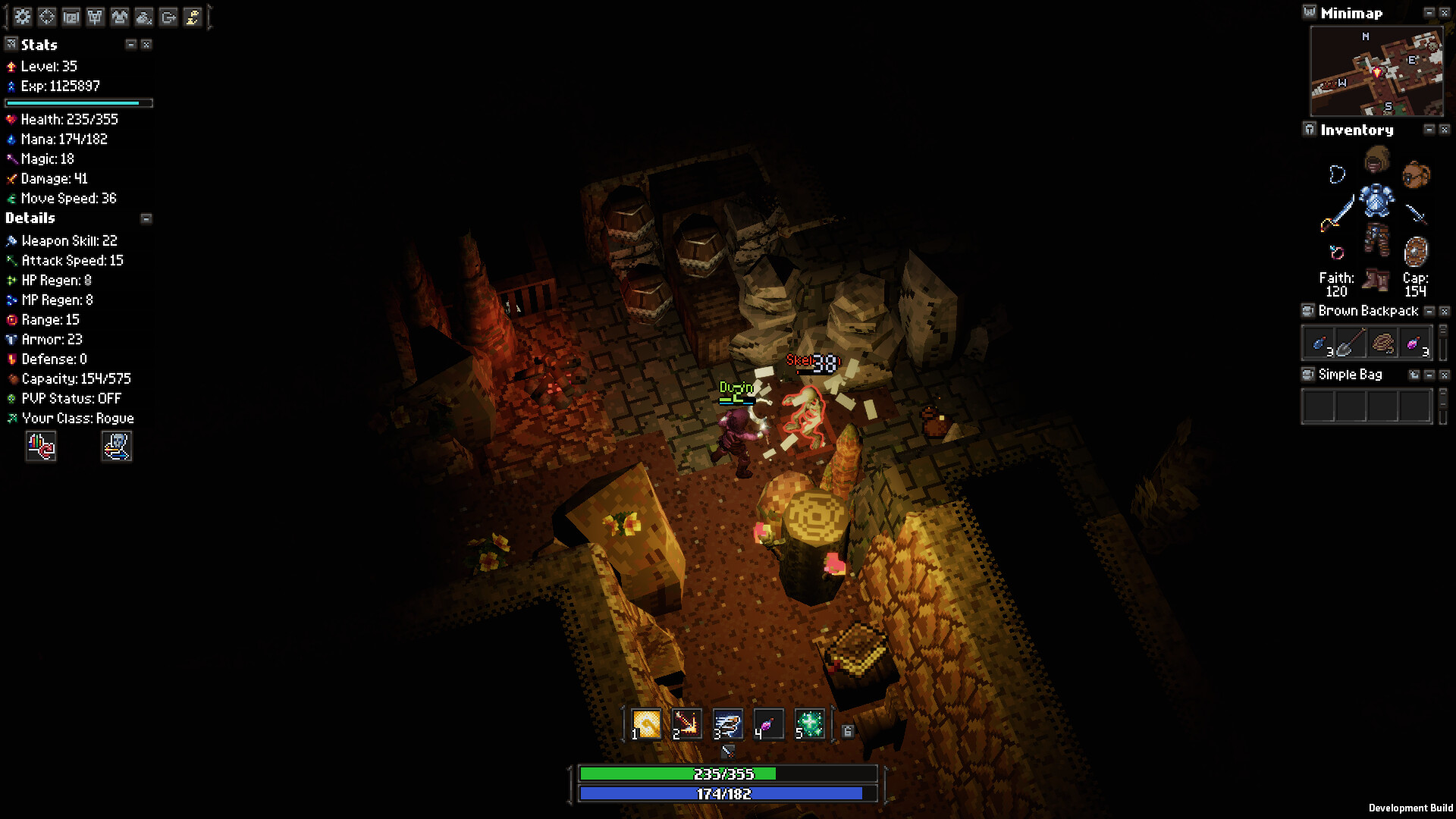
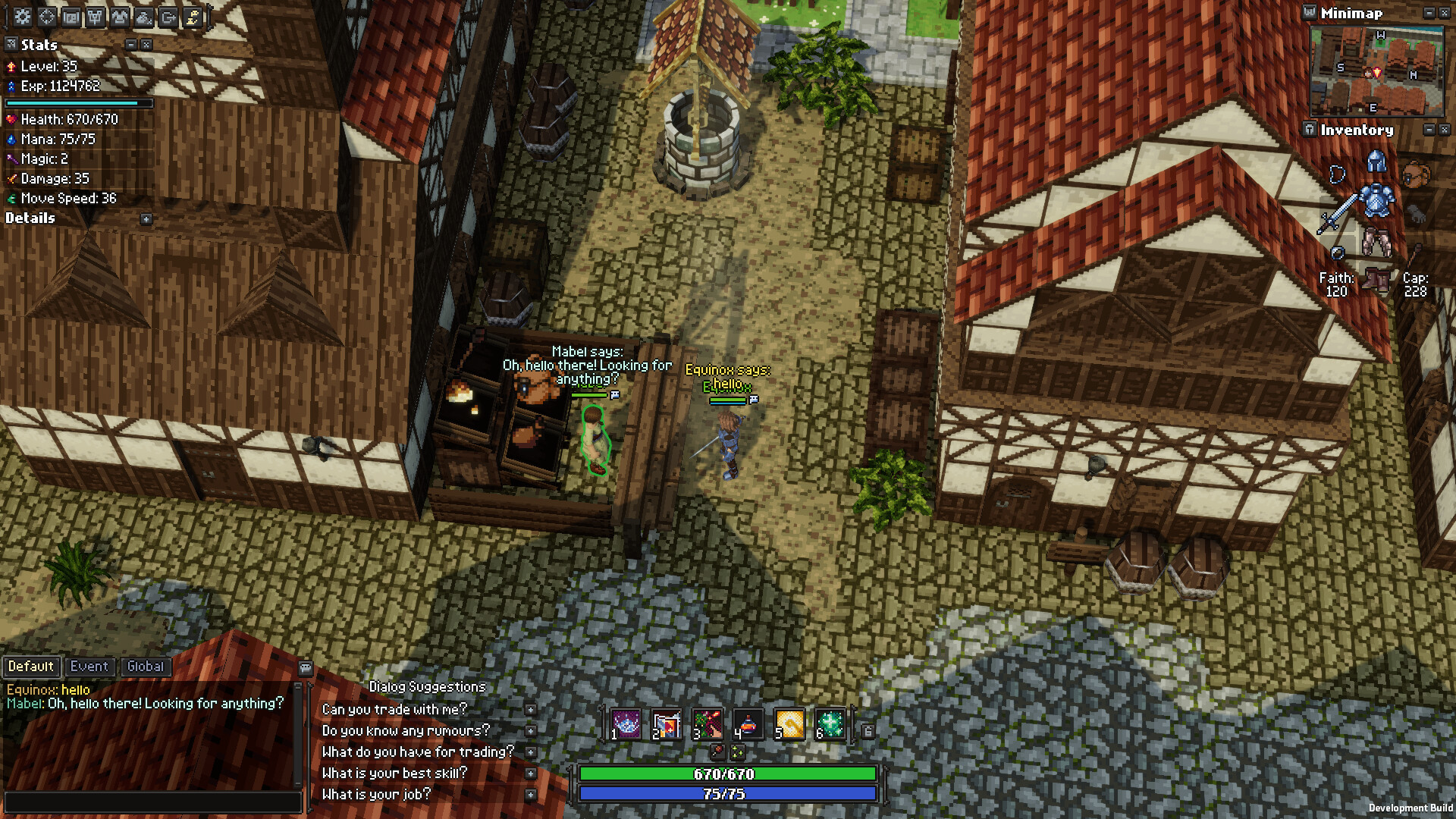
The camera looks down on the world from an angle. Terrain, buildings and characters are 3D models with blocky, pixel-style textures. A minimap with compass letters sits in the top-right corner, above the inventory.
Screen Layout
Window | What it shows |
|---|---|
Stats | Level, Experience (with a progress bar), Health, Mana, Magic, Damage, Move Speed |
Details | Weapon Skill, Attack Speed, HP Regen, MP Regen, Range, Armor, Defense, Capacity, PVP Status, Your Class |
Inventory | Equipment slots arranged around a figure of the character, with Faith and Cap values underneath |
Containers | Separate windows for bags and backpacks, each a grid of slots with item counts |
Hotbar | Numbered slots at the bottom of the screen, above the health and mana bars |
Chat | Default, Event and Global tabs |
Dialog Suggestions | Ready-made phrases for talking to NPCs |
Minimap | The surrounding area, marked with compass letters |
Character Stats
The Stats window in the top-left corner lists the character's level and experience, current and maximum health and mana, and single values for Magic, Damage and Move Speed. Health and mana are repeated as the green and blue bars at the bottom of the screen.
A Details section expands below it. Capacity appears as a current and maximum pair, such as 114/355. PVP Status reads OFF in both screenshots that show the section. The final line, Your Class, names the character's vocation: Mage in one screenshot and Rogue in another. See Classes and Skill Trees for the vocations and Combat and Trading for how fighting works.
Inventory and Containers
The Inventory window places equipment slots around a figure of the character, covering the head, body, weapon and shield among others. Faith and Cap values are printed underneath. Bags and backpacks open as their own windows with grids of slots; the screenshots show a Brown Backpack, a Black Bag and a Simple Bag holding stacked items with counts.
Hotbar
A numbered hotbar sits above the health and mana bars. The screenshots show four to six numbered slots, most of them holding skill or item icons.
Chat and NPC Dialogue
The chat window has Default, Event and Global tabs. When a character speaks, the line appears above their head as "Name says:" and is copied into the chat log.
Conversations with NPCs use a Dialog Suggestions list beside the chat. In one screenshot, an NPC named Mabel greets the player with "Oh, hello there! Looking for anything?" The suggested phrases across two screenshots are:
Can you trade with me?
Can you help me?
Do you know any rumours?
What do you have for trading?
What is your best skill?
What is your job?
What can we talk about?
See World and Exploration for where these conversations take place.